
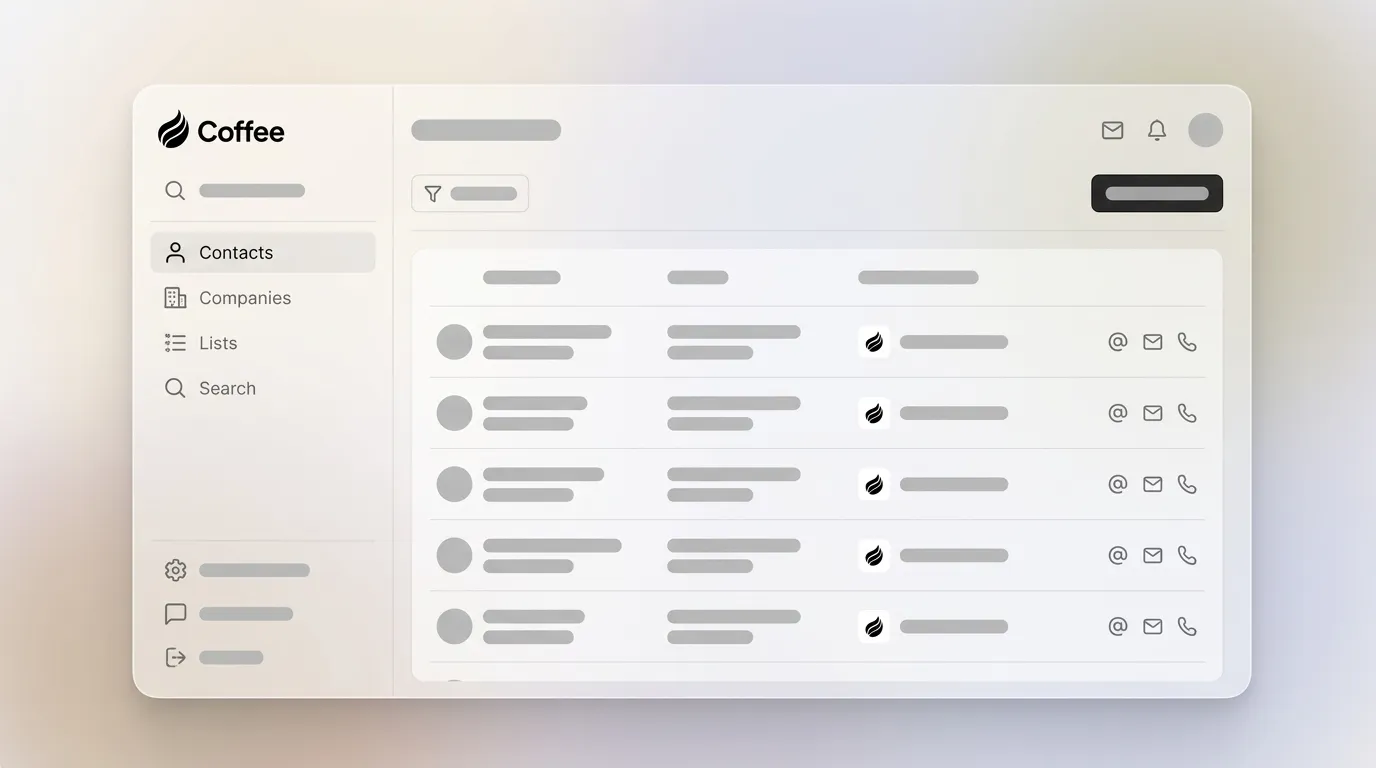
Written by: Doug Camplejohn, CEO & Co-Founder, Coffee
Key Takeaways for Revenue Teams
- SMB and mid-market teams are replacing ZoomInfo because accuracy decays inside the CRM without continuous refresh.
- Most alternatives still require manual export and import steps that add hidden RevOps hours each week.
- Standalone databases create workflow friction, and an autonomous agent inside the CRM removes that friction entirely.
- Coffee enriches records in real time from emails, calendars, and licensed partners without any manual field mapping.
- Eliminate the external database entirely—let Coffee’s agent handle enrichment automatically.
How This Guide Evaluates ZoomInfo Alternatives
Each tool in this comparison is measured against the same six criteria so the evaluation stays consistent and useful for buyers.
- Verified accuracy rates and verification methods: What percentage of records are confirmed deliverable or dialable, and how that is verified through real-time ping, human review, or community crowdsourcing.
- Automation of capture and enrichment: Whether the tool pushes enriched data into the CRM automatically, or a human still exports CSVs and pastes records.
- Integration effort with Salesforce and HubSpot: Whether the connection is native and bidirectional, or requires middleware, field mapping, and ongoing maintenance.
- Total cost of ownership: List price plus manual hours spent on data hygiene, deduplication, and re-enrichment, which multiply the real cost significantly.
- U.S. regional compliance: Whether the provider maintains CCPA alignment and SOC 2 Type 2 certification for U.S.-based buyers.
- Scalability without added headcount: Whether the tool can handle a growing pipeline without a dedicated data operations hire.
The first criterion, verified accuracy and verification methods, directly affects deliverability and connect rates. The next section focuses on how each vendor approaches this dimension.
Accuracy and Verification Methods by Vendor
The figures below reflect each vendor’s publicly stated or independently reviewed accuracy claims. No single third-party audit uses a uniform methodology across all providers. These numbers come from each vendor’s own published documentation and work as self-reported benchmarks rather than independently verified absolutes. Treat direct comparisons on a single percentage scale with caution and use the narrative sections for context.
| Tool | Claimed Accuracy | Primary Verification Method | Real-Time Refresh |
|---|---|---|---|
| ZoomInfo | Proprietary AI + human verification | AI signals + contributor network | Partial |
| Cognism | Phone-verified mobile numbers | Human phone verification | Partial |
| Apollo.io | Community-sourced + AI validation | Crowdsourced + email ping | Limited |
| UpLead | 95% email accuracy guarantee | Real-time email verification at export | At export only |
| Lead411 | 96% deliverability claimed | Triggered data + human review | Partial |
| Lusha | Community-verified contacts | Crowdsourced contributor network | Limited |
| Coffee | Enrichment via licensed data partners, with accuracy on par with leading databases for most SMB and mid-market use cases | Agent-driven enrichment from emails, calendars, and licensed partners | Continuous |
Why ZoomInfo Alternatives Struggle With Accuracy in 2026
ZoomInfo remains the category reference point, but its 2026 pricing structure, tiered by credit volume and feature access, has pushed many SMB and mid-market buyers toward alternatives. The core complaint stays the same across teams. Data can be accurate at export, then decays inside the CRM because no agent refreshes it. This decay happens because sales reps manually copy fields between ZoomInfo, their CRM, and their sequencing tool, and manual workflows do not include ongoing refresh. The alternatives below approach accuracy in different ways, yet most inherit the same structural problem. They are databases that still rely on humans as the bridge, not agents that maintain data automatically.
See how Coffee eliminates the database entirely.
Cognism vs ZoomInfo: Direct Dials and Workflow Tradeoffs
Cognism differentiates on phone-verified mobile numbers, which helps outbound teams that rely on direct dials. Its Diamond Data tier uses human callers to confirm mobile numbers before surfacing them, and this approach produces higher connect rates than AI-only verification. Cognism’s strongest coverage sits in EMEA markets. U.S.-based teams often report thinner coverage in mid-market and SMB segments compared to ZoomInfo’s domestic depth.
On the integration side, Cognism follows the same pattern as ZoomInfo and requires manual enrichment workflows. A rep identifies a target, pulls the record from the database, and pushes it into Salesforce or HubSpot by hand. Neither tool writes enriched data back to the CRM autonomously on an ongoing basis. That manual stitching cost, measured in rep hours each week, becomes a hidden line item that pricing pages never show.
Apollo.io Data Accuracy and Workflow Impact
Apollo.io has grown quickly by combining a contact database with sequencing at a price point below ZoomInfo. Its community-sourced verification model improves accuracy as more users confirm or flag records. This model also creates uneven data quality across industries and geographies. Enterprise technology contacts in major U.S. metros tend to be well covered, while contacts in niche verticals or smaller markets are less reliable.
The cost-per-lead picture for Apollo changes once manual workflow time enters the calculation. A team exporting 500 contacts per week, cleaning duplicates, mapping custom fields, and re-enriching stale records can spend several hours of RevOps time on work an autonomous agent could handle. Apollo inherits the same manual bridging problem described earlier and does not write enriched data back to HubSpot or Salesforce in real time without extra configuration. Its sequencing tool also adds another login to the daily workflow instead of simplifying the stack.
UpLead, Lead411, and Lusha: Point-in-Time Databases
UpLead’s real-time email verification at the point of export helps teams that prioritize email deliverability. Verification happens once at export, which limits its impact over time. Records do not refresh inside the CRM after import, so an email that worked in January may bounce by Q3 without any alert.
Lead411 uses triggered data signals such as job changes, funding rounds, and hiring activity to flag when a record may have changed. This approach offers a useful proxy for freshness. Lusha’s crowdsourced contributor model produces strong coverage for technology and SaaS roles and less consistent coverage in traditional industries. All three tools share the same structural gap. They are point-in-time databases that require human action to move data into the CRM and keep it current.
What Reddit and Forums Reveal About ZoomInfo Alternatives
Threads across r/sales and r/salesforce in 2025 and 2026 highlight frustrations that vendor marketing rarely addresses. Users describe paying for ZoomInfo at enterprise rates and finding that 20–30% of exported contacts have outdated titles or defunct email addresses by the time outreach starts. Apollo users report that the community verification model can create a false sense of confidence, because records look verified while connect rates tell a different story.
Across all tools, the most common complaint focuses on workflow rather than the database itself. Every option still expects a human to act as the bridge between the database and the CRM. One r/sales commenter summarized the situation clearly: “I’m paying five figures a year for a tool that still makes me copy and paste.”
Choosing Between a Standalone Database and an In-CRM Agent
Standalone databases still fit specific scenarios. Large enterprise teams with dedicated data operations staff, organizations running high-volume outbound that needs deep technographic or firmographic filtering, and teams in highly regulated industries with custom data-handling requirements can justify a database-first approach.
For U.S. SMBs and mid-market companies with fewer than 500 employees, the calculation changes. These teams rarely fund a dedicated data operations hire and need enrichment to happen automatically inside the CRM without a human in the loop. Coffee’s autonomous agent captures contacts from emails and calendars, enriches them with job titles, funding data, and LinkedIn profiles via licensed data partners, and writes that data back to Salesforce or HubSpot continuously. Reps never touch a field, and the external database becomes redundant.

Remove the external database from your stack with Coffee’s autonomous agent.
Summary Matrix: Match Your Company to the Right Option
| Company Profile | Tech Stack | Tolerance for Manual Work | Recommended Solution |
|---|---|---|---|
| SMB, 1–50 employees, no CRM yet | Google Workspace or M365 | Zero, needs full automation | Coffee Standalone CRM |
| Mid-market, 50–500 employees, on Salesforce or HubSpot | Salesforce / HubSpot | Low, RevOps stretched thin | Coffee Companion App |
| Mid-market, heavy outbound, needs deep technographics | Any | Medium, has a data ops resource | Apollo or ZoomInfo with manual enrichment workflow |
| U.S. team prioritizing EMEA expansion | Any | Medium | Cognism for EMEA coverage; Coffee for CRM automation |
| SMB prioritizing email deliverability on a budget | HubSpot | Medium, willing to export and import | UpLead for list building; Coffee for ongoing enrichment |
Frequently Asked Questions About Coffee
How long does it take to implement Coffee?
For the Standalone CRM, setup begins immediately after account creation. Connecting Google Workspace or Microsoft 365 takes minutes, and the Coffee Agent starts populating contacts and logging activity automatically from that point. For the Companion App on Salesforce or HubSpot, a simple authentication connects Coffee to the existing instance. Teams avoid lengthy implementation projects, data migration consultants, and custom field mapping exercises. Most teams are operational the same day they sign up.

What does migrating from ZoomInfo or Apollo to Coffee involve?
Coffee does not replace a database by asking you to export and re-import thousands of records. The agent builds and enriches the CRM record set continuously from live signals such as emails, calendar events, call transcripts, and licensed enrichment partners. Existing records in Salesforce or HubSpot are enriched in place. Migration effort stays near zero because Coffee works on top of what already exists rather than swapping it for a new data file.

What data security certifications does Coffee hold?
Coffee is SOC 2 Type 2 and GDPR compliant. Data processed by the Coffee Agent is not used to train public AI models. Security documentation is available to enterprise evaluators on request.
How can I test Coffee’s data accuracy before committing?
Coffee’s pricing page offers direct access to get started, and the agent begins enriching records immediately after connection to your email and calendar. Accuracy becomes visible in a live environment against your actual contacts and accounts instead of a curated demo dataset. Teams can evaluate enrichment quality against their existing CRM records within the first session.
Does Coffee work with Zoom, Slack, and Gmail alongside Salesforce?
Yes. The Coffee Agent joins calls on Zoom, Google Meet, and Microsoft Teams to record, transcribe, and generate summaries and follow-up drafts. It reads Gmail and Google Calendar or Microsoft 365 to capture activity and contacts automatically. Slack notifications surface high-intent website visitors in real time. Current integrations beyond these run through Zapier, and deeper native integrations sit on the product roadmap.

Conclusion: Why an Agent Beats Another Database
Every standalone database evaluated here, including ZoomInfo, Cognism, Apollo, UpLead, Lead411, and Lusha, requires a human to act as the bridge between the data source and the CRM. That human cost is real, recurring, and absent from every vendor’s pricing page. For U.S. SMBs and mid-market teams with limited RevOps headcount, that hidden tax often exceeds the subscription fee itself.
Coffee removes the bridge entirely. Its autonomous agent captures contacts from emails and calendars, enriches records continuously via licensed data partners, logs every interaction, and writes verified data back to Salesforce, HubSpot, or its own Standalone CRM without a rep touching a field. Teams get accurate pipeline data, automated meeting intelligence, and a CRM that sales actually use, all under SOC 2 Type 2 and GDPR compliance.
The strongest ZoomInfo alternative for accurate B2B contact data in 2026 is not another database. It is an agent that makes the external database unnecessary.
Stop paying for data your team still has to enter manually and automate enrichment with Coffee.

