Written by: Doug Camplejohn, CEO & Co-Founder, Coffee | Last updated: July 19, 2026
Key Takeaways for Revenue Teams
- Revenue intelligence platforms with autonomous agents that capture activity and write structured data to Salesforce or HubSpot remove fragmented, manual CRM records that corrupt forecasts and drain selling time.
- Five criteria separate top platforms: activity capture depth, write-back quality, hours saved per rep, stack consolidation, and deployment flexibility, with Coffee scoring 95/100 on both capture and write-back.
- Agent-based automation like Coffee cuts manual CRM entry from 5–6 hours per rep per week to under 2 hours and reaches 97% or more automatic logging within 15 minutes of each interaction.
- Coffee supports standalone CRM deployment for early-stage teams and a companion app mode for mid-market teams on Salesforce or HubSpot, with setup completed through simple OAuth authentication.
- Teams ready to eliminate manual CRM data entry can explore Coffee’s deployment options to automate activity capture and structured write-back across calls, emails, and calendar events.
What Revenue Intelligence Means for CRM Automation
Revenue intelligence in this guide means automated capture of sales activity from emails, calls, and calendar events, combined with structured write-back of that data into the correct fields of a CRM system of record. Platforms that only summarize calls or surface dashboards without closing the loop into Salesforce or HubSpot fields do not qualify as revenue intelligence tools under this definition.
The five criteria used to rank platforms in this guide are:
- Depth of activity capture: The platform passively captures emails, calls, meetings, and transcripts without rep involvement.
- Write-back quality: Captured data populates structured CRM fields such as deal stage, next steps, and MEDDIC or BANT scores, instead of only attaching free-text summaries.
- Hours saved per rep per week: The platform delivers a documented reduction in manual CRM administration time.
- Stack consolidation: The platform replaces multiple point solutions such as enrichment, recording, and forecasting.
- Deployment flexibility: The platform can operate as a standalone CRM, a companion layer, or both.
Comparison of Top Revenue Intelligence Platforms
| Platform | Activity Capture Score (0–100) | Write-Back Quality Score (0–100) | Documented Hours Saved / Rep / Week | Deployment Model |
|---|---|---|---|---|
| Coffee | 95 | 95 | 8–12 hrs | Standalone CRM or Companion (Salesforce / HubSpot) |
| Clari | 90 | 90 | 2–3.5 hrs | Companion (Salesforce / HubSpot) |
| Gong | 82 | 82 | 2–3.5 hrs | Companion (Salesforce / HubSpot / Dynamics) |
| Jiminny | 82 | 82 | 2–3.5 hrs | Companion (Salesforce / HubSpot) |
| Avoma | 80 | 80 | 2–3.5 hrs | Companion (Salesforce / HubSpot) |
| People.ai | 88 | 85 | 2–3.5 hrs | Companion (Salesforce-native) |
Beyond the core metrics in the table above, deployment speed and ongoing operational requirements separate platforms in real-world use.
Setup effort and deployment speed: Agent-based tools like Coffee typically require only authentication setup and begin delivering value quickly, while legacy platforms such as Gong and Clari often require 1–3 months for full rollout, though enterprise or multi-region deployments can take 3–6+ months due to complex configuration and change management requirements. Coffee’s companion model authenticates against an existing Salesforce or HubSpot instance and begins capturing activity immediately.
Data hygiene outcomes: A 12-rep SaaS sales team using AI automation on HubSpot improved pipeline data accuracy from 58% to 91% and achieved 3.2× faster deal velocity. Manual CRM data entry processes typically achieve 82–99% accuracy, while AI-automated capture reaches 99%+.
Frontline usability and manager visibility: Platforms that write structured data to CRM fields, rather than attaching call summaries as notes, give managers accurate pipeline views without requiring reps to update records. This structured approach enables AI automation to improve CRM field completion rates and deliver more timely deal stage updates, because the data lives in queryable fields instead of buried notes.
Integration friction and scalability: Gong supports multi-CRM write-back across Salesforce, HubSpot, and Microsoft Dynamics, but this flexibility comes at a high all-in cost. Jiminny delivers comparable conversation intelligence and CRM sync at roughly half that cost, though with a narrower CRM compatibility footprint. Coffee’s seat-based pricing takes a different approach, bundling the agent’s unlimited labor with no metering on LLM usage or processes.
Automating CRM Data Entry in Practice
CRM data entry can be automated when a platform offers governed field-level write-back instead of raw activity sync. Governed logging must include deduplication logic, precise field mapping, and robust error handling to prevent duplicate records or orphaned contacts.
Before automation: A rep finishes a 45-minute discovery call. Over the next 30 minutes, they manually log call notes, update the deal stage, add next steps, and enrich the contact record. A detailed 2026 breakdown of manual CRM tasks lists logging call notes (45 min), updating contact records (30 min), email activity sync (20 min), meeting notes to CRM (25 min), lead enrichment lookups (40 min), and deal stage updates (20 min), totaling roughly 5–6 hours per week.

After automation: The Coffee Agent joins the call, transcribes it, extracts MEDDIC or BANT qualification data, updates the deal stage, drafts a follow-up email, and writes all structured fields back to Salesforce or HubSpot within minutes of the call ending, with no rep involvement. AI automation achieved 97.4% automatic logging of call activities within 15 minutes of call end for a 12-rep SaaS sales team on HubSpot within the first two weeks of deployment.

How Gong Automates Salesforce Compared to Agents
Because Gong is the most widely recognized name in revenue intelligence, its approach provides a useful contrast to the agent-based model described above. Gong records and transcribes sales calls, then uses AI to extract deal insights and push them to mapped Salesforce fields. The write-back covers call summaries, next steps, and deal risk signals. Gong scores 82/100 on both activity capture and CRM write-back in evaluations.
Before Gong: A rep completes a call. They manually paste notes into Salesforce opportunity fields, update the close date, and log the activity. Fields are updated inconsistently, late, or skipped entirely.
After Gong: Gong transcribes the call and pushes a summary and next steps to mapped Salesforce fields. Deal risk signals surface in the Gong dashboard. However, Gong’s write-back is primarily call-and-meeting-centric. It does not natively capture email threads, enrich contact records from external data sources, or replace enrichment tools like ZoomInfo. Gong has a high all-in cost and the extended deployment timeline mentioned earlier.
Agent-based alternatives like Coffee extend write-back beyond calls to include email threads, calendar events, and enrichment data, writing all of it to Salesforce or HubSpot fields through a single authenticated connection. Coffee also applies MEDDIC, BANT, or SPICED frameworks to structure qualification data consistently across every interaction type, not only recorded calls.

Choosing Platforms by Company Size and Stack
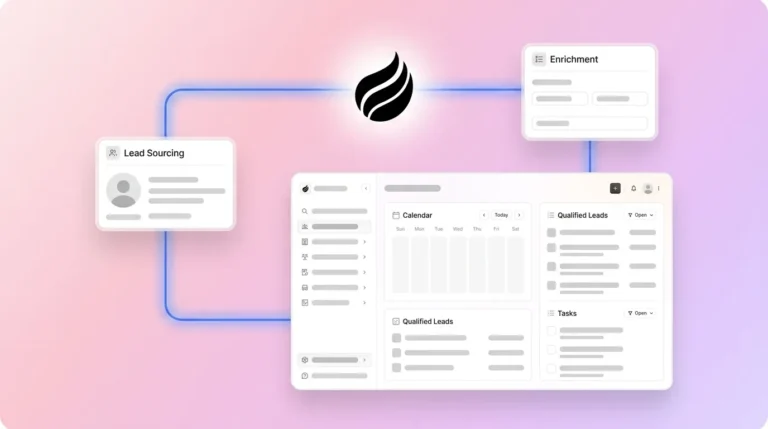
Early-stage teams (1–20 employees) without an existing CRM: The Coffee Standalone CRM fits these teams best. They have outgrown spreadsheets but find Salesforce and HubSpot expensive and manually intensive. The Coffee Agent acts as the system of record, handling contact creation, activity logging, and pipeline tracking from day one without configuration overhead.

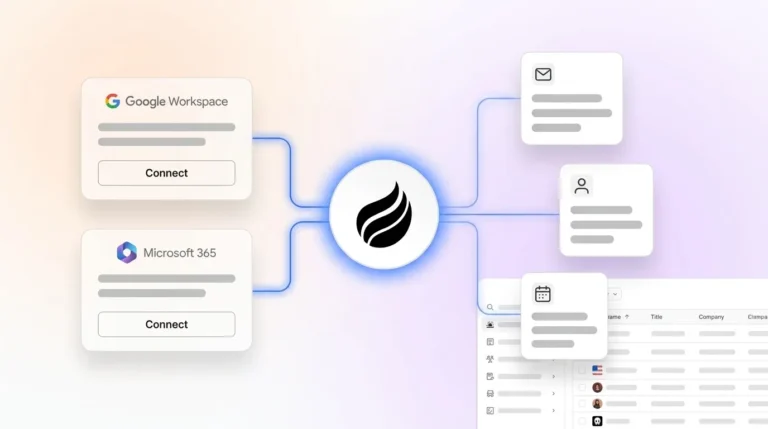
Mid-market teams (50–500 employees) committed to Salesforce or HubSpot: The Coffee Companion App deploys as an intelligent layer on top of the existing instance. A simple OAuth authentication allows the agent to begin capturing emails, calendar events, and call transcripts and writing structured data back to the CRM immediately. This model avoids rip-and-replace risk and removes the manual data entry burden.

Operational considerations for mid-market deployments include:
- Change management: Legacy platforms such as Gong and Clari often require 1–3 months for full rollout, though enterprise or multi-region deployments can take 3–6+ months due to complex configuration and change management requirements. Agent-based tools that require only authentication reduce this timeline significantly.
- Data governance: A recommended 80/20 rule for scalable CRM architecture states that 80% of fields should be system-managed and only 20% user-managed to minimize human error as team size grows.
- Training: Platforms that remove rep data entry reduce training requirements, because reps interact with briefings and follow-up drafts instead of learning field-mapping conventions.
- Growth scalability: Automation lets CRM workflows scale with pipeline volume, handling more leads without adding headcount, as manual processes break under increased transaction loads.
Risks and Limitations of Automated CRM Capture
Automated capture reduces manual work but does not remove it entirely. Error handling rules for automated write-back must create a new contact stub when no match is found and flag the record for rep review when multiple contacts match, so a human review layer remains necessary for edge cases.
Beyond the edge-case review requirement, four categories of limitation affect long-term operational success:
- Data quality dependency: AI-powered CRM automation does not fix bad data; it scales it instead, making poor data quality a direct blocker to production deployment of agentic systems.
- Hidden maintenance: Long-term operational risks include brittle field mappings that break when CRM fields or ad platform APIs change, requiring a quarterly API-health and field-mapping review to prevent silent failures.
- Integration gaps: Many sales leaders report that tech silos and integration challenges can delay or limit their AI initiatives. Platforms that sync to only one CRM or lack conflict detection logic create parallel data sources instead of eliminating them.
- Point solution cost: The ROI of sales tech stack consolidation comes from three sources: direct cost savings ($20,000–$60,000+ per year in eliminated subscriptions), time savings (3–5 hours per rep per week returned to selling), and improved deal quality from better account context.
Decision Framework and Vendor Checklist
Teams can map their constraints to the appropriate deployment model using the following criteria:
- No existing CRM and a team under 20 people → Coffee Standalone CRM
- Existing Salesforce or HubSpot instance, low CRM adoption, missing activity data → Coffee Companion App
- Need call intelligence only and a large enterprise with Dynamics → Gong or Clari
- Budget-constrained mid-market team needing conversation intelligence plus CRM sync → Jiminny or Avoma
- 1,000+ sellers requiring a dedicated activity-capture data layer → People.ai
Before any platform evaluation, teams should verify the following with each vendor:
- Write-back populates structured CRM fields instead of only attaching free-text summaries.
- The platform supports conflict detection to avoid overwriting fields a rep edited more recently.
- The platform is SOC 2 Type II certified, and customer data is excluded from public model training.
- The time-to-value from authentication to first structured write-back meets internal expectations.
- The platform replaces enrichment, recording, and forecasting tools, or clearly justifies adding to the stack.
Frequently Asked Questions
How long does it take to implement an automated CRM data entry solution?
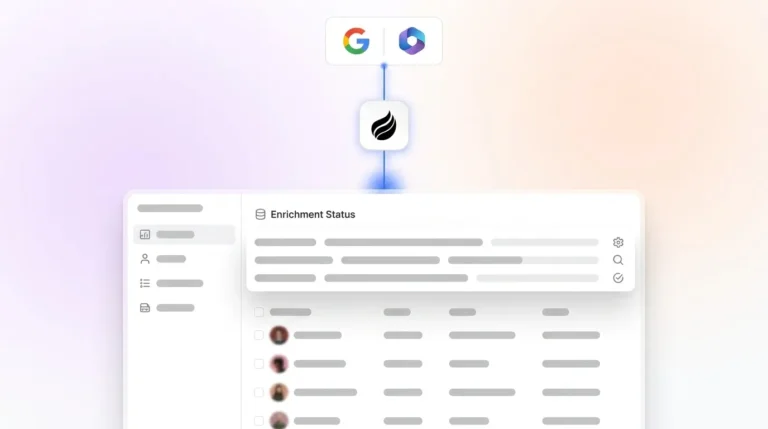
Implementation time depends on the deployment model. Coffee’s Companion App for Salesforce or HubSpot requires only OAuth authentication to begin capturing activity and writing data back to CRM fields, and most teams see structured write-back within the first session. Legacy platforms such as Gong and Clari often require 1–3 months for full rollout, though enterprise or multi-region deployments can take 3–6+ months due to complex configuration and change management requirements. The Coffee Standalone CRM is operational from day one, with the agent handling contact creation and activity logging immediately after connecting Google Workspace or Microsoft 365.
How much migration effort is required to move from an existing CRM to Coffee?
Teams adopting Coffee as a Companion App do not migrate away from Salesforce or HubSpot, because the agent layers on top of the existing instance and writes back to it. Teams adopting the Coffee Standalone CRM can import existing records. Coffee’s agent architecture is designed to meet teams where they are, not to require a rip-and-replace of the current stack.
What security certifications does Coffee hold?
Coffee is SOC 2 Type II and GDPR compliant. Customer data is not used to train public AI models. Role-based access controls and least-privilege OAuth scopes govern all CRM read and write operations, maintaining an auditable trail of every field change made by the agent.
How does Coffee’s data quality compare to dedicated enrichment tools like ZoomInfo?
Coffee’s agent enriches contact and company records with job titles, funding data, and LinkedIn profiles via licensed data partners, providing data quality roughly on par with dedicated enrichment tools for most mid-market use cases. The key difference is consolidation: Coffee delivers enrichment, activity capture, call recording, and CRM write-back from a single agent, eliminating the need to purchase and integrate separate point solutions. Teams with highly specialized enrichment requirements for specific verticals may still benefit from a dedicated enrichment layer.
How do you measure success after deploying automated CRM capture?
The three most reliable signals are CRM field completion rate before and after deployment, rep time recovered from manual administration, and forecast accuracy improvement measured as the reduction in quarterly miss rate. Coffee’s Pipeline Compare feature tracks week-over-week pipeline changes automatically, turning forecast reviews from manual spreadsheet exercises into structured discussions based on agent-maintained data.
Conclusion: Where Agent-Based Revenue Intelligence Fits
Manual CRM data entry remains the largest non-selling activity for mid-market sales teams in 2026. Sales reps spend about 70% of their time on non-selling tasks. Manual CRM data entry consumes the 5–6+ hours per week detailed earlier, even before teams account for coaching and internal meetings. Platforms that remove this burden share one requirement: an autonomous agent that captures activity across emails, calls, and calendar events and writes structured data back to Salesforce or HubSpot fields without rep involvement.
The five criteria that separate platforms capable of removing humans from the data-entry loop from those that only surface dashboards are depth of activity capture, write-back quality into structured CRM fields, documented hours saved per rep, stack consolidation, and deployment flexibility. Coffee is the only platform in this evaluation that operates as both a standalone CRM and a companion agent on top of existing Salesforce or HubSpot instances, with agent-based write-back that covers emails, calendar events, call transcripts, and enrichment data in a single authenticated connection.
See how Coffee’s agent-based automation works with your Salesforce or HubSpot instance.