Written by: Doug Camplejohn, CEO & Co-Founder, Coffee
Key Takeaways for 2026 CRM Buyers
-
US sales teams spend over 250 hours per year on manual CRM data entry, which drives low adoption rates of just 37%.
-
Agentic CRMs like Coffee automate data capture, enrichment, and pipeline intelligence without requiring rep input.
-
Legacy platforms such as Salesforce and HubSpot still depend on manual updates, which leads to inaccurate forecasts and shadow CRM use.
-
Coffee offers both standalone and companion modes, so teams from 1–50 employees can use it with or without an existing stack.
-
Explore transparent seat-based pricing with no hidden add-ons and see how Coffee can transform your sales workflow on our pricing page.
How Agentic CRM Works for Modern Sales Teams
An agentic CRM uses an autonomous AI agent to handle data capture, unification, and orchestration for your sales team. Instead of acting as a passive record container that waits for human input, an agentic CRM proactively ingests emails, calendar events, call transcripts, and enrichment signals. The system of record stays accurate without manual effort, and reliable pipeline intelligence becomes a natural output of clean data.
Eight Criteria That Shape 2026 CRM Decisions
These eight criteria structure every comparison in this article.
-
Data quality and entry effort, which covers how much human input is required to maintain accurate records.
-
Automation depth, which looks at whether the platform automates capture, enrichment, meeting documentation, and follow-up.
-
Pipeline intelligence, which evaluates whether the system can deliver accurate forecasts and deal-change visibility without manual exports.
-
Total cost of ownership (TCO), which includes licenses, add-ons, implementation, and ongoing maintenance.
-
Integration complexity, which measures how difficult it is to connect the CRM to existing tools and data sources.
-
User adoption, which reflects whether the interface reduces or increases rep friction.
-
US compliance, which checks whether the platform meets SOC 2, GDPR, and relevant state privacy law requirements.
-
Long-term scalability, which assesses whether the platform can grow with the team without a costly migration.
2026 CRM Comparison Table for Leading Platforms
The tables below compare Coffee, Salesforce, HubSpot, Pipedrive, Zoho, and monday CRM across these criteria. Pricing reflects published 2026 figures. Automation and adoption ratings reflect qualitative assessments supported by the cited data.
|
Criterion |
Coffee |
Salesforce |
HubSpot |
|---|---|---|---|
|
Data entry effort |
Autonomous agent captures contacts, activities, and enrichment automatically |
High, relies on rep input, 32% of reps spend 1+ hour daily on entry |
High, Breeze Agents assist but core records still require manual maintenance |
|
Automation depth |
End-to-end: data capture, meeting briefings, summaries, follow-ups, pipeline compare, visitor ID, list building |
Rule-based workflows, Einstein Copilot adds AI layer but requires configuration overhead |
Breeze Agents automate sequences, proactive data handling remains limited compared with native agentic architectures |
|
Pipeline intelligence |
Automated week-over-week Pipeline Compare, AI search answers natural-language deal questions as of January 2026 |
Einstein analytics available, most capable tier reaches $350 per user per month before add-ons |
Forecasting available on paid tiers, accuracy depends on rep data entry quality |
|
Base pricing (2026) |
Seat-based, agent labor included, see Coffee pricing details |
Free tier available, paid plans range from $12–$65+/user/month |
|
|
Integration complexity |
Native Google Workspace and Microsoft 365 sync, Zapier for broader stack, deep Salesforce and HubSpot companion mode |
Often requires dedicated expert staff or premium agency support for mid-market teams |
Strong native integrations, setup complexity increases at higher tiers |
|
User adoption |
Agent handles busywork, reps interact with a co-pilot instead of a data-entry form |
Low adoption is common, manual burden drives shadow CRM behavior |
Better UX than Salesforce, roughly 70% of CRM projects fail due to poor adoption |
|
US compliance |
SOC 2 Type 2, GDPR compliant, data not used to train public models |
Built-in GDPR tools, configurable retention, right-to-erasure workflows |
|
|
Scalability and long-term growth |
Standalone for 1–20 employees, companion layer for mid-market Salesforce and HubSpot stacks |
Scales to enterprise, TCO rises sharply with customization and add-ons |
|
Criterion |
Pipedrive |
Zoho CRM |
monday CRM |
|---|---|---|---|
|
Data entry effort |
Manual-first, activity logging depends on rep discipline |
Zia AI assists with suggestions, entry still largely manual |
AI Blocks automate some tasks, core data entry remains rep-driven |
|
Automation depth |
Workflow automations available, no native agentic capture layer |
Zia provides predictions and suggestions, automation breadth limited at lower tiers |
No-code automations and AI Blocks, positioned as intelligent sales co-pilot |
|
Pipeline intelligence |
Visual pipeline, forecasting requires manual deal updates |
AI forecasting available, accuracy tied to data completeness |
AI reporting tools, predictive analytics analyze historical data for real-time predictions |
|
Base pricing (2026) |
From $14/user/month |
Bigin from $7/user/month |
From $12/user/month |
|
Integration complexity |
Strong marketplace, native email sync, limited AI stack consolidation |
Broad integrations, complexity increases with customization |
Integrates with common tools, integration challenges during implementation can cause delays |
|
User adoption |
Clean UI, adoption still depends on rep willingness to log data |
Feature-rich, can overwhelm smaller teams |
Familiar spreadsheet-like interface supports adoption |
|
US compliance |
GDPR compliant, SOC 2 certified |
GDPR and SOC 2 compliant |
SOC 2 Type 2, GDPR compliant |
|
Scalability and long-term growth |
Best for SMB pipelines, limited enterprise depth |
Scales well, Zoho One suite adds breadth |
Scales with team size, enterprise tier available |
See how Coffee pricing compares to your current CRM spend.
Why Agentic CRM Outperforms Passive Systems
Seventy-six percent of CRM users report that less than half of their organization’s CRM data is accurate and complete. This outcome reflects passive architecture, where humans act as the only mechanism for data entry and data quality degrades continuously. B2B CRM contact data decays at 22–70% per year, with poor data quality costing organizations an average of $12.9 million annually.
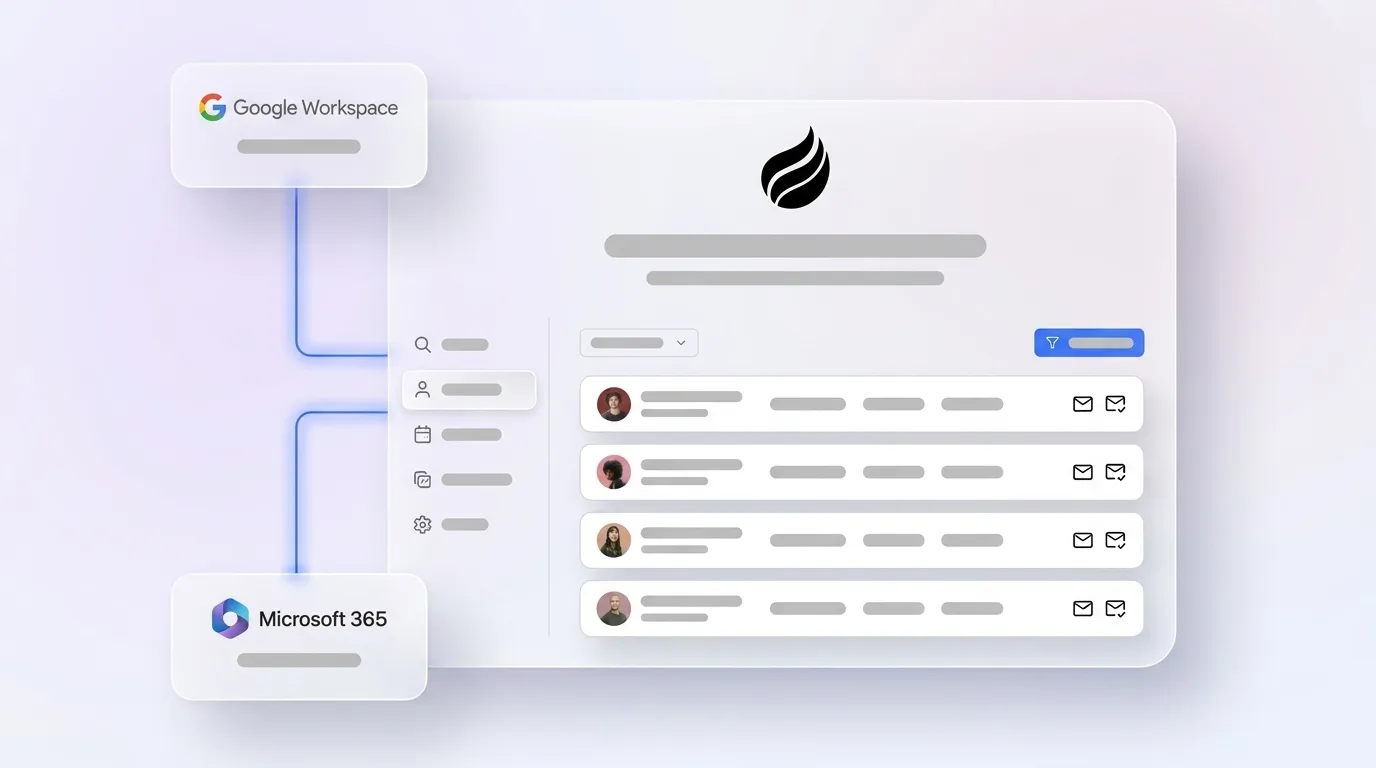
Coffee’s agent addresses this failure mode at the source. After connecting to Google Workspace or Microsoft 365, the agent scans emails and calendars to auto-create contacts, companies, and activity logs. It enriches records with job titles, funding data, and LinkedIn profiles through licensed data partners, which removes the need for standalone enrichment tools. Custom Meeting Briefings and Summaries, launched in February 2026, let users define exact formats, from executive summaries to granular technical breakdowns. Post-call documentation appears automatically instead of being typed manually.


Pipeline intelligence builds directly on this data quality. Because Coffee’s agent captures history in a built-in data warehouse, the Pipeline Compare feature visualizes week-over-week deal changes, including progressed opportunities, stalled deals, and new additions, without spreadsheet exports. AI search on deals, released in January 2026, answers natural-language questions such as “Which deals are stuck in negotiation?” or “What is closing this month?”. Leaders receive data-driven answers instead of subjective rep reporting.
The Visitor Identification feature extends this intelligence to the top of the funnel. A single tracking pixel identifies anonymous website visitors by name, title, email, and LinkedIn profile. The agent then surfaces Suggested Leads, which highlight the two or three individuals inside a visiting company who match the buyer persona, so reps can act immediately. This process closes the loop from anonymous traffic to named prospect without leaving the agent.

By the end of 2026, 40% of enterprise applications will include task-specific AI agents, up from less than 5% in 2025. Coffee already operates at that standard for SMB and mid-market sales teams.
Best-Fit Coffee Setup by Company Stage and Stack
Because agentic CRM architecture delivers different value depending on your current system and team size, this guidance maps common situations to the most efficient Coffee setup.
1–20 employees, no existing CRM or replacing spreadsheets: Coffee’s Standalone CRM fits directly. Teams at this stage have outgrown Notion or spreadsheets but view Salesforce and HubSpot as expensive, manual-intensive systems that require dedicated administration. The Coffee agent manages the entire system of record, including contacts, activities, pipeline, and meeting documentation, without a RevOps hire to maintain data quality.
20–50 employees already on Salesforce or HubSpot: Coffee’s Companion App deploys the agent as an intelligent layer on top of the existing installation. A simple authentication allows the agent to sync data, enrich records, and write insights back to the primary CRM. Improved summary templates, released in November 2025, are customizable and writable back to Coffee, HubSpot, or Salesforce. This approach preserves the existing system of record while solving the data quality problems that make those systems unreliable.
Operational Steps for Adopting an Agentic CRM
Switching to or layering an agentic CRM requires attention to four operational areas, and each one aligns with a phase of the adoption lifecycle. First, change management sets the foundation. Reps accustomed to manual logging need to understand that the agent handles capture, not that leadership is monitoring them more closely. Framing the agent as a co-pilot rather than a surveillance tool drives faster buy-in and reduces resistance during later phases.
Second, data hygiene at migration shapes the quality of intelligence the agent can deliver. A realistic CRM migration for mid-market companies takes three to six months from decision to full adoption, and data cleanup almost always takes longer than anticipated. Third, training scope remains minimal with Coffee because the agent reduces the number of actions reps must take instead of adding new workflows to learn. Finally, scalability without headcount ensures the system grows with the business. Coffee’s seat-based pricing means the agent’s labor scales with deal volume without adding operations staff.
Risks and Limitations of Agentic CRM in 2026
Agentic CRM does not fit every organization. Three limitations matter in the 2026 market.
Integration gaps: Coffee currently connects to broader tool stacks through Zapier, with deeper native integrations on the roadmap. Teams with highly customized Salesforce orgs, such as complex custom objects, territory hierarchies, or multi-currency configurations, should validate specific field-mapping requirements before committing.
Regulated industries: Healthcare CRM compliance in 2026 requires AES-256 encryption at rest, TLS 1.3 in transit, MFA for all systems accessing ePHI, and a signed Business Associate Agreement under HIPAA. Coffee is SOC 2 Type 2 and GDPR compliant. Organizations in healthcare or financial services with multi-year security review requirements should confirm whether Coffee’s current certification scope meets their procurement criteria before proceeding.
AI data quality dependency: AI-powered CRM automation scales bad data rather than fixing it, and organizations with successful AI initiatives invest heavily in data and analytics foundations. Coffee’s agent builds clean data foundations automatically, as described earlier, but teams migrating from severely degraded legacy CRM data should plan a cleanup sprint before enabling AI-driven forecasting. The agent accelerates this work, yet it cannot fully repair years of bad data without an initial remediation effort.
2026 CRM Decision Framework by Size and Stack
|
Company Size |
Current Stack |
Primary Pain Point |
Recommended Path |
|---|---|---|---|
|
1–20 employees |
Spreadsheets / Notion |
No CRM or manual-only tracking |
Coffee Standalone CRM |
|
1–20 employees |
Pipedrive / Zoho |
Data entry burden, low adoption |
Coffee Standalone CRM (replace) |
|
20–50 employees |
HubSpot |
Poor data quality, missing call and email data |
Coffee Companion App on HubSpot |
|
20–50 employees |
Salesforce |
Low rep adoption, manual pipeline reviews |
Coffee Companion App on Salesforce |
|
50+ employees, regulated industry |
Any |
HIPAA or FINRA compliance requirements |
Validate Coffee’s certification scope, assess legacy enterprise CRM |
Find the right Coffee plan for your team size and existing stack.
Frequently Asked Questions
How long does Coffee implementation take in 2026?
Most teams using the Standalone CRM become operational within a single session. Connecting Google Workspace or Microsoft 365 triggers the agent to scan emails and calendars immediately, auto-creating contacts and logging activities without manual configuration. For the Companion App on Salesforce or HubSpot, implementation involves a simple authentication step that authorizes the Coffee agent to read from and write back to the existing CRM. Teams with clean existing data typically see enriched records and meeting summaries within the first day of use. Teams migrating from heavily degraded legacy data should budget extra time for a data cleanup sprint before enabling pipeline intelligence features.
What is the migration effort from Salesforce or HubSpot?
When teams use Coffee as a Companion App, no migration occurs because the existing Salesforce or HubSpot instance remains the system of record. The Coffee agent layers on top, handles data capture, and writes enriched insights back to the primary CRM. For teams that choose to replace Salesforce or HubSpot entirely with Coffee’s Standalone CRM, the migration effort depends on the volume and quality of existing records. Coffee’s agent accelerates this process by auto-enriching imported contacts instead of requiring manual field-by-field cleanup. The agent’s deep understanding of Salesforce and HubSpot data structures, including quotas, forecasting fields, and required fields, reduces the mapping complexity that often delays less specialized migration tools.
How does Coffee handle data security and US compliance?
Coffee is SOC 2 Type 2 certified and GDPR compliant, and customer data is not used to train public AI models. For US businesses operating across multiple states, Coffee’s architecture aligns with the data minimization and consent principles required under the patchwork of state privacy laws active in 2026. Teams in healthcare or financial services with HIPAA Business Associate Agreement requirements or FINRA-specific obligations should review Coffee’s current certification documentation against their procurement checklist. Those industries carry compliance requirements beyond SOC 2 and GDPR and may require additional vendor assessment.
Is Coffee pricing transparent compared with legacy CRMs?
Coffee uses seat-based pricing where the agent’s labor, including data capture, enrichment, meeting documentation, pipeline intelligence, and visitor identification, is included in the seat cost without usage-based metering on AI processes. Legacy CRM pricing structures often gate advanced features such as forecasting, AI assistants, and enrichment integrations behind higher tiers or sell them as separate add-ons. Salesforce’s most capable tier reaches $350 per user per month before add-ons, and implementation costs for legacy systems can exceed $150,000 for mid-market deployments. Coffee’s all-in seat pricing makes total cost of ownership calculable upfront, without surprise costs when teams need a specific capability.
How should teams evaluate fit between agentic and passive CRMs?
The most reliable evaluation signal is the current data entry burden. If sales reps spend more than one hour daily on manual CRM updates, or if pipeline reviews require CSV exports and manual reconciliation, a passive CRM is costing the team selling time and producing unreliable forecasts. Teams should also assess adoption rates. If fewer than half of reps use the CRM consistently, the problem almost always stems from the manual effort required rather than missing features. Agentic CRMs like Coffee address both problems by removing the data entry requirement and delivering accurate intelligence as a direct result. Teams that mainly need a static contact database with minimal automation, or that operate in heavily regulated industries with multi-year security review cycles, may find a passive CRM with extensive compliance certifications a better near-term fit.
Conclusion: Matching Your 2026 CRM to Revenue Goals
The core problem with legacy CRMs in 2026 is structural, not cosmetic. The data quality problem outlined earlier, which costs companies millions annually, stems from an architecture that depends on busy humans to maintain accuracy. The architectural shift in CRM is moving from a passive record system to a proactive partner, and for US sales teams at 5–50 employee companies, Coffee is the only platform that delivers this shift as either a standalone system or a companion layer on an existing Salesforce or HubSpot instance.
The agent captures high-quality data from emails, calendars, call transcripts, and enrichment sources, so accurate pipeline intelligence, forecasts, and deal insights follow naturally. Reps stop acting as data entry clerks and start operating as strategic sellers supported by an autonomous agent that handles the busywork.
Put Coffee’s agent to work on your pipeline and review pricing options today.