Written by: Doug Camplejohn, CEO & Co-Founder, Coffee | Last updated: June 22, 2026
Key Takeaways for Small Teams Choosing a CRM
- Traditional passive CRMs rely on constant manual data entry, while agent-first platforms remove that data-entry burden at the source.
- Coffee is the only platform in this review that works as both a standalone AI-agent CRM and a companion layer on Salesforce or HubSpot.
- Small businesses lose thousands of hours each year to manual CRM updates, and roughly 70% of CRM projects fail because users never fully adopt them.
- Coffee’s agent automates contact creation, enrichment, meeting notes, and pipeline tracking with a single authentication step and no mandatory onboarding fees.
- Teams ready to stop manual data entry can get started with Coffee today.
Why Small Businesses Still Need a CRM in 2026
A traditional passive CRM is a structured database that stores customer records, deal stages, and activity logs, but only when a human enters that information. An agent-first CRM replaces that human data-entry step with an autonomous agent that captures, enriches, and structures data from emails, calendars, and call transcripts without manual input.
The cost of skipping a CRM shows up in lost time and scattered data. Sales reps lose more than nine hours per week to manual data entry and CRM updates, and salespeople spend approximately 65–70% of their time on non-selling tasks, with administrative work and CRM data entry among the largest categories. For a 10-person team, that compounds to 4,420 hours of lost productivity per year.
Adoption creates the deeper challenge. Roughly 70% of CRM projects fail to meet their goals because of poor user adoption, and 37% of sales staff admit to fabricating CRM data because the burden of manual entry from too many required fields conflicts with their ability to do their jobs. A passive CRM that nobody uses becomes an expensive spreadsheet instead of a reliable system of record.
AI adoption among small businesses has accelerated sharply. The 2025 cohort of small businesses reached a 10% AI adoption rate in approximately six months, compared with 77 months for the 2019 cohort, and 81% of organizations are predicted to use AI-powered CRM systems in 2025. The market has moved, and the real question is which platform delivers genuine agent automation instead of a marketing label. To separate real automation from rebranded features, this guide evaluates platforms across six dimensions that matter most to small teams.
Best CRM for Beginners: Six Criteria That Matter
Six criteria determine fit for a 1–20 person team: (1) automation depth and data quality, (2) implementation effort, (3) user adoption for non-technical founders, (4) integration flexibility, (5) transparent pricing, and (6) long-term administrative burden. Each criterion appears in the sections below. No single tool scores highest on every dimension, and the weighting of those criteria shifts depending on whether a team is starting fresh or already committed to Salesforce or HubSpot.
Teams that prefer to move quickly can skip the full comparison. Get started with Coffee and deploy an AI agent that handles the data work from day one.
Best CRM for Small Business 2026 Comparison Table
| Tool | Automation Depth | Setup Time | Companion Mode | Starting Price |
|---|---|---|---|---|
| Coffee | Agent-led: auto-creates contacts, enriches records, logs activities, joins calls, and delivers pipeline intelligence with zero manual input | Connect Google Workspace or Microsoft 365, and the agent begins immediately | Yes, deploys as a standalone CRM or as an agent layer on Salesforce or HubSpot | Seat-based; agent labor included at no additional cost, see coffee.ai/pricing |
| Pipedrive | Pipedrive Sales Assistant (AI) features are available starting on the Lite tier, while lead forms and e-signatures require paid add-ons | Days to weeks for traditional CRM setup | No | Pipedrive’s Lite plan starts at US$14 per user/month billed annually. |
| Zoho CRM | Predictive AI and social media management require Professional or Enterprise tiers | Days to weeks for traditional CRM setup | No | Free up to 3 users; Standard at $14/user/month |
| HubSpot | Sales automation and AI assistance require Sales Hub Professional at $100/user/month plus platform fees | Days to weeks, and HubSpot Professional tier requires a mandatory onboarding fee of $1,500–$3,000 | No, Coffee’s companion mode runs on top of HubSpot | Free tier available; Starter at about $20/seat/month; Professional at $90/seat/month |
| monday.com | Automation and sales forecasting on Standard and Pro tiers; entry tier provides pipelines and dashboards only | Hours to days for simple CRM, longer for custom automation workflows | No | monday.com starts at $9/user/month (annual plan) for the Basic plan. |
| Attio | Modern UI on a passive relational database, with no autonomous agent for data capture or enrichment | Hours to days | No | Attio starts at $29/user/month (billed annually) |
Setup and Onboarding Effort for Small Teams
Traditional CRMs require setup times of days to weeks and ongoing maintenance that scales with configuration complexity. HubSpot’s Professional tier requires a mandatory onboarding fee of $1,500–$3,000 before a team can access meaningful automation. Zoho and Pipedrive are lighter to configure but still require manual field mapping, pipeline construction, and integration setup.
Coffee uses a single authentication step for onboarding. Teams connect Google Workspace or Microsoft 365, and the agent begins scanning emails and calendars to auto-create contacts and companies immediately. There are no mandatory onboarding fees and no configuration backlog before the agent starts working.
Automatic Data Capture and Enrichment With Coffee
Sales teams spend time after every client call logging notes, updating deal stages, and scheduling follow-ups. A team handling 15 calls per week can recover more than five hours weekly through post-call automation alone. Businesses that automate data entry can achieve significant reductions in manual data entry hours.
Coffee’s agent removes that manual step. After a calendar and email connection, it auto-creates contacts and companies, enriches records with job titles, funding data, and LinkedIn profiles via licensed data partners, and logs last and next activity autonomously. This same auto-capture logic extends to financial data. The Stripe integration, launched in January 2026, automatically imports customers and companies, enriches them, and adds paid invoices to deals as Closed Won, which removes another common manual reconciliation task.

The visitor identification feature extends capture beyond the inbox. A single tracking pixel identifies anonymous website visitors by name, title, email, and LinkedIn profile, and surfaces real-time Slack notifications for high-fit prospects. Unlike standalone tools such as RB2B or Warmly that surface company-level data or undifferentiated people lists, Coffee’s Suggested Leads feature uses the buyer persona to recommend the two or three specific individuals inside a visiting company most worth contacting.

This automation saves teams 8–12 hours per week on admin. Get started with Coffee and redirect that time to selling.
Meeting Management and Pipeline Intelligence in One Place
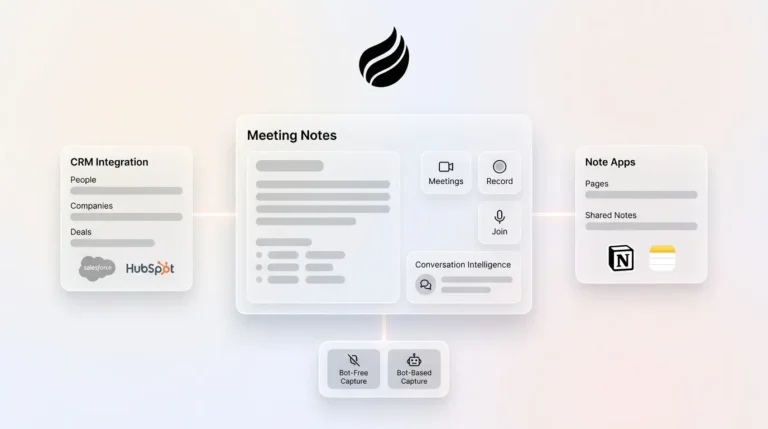
Coffee’s agent joins Zoom, Teams, and Google Meet calls to record and transcribe, then generates summaries, next steps, and draft follow-up emails in Gmail for the rep to review. Custom Meeting Briefings and Summaries, launched in February 2026, allow users to define exact formats, from high-level executive summaries to granular technical breakdowns. The agent can structure notes according to BANT, MEDDIC, or SPICED, which keeps qualification data consistent regardless of which rep ran the call.

Clean input data powers stronger pipeline views. Coffee’s Pipeline Compare feature visualizes week-over-week changes, highlighting progressed deals, stalled opportunities, and new additions without CSV exports or manual review preparation. AI search on deals, released in January 2026, answers natural-language questions such as “Which deals are stuck in negotiation?” or “What is closing this month?” and replaces the manual pipeline interrogation that consumes most weekly sales reviews.

Pipedrive, HubSpot, and monday.com offer pipeline views and some reporting automation, but none provide an agent that attends calls, writes summaries, and tracks pipeline changes autonomously without additional paid integrations.
Cost of Ownership and Administrative Burden
Starter-tier pricing for sales CRMs can appear low, but features such as weighted forecasting, sales-specific automation, and custom reporting frequently require mid-tier plans costing $25–$60 per user per month. HubSpot’s free tier excludes automation, and accessing it requires Sales Hub Professional at $100 per user per month plus platform fees.
Licensing only covers part of the cost. Traditional CRMs carry hidden maintenance costs such as dedicated admin time for deduplication, field mapping, integration upkeep, and report building. Automated deduplication can save sales teams several hours per week in record cleanup. The nine hours per week of lost productivity mentioned earlier translates to real cost. A rep earning $100,000 per year who spends 25% of their time on CRM admin represents $25,000 in misallocated compensation annually; for a 10-person team, that equals 100 lost selling hours per week.
Coffee uses seat-based pricing with no additional metering on agent labor, LLM usage, or automated processes. The agent’s work, including enrichment, meeting recording, pipeline tracking, and visitor identification, is included in the seat cost.
Best-Fit Use Cases for Coffee
Early-stage teams (1–10 employees): Coffee’s standalone CRM fits directly. Setup requires one authentication step, and the agent handles all data work from the first day. Teams that have outgrown spreadsheets but find HubSpot or Pipedrive to be expensive maintenance burdens are the primary target.
Growing sales organizations (10–20 employees): Coffee’s standalone CRM scales with seat-based pricing. The Pipeline Compare and AI search features replace the manual reporting infrastructure that typically requires a dedicated RevOps hire at this stage.
Teams already committed to Salesforce or HubSpot: Coffee’s companion mode deploys the agent as an intelligent layer on top of the existing system of record. Improved summary templates, released in November 2025, are customizable and writable back to Coffee, HubSpot, or Salesforce, which preserves the existing stack while eliminating the manual data-entry burden that causes low adoption.
Risks and Limitations to Consider
Coffee does not suit large enterprises with complex, custom workflows or heavily regulated industries such as healthcare and finance that require multi-year security reviews. Teams seeking a static feature-checklist database rather than an autonomous agent will find the product misaligned with their evaluation criteria.
Third-party integrations beyond Google Workspace, Microsoft 365, Salesforce, HubSpot, QuickBooks, and Stripe currently route through Zapier, with deeper native integrations on the roadmap. Teams with extensive point-solution stacks should verify coverage before committing.
Traditional CRMs carry the opposite risk. Some CRM users switch systems because the interface is too difficult, and many call their tools inefficient. The 70% failure rate mentioned earlier stems from interface complexity and perceived inefficiency that drive users to abandon their tools. B2B CRM contact data decays at approximately 30% per year due to people changing jobs, companies being acquired, and contact information becoming outdated, which makes forecasts built on that data structurally unreliable.
Decision Framework Checklist for Choosing a CRM
Use the following criteria to match a platform to your constraints:
- You have fewer than 20 employees and no existing CRM. Coffee’s standalone agent is the lowest-friction starting point.
- You are already on Salesforce or HubSpot with low adoption. Coffee’s companion mode adds the agent layer without replacing the system of record.
- Your team is non-technical and resistant to admin work. Prioritize automation depth over feature count, and note that Coffee and Freshsales score highest on this dimension at their respective price points.
- Budget is the primary constraint. Zoho CRM’s free tier (up to 3 users) or HubSpot’s free tier provide a starting point, with the understanding that meaningful automation requires paid upgrades.
- You need meeting recording, enrichment, and pipeline intelligence in one tool. Coffee is the only platform in this review that consolidates all three without third-party add-ons.
- You are evaluating total cost of ownership, not just license cost. Factor in admin hours, integration maintenance, and the cost of bad data before comparing headline prices.
Frequently Asked Questions
How long does Coffee take to implement?
Coffee’s implementation uses a single authentication step that connects Google Workspace or Microsoft 365. Once connected, the agent begins scanning emails and calendars immediately to auto-create contacts, enrich records, and log activities. There are no mandatory onboarding fees, no multi-week configuration projects, and no field-mapping backlogs. Most teams have a functioning, populated CRM within the first day of connecting their accounts.
Is Coffee data secure?
Coffee is SOC 2 Type 2 and GDPR compliant. Customer data is not used to train public AI models. For teams in heavily regulated industries such as healthcare or finance that require multi-year security review processes, Coffee recommends evaluating whether those compliance timelines align with the product’s current certification scope before committing.
Can Coffee migrate my existing records?
Coffee’s agent auto-populates records from connected email and calendar data from the point of connection forward. For teams with existing CRM data, Coffee supports import workflows and, in the companion mode configuration, syncs bidirectionally with Salesforce or HubSpot so that existing records in those systems remain the system of record while the agent enriches and updates them going forward.
Will Coffee scale as my team grows?
Coffee uses seat-based pricing with no additional metering on agent labor or automated processes. As headcount grows, the agent’s workload scales without additional per-process fees. The companion mode is designed for small to mid-market teams already on Salesforce or HubSpot, which means Coffee can serve as the agent layer even as the underlying system of record scales to larger team sizes. Large enterprises with complex, custom workflow requirements fall outside Coffee’s current ideal customer profile.
Conclusion: Why Agent-First CRMs Win for Small Businesses
The core finding of this comparison is structural. Traditional passive CRMs require humans to act as data entry clerks, and that requirement does not disappear with better UI or incremental AI features bolted onto legacy architecture. Only 31% of marketers are fully satisfied with their ability to unify customer data sources, and the 70% non-selling burden identified earlier leaves reps with less than a third of their week for actual selling. An agent-first platform addresses both problems at the source by removing the manual input requirement entirely.
Coffee is the only platform in this review that operates as both a standalone AI-agent CRM for teams starting fresh and a companion layer for teams already committed to Salesforce or HubSpot. That flexibility makes it the only option that meets teams where they are instead of requiring a full stack replacement. For small businesses and early-stage sales teams evaluating CRMs in 2026, the decision shifts away from choosing among passive databases. It becomes a decision about whether to deploy an agent that does the work. Get started with Coffee and put the data-entry burden behind you.