
Written by: Doug Camplejohn, CEO & Co-Founder, Coffee | Last updated: August 27, 2026
Key Takeaways for Sales Leaders
- Manual MEDDIC data entry fails mid-market teams because reps skip or delay updates, so scorecards reflect optimism instead of evidence.
- AI tools that write structured MEDDIC fields directly into Salesforce or HubSpot remove admin work and improve forecast accuracy.
- Native CRM field-mapping depth, Economic Buyer and Metrics extraction accuracy, and rep adoption benchmarks drive the best tool choice.
- Among the five tools compared, Coffee stands out with an agent-first approach that unifies calls, emails, and calendar data into one autonomous CRM agent.
- Teams ready to automate MEDDIC qualification can get started with Coffee and see value quickly inside their existing Salesforce or HubSpot instance.
Key Decision Criteria for Choosing an AI MEDDIC Tool
A Head of Sales with 15 reps and a 30-day mandate should evaluate tools across six practical dimensions before signing a contract.
- CRM integration depth: Native write-back to standard and custom Salesforce or HubSpot fields, including restricted picklists, matters more than summary notes dropped into a description field. This distinction is critical because tools that only write summaries into a Description field leave Salesforce reporting, forecast categories, and validation rules dependent on manual data entry.
- Economic Buyer and Metrics extraction accuracy: AI extraction for key MEDDPICC fields such as Metrics, Economic Buyer, and Decision Process can reach high reliability when configured against clear definitions.
- Rep adoption: Adoption remains consistent instead of decaying after kickoff when scorecards are captured automatically from conversation rather than entered by hand.
- Forecast accuracy lift: Only 45% of sales leaders and sellers report high confidence in their organization’s forecasting accuracy, per Gartner research. Structured field population, not narrative summaries, enables reliable pipeline reporting.
- TCO including hidden costs: AI platform licensing fees typically represent only 20–30% of total cost, with the remaining 70–80% absorbed by data preparation, integration engineering, change management, and ongoing maintenance.
- Implementation timeline: Enterprise CRM deployments with field mapping and sales-org rollout typically take 6–12 weeks for multi-process work or 3–9 months for full enterprise scope, even with dedicated support. With these criteria in place, you can now compare specific tools against the same yardstick.
1. Coffee: Agent-First MEDDIC Automation on Salesforce & HubSpot
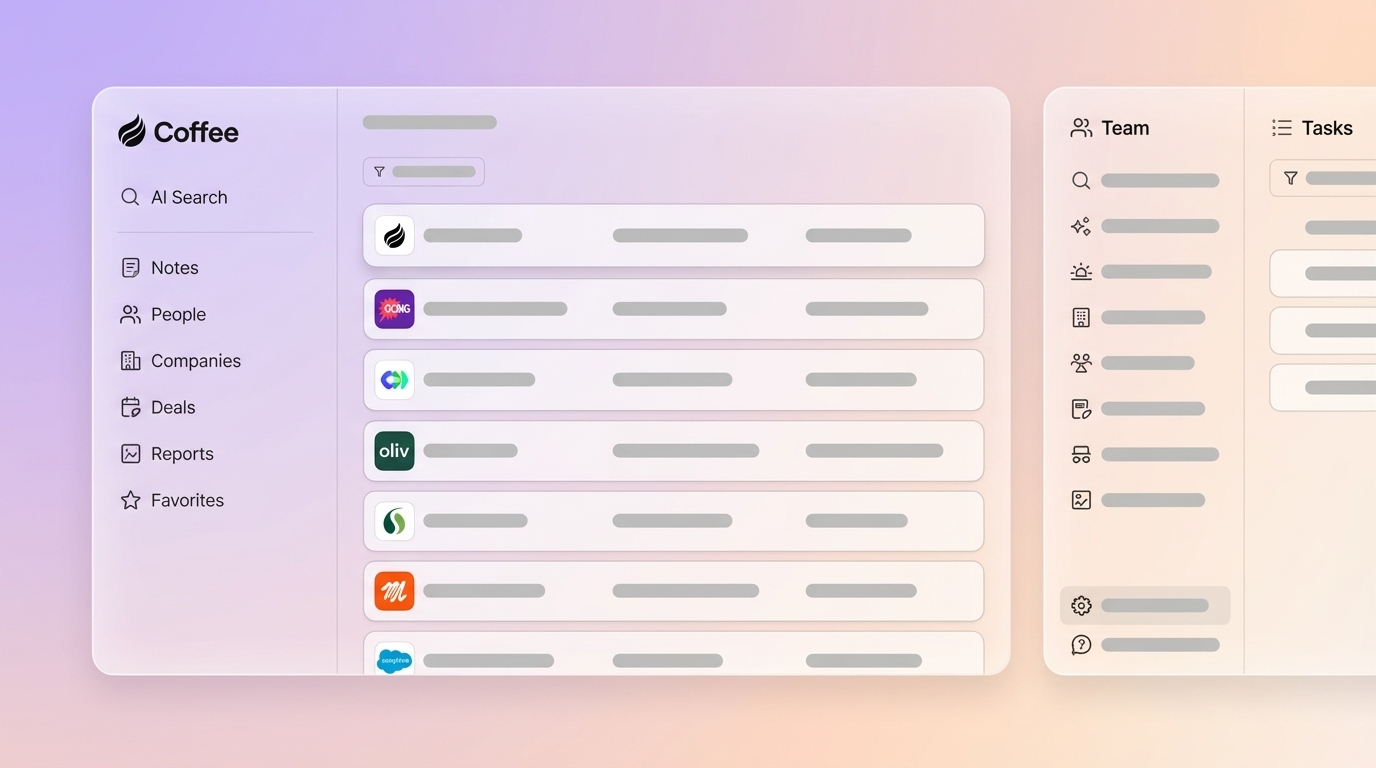
Coffee is an autonomous CRM Agent that deploys as a Companion App on top of existing Salesforce or HubSpot instances. It is purpose-built for mid-market SaaS teams with 10–50 reps whose primary pain is incomplete qualification data and low CRM adoption. The agent captures structured and unstructured data such as emails, calendar events, and call transcripts, then writes MEDDIC fields directly into the CRM without rep action.

Strengths:
- Provides native write-back to Salesforce and HubSpot standard and custom fields, including Economic Buyer, Metrics, and Decision Criteria, structured from call transcripts and email threads.
- Handles both structured data such as deal stage and close date and unstructured data such as call audio and email body in a single agent, which removes the need for separate enrichment, recording, and qualification tools.
- Saves reps 8–12 hours per week on data entry and converts that time into active selling.
- Includes a Pipeline Compare feature that visualizes week-over-week deal changes automatically and replaces manual CSV exports and spreadsheet reviews.
- Meets SOC 2 Type 2 and GDPR requirements, and customer data is not used to train public models.
Limitations: Third-party integrations beyond Salesforce and HubSpot currently route through Zapier, with deeper native connectors planned. Coffee does not suit large enterprises with complex custom workflows or heavily regulated industries that require multi-year security reviews.
Ideal fit: Mid-market SaaS teams committed to Salesforce or HubSpot that want MEDDIC automation without adding another tool reps must learn. Pricing: Seat-based, with the agent’s labor included and no consumption metering. Implementation complexity: Simple OAuth authentication, so the agent begins syncing, enriching, and writing back data immediately.

Get started with Coffee and automate AI MEDDIC qualification inside your existing CRM.
2. Gong: Conversation Intelligence With Limited MEDDIC Write-Back
Gong is a conversation intelligence platform that records, transcribes, and analyzes sales calls, then surfaces deal risk signals and coaching insights. It is widely deployed at enterprise and upper-mid-market accounts and integrates with Salesforce and HubSpot.

Strengths: Gong delivers deep call analytics, pattern recognition across large call libraries, and deal risk flagging based on engagement signals. It connects first-party conversation data with account-level context to reveal buying committee insights.
Limitations: Gong’s structured write-back to Salesforce is limited to logging calls and importing fields rather than populating custom Opportunity fields from call content. Gong’s AI Data Extractor is capped at 20 AI fields per workspace, which constrains teams running full MEDDPICC. Full MEDDIC workflow requires purchasing multiple modules, and implementations can take several months.
Ideal fit: Larger teams that prioritize call coaching and revenue intelligence over structured CRM field population. Pricing: Approximately $1,600 per user per year plus a $5,000–$50,000 platform fee. Implementation complexity: High, with multi-module configuration and significant change-management overhead.
3. Scratchpad: Faster Manual MEDDIC Entry for Salesforce
Scratchpad is a Salesforce productivity layer that gives reps a fast interface for updating pipeline fields, notes, and MEDDIC scorecards without navigating Salesforce’s native UI. It reduces friction in manual data entry rather than eliminating that work.
Strengths: Scratchpad offers a lightweight, fast UI that reps adopt readily. It supports custom MEDDIC scorecards and inline Salesforce field editing with low implementation overhead.
Limitations: Scratchpad accelerates manual entry but does not automatically extract Economic Buyer or Metrics from call transcripts and write them to CRM fields. Qualification data quality still depends on rep diligence, and the tool has no native call recording or transcript analysis.
Ideal fit: Teams with strong rep discipline that want a faster path to manual MEDDIC entry, not automation. Pricing: Seat-based SaaS at a lower price point than full conversation intelligence platforms. Implementation complexity: Low, with a browser extension and Salesforce OAuth.
4. Sybill: AI Meeting Assistant With MEDDPICC Autofill
Sybill is an AI meeting assistant that records calls, generates summaries, and autofills Salesforce and HubSpot fields, including MEDDPICC criteria, after each call. It scans the connected CRM instance to detect fields and uses historical deal data to generate custom extraction prompts.
Strengths: Sybill scans a connected Salesforce instance to detect fields, then uses the team’s last 30 deals to generate custom AI prompts that autofill standard and custom properties such as deal stage, next steps with dates, MEDDPICC criteria, competitor mentions, and decision criteria. It includes a Preview window and dry-run feature for admin validation before live writes and integrates natively with Salesforce, HubSpot, Zoho, and Dynamics 365.
Limitations: Custom-field mapping depth varies by plan. Extraction runs call by call rather than synthesizing insights across a full deal cycle. Pricing at $360 per user per year for the Pro plan and around $948 per user per year for the Business plan adds meaningful per-seat cost for larger teams.
Ideal fit: Teams that want post-call MEDDIC autofill with admin-controlled accuracy guardrails. Pricing: Sybill’s Pro plan costs $360 per user per year with annual billing, and the Business plan is listed around $948 per user per year. Implementation complexity: Moderate, with an initial field mapping review required.
5. Airspeed: Call-to-CRM MEDDIC Extraction for Salesforce & HubSpot
Airspeed is a call-to-CRM automation tool that extracts MEDDIC, MEDDPICC, BANT, and SPICED qualification fields from call transcripts and writes them directly to mapped Salesforce or HubSpot fields, including custom fields and restricted picklists.
Strengths: Airspeed uses multiple LLMs such as Claude, GPT, and Gemini to improve extraction accuracy and populates more than 20 fields automatically. Conflict detection prevents the AI from overwriting any field a human has manually corrected. It features native OAuth setup. Foleon reports 8 hours saved per rep per month on admin work, payback in under 2 months, and 100% sales team adoption.
Limitations: Airspeed focuses on call-to-field extraction and does not consolidate the broader sales stack such as enrichment, sequencing, and pipeline review into a single agent. Email and calendar data handling remains narrower than a full CRM agent.
Ideal fit: Teams whose primary need is structured MEDDIC write-back from calls to Salesforce, without broader stack consolidation. Pricing: Starts at $5,000 per year. Implementation complexity: Low, with one-time field mapping onboarding.
Side-by-Side Comparison Matrix
Scratchpad is excluded from the matrix because it accelerates manual entry rather than automating extraction. Comparing its field-population mechanism to the tools above on the same scale would be misleading, so its trade-off appears only in the product section.
Mapping the Comparison to Your Team’s Context
Team size and CRM commitment act as the first filters. A 15-rep team already on Salesforce needs a tool that writes to existing objects without a migration. Coffee and Airspeed both satisfy this requirement with low setup friction. Gong satisfies it at higher cost and with a longer timeline, which makes it a better fit for teams that also need enterprise-grade call coaching across a large rep population.
Budget discipline matters more than licensing cost alone. A practical budgeting rule for first-time AI adopters is to multiply the vendor’s licensing cost by 3–4x to estimate total first-year cost including integration, and by 1.5–2x for ongoing annual costs. This multiplier exists because a tool with a low headline price but complex custom integration can exceed the TCO of a higher-priced native solution. Enterprise CRM integrations can involve significant costs at scale when custom development is required.
Data portability and vendor lock-in deserve scrutiny during evaluation. Ask each vendor where call transcript data is stored, what the retention policy is, and whether structured field data can be exported if you switch tools. Einstein Activity Capture stores captured activity data on a Salesforce-managed AWS bucket outside the Salesforce database, with configurable retention that defaults to 6 months. That constraint affects long-term forecasting models.
Run a pilot with a small group of reps before full deployment. A pilot validates accuracy, CRM sync quality, and whether the structured output actually reduces post-call admin time. Measure MEDDIC field completeness rate before and after, and track whether managers receive higher-quality deal conversations instead of just filled fields.
7-Step 30-Day Rollout Checklist for AI MEDDIC Tools
- Freeze your MEDDIC definitions (Days 1–3). Align the team on exactly what constitutes a confirmed Economic Buyer, a valid Metric, and a documented Decision Criterion before any tool writes a single field. Automating before agreeing on definitions is the most common pitfall in AI MEDDIC rollouts.
- Audit your CRM field schema (Days 4–6). Identify which standard and custom fields map to each MEDDIC element. Confirm that restricted picklists, validation rules, and required fields are documented before configuring any extraction tool.
- Select and authenticate your tool (Days 7–9). Complete OAuth or API authentication. For Coffee, this step connects the agent to your Salesforce or HubSpot instance immediately. Validate that the agent can read and write to target objects in a sandbox environment before enabling production writes.
- Run a pilot with 3–6 reps on live deals (Days 10–16). Aim for high field-status coverage and manager agreement on sampled interpretations. Keep the rubric stable during the pilot so results remain comparable.
- Review extraction accuracy and calibrate (Days 17–21). Sample 10–15 call records. Compare AI-extracted Economic Buyer and Metrics values against what the rep recalls from the call. Adjust confidence thresholds or field prompts where accuracy falls below 80%.
- Conduct change-management sessions before full rollout (Days 22–26). Run verbal deal reviews for two to three weeks before making fields mandatory to build rep fluency with the framework before enforcement. Have the VP of Sales use MEDDIC language in every pipeline review.
- Deploy to full team and establish ongoing review cadence (Days 27–30). Enable production writes for all reps. Set a monthly review of MEDDIC completeness rate against win rate by completeness bucket. Full fluency with MEDDIC typically takes several months of sustained practice.
Common mistakes to avoid:
- Making too many fields mandatory too early; start with Economic Buyer and Metrics at the Proposal stage only.
- Treating low-confidence AI extractions as authoritative; route uncertain values to a review queue rather than writing them silently.
- Launching without a clear business rationale and focusing on AI for its own sake instead of tying rollout success to forecast accuracy and rep time savings.
- Skipping the sandbox validation step and writing directly to production Salesforce records on day one.
Frequently Asked Questions
How many AI MEDDIC tools should a mid-market team trial simultaneously?
One or two tools in a structured pilot represent the practical limit for a team of 10–50 reps. Running more than two simultaneously fragments the change-management effort, makes it difficult to isolate which tool drives accuracy improvements, and creates rep confusion about which system to trust. Run a two-week pilot with 4–6 reps on one tool, measure MEDDIC field completeness and manager agreement rates, then evaluate a second tool against the same rubric if the first does not meet your thresholds.
How do I evaluate the security posture of an AI MEDDIC tool before connecting it to Salesforce or HubSpot?
Request the vendor’s SOC 2 Type 2 report and confirm its audit date falls within the last 12 months. Ask explicitly whether call transcript data and CRM field values are used to train shared or public AI models, because this clause often appears in terms of service. Confirm GDPR compliance if any reps or customers are in the EU. For Salesforce integrations, verify that the tool uses OAuth with least-privilege API scopes and does not store Salesforce credentials outside the vendor’s certified infrastructure. Coffee is SOC 2 Type 2 and GDPR compliant, and customer data is not used to train public models.
How often should a sales team reassess its AI MEDDIC tool selection?
A formal reassessment every 12 months suits most mid-market teams. Trigger an earlier review if MEDDIC field completeness rates drop below 80% for two consecutive months, if the vendor changes its pricing model to consumption-based billing, or if a CRM platform update breaks native field-mapping behavior. Track extraction accuracy on a rolling 30-day basis so degradation is caught before it affects forecast quality rather than after a missed quarter.
What is the realistic total cost of ownership for an AI MEDDIC tool for a 20-rep team?
Licensing represents only the starting point. For a 20-rep team, multiply the vendor’s per-seat list price by 3–4x to estimate true first-year cost, accounting for integration engineering, field mapping configuration, change management, and training time. Tools that require custom API development or professional services engagements add the most hidden cost. Native CRM integrations, where the tool authenticates via OAuth and writes directly to existing objects without custom middleware, reduce integration overhead substantially. Coffee’s Companion App is designed specifically to minimize this overhead, because a simple authentication connects the agent to your existing Salesforce or HubSpot instance without a separate integration project.
Can AI reliably extract Economic Buyer identity from sales calls, or does it require manual confirmation?
Economic Buyer extraction reaches high reliability when the buyer’s role, authority, or budget ownership is stated explicitly during the call. Phrases such as “I’m the one who signs off on this” or a direct answer to who owns the budget decision give the model clear signals. AI extraction is less reliable when Economic Buyer identity must be inferred from attendance patterns or indirect signals alone. Best practice is to configure confidence thresholds so that high-confidence extractions write directly to the CRM field, while lower-confidence values route to a rep or manager review queue instead of overwriting the field silently. Subjective assessments such as Deal Health Score should always require human confirmation regardless of the tool used.
Conclusion: Choosing the Right AI MEDDIC Tool for Your Stack
The five tools evaluated here represent different approaches to the same problem: getting accurate MEDDIC data into Salesforce or HubSpot without relying on rep discipline. Gong leads on call analytics and enterprise coaching but carries the highest cost and longest implementation timeline for teams that need structured field write-back. Airspeed delivers strong call-to-field extraction with low setup friction. Sybill offers post-call autofill with useful accuracy controls. Scratchpad accelerates manual entry without eliminating it.
Coffee is the only agent-first solution in this comparison that unifies structured and unstructured data sources such as calls, emails, calendar, and enrichment into a single agent that writes MEDDIC fields natively into Salesforce or HubSpot while also handling pipeline intelligence, meeting management, and stack consolidation. For a mid-market SaaS team with 10–50 reps that is already committed to Salesforce or HubSpot and needs accurate qualification data without adding tools reps will ignore, Coffee is the logical starting point.
The most effective next step is a live pilot against your actual deal data, measured against MEDDIC field completeness rate and forecast accuracy before and after. Get started with Coffee and run AI MEDDIC automation inside your existing CRM today.


