Written by: Doug Camplejohn, CEO & Co-Founder, Coffee | Last updated: September 3, 2026
Key Takeaways
- AI-first CRMs use autonomous agents to capture, enrich, and log customer data automatically. This removes manual entry and delivers predictive insights that improve with every interaction.
- The critical distinction among AI CRM tools is whether the AI merely suggests work or executes it autonomously. Agentic platforms usually deliver stronger results for small businesses.
- Legacy CRMs rely on humans for data entry, which creates fragmented records and unreliable pipelines. Small teams without dedicated RevOps feel this burden most.
- Among the eight tools compared, only Coffee operates as a fully autonomous agent that handles data capture, meeting management, and pipeline intelligence without human prompts.
Small businesses that choose an agentic CRM can reclaim 8–12 hours per rep weekly and redirect that time into selling.
To see why that matters, start with the core difference between AI assistants and AI agents.
AI Assistants vs. AI Agents on the Automation Spectrum
The central distinction in the AI CRM market is whether the AI suggests work or does it. AI assistants respond to prompts and help users complete tasks inside a human-led workflow. AI agents plan and execute actions autonomously across software steps, updating records, routing work, and preparing next steps without constant user prompts.
Focus on these automation capabilities when comparing tools:
- Automatic data capture from email and calendar (no manual logging)
- AI lead scoring and enrichment
- Next-action guidance and follow-up drafting
- Meeting transcription, summaries, and briefings
- Pipeline intelligence and week-over-week change tracking
71% of sales reps say they spend too much time on data entry, leaving only 35% of their time for selling. The market is moving toward agentic AI. Meta launched its Business Agent in June 2026, enabling the assistant to take actions on businesses’ behalf, such as booking appointments, qualifying leads, and closing sales. This shift signals that autonomous execution, rather than suggestion, is becoming the industry standard.
Why Small Businesses Need AI Automation Instead of Another Database CRM
Legacy CRMs function as databases, not agents. They depend on humans to input data reliably, and humans rarely keep up. The result is fragmented records, missed follow-ups, and pipeline data nobody trusts. For small teams, this problem is acute because there is no dedicated RevOps function to enforce data hygiene.
Coffee reports that its AI automation saves 8–12 hours per week per rep. For a 5-person sales team, that equals 50 hours weekly, which is more than one full-time employee’s output reclaimed for actual selling. Automation reduces manual tasks and human error while enabling 24/7 operations. As the agent learns more about the business context, these advantages compound.
The real cost of skipping automation shows up in inaccurate forecasts and missed revenue. Manual data entry errors distort pipeline visibility, which leads to missed deals and misallocated resources. Small businesses operate on tight margins and need accurate data to make confident decisions.
The 8 Best AI-First CRMs for Small Business Automation
The tools below were selected based on market presence, AI capabilities, and relevance to small business automation. Each one is evaluated on automation depth, pricing, and ideal business fit.
1. Coffee — Agentic CRM for Hands-Off Data Entry
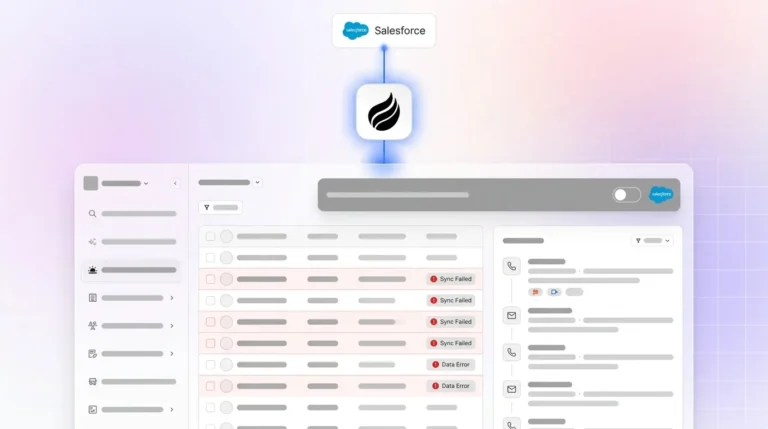
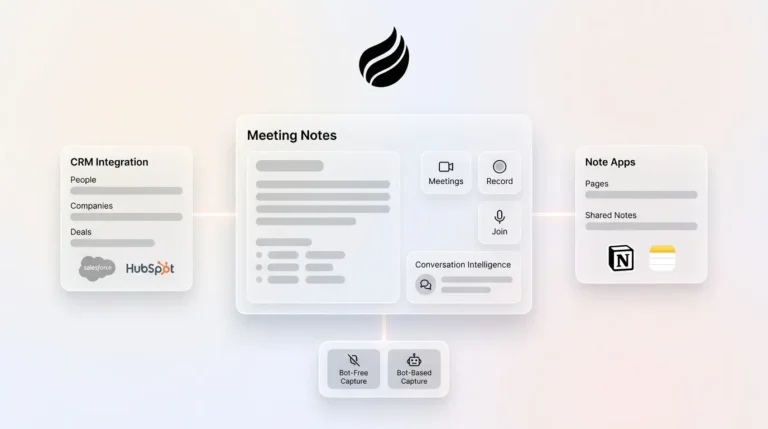
Coffee positions itself as a proactive CRM agent that works with both structured and unstructured data. Every other tool in this list stores data and suggests actions. Coffee’s agent executes autonomously. It captures contacts, enriches records, logs activities, and prepares meeting briefings without a single manual prompt. Teams can use Coffee as a standalone CRM for small teams or as a Companion App that feeds data into existing Salesforce or HubSpot instances.

Key strengths:
- Agent automatically creates and enriches contacts, companies, and activities from connected email and calendar, so reps avoid manual entry
- Meeting bot joins Zoom, Teams, and Meet calls to record, transcribe, and generate summaries, action items, and follow-up drafts
- Pipeline Compare visualizes week-over-week changes without spreadsheets
- February 2026 updates added an Intelligence layer for storing deep business context such as ICP, competitors, and product specifics, plus Custom Meeting Briefings and Summaries
- QuickBooks integration (February 2026) automatically syncs invoices and payment statuses in real time; Stripe integration (January 2026) imports customers, enriches them, and marks paid invoices as Closed Won
- AI search on deals answers natural-language questions like “Which deals are stuck in negotiation?” or “What is closing this month?”
- Lead Finder, Campaigns, and Visitor Identification with Suggested Leads consolidate prospecting, outreach, and pipeline into one agent
Limitations: Coffee is a newer platform. Integrations beyond Zapier and native QuickBooks or Stripe remain on the roadmap. The product is not designed for large enterprises with complex compliance requirements.

Ideal fit: Small companies with 1–20 employees that want to eliminate manual data entry and gain accurate pipeline insights without hiring a RevOps team.

Pricing: Tall at $25/person/month, Grande at $50/person/month, Venti custom starting at $2,000+/workspace/month, billed annually. Agent labor is included at every tier with no metering on LLM usage. Setup typically takes five minutes by connecting Google Workspace or Microsoft 365.
Start your free Coffee trial and let the agent handle the busywork from day one.

2. Nutshell — Fast Setup and Strong Value
Nutshell combines lead management, email marketing, and AI-powered lead scoring in a user-friendly platform built for small sales teams. Its AI features are assistant-style. The tool suggests next steps and drafts recaps, while humans still execute the work. AI outcomes are metered per plan tier, from 2 hours saved on Foundation up to 30 hours saved on the top-tier plan.
Ideal fit: Small B2B sales teams with 5–20 employees that want simple automation without a steep learning curve.
Pricing: Five tiers from $13/user/month (Foundation) to $79/user/month (top tier), billed annually. Plans include a 14-day free trial with no hidden fees or setup costs.
3. monday.com CRM — Visual Pipelines with Optional Agents
monday.com CRM brings the platform’s visual project management interface to sales pipelines. AI agents are available at higher tiers. The Basic CRM plan starts at $12/seat/month (billed annually) but includes no AI agents. The Standard plan at $17/seat/month adds an Outreach caller agent, Lead sourcer agent, Meeting prep agent, and AI meeting notetaker. AI functions as an add-on layer rather than the foundation.
Ideal fit: Small businesses that want a CRM that also supports project management and non-sales workflows.
4. ActiveCampaign — Marketing Automation with Built-In CRM
ActiveCampaign is a marketing automation platform with bundled CRM functionality. It is known for powerful email marketing and customer journey automation. AI features branded “Active Intelligence” are limited on Starter and Plus plans. Pro and Enterprise plans unlock unlimited access, starting at $79/month for 1,000 contacts, billed annually. CRM pipeline management requires paid add-ons beyond the base plans.
Ideal fit: Small businesses with heavy email marketing needs where marketing automation matters more than deep sales pipeline features.
5. Zoho CRM — Budget-Friendly with AI Assistant
Zoho CRM offers an extensive feature set at an affordable price. The Zia AI assistant provides predictions, anomaly detection, and lead scoring. The free plan supports up to 3 users. Standard starts at $14/user/month. The Professional plan at $23/user/month is the first tier to include AI agents that can execute tasks on behalf of users. Enterprise adds extended Zia capabilities at $40/user/month. Setup can feel complex and carries a steeper learning curve than modern alternatives.
Ideal fit: Budget-conscious small businesses that need a wide range of features and can invest time in configuration.
6. Attio — Flexible Data Model for Modern Teams
Attio is a modern CRM with a flexible data model that adapts to how startups actually work. The Free plan supports up to 3 seats. Plus starts at $35/user/month, billed annually. The Pro plan at $79/user/month, billed annually, adds Call Intelligence, Ask Attio, AI agents, and sequences. Agentic capabilities are limited to the Pro tier and continue to mature.
Ideal fit: Early-stage startups with 1–10 employees that want a modern, flexible CRM and are comfortable growing with the platform.
7. HubSpot CRM — Inbound Marketing Ecosystem Hub
HubSpot CRM is the free entry point into HubSpot’s extensive marketing and sales ecosystem. Breeze AI assistant is embedded across the platform. Breeze provides content generation and lead scoring but remains assistant-style and requires significant manual setup and human execution. The free CRM tier exists, but advanced automation requires the Professional plan at $800/month, which includes 3 seats and a mandatory $3,000 onboarding fee. Costs can escalate quickly as contacts and seats grow.
Ideal fit: Small businesses already using HubSpot’s marketing tools that want to consolidate on one platform.
8. folk — Lightweight CRM for Relationship Intelligence
folk is a lightweight, relationship-focused CRM with AI Assistants and Magic fields that simplify contact management for small teams. The Standard plan starts at $24/member/month, billed annually, and includes AI Assistants, Magic fields, pipeline management, email campaigns, contact enrichment, and a LinkedIn extension. The Premium plan at $48/member/month adds sequences, dashboards, and API access. Automation depth remains limited because folk assists rather than acts autonomously.
Ideal fit: Solo consultants, freelancers, and small teams with 1–5 people that need a simple, elegant CRM without heavy automation requirements.
Side-by-Side Comparison: Automation Depth, Pricing, and Fit
The table below highlights automation type, starting price, and ideal fit so you can quickly see which tools behave as agents versus assistants.
| Tool | Automation Type | Starting Price (Annual Billing) | Best For |
|---|---|---|---|
| Coffee | Agent (autonomous) | $25/person/month | Small teams wanting zero manual data entry |
| Nutshell | Assistant (metered AI outcomes) | $13/user/month | B2B sales teams needing simple automation |
| monday.com CRM | Assistant + limited agents (Standard+) | $12/seat/month (no AI agents); $17/seat/month (AI agents) | Teams wanting visual pipeline and project management |
| ActiveCampaign | Assistant (marketing focus) | $15/month (1,000 contacts) | Email-heavy marketing automation |
| Zoho CRM | Assistant (Zia); agents on Professional+ | $14/user/month | Budget-conscious teams needing broad features |
| Attio | Assistant + evolving agents (Pro only) | $35/user/month | Startups wanting a modern, flexible data model |
| HubSpot CRM | Assistant (Breeze) | Free; $7/seat/month Starter | Teams in HubSpot’s marketing ecosystem |
| folk | Assistant (AI enrichment) | $24/member/month | Solo consultants and micro-teams |
Coffee is the only tool in this comparison where the AI operates as a fully autonomous agent. It captures data, logs activities, and prepares briefings without human prompts. Every other tool offers AI assistants that suggest, draft, or score while humans still execute. For small businesses seeking true automation, that distinction often matters more than any feature checklist. See how agentic automation feels in practice with a Coffee trial.
How to Choose the Right AI-First CRM for Your Business
Business type provides the clearest starting filter:
- Solo consultant or freelancer: Choose folk for simplicity, or Coffee for full automation without admin overhead.
- Small B2B startup (1–10 employees): Choose Coffee for agentic data entry, or Attio for modern flexibility.
- Outbound sales team (5–20 employees): Choose Coffee for pipeline intelligence, Lead Finder, and Campaigns, or Nutshell for fast assistant-style setup.
- Local service business: Choose ActiveCampaign for email nurturing, or Zoho for budget-friendly breadth.
Total cost of ownership matters more than the per-seat sticker price. A $14/user/month CRM that requires 20 hours of setup and ongoing manual maintenance may cost more in real terms than a $25/user/month agentic CRM with five-minute implementation. When comparing costs, factor in setup time, migration effort, add-on expenses, and the ongoing labor of manual data entry that assistant-style tools still require.
Then run trials with real data, involve the people who will use the CRM daily, and verify data portability before committing to any platform.
Real-World ROI: Hours Saved and Cost-Benefit Analysis
Coffee’s reported 8–12 hours saved per rep per week sets a high bar for automation impact. Nutshell advertises 2–30 hours saved monthly depending on plan tier. The gap between assistant-style and agentic automation appears directly in those numbers.
A 5-person sales team saving 10 hours per week each reclaims 50 hours weekly, which equals more than one full-time employee’s output. At a $50/hour loaded labor cost, that equals $2,500 per week, or $130,000 per year in reclaimed selling time. At Coffee’s Grande plan ($50/person/month), annual cost for 5 seats is $3,000, which yields roughly a 40x return on investment.
The cost of skipping automation compounds differently. Manual data entry errors produce inaccurate forecasts, missed follow-ups, and lost deals. The 71% of reps overwhelmed by data entry spend less time selling, and assistant-style tools only partially relieve that burden.
Frequently Asked Questions
Which AI CRM is best for small businesses?
For true automation, Coffee leads because its agent autonomously handles data entry, meeting management, and pipeline intelligence without human prompts. Nutshell offers a strong budget-friendly alternative with assistant-style AI that suggests actions and drafts content. The best choice depends on whether the business needs the AI to suggest actions or to execute them independently. Teams that have struggled with CRM adoption due to manual entry overhead usually find the most relief with a fully agentic platform.
What is the best AI CRM for a beginner?
Coffee offers a fast path to value with five-minute setup and no manual configuration. The agent begins capturing contacts and logging activities immediately after connecting Google Workspace or Microsoft 365. folk is also beginner-friendly with a minimal learning curve, but its automation depth focuses on enrichment and suggestions rather than autonomous execution. Beginners who want the CRM to do the work instead of learning complex setup flows benefit most from Coffee’s agentic approach.
Is AI replacing CRM?
AI is transforming CRM from a passive database into an active agent. The category is evolving from software that stores data to software that does the work. Legacy CRMs required humans to serve the software. Agentic CRMs like Coffee invert that relationship, with the agent serving the human. The underlying need to manage customer relationships and pipeline data remains, while the labor of keeping that data accurate and actionable shifts toward AI.
How much does an AI-first CRM cost?
Pricing varies widely across the market. Coffee starts at $25/person/month with agent labor included at every tier and no metering on LLM usage. Nutshell starts at $13/user/month with metered AI outcomes that scale by plan. Zoho CRM starts at $14/user/month but reserves AI agent capabilities for the Professional tier at $23/user/month. HubSpot’s free CRM exists, but meaningful automation requires the Professional plan at $800/month plus a $3,000 onboarding fee. Attio’s AI agents require the Pro plan at $79/user/month. Budget for total cost of ownership, including add-ons, setup time, and ongoing manual labor, rather than focusing only on the per-seat price.
Can AI-first CRMs integrate with existing tools?
Most AI-first CRMs offer native integrations or Zapier connectivity for broader tool ecosystems. Coffee natively connects to Google Workspace and Microsoft 365 and offers a Companion App that syncs with existing Salesforce or HubSpot instances, which makes it viable for teams that are not ready to replace their system of record. Nutshell integrates with Gmail, Outlook, and 6,000+ other apps via Zapier. HubSpot connects to 2,000+ marketplace apps. folk supports 5,000+ integrations. Always verify that the specific tools your team uses daily are supported before committing to a platform.
Conclusion: Pick the CRM That Actually Does the Work
Automation depth now matters more than long feature lists. AI assistants that suggest actions still leave the sales rep acting as the data entry clerk. AI agents that execute autonomously remove that busywork and keep the CRM accurate in the background.
Coffee stands apart as the only true agentic CRM in this comparison. Its agent automatically captures contacts, enriches data, logs activities, prepares meeting briefings, and delivers pipeline intelligence, building on the 8–12 hours per rep per week in time savings mentioned earlier. For small businesses that want to spend more time selling and less time typing, that difference often determines whether a CRM becomes a strategic asset or an expensive chore.
Hire an AI agent instead of managing a database and start with Coffee today.