Key Takeaways
- Sales reps spend 71% of their time on non-selling tasks, and Coffee automation returns 8-12 hours weekly per rep to selling.
- Coffee’s autonomous AI agent joins calls, applies BANT or MEDDIC, and syncs structured insights directly into Salesforce or HubSpot.
- Compared with Otter.ai or Copilot, Coffee adds SOC2 Type 2 and GDPR compliance, native CRM sync, and full sales workflow automation.
- Deployment follows seven steps: connect workspace and CRM, enable the bot, structure templates, test, and track pipeline insights with Compare.
- Enterprise teams improve data quality and forecast accuracy with Coffee; get started with Coffee to automate sales meetings today.
Why Enterprise Sales Teams Need Automated Notes in 2026
Enterprise sales teams in 2026 win by reclaiming selling time and improving CRM data accuracy. Automating admin workflows can return 15-20% of selling time, which directly improves pipeline coverage and quota attainment.
Basic tools like Microsoft Copilot or Otter.ai focus on transcription and light summaries, which leave gaps for complex sales teams. Coffee’s agent-based model closes those gaps with SOC2 Type 2 compliance, native Salesforce and HubSpot integration, and structured data extraction that turns raw transcripts into CRM-ready insights.
Sales organizations now need more than simple note capture. Coffee’s autonomous agent connects meeting intelligence with forecasting, task automation, and deal progression tracking. This unified approach helps high-performing teams spending 34% of their time actively selling protect their edge through stronger data quality and consistent workflows.
2026 Comparison: Top 5 AI Tools for Enterprise Sales Notes
Enterprise buyers evaluating AI note tools look for native CRM sync, agent-level automation, and proven security. The table below summarizes how leading platforms compare.
|
Tool |
CRM Sync (Salesforce/HubSpot) |
Agent Automation |
Security/ROI |
|
Coffee (Winner) |
Native auto-enrich with MEDDIC/BANT |
Full agent: briefings, follow-ups, pipeline |
SOC2/GDPR, 8-12h/rep savings |
|
Microsoft Copilot |
Native Microsoft ecosystem |
Advanced agents and workflows |
Enterprise security, 4-6h savings |
|
Otter.ai |
Partial integration |
Summaries and action items |
SOC2 compliant, 5-7h savings |
|
Fathom |
Basic CRM sync |
Transcripts and summaries |
Limited compliance, 3-5h savings |
Coffee’s advantage comes from its agent-first architecture that replaces multiple point tools with one system. While other platforms need extra products for enrichment, task management, and pipeline intelligence, Coffee’s single agent manages preparation, note capture, CRM updates, and follow-up automation.
How to Automate Teams and Zoom Notes with Coffee
Rolling out automated notes across Teams and Zoom works best with a clear, staged plan. These seven steps help security, integration, and adoption stay aligned from day one.
1. Connect Your Workspace
Authenticate Google Workspace or Microsoft 365 to unlock calendar and email access. Coffee’s agent uses read access to detect meeting participants and schedule automatic call joining.
2. Integrate Your CRM
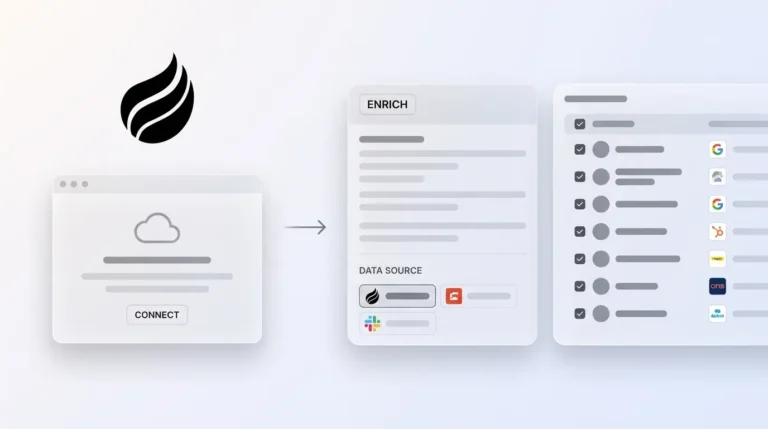
Connect Salesforce or HubSpot with OAuth authentication. The agent maps existing contacts and companies so data syncs cleanly and avoids duplicate records.
3. Turn On the AI Meeting Bot
Configure Coffee’s agent to auto-join scheduled calls in Teams, Zoom, or Google Meet. Set recording and transcription permissions that match your organization’s compliance rules.

4. Set Up Structured Note Templates
Choose your sales methodology, such as BANT, MEDDIC, or SPICED, to standardize qualification data. The agent then formats every meeting note around these frameworks.
5. Run a Test Meeting
Host a pilot call to confirm briefings, real-time transcription, and post-call summaries. Review how Coffee extracts action items and identifies next steps.

6. Configure CRM Auto-Sync
Enable automatic logging of summaries, contact updates, and activities into your CRM. Define field mappings for deal stages, opportunity values, and other key properties.
7. Track Pipeline Insights with Compare
Use Coffee’s Compare feature to monitor weekly pipeline changes, deal movement, and forecast accuracy gains driven by better data.
Start with a small pilot group to validate permissions, workflows, and user training before a full rollout. Get started with Coffee and launch your automated meeting note program.
Deep Salesforce and HubSpot Sync for Scaling Teams
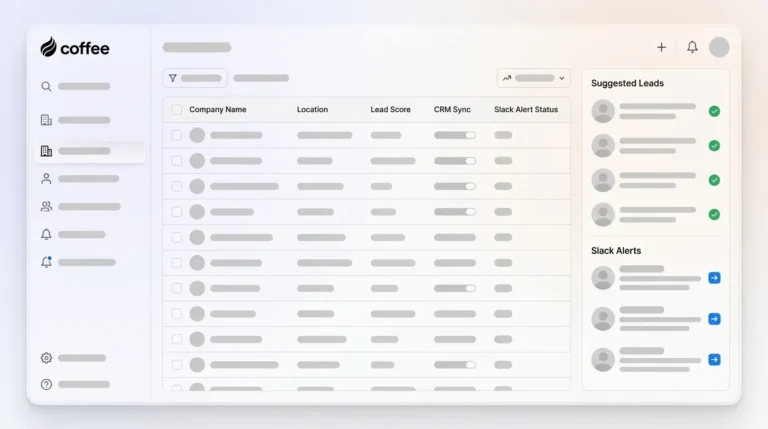
Coffee’s agent converts raw call transcripts into structured CRM records through automated workflows that remove manual entry while preserving audit trails. Each meeting becomes a complete activity record with participants, summaries, and extracted business context.
In Salesforce, Coffee automatically creates contact and account records from meeting participants when needed. It enriches existing records with updated roles and company details, then logs activities with structured notes that fill custom fields aligned to your sales stages. The agent also creates follow-up tasks, updates opportunity stages based on the conversation, and schedules calendar events for agreed next steps.
HubSpot users see similar automation that fits HubSpot’s native contact and deal properties. Coffee maps insights from calls to deal properties, builds sequences for automated follow-up, and updates lifecycle stages based on what prospects share. Enterprise security standards, including SOC2 compliance, keep this automation aligned with regulatory requirements.
Coffee’s workflows also extend into Gmail for draft follow-up emails, calendar scheduling for future meetings, and pipeline reporting that aggregates conversation intelligence across the entire team.

Tracking Results and Advanced Coffee Playbooks
Successful automation programs measure adoption, data quality, and time savings from the start. Track how many meetings generate structured notes, how much time reps spend on post-call admin, and how pipeline velocity changes using Coffee’s Compare feature.
Advanced teams use Coffee’s List Builder for prospecting based on conversation signals, Zapier integrations for custom workflows, and API access for tailored reporting. AI sales platforms can save 160+ manager hours monthly through automation and tool consolidation.

One mid-market company with tens of millions in revenue replaced spreadsheet-based sales tracking with Coffee’s autonomous agent. The rollout automated contact creation from Google Workspace, removed manual pipeline reviews through Compare reports, and used APIs to power custom briefing workflows. Coffee case studies highlight measurable gains in data quality, rep productivity, and forecast accuracy.
Get started with Coffee to deploy meeting note automation that scales with your sales organization.
Frequently Asked Questions
Does Coffee work with Microsoft Teams for automatic meeting notes?
Yes. Coffee’s autonomous agent connects with Microsoft 365, joins scheduled meetings in Teams, Zoom, or Google Meet, and generates structured notes without manual work. The agent manages transcription quality and CRM sync in the background.
How do AI meeting notes differ between free and enterprise tools?
Enterprise AI note platforms like Coffee provide SOC2 Type 2 and GDPR compliance, native CRM sync, and structured data extraction that free tools lack. These platforms also offer security controls, audit trails, and deployment models that fit larger sales teams.
What makes Coffee a strong AI meeting notes solution for Salesforce?
Coffee delivers deep Salesforce integration with native auto-sync, automatic contact and opportunity creation, and structured notes that populate custom fields tied to your methodology. The agent removes manual data entry while preserving a complete activity history and pipeline view.
Can Coffee automate sales call notes for both Salesforce and HubSpot?
Yes. Coffee operates as a full autonomous agent for Salesforce and HubSpot, capturing insights, creating structured summaries, and syncing data into each CRM. The agent adapts to each platform’s native objects and field structures.
Why is Coffee considered a leading AI note taker for sales teams in 2026?
Coffee combines autonomous agent workflows with enterprise security, delivering 8-12 hours of weekly time savings per rep while staying SOC2 and GDPR compliant. Unlike basic transcription tools, Coffee automates the full journey from meeting preparation through CRM updates and pipeline intelligence.
Conclusion: Turning Notes into Revenue Intelligence
Coffee moves sales teams from passive transcription to active revenue intelligence. Enterprise organizations that deploy Coffee’s autonomous agent remove manual note-taking and gain structured CRM data, automated follow-ups, and pipeline insights that support predictable growth.
Get started with Coffee and modernize your sales meeting workflow today.