Written by: Doug Camplejohn, CEO & Co-Founder, Coffee | Last updated: July 12, 2026
Key Takeaways
- Legacy CRMs like HubSpot rely on manual data entry, which produces incomplete records, unreliable forecasts, and wasted rep time.
- Coffee’s agent-led zero-entry model automatically captures, enriches, and logs every interaction from email and calendar signals.
- Built-in data warehouse features like Pipeline Compare deliver week-over-week visibility without CSV exports or spreadsheets.
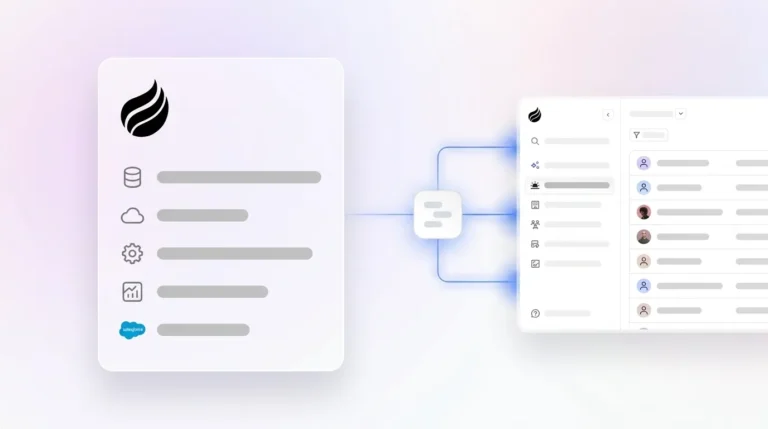
- Coffee works as a standalone CRM or Companion App on existing HubSpot or Salesforce instances, which keeps migration effort low.
- Teams ready for accurate analytics and reporting can start their Coffee trial today.
Why HubSpot Reporting Breaks for Modern Sales Teams
HubSpot’s reporting problems start with its architecture. The platform began as a marketing tool with a CRM added later, and it assumes sales reps will reliably populate fields after every interaction. They rarely do. Approximately 76% of CRM records are less than half complete, with the most commonly missing fields being industry, employee count, technology stack, and direct contact information. Gartner puts the average cost of poor data quality at $12.9 million per year for organizations, and 75% of respondents in a Validity report said staff fabricate CRM data to tell leaders the story they want to hear.
The downstream effects compound quickly. When reps do enter data, their subjective assessments, driven by optimism instead of verifiable buyer evidence, skew forecasts upward. Even when they try to be accurate, incomplete CRM records force sales reps to spend 20–30% of their selling hours reconstructing deal history instead of selling. The problem worsens as teams add point solutions. Siloed tools such as ZoomInfo for enrichment and Gong for call intelligence capture valuable data that never flows back into the system of record, which creates persistent gaps. The cumulative result is that 79% of sales organizations miss their forecast by more than 10%, a figure that traces directly to the manual-entry dependency baked into legacy architectures.
Eight Criteria That Define a Modern AI CRM
Teams evaluating AI CRM platforms against HubSpot need a clear way to judge whether a product actually fixes these structural data problems. The most useful comparison framework focuses on the dimensions where manual-entry systems fail most visibly. Any honest evaluation should be anchored to eight criteria:
- Data quality and automation depth
- Forecasting accuracy without spreadsheets
- Implementation and migration effort
- User adoption for reps
- Integration complexity
- Reporting visibility and pipeline intelligence
- Total cost of ownership
- Long-term scalability for 1–30 person teams
These criteria highlight the gap between platforms that automate data capture at the source and those that still delegate that work to busy humans. The following comparison uses these dimensions to show where Coffee and legacy CRMs diverge.
Teams ready for accurate analytics and reporting can start their Coffee trial and see these criteria in practice.
How Coffee Compares to HubSpot, Salesforce, Monday Sales, and Clarify
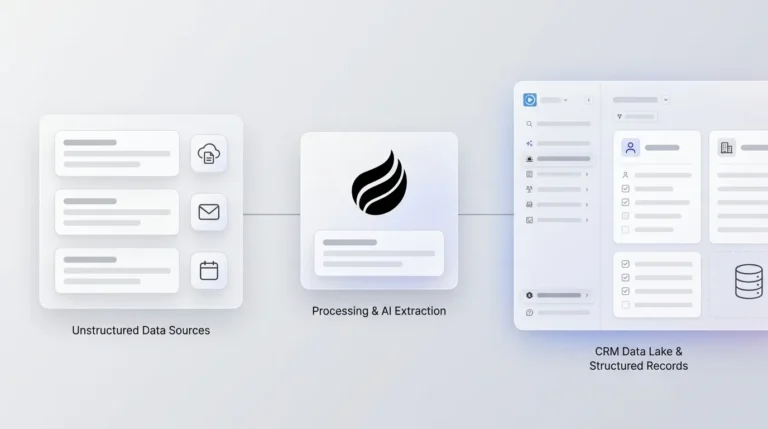
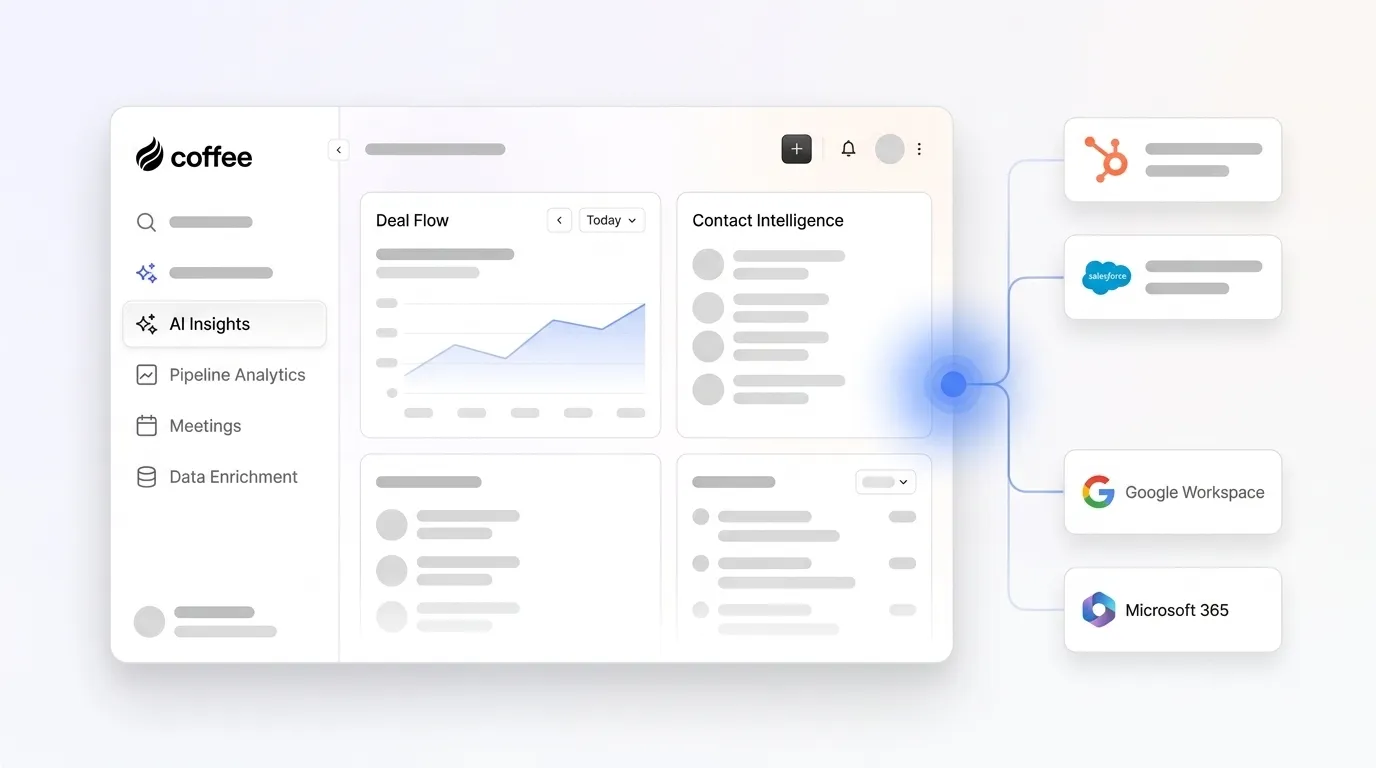
Coffee runs on an agent-led zero-entry model. After you connect Google Workspace or Microsoft 365, the Coffee Agent auto-creates contacts, enriches records with firmographic data, logs every activity, and writes structured summaries back to the CRM with no human input. Pipeline intelligence comes from a built-in data warehouse that tracks historical state, which enables week-over-week comparisons without CSV exports. Coffee deploys as a standalone CRM or as a Companion App on top of HubSpot or Salesforce. Its January 2026 AI search release answers natural-language pipeline questions such as “Which deals are stuck in negotiation?” or “What is closing this month?”
HubSpot depends on reps to populate records, so its reporting dashboards only reflect the quality of the data humans enter. Advanced forecasting, conversation intelligence, and pipeline analytics require paid add-ons that raise total cost of ownership for small teams. Many sales leaders using AI report that disconnected systems slow their AI initiatives, and HubSpot’s bolt-on architecture reinforces that fragmentation.
Salesforce offers Einstein Activity Capture and Agentforce for autonomous task execution. These capabilities sit behind significant configuration overhead and licensing costs. A McKinsey April 2026 report found that eight in ten companies cite data limitations as a roadblock to scaling agentic AI, and Salesforce’s 25-year-old relational architecture compounds that limitation for teams without dedicated admins.
Monday Sales provides visual AI agents that score leads, route them, and trigger follow-up sequences automatically. Its strength lies in workflow visualization. Its limitation is that pipeline intelligence still depends on the quality of data flowing into its boards, which requires deliberate configuration and ongoing maintenance from RevOps.
Clarify uses an Ambient Intelligence architecture that captures and enriches data in the background. Sift reports a 90% reduction in CRM admin time after adopting Clarify. Clarify, however, lacks the deep integration capabilities required for established teams running HubSpot or Salesforce with quotas, required fields, and forecasting hierarchies. Coffee’s Companion App model fills this gap for teams that want autonomous data capture while keeping their existing system of record.
Autonomous Data Entry and Enrichment That Rebuild CRM Trust
Coffee starts from a simple premise: accurate analytics require accurate inputs, and humans under quota pressure cannot deliver those inputs consistently. The Coffee Agent addresses this at the source. After authentication with Google Workspace or Microsoft 365, it scans emails and calendars to auto-create contacts and companies, enriches records with job titles, funding data, and LinkedIn profiles via licensed data partners, and logs last-activity and next-activity fields autonomously so deal state stays current.
Reps save 30–60 minutes daily on note-taking and data entry when AI automatically generates summaries of sales calls, support conversations, and meetings that sync directly to CRM records. Across a 20-person sales team, that reclaimed time compounds into hundreds of selling hours per month. Market data shared by Coffee shows that the average seller spends only 35% of their time selling. Coffee’s agent shifts that balance structurally by handling the administrative work.
AI Meeting Management and Consistent Follow-Up
Coffee’s agent supports the entire meeting lifecycle. Before each meeting, it generates a briefing on attendees, roles, and prior context through a “Today” page. During the call, an AI bot joins Zoom, Teams, or Google Meet to record and transcribe. After the call, the agent generates structured summaries, identifies next steps, and drafts follow-up emails in Gmail for rep review. Custom Meeting Briefings and Summaries, launched in February 2026, let users define formats that range from high-level executive summaries to granular technical breakdowns.

The agent supports BANT, MEDDIC, and SPICED qualification frameworks, which keeps structured qualification data consistent in the CRM regardless of who runs the call. Improved summary templates released in November 2025 are customizable to match workflows and writable back to Coffee, HubSpot, or Salesforce. HubSpot’s native logging, by contrast, depends on reps manually entering call notes, a step that rarely happens consistently given the incomplete-record problem described earlier.

Pipeline Compare for Week-Over-Week Deal Movement
Coffee’s Pipeline Compare feature runs on a data warehouse that retains historical pipeline state. This architecture enables automatic week-over-week visualization that shows which deals progressed, which stalled, and which were added or lost. Pipeline reviews shift from interrogation about missing data to strategic discussions about risk, coverage, and next steps.
HubSpot’s pipeline reporting reflects only the current state of manually entered records. Trend analysis requires CSV exports, manual manipulation, or paid add-ons. No Gartner report states that improving CRM data hygiene increases forecast accuracy by up to 30%; related analyses cite 22% higher accuracy from better data completeness (Salesforce) or 55% of leaders lacking forecast confidence (Gartner), and that improvement becomes realistic only when the system captures history automatically. Industry benchmarks show median manual B2B forecast accuracy around 70–79% (±15–35% variance), while AI-assisted methods reduce variance to ±5–15% (a 15–25% improvement), though claims of 90–98% accuracy are overstated and achieved by only ~7% of organizations.
Teams that want this level of visibility can replace manual pipeline reviews with autonomous, data-warehouse-backed intelligence.
Visitor Identification, List Building, and Stack Consolidation
Coffee extends its agent beyond CRM records into top-of-funnel intelligence. A single tracking pixel converts anonymous website traffic into named, qualified prospects, surfacing name, title, email, LinkedIn profile, pages visited, and time on site. Where competitors like RB2B and Warmly surface company-level data or broad people lists, Coffee’s Suggested Leads feature uses the team’s buyer persona to recommend the two or three specific individuals inside a visiting company most worth contacting, with LinkedIn profiles pre-loaded for immediate outreach.

The List Builder accepts natural-language commands such as “Find me VPs of Sales in North America at companies with $10M+ funding using Salesforce” and executes the outbound workflow using integrated enrichment. These capabilities remove the need for separate point solutions. Coffee’s Intelligence layer, introduced in February 2026, allows teams to define and store deep context on business model, ICP, and competitors for tailored AI suggestions across every workflow. The result is a consolidated stack that combines CRM, enrichment, call recording, forecasting, and visitor identification in a single agent-led platform.

Where Coffee Fits Best and How Teams Deploy It
Coffee aligns cleanly with three common scenarios that map to its deployment models. These scenarios cover teams graduating from spreadsheets, organizations locked into HubSpot, and RevOps leaders focused on consolidation.
- Early-stage teams outgrowing spreadsheets: Companies with 1–20 employees that find HubSpot or Pipedrive to be expensive manual chores fit naturally with Coffee’s standalone CRM. The agent handles setup automatically after email and calendar connection.
- Growing organizations committed to HubSpot: Teams that have invested in HubSpot’s marketing automation and cannot migrate the system of record can deploy Coffee as a Companion App. The agent manages data quality and meeting intelligence while writing enriched records back to HubSpot.
- RevOps leaders reducing point-solution spend: Teams paying separately for ZoomInfo, Gong, and a forecasting tool can consolidate those functions into Coffee’s agent at lower total cost.
Coffee is SOC 2 Type 2 and GDPR compliant, and customer data is not used to train public models. Change management burden stays low because reps interact with the agent rather than maintaining the database. The system serves them instead of asking them to serve the system.
Risks, Limitations, and a Simple Decision Framework
Coffee’s current third-party integrations beyond Google Workspace, Microsoft 365, HubSpot, and Salesforce run through Zapier, with deeper native integrations on the roadmap. Teams with complex, custom Salesforce workflows or enterprise-grade compliance requirements in healthcare or financial services may find Coffee’s current integration depth insufficient. The platform is optimized for 1–30 person teams, so large enterprises with multi-year security review cycles sit outside the ideal customer profile.
The decision framework stays straightforward for most teams.
- Choose Coffee Standalone if the team has outgrown spreadsheets, has no existing CRM investment worth preserving, and wants an agent to manage the system of record from day one.
- Choose Coffee Companion App if the team is committed to HubSpot or Salesforce, struggles with low CRM adoption and poor data quality, and wants the agent to handle data capture without migrating the system of record.
- Remain on HubSpot or Salesforce alone only if the team has dedicated RevOps resources enforcing data hygiene manually and the existing reporting infrastructure already meets pipeline intelligence needs.
Teams comparing these paths can explore Coffee’s deployment options and match them to their current stack.
Frequently Asked Questions
How long does Coffee implementation take compared with HubSpot migration?
Coffee’s standalone CRM activates as soon as you authenticate Google Workspace or Microsoft 365. The agent begins auto-creating contacts, enriching records, and logging activities immediately after connection, so you see value on day one without manual data import. A full HubSpot migration, by contrast, usually involves data export, field mapping, deduplication, and a parallel-run period that can span weeks or months depending on record volume. For teams deploying Coffee as a Companion App on an existing HubSpot instance, implementation requires a simple authentication step that lets the agent sync, enrich, and write back to HubSpot without disrupting the current system of record.
What migration effort is required when layering Coffee as a Companion App on existing HubSpot instances?
The Companion App deployment keeps all data inside HubSpot. Coffee authenticates with the existing HubSpot instance, reads current records, enriches them with data from email and calendar signals, and writes structured activity logs, meeting summaries, and enriched contact fields back into HubSpot. The system of record remains HubSpot, and Coffee acts as the agent that keeps that record accurate and current without rep intervention. Teams retain all existing HubSpot workflows, sequences, and reporting while gaining autonomous data capture and pipeline intelligence on top.
How does Coffee’s data quality compare with dedicated enrichment tools like ZoomInfo?
Coffee’s enrichment relies on licensed data partners and augments that data with signals captured directly from a team’s own email and calendar activity. As a result, enrichment reflects actual, recent interactions instead of static database records. For most B2B use cases at 1–30 person teams, Coffee’s enrichment matches ZoomInfo for firmographic and contact data. The key difference is that Coffee embeds enrichment in the agent workflow, so records are enriched automatically as contacts are created, without a separate export-import cycle. Teams that need highly specialized data sets, such as technographic signals at enterprise scale, may still prefer dedicated enrichment tools for specific verticals.
What forecasting accuracy improvements have teams measured after adopting autonomous AI CRM agents?
The accuracy gap between manual and agent-led forecasting is well documented. Manual forecasting typically achieves 70–79% accuracy with high variance, while AI-assisted methods reduce that variance significantly, as described in the Pipeline Compare section above. Companies deploying AI CRM solutions report forecast variance shrinking from ±20% to ±5–8% after three to six months of model tuning. The root cause of the improvement is data quality. When an agent captures every interaction automatically, the historical record used to generate forecasts reflects actual deal progression instead of rep-reported optimism. Coffee’s Pipeline Compare feature makes this improvement visible week over week without any manual report generation.
Which security certifications does Coffee maintain for enterprise-grade compliance?
Coffee is SOC 2 Type 2 certified and GDPR compliant. Customer data is not used to train public AI models. The agent operates on data the customer explicitly connects, such as Google Workspace or Microsoft 365 accounts, and writes enriched outputs back to the customer’s own CRM records. Teams in heavily regulated industries such as healthcare or financial services that require multi-year security reviews or custom data residency agreements should confirm that Coffee’s current certification posture aligns with their compliance framework before committing.
What is Coffee’s pricing model versus HubSpot’s tiered add-ons?
Coffee uses seat-based pricing. Teams pay per human seat, and the agent’s work, including data capture, enrichment, meeting intelligence, pipeline analysis, and visitor identification, is included without metering on AI usage or process volume. HubSpot’s pricing scales by tier, with core CRM features at lower tiers and advanced reporting, forecasting, conversation intelligence, and AI features gated behind Sales Hub Professional and Enterprise plans that add significant per-seat cost. For a 10–20 person team that would otherwise pay separately for HubSpot’s advanced tiers plus ZoomInfo, Gong, and a forecasting add-on, Coffee’s consolidated agent model usually delivers lower total cost of ownership along with higher data quality.
Conclusion: Choosing the Right AI CRM Path in 2026
Broken pipeline reporting starts as a data-entry problem, not a dashboard problem. Legacy platforms like HubSpot produce unreliable analytics because they depend on humans to supply accurate inputs under conditions that guarantee those inputs will be incomplete. Autonomous AI agents fix this at the source by capturing, enriching, and structuring data without human intervention, so the analytics and forecasts built on that data become trustworthy by design.
Coffee delivers this agent-led approach across both deployment models, as a standalone CRM for teams starting fresh and as a Companion App for teams committed to HubSpot or Salesforce. Good data in produces good data out, and that path is the only reliable way to achieve accurate pipeline intelligence in 2026.
See Coffee pricing and give your team the modern AI CRM with advanced analytics and reporting your pipeline deserves.