Written by: Doug Camplejohn, CEO & Co-Founder, Coffee
What You Will Get From This Guide
- AI CRM email automation connects to inboxes with OAuth, extracts details with NLP, and updates records so reps stop typing into CRM.
- Native HubSpot and Salesforce tools cover narrow use cases, with first-email-only scans, no overwrite behavior, and per-user setup that leaves activity gaps.
- Middleware tools like Zapier and n8n add flexibility but demand ongoing engineering work for format changes and deduplication rules.
- Purpose-built agents like Coffee capture full threads, calendar events, and calls, then route low-confidence data for review instead of polluting CRM.
- Teams ready to remove CRM data entry can explore Coffee’s standalone and companion modes and match them to their current stack.
How This Guide Evaluates AI CRM Email Automation
Eight criteria determine whether an AI email-to-CRM tool delivers durable value or creates new maintenance overhead. The comparison table focuses on data quality, implementation effort, and governance, while the detailed analysis sections cover the remaining dimensions.
- Data quality and accuracy: Percentage of email interactions correctly extracted and written to the right record, including body text, signatures, and attachments.
- Implementation effort: Time from purchase to first automated record update, including OAuth setup, field mapping, exclusion rules, and onboarding.
- Workflow fit with existing CRMs: Support for standard objects, custom fields, required fields, validation rules, and permission sets.
- User adoption: Whether reps must change behavior or whether automation runs quietly in the background.
- Integration requirements: Depth of native connectors versus reliance on middleware, plus support for bidirectional sync.
- Automation depth: Whether the tool only captures signatures and metadata or also parses full threads, attachments, and call transcripts.
- Governance and approval workflows: Manager review options for AI-written updates and availability of audit trails.
- Long-term administrative burden: Ongoing work when email formats change, tokens expire, or the team scales.
Side-by-Side Comparison Table
The table below highlights the sharpest differences between tools in three areas: data quality, implementation effort, and workflow fit with governance. The later category-by-category sections expand on usability, integration complexity, customization, and long-term flexibility.
| Tool | Data Quality & Accuracy | Implementation Effort | Workflow Fit & Governance |
|---|---|---|---|
| HubSpot Native AI | Scans only the first email response per contact and fills currently empty properties without overwriting existing values; applies to a specific set of contact properties. No body-text extraction beyond signature fields. | Per-user OAuth setup required, and the inbox automation checkbox must be enabled at connection time or the AI feature is inactive. No retroactive scanning of prior emails. | No approval workflow for AI-written values. Change source is recorded as “HubSpot AI” for audit purposes. Includes conversational enrichment. |
| Salesforce + Einstein Activity Capture | Salesforce Einstein Activity Capture traditionally stores synced email data in an external AWS data store rather than standard Salesforce objects, though a Summer ’25 feature allows writing emails into Task and EmailMessage records for new orgs. Sync latency varies. EAC processes on a batch schedule that can introduce delays of minutes to hours. | Each user must individually connect their email account; admins cannot connect accounts on behalf of users. Teams must enable Enhanced Email, configure OAuth, set sharing rules, and assign permission sets before go-live. | Synced emails are private by default, so admins must configure sharing settings to make activity visible to managers. Deactivating Einstein Activity Capture hides captured activities from the timeline but does not permanently delete them; they remain available in AWS within the data retention window. |
| Zapier / n8n | Template-based regex extraction breaks when senders update email formats; AI extraction steps are available but add cost and complexity. A 25-person B2B team missed 40% of updates during busy periods before implementing n8n automation for email signature parsing. | No-code platforms offer fast initial setup but costs scale by automation volume and complex multi-step logic is limited. Custom pipelines require ongoing engineering time to handle edge cases. | No native CRM governance layer. Teams must build and maintain field mapping and deduplication logic manually. No built-in approval workflow. |
| Streak | Gmail-native pipeline view with email logging, limited to Gmail only. No documented AI extraction accuracy benchmarks for 2026. Body-text parsing is shallow compared to purpose-built agents. | Low setup effort for Gmail users through a Chrome Extension and pipeline configuration. Not compatible with Outlook or Microsoft 365 environments. | Works for small Gmail-centric teams. No Salesforce or HubSpot companion mode. Governance controls for manager oversight remain limited. |
| Carly AI | AI-powered activity capture from email and calendar, positioned as a companion layer for Salesforce. Public accuracy benchmarks for 2026 remain limited. | Moderate setup effort with Salesforce admin configuration and OAuth connection per user. Feature scope is narrower than full-stack agents. | Writes activity data back to Salesforce records. Governance depends on Salesforce permission configuration. Single-CRM focus reduces flexibility. |
| Coffee | Ingests email body, signatures, calendar events, call transcripts, and attachments. Summary templates released November 2025 are customizable and writable back to Coffee, HubSpot, or Salesforce. Handles structured and unstructured data, with confidence-based routing that flags low-quality extractions for review. | Single OAuth connection to Google Workspace or Microsoft 365 activates the agent across the account. Teams avoid per-user reconnection. Standalone or companion mode is selected at onboarding. | Dual-mode operation as system of record or enrichment layer for Salesforce or HubSpot. A built-in data warehouse preserves historical context. Pipeline Compare gives managers visibility without manual CSV exports. |
Setup and Onboarding Across Tools
Setup friction directly affects how reliably data flows into CRM. Native CRM tools create the most per-user work. Salesforce Einstein Activity Capture requires each rep to connect their email account because OAuth rules block admins from doing this on their behalf. HubSpot also depends on each user and disables AI enrichment if the inbox automation checkbox is missed during connection. Zapier and n8n start quickly but still need engineering time for deduplication and routing. Coffee uses a single admin-level OAuth connection, which shortens onboarding and removes the per-user reconnection failure mode described above.
Data Capture Depth and Ongoing Maintenance
No Gartner research on intelligent document processing attributes 30–50% higher accuracy or 80% less maintenance to AI-based email parsing versus template-based systems. Teams therefore must judge tools by documented behavior instead of third-party benchmarks. Native CRM tools rely on template-adjacent logic for specific property types, which narrows their scope. HubSpot AI, for example, scans one-to-one email bodies to suggest contact property updates, but only for a defined set of fields and only once per contact. Coffee removes these limits by continuously ingesting email threads, calendar events, and call transcripts, then writing updates as new information appears rather than in a single pass.
Usability for Frontline Sales Teams
Tools that depend on reps to click buttons or log emails manually rarely sustain adoption. The native Salesforce Gmail Chrome Extension forces reps through several steps for every logged email, and most users stop after the first week. Reps naturally prioritize selling over data hygiene, so any extra clicks reduce data completeness. Coffee runs as a background agent, so reps receive briefings and summaries while the system logs activity automatically, which avoids the behavior change that hurts native CRM adoption.
Manager Visibility and Governance Controls
Manager visibility depends on both sharing settings and approval workflows. Salesforce EAC synced emails are private by default, so managers see nothing until admins adjust sharing, a step that often slips during rollout. HubSpot’s native AI introduces a different risk because it offers no approval workflow before AI-written values hit the record, which prevents managers from reviewing accuracy in advance. Coffee’s Pipeline Compare feature addresses both issues by surfacing week-over-week deal changes, stalled opportunities, and new additions automatically, so managers gain structured visibility without manual reports or fragile sharing rules.
Integration Complexity and RevOps Overhead
Integration choices determine how much RevOps time goes into exclusions and mappings. Misconfigured exclusion rules in automated sync tools often pull in internal threads, personal messages, or vendor emails, which clutters timelines. Zapier and n8n require teams to maintain field mappings and exclusion logic as headcount and use cases grow. Coffee’s companion mode uses a straightforward authentication layer that syncs, enriches, and writes data back to the primary CRM, so RevOps avoids constant field-mapping maintenance.
Customization for Sales Methodologies
Sales teams often want notes that match their qualification framework. Coffee’s November 2025 release added customizable summary templates aligned with BANT, MEDDIC, or SPICED, and these can write back to Coffee, HubSpot, or Salesforce. Native CRM AI tools do not structure notes by methodology. Zapier and n8n can support custom schemas, yet they require engineering effort to build and maintain those extraction patterns.
Long-Term Flexibility and Vendor Lock-In
Architecture choices today affect future migrations. Deactivating Einstein Activity Capture hides activities from timelines but keeps them in AWS for a set retention window, which complicates vendor changes and compliance planning. Coffee’s built-in data warehouse preserves historical context even when fields change, which avoids the history loss that occurs when relational CRM databases overwrite values.
Companion-Agent Setups for Salesforce and HubSpot
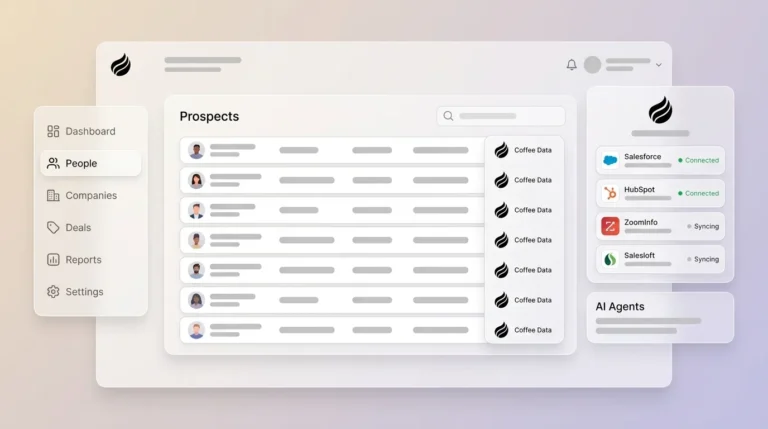
Teams already invested in Salesforce or HubSpot can add Coffee as a companion layer that keeps the existing system of record while automating email-to-CRM updates. This setup uses Coffee’s preservation and write-back capabilities described above to strengthen the current stack.
Inbox Connection in Companion Mode
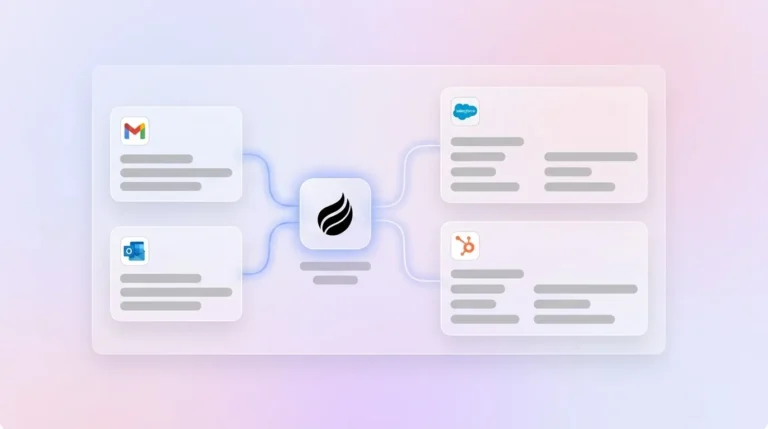
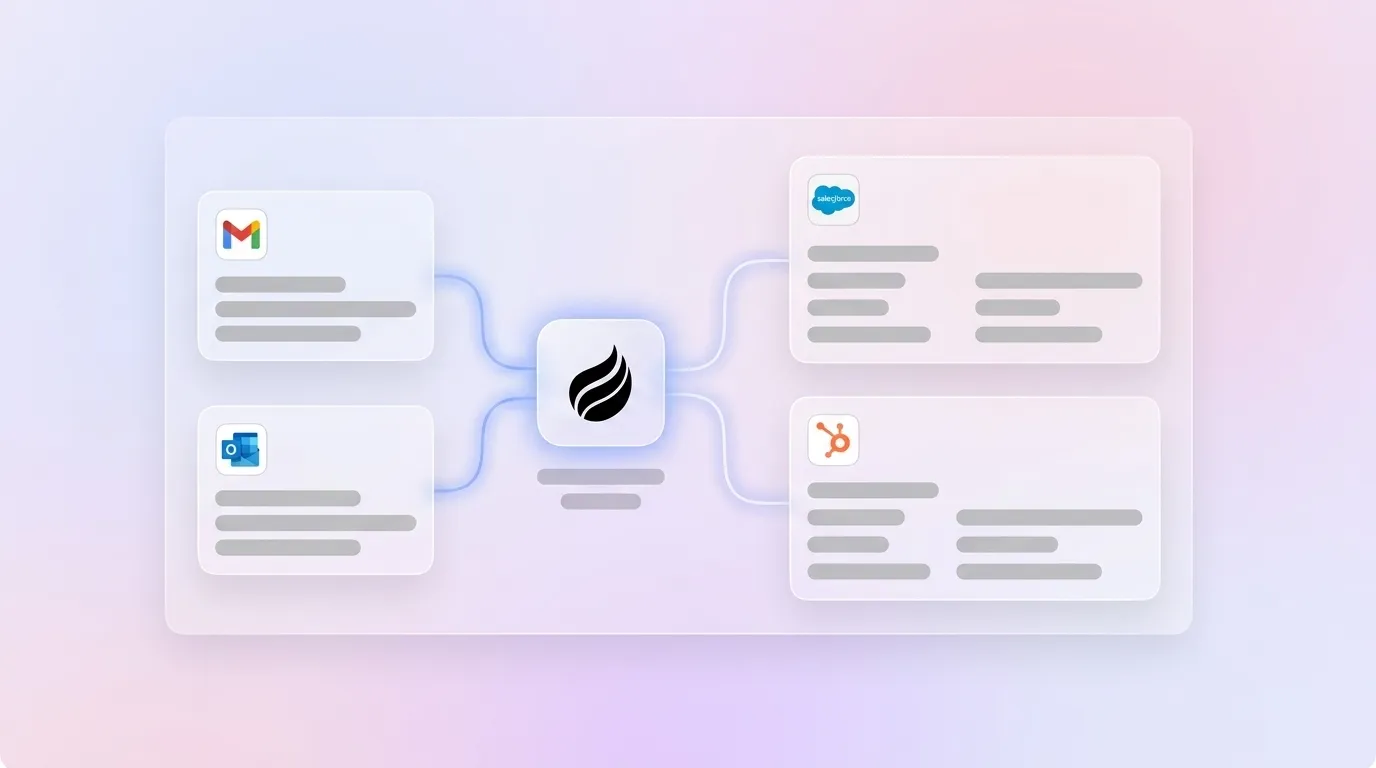
An admin connects the organization’s Google Workspace or Microsoft 365 account to Coffee through OAuth 2.0. This connection operates at the account level, so individual reps do not reconnect their own mailboxes. Coffee then starts monitoring connected inboxes for new activity across the team.
Extraction Pipeline From Email to Structured Data
The Coffee agent ingests the full email package, including subject, metadata, body text, signatures, and attachments. Modern AI email parsing pipelines classify emails, parse attachments by format, extract structured fields, and route results into downstream systems. Coffee applies NLP to detect entities such as company names, titles, phone numbers, and deal amounts across varied formats, then assigns confidence scores. Low-confidence fields are flagged for human review instead of updating CRM records automatically.
Record Updates Back Into Salesforce or HubSpot
Validated data flows back into Salesforce or HubSpot through APIs that match entities to contacts, companies, and deals. Coffee’s Stripe integration, launched January 2026, illustrates this pattern by importing customers and companies, enriching them, and adding paid invoices to deals as Closed Won without manual work. The same write-back design powers email-sourced contact updates, activity logging, and meeting summaries. The February 2026 QuickBooks integration extends this same capability to additional financial data sources.
Teams that choose Coffee as a standalone CRM follow the same inbox and extraction steps, with Coffee acting as the system of record instead of writing into another platform.
See how Coffee’s dual-mode architecture fits your Salesforce or HubSpot environment.
Matching AI Email Automation to Your CRM
The right AI email-to-CRM setup depends on your current CRM and growth stage.
Early-stage teams (1–10 reps, no established CRM): Coffee standalone usually fits best. These teams have outgrown spreadsheets but view native HubSpot or Salesforce as heavy to administer. The Coffee agent handles contact creation, activity logging, and pipeline tracking from day one without a dedicated CRM admin.
Growing sales organizations (10–30 reps, HubSpot as system of record): Coffee companion mode layers on top of HubSpot. HubSpot’s native AI covers only a specific set of contact properties and never overwrites existing values, so many updates never reach CRM. Coffee fills those gaps by processing full threads and call transcripts.
Established teams (30–50 reps, Salesforce with custom objects and forecasting): Coffee companion mode fits this scenario as well. Einstein Activity Capture stores data in an external data store instead of standard objects, which creates reporting gaps and SOQL query failures. Coffee’s write-back architecture pushes structured data into standard and custom objects, closing those gaps.
Gmail and Outlook Considerations for AI Sync
Both Gmail and Outlook work with Coffee, HubSpot, and Salesforce, yet each provider introduces distinct constraints that affect reliability and maintenance.
Gmail (Google Workspace): HubSpot does not support Gmail accounts enrolled in Google’s Advanced Protection Program. Salesforce Gmail integration requires each rep to install a Chrome Extension, and if org policy blocks it, the sidebar disappears and logging fails silently. A common Reddit-sourced issue involves the Chrome Extension and Einstein Activity Capture both logging the same emails, which creates duplicates. As noted earlier, Coffee’s account-level OAuth avoids any dependency on per-rep extensions.
Outlook (Microsoft 365): Salesforce offers limited support for on-premise Exchange through EWS and does not support Apple Mail directly, so teams often rely on a BCC workaround. HubSpot does not support Microsoft 365 shared mailboxes for individual connections, and Exchange servers must run Exchange 2010 SP2 or later. Microsoft 365 tenants frequently encounter silent OAuth token expiration, which stops sync until someone notices. Coffee monitors token health centrally and surfaces reconnection alerts before gaps appear.
Operational and Long-Term Planning
Clear ownership and change management keep AI email-to-CRM deployments stable. When IT owns the tool alone, field mappings often ignore sales context. When sales ops owns it alone, security and retention needs can slip. The most reliable pattern assigns a RevOps owner with a defined escalation path to IT for OAuth and permissions.
Change management expectations also differ by tool. Native CRM AI features demand little behavior change from reps but deliver shallow automation. Purpose-built agents like Coffee ask reps to trust that activity is captured correctly, and that trust grows over the first month as they see accurate contact creation and logging without extra work.
Studies of AI-native CRMs that capture emails, meetings, and calls show meaningful reductions in data entry time. A five-person team can reclaim several commercial hours per week. As headcount grows, native CRM tools scale their admin burden linearly because every new rep needs OAuth setup, extension installs, and inbox automation configuration. As noted earlier, Coffee’s account-level architecture turns new-rep onboarding into a seat assignment instead of a technical project.
Calculate your team’s time savings with Coffee’s background email-to-CRM capture.
Risks, Limitations, and Common Misconceptions
Several recurring failure modes appear across AI email-to-CRM deployments, even with strong operational planning.
- Hidden maintenance work: Template and regex tools need manual updates whenever senders change formats. AI-based tools reduce this work but still require periodic review for edge cases, new attachment types, and CRM schema changes.
- Incomplete automation: HubSpot’s native AI never overwrites existing property values, so many email-sourced updates never reach CRM without a secondary tool.
- Integration gaps: Einstein Activity Capture retains synced email data for 24 months by default, which introduces GDPR and CCPA considerations that teams must address before launch.
- Overbuying for current needs: Teams with fewer than 10 reps and simple motions often do not need a full companion deployment. Coffee standalone usually covers these needs, with companion mode available once Salesforce or HubSpot becomes the system of record.
- Underestimating implementation effort: Year-one expectations should center on 4–7 hours of weekly time savings per rep, with 8–12 hours per week after six to twelve months when the full stack matures, not the 15–18 hours some vendors advertise immediately.
- Assuming software fixes process issues: AI tools improve capture of existing email activity but do not repair broken qualification, unclear stages, or sales motions that rarely use email.
Decision Framework and Summary Matrix
The framework below links team constraints to the most suitable tool category.
- No existing CRM, 1–20 reps, wants full automation from day one: Coffee standalone. Single setup with the agent handling contacts, activity logging, and pipeline tracking without a CRM admin.
- HubSpot as system of record, 10–50 reps, frustrated by native AI gaps: Coffee companion mode on HubSpot. Fills gaps from HubSpot’s first-email-only, no-overwrite AI by capturing full threads and transcripts into existing records.
- Salesforce with custom objects, forecasting, and required fields, 20–50 reps: Coffee companion mode on Salesforce. Deep understanding of quotas, forecasting, required fields, and custom objects, where newer tools like Day.ai and Clarify lack documented depth.
- Gmail-only team, simple pipeline, minimal budget: Streak or an n8n regex workflow. Lower cost and adequate for basic signature capture, with the trade-off of manual maintenance when formats change.
- Engineering resources available, highly custom extraction logic required: Custom pipeline using OpenAI or Anthropic APIs. Full control over schema and validation in exchange for ongoing engineering time.
Coffee is the only option in this comparison that supports both standalone and companion scenarios without forcing a tool change as the organization grows.
Frequently Asked Questions
How long does it take to implement an AI tool that updates CRM from email?
Implementation timelines vary by architecture and depth. Coffee’s account-level OAuth connection activates the agent across the organization in a single session, and most teams see automated contact creation and activity logs within hours of connecting Google Workspace or Microsoft 365. Native tools like Salesforce Einstein Activity Capture require per-user OAuth, sharing rules, permission sets, and sandbox testing, which often takes one to three weeks for a 20-person team. Zapier or n8n can handle simple signature extraction in a few days but need extra engineering for deduplication, routing, and attachments. Any tool benefits from a 30-day stabilization period while edge cases in email formats and field mappings surface.
What internal expertise is required to maintain AI email-to-CRM automation?
Maintenance needs depend on how the tool parses and syncs data. Template and regex tools require a technically inclined ops person to adjust extraction rules whenever email formats change, and this work grows with each new vendor. Native CRM AI features rely on a Salesforce or HubSpot admin to watch OAuth token health, manage sharing, and help users reconnect when tokens expire. Purpose-built agents like Coffee reduce this burden because the agent adapts to many format changes and account-level authentication removes per-user token management. Coffee users mainly review flagged low-confidence extractions and update mappings when new custom objects appear.
Does AI email-to-CRM automation work for teams using both Gmail and Outlook?
AI automation can support mixed Gmail and Outlook environments, with some extra checks. Gmail integrations tend to be more predictable for native tools because Google’s OAuth implementation is mature. Outlook and Microsoft 365 introduce complexity around shared mailboxes, on-prem Exchange, and tenant OAuth policies. Silent OAuth token expiration is a common failure mode across providers, which stops sync without alerts. As noted earlier, Coffee monitors token health at the account level and raises reconnection alerts proactively. Teams on Microsoft 365 should confirm that conditional access policies allow third-party OAuth connections before rollout.
How accurate is AI-extracted CRM data compared to manually entered data?
As noted in the Data Capture section, no third-party benchmark currently measures accuracy gains for AI-based email parsing versus template systems. The more relevant comparison looks at AI extraction versus human entry. Nucleus Research does not publish a specific 22% annual error rate or 37% logging rate for manual CRM data, yet its work highlights the gains from automated logging. AI agents that continuously ingest threads, calendar events, and calls record a far higher share of interactions than reps who log activity by hand. Coffee adds confidence scoring and routes uncertain fields to human review, which protects data quality without asking reps to audit every update.
Can AI email-to-CRM tools scale as the sales team grows from 10 to 50 reps?
Scalability exposes the biggest gaps between native tools, middleware, and agents. Native CRM tools require per-user configuration, so every new rep must connect email, install extensions, and enable automation. This remains manageable at 10 reps but becomes a recurring RevOps burden at 50. Zapier and n8n charge by automation volume, so costs rise sharply as email volume grows. Coffee uses seat-based pricing, so the agent’s work is included regardless of email count, and adding a rep means adding a seat instead of repeating a complex onboarding. Teams planning to grow from 10 to 50 reps should factor per-user setup time and token management into total cost of ownership, not just license price.
Conclusion: Choosing AI That Reliably Updates CRM From Email
The 2026 market for AI that updates CRM from email now focuses on which approach delivers reliable accuracy without heavy maintenance. Native HubSpot and Salesforce tools handle narrow cases such as specific contact properties and first-email-only scanning, while still requiring per-user OAuth. Middleware like Zapier and n8n offers flexibility but depends on ongoing engineering for format changes, deduplication, and routing. Purpose-built agents provide the deepest automation, yet they differ in how well they coexist with established Salesforce and HubSpot stacks.
Coffee stands out as the only option here that supports both standalone and companion modes without a platform switch. Teams without a CRM can use the standalone agent as their system of record. Teams committed to Salesforce or HubSpot can layer Coffee on top to close native AI gaps, remove per-user setup friction, and write enriched data into standard and custom objects. Account Executives reclaim meaningful hours through automated logging, meeting notes, and follow-up support, and that shift begins when the inbox connects to an agent that actually performs the work.