Written by: Doug Camplejohn, CEO & Co-Founder, Coffee | Last updated: August 27, 2026
Why AI-Native CRMs Are Replacing Legacy Systems
- HubSpot and legacy CRMs force reps to spend hours each week on manual data entry, which cuts directly into revenue and productivity.
- AI-native platforms like Coffee are built for autonomous data capture from day one, while legacy systems simply bolt AI onto traditional schemas.
- Coffee delivers the highest autonomy across passive observation, zero-click record creation, and deep HubSpot and Salesforce integration compared to Day.ai, Clarify, Attio, and Zero.
- Production-grade governance with idempotency keys, retry policies, and hallucination prevention lets Coffee agents write to CRMs reliably without errors or duplicates.
- Teams ready to eliminate manual CRM work can book a demo with Coffee and watch autonomous workflows run on their existing stack.
How AI-Enhanced and AI-Native CRMs Really Differ
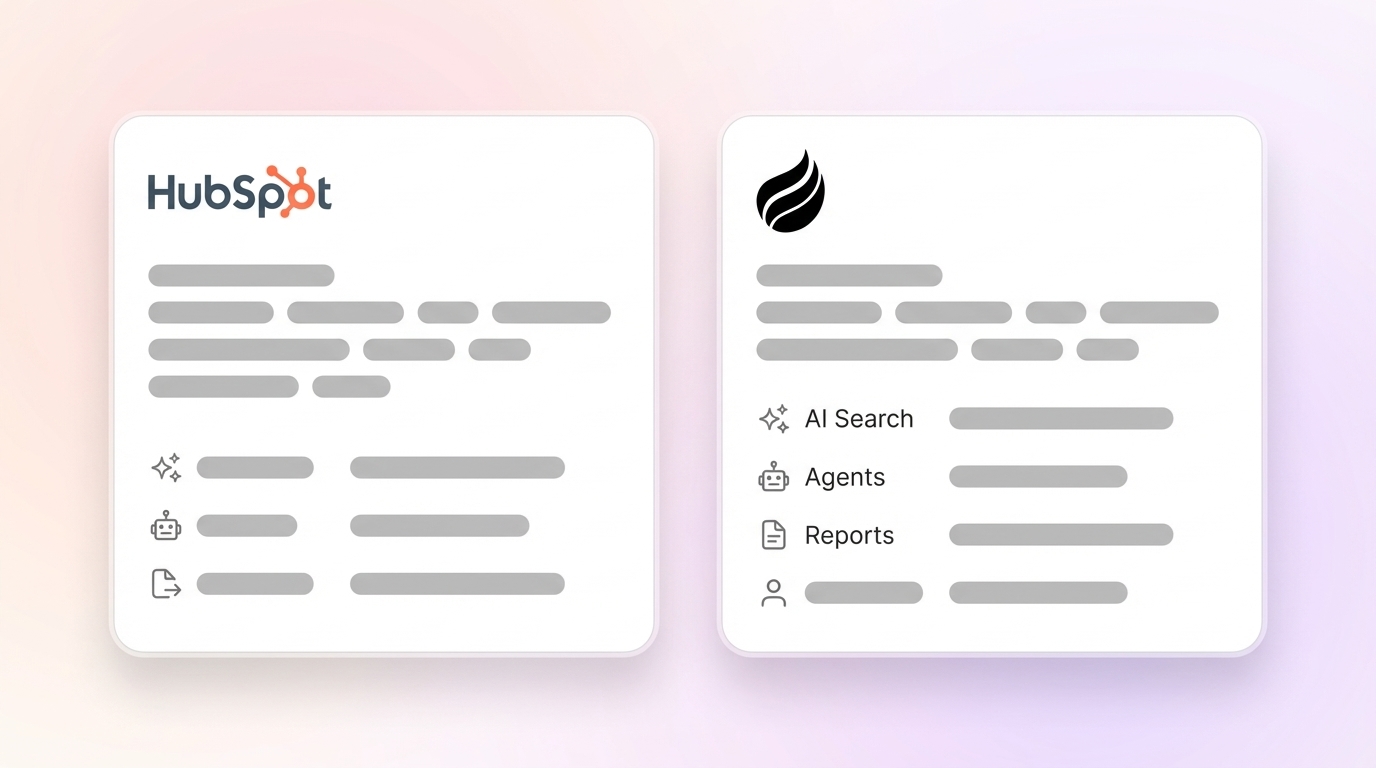
AI-enhanced CRMs keep their original data architecture and add AI as a consumer of that data. A traditional CRM pulls from existing relational tables, runs a model, and writes a score back. The schema is designed for human workflows with normalized tables and form-based input. Remove the AI layer from HubSpot Breeze or Salesforce Einstein and a fully functional CRM remains. That is the diagnostic test.
AI-native products design data architecture around model training and inference from the start, using first-class entities such as embedding vectors, interaction traces, and feedback loops. AI-native platforms fail the diagnostic test because the product stops working without AI. AI-native CRMs are architected around four layers: data capture, data structure, action generation, and orchestration. Data capture automatically pulls interactions from email, calendar, calls, and connected tools so contact records and activity history build themselves without manual logging.
The practical consequence is clear. Legacy CRMs such as Salesforce with Einstein, HubSpot with Breeze, and Pipedrive with its AI assistant remain functional if AI features are removed, which confirms that AI is bolted on rather than foundational. Bolted-on AI cannot deliver zero-click autonomy because the underlying data model was never designed to ingest unstructured signals, such as email threads, call transcripts, and calendar context, without human mediation.
Autonomy Scoring for Day.ai, Clarify, Attio, Zero, and Coffee
With the architectural distinction established, it becomes easier to evaluate how five platforms perform against the criteria that define true autonomy. The table below scores five platforms across four dimensions that determine whether a platform can deliver zero manual data entry in production. Scores reflect publicly documented capabilities as of August 2026. The key finding is that only Coffee delivers full autonomy across passive observation, zero-click record creation, and deep integration with existing CRMs, while competitors excel in isolated areas but fall short on end-to-end automation.
| Platform | Passive Observation (Email/Cal/Call) | Zero-Click Record Creation | HubSpot / Salesforce Integration Depth |
|---|---|---|---|
| Day.ai | Yes, unstructured data focus | Partial, productivity-oriented, limited CRM write-back | Shallow, lacks understanding of quotas, forecasting, and required fields |
| Clarify | Yes, AI-native capture | Partial, limited to own system of record | Shallow, integration capabilities insufficient for established mid-market teams |
| Attio | Partial, API-first, auto-enrichment available | Partial, AI fields and agent workflows on paid plans | None as companion, standalone replacement only; no write-back to HubSpot/Salesforce |
| Zero | Limited, early-stage passive capture | Limited | Not publicly documented at production depth |
| Coffee | Yes, email, calendar, call, and web signals | Yes, contacts, companies, and activities created automatically | Deep, handles schema divergences, quotas, forecasting, and required fields across both platforms |
The critical differentiator is integration depth. Salesforce and HubSpot model the same business objects in completely incompatible ways, which requires any unified AI tool to handle divergences at the schema, query language, authentication, and write-semantics layers. Coffee has built this production-grade integration, while newer entrants like Day.ai and Clarify have not solved it at scale.
The 30-Minute Call-to-Updated-Record Workflow Standard
Any vendor that claims autonomous data entry should demonstrate a complete call-to-updated-record workflow within 30 minutes. The table below maps each step to what Coffee’s agent executes automatically versus what legacy and shallow-integration platforms still require from humans. Notice that Coffee automates all six steps without human intervention, while HubSpot Breeze and Salesforce Einstein require manual work at every stage except the initial calendar connection.

| Workflow Step | Coffee Agent | HubSpot Breeze / Salesforce Einstein |
|---|---|---|
| 1. Passive capture from email and calendar | Automatic on Google Workspace or Microsoft 365 connection | Requires reps to manually log calls, emails, and meetings |
| 2. Meeting bot joins call | Agent joins Zoom, Teams, or Meet, then records and transcribes | Requires separate recording tool such as Gong or Fathom |
| 3. Structured extraction into CRM fields | Agent applies BANT, MEDDIC, or SPICED and populates methodology fields | Manual rep entry after the call |
| 4. Write-back to HubSpot or Salesforce | Customizable summary templates write back to Coffee, HubSpot, or Salesforce automatically | Native AI cannot write structured call data back across systems without middleware |
| 5. Pipeline and activity update | Agent logs last activity, next activity, and deal stage changes autonomously | Pipeline stages reflect what was logged, not what is happening |
| 6. Follow-up draft | Agent generates summary, next steps, and follow-up email in Gmail for rep review | Rep writes manually or uses a separate AI writing tool |
Account Executives save 10–14 hours per week with AI. The 30-minute workflow above is where those hours are recovered, because AI takes over the manual steps shown in the right column.

How Coffee Governs Errors, Reliability, and Hallucinations
Autonomous agents that write to production CRMs introduce failure modes that most vendor comparisons ignore. A 5% per-call failure rate across 10 sequential tool calls yields a 40% chance of task failure. For a 20-step workflow the probability rises to 64%. Production-grade agentic CRM needs explicit engineering for these scenarios, not just a generic retry button.
Coffee implements five interconnected safeguards that address these failure modes in production:
- Idempotency keys on every CRM write. For a CRM update, the workflow writes the intended update and unique operation ID to durable storage first, sends with an idempotency key, retries only transient errors, queries status on timeout, and stops after the retry budget to create an operations case. This sequence prevents the duplicate-record problem that appears when a retry succeeds after an initial timeout.
- Retry policies with exponential backoff. Production AI agents use exponential backoff with jitter, maximum retries of 3–5, per-error-code policies that retry 429 and 5xx but not 4xx, and a circuit breaker after persistent failures. These policies handle the transient API failures that drive the per-call error rate.
- Human-in-the-loop escalation. Human-in-the-loop escalation is required for critical, complex, or ambiguous failures in self-healing AI agents, with clear escalation paths that enable human operators to intervene when agents encounter unrecoverable errors. When retries are exhausted, Coffee surfaces these cases instead of failing silently.
- Audit trails on every action. Every failure is recorded in the audit log with the error category and recovery action taken, which enables aggregate dashboards for error rate per agent, per tool, and per pipeline step. These audit trails provide the visibility needed to diagnose patterns in the failure data.
- Hallucination prevention via grounding. When retrieval returns no results, the agent recognizes this and asks for clarification rather than hallucinating an answer. Empty-result cases are always logged for retrieval debugging. Coffee’s agent leaves fields empty instead of inventing plausible values, which addresses the separate failure mode of fabricated data.
Effective agentic governance includes clear boundaries for agent autonomy, real-time monitoring systems, audit trails that capture the full chain of agent actions, and defined escalation protocols for scenarios beyond scope. The CSA State of AI Cybersecurity 2026 survey of over 1,500 security leaders found that 92% of organizations are concerned about AI agent security implications, yet most report significant gaps in comprehensive AI security governance. Coffee is SOC 2 Type 2 and GDPR compliant, and customer data is never used to train public models.
What Coffee Replaces in the Typical Sales Stack
B2B sales teams license more than 10 tools on average, with individual reps actively using 3 to 6 daily, and 66–70% of sales reps feel overwhelmed by the number of tools. The hidden cost of a legacy CRM stack is not the seat license. It is the enrichment tool, the recording platform, the sequencing tool, the prospecting database, and the analyst hours spent reconciling them.

Coffee consolidates this stack into a single agent:
- Replaces enrichment tools such as ZoomInfo and Apollo with built-in Lead Finder and auto-enrichment from licensed data partners
- Replaces recording and transcription tools such as Gong and Fathom with a native AI meeting bot
- Replaces sales engagement platforms such as Outreach and Salesloft with native Campaigns that run from the rep’s own mailbox
- Replaces manual pipeline review exports with Pipeline Compare, which visualizes week-over-week deal changes automatically
- Replaces website visitor identification tools such as RB2B and Warmly with Visitor ID and Suggested Leads
Coffee’s pricing is seat-based. The agent’s unlimited labor for data capture, enrichment, meeting management, sequencing, and pipeline intelligence is included. There is no complex metering on LLM usage or per-process charges. A 20-person team on Salesforce Einstein and Agentforce incurs substantial monthly licensing costs. Stack consolidation through Coffee eliminates the additive cost of every point solution it replaces. Cost savings only matter when teams can adopt the platform easily, which brings deployment flexibility into focus.
Coffee’s Dual-Model Strategy: Standalone or Companion
The rip-and-replace objection is the most common reason mid-market teams delay CRM modernization. Coffee removes this objection by operating in two distinct modes that match how teams buy and deploy software.
The Standalone CRM deploys Coffee’s agent as the complete system of record. It targets teams that have outgrown spreadsheets and Notion but find HubSpot or Pipedrive to be expensive, manual chores. The agent manages contact creation, activity logging, pipeline tracking, and outreach natively.

The Companion App deploys Coffee’s agent as an intelligent layer on top of an existing Salesforce or HubSpot installation. A simple authentication lets the agent sync data, enrich it, and write structured insights back to the primary CRM. Customizable summary templates released in November 2025 are writable back to Coffee, HubSpot, or Salesforce. The companion model therefore delivers the same zero-click workflow while leaving the existing system of record untouched.
No other platform in this comparison operates credibly in both modes. Day.ai and Clarify lack the integration depth for the companion model. Attio is a standalone replacement only. Coffee meets buyers where they are, whether they want a new system of record or an autonomous layer on top of the current one.
Decision Matrix: Matching Platforms to Team Profiles
| Company Profile | Tech-Stack Commitment | Recommended Platform |
|---|---|---|
| 1–20 employees, outgrowing spreadsheets | None, greenfield | Coffee Standalone CRM |
| 50–500 employees, committed to HubSpot | High, HubSpot invested | Coffee Companion App on HubSpot |
| 50–500 employees, committed to Salesforce | High, Salesforce invested | Coffee Companion App on Salesforce |
| High-growth startup, API-first team | Low, willing to replace | Attio (standalone) or Coffee Standalone |
| Enterprise, 500+ employees, complex workflows | Very high, Salesforce custom build | Salesforce Agentforce (native stack) |
This matrix assumes your team wants to eliminate manual CRM work entirely. Teams with a dedicated RevOps function that can tolerate several hours per week of manual logging may find Salesforce Agentforce sufficient, especially in heavily customized enterprise environments.
Frequently Asked Questions
How does autonomous data entry work in CRM?
Autonomous data entry in CRM relies on passive observation. An AI agent connects to communication channels such as email, calendar, phone calls, and video meetings and continuously monitors interactions without requiring any action from the sales rep. When a new contact appears in an email thread, the agent creates the contact record automatically. When a call ends, the agent transcribes the conversation, extracts structured data such as next steps, budget signals, and stakeholder names, and writes those values into the appropriate CRM fields. The rep never opens a data-entry form. Autonomous systems act without prompting, while AI-assisted systems still require a human to initiate the logging process.
What is the difference between AI CRM and traditional CRM architecture?
Traditional CRM architecture uses relational databases designed for human-entered structured data such as contact name, deal stage, and close date. AI is added on top of this architecture as a separate layer that reads from and writes to the same tables. The underlying schema was never designed to ingest unstructured data like email text or call transcripts, so AI features remain limited to what humans have already entered.
AI-native CRM architecture is built from the ground up with AI as a structural component. The data model includes embedding vectors, interaction traces, and behavioral signals. The system ingests unstructured data natively, structures it automatically, and uses it to power both the record-keeping and the intelligence layer. This is the architectural test described earlier: traditional CRMs remain functional without their AI layer, while AI-native CRMs do not.
Which CRM eliminates manual data entry in 2026?
Coffee is the only platform in 2026 that eliminates manual data entry in both standalone and companion configurations. In standalone mode, Coffee’s agent creates contacts, logs activities, transcribes calls, and updates pipeline without any rep input. In companion mode, the agent performs the same data capture and writes structured results back to an existing HubSpot or Salesforce instance, so the system of record stays current without human effort. Other platforms that reduce manual entry include Attio, which offers auto-enrichment and AI fields in its paid plans, and Day.ai, which focuses on unstructured data capture for productivity use cases. Neither operates as a companion layer on top of HubSpot or Salesforce at production depth, so teams committed to those platforms cannot use them without a full migration.
How do AI agents handle HubSpot quotas and forecasting integration?
HubSpot and Salesforce both enforce strict API rate limits that naive AI agents can exhaust quickly. HubSpot’s public OAuth apps face a burst rate limit and daily quotas that vary by plan tier, while Salesforce Enterprise Edition starts with a daily API request limit that scales with user licenses. A production-grade AI agent must batch writes, implement retry logic with exponential backoff, use idempotency keys to prevent duplicate records, and respect required fields and picklist values that HubSpot and Salesforce enforce at the schema level.
Forecasting integration adds another layer of complexity. Quota targets, deal stage mappings, and forecast categories must align between the agent’s output and the CRM’s native forecasting model. Coffee has built this integration depth through direct engineering against both platforms’ production APIs, including handling the schema divergences between HubSpot deal stages and Salesforce opportunity stages that cause silent sync failures in shallower integrations.
Conclusion: Choose the Agent That Actually Works
The architectural split between AI-enhanced legacy CRMs and AI-native agentic platforms determines whether your reps spend their day selling or logging. Many organizations are considering switching or evaluating new enterprise vendors in the coming years. Teams that move fastest adopt AI-native architectures now instead of waiting for HubSpot Breeze or Salesforce Einstein to solve a problem those systems were never designed to handle.
Coffee is the only platform that combines AI-native architecture with deep HubSpot and Salesforce integration without forcing a rip-and-replace. The agent handles data entry, meeting management, pipeline intelligence, enrichment, sequencing, and visitor identification in a single seat-based subscription. It works as the system of record for teams starting fresh and as the intelligence layer for teams already invested in legacy platforms.