
Written by: Doug Camplejohn, CEO & Co-Founder, Coffee
Key Takeaways For RevOps Teams
- HubSpot’s native reporting cannot join CRM data with external sources like Stripe or paid media, so a modern data warehouse is required for cross-functional RevOps dashboards.
- Teams choose among HubSpot Data Hub (Enterprise-only), third-party ETL tools, and reverse ETL based on plan tier, budget, and technical needs.
- Modeling HubSpot data into a star schema with fact and dimension tables enables efficient SQL queries and scalable BI reporting in tools like Power BI, Tableau, or Looker.
- Data quality at the point of entry is the make-or-break factor because inaccurate HubSpot records propagate bad insights through every downstream layer.
- To automate data entry and enrichment in HubSpot so your warehouse pipeline delivers trusted insights, see Coffee’s pricing.
What HubSpot Data Warehouse Reporting Really Means
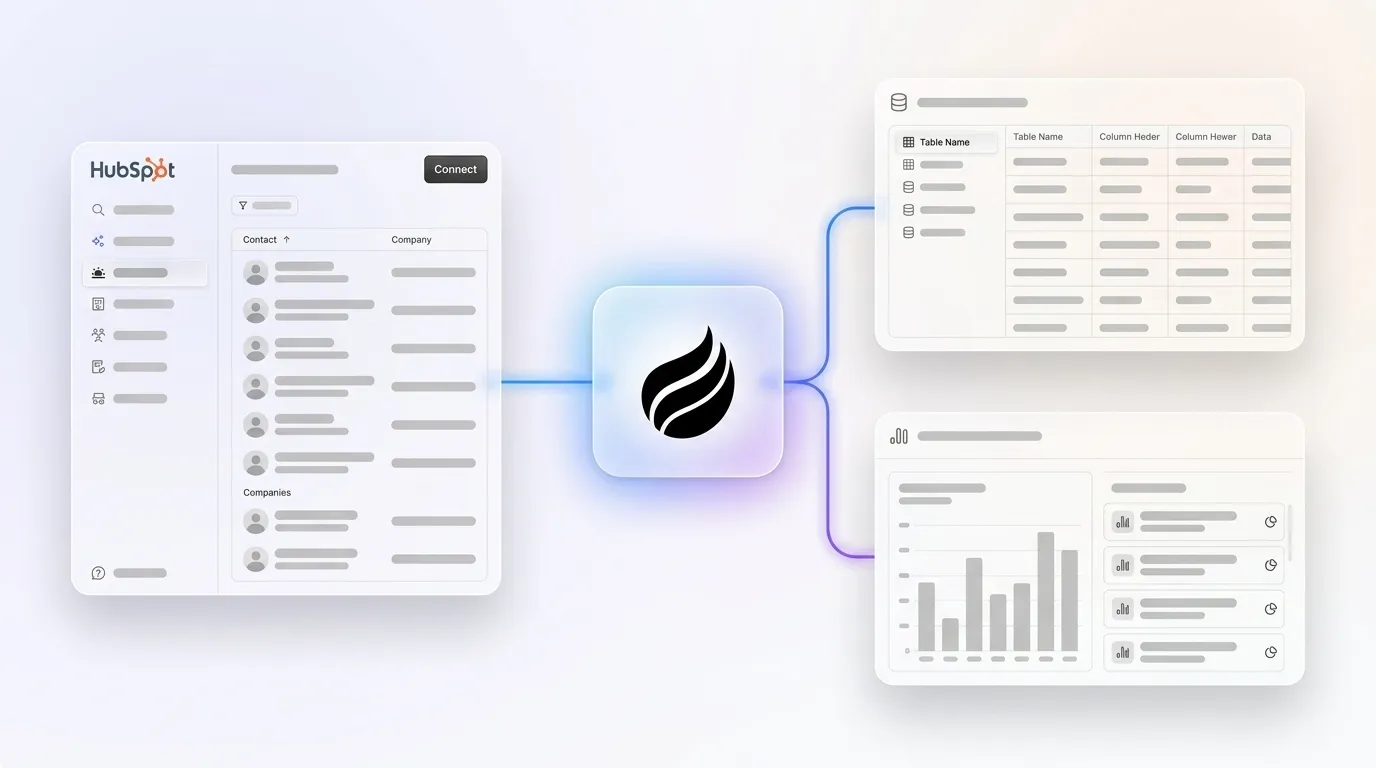
HubSpot data warehouse reporting means syncing HubSpot CRM objects such as contacts, companies, deals, and tickets into a cloud data warehouse, then joining them with external data sources and modeling them for BI tools like Power BI, Tableau, or Looker.
The core architecture follows four stages: HubSpot to warehouse, warehouse to dbt or SQL transformations, and then into a BI tool. Reverse ETL can close the loop by pushing computed metrics back into HubSpot for sales and marketing activation. This setup centralizes data across business systems, preserves full history for time-series analysis, unlocks advanced analytics with unrestricted SQL, and keeps query performance reliable as data volume grows.
Why HubSpot’s Native Reporting Hits A Ceiling
HubSpot’s native reporting is limited to HubSpot data, so combining it with systems such as Google Ads, Meta, Salesforce, or Stripe requires external tools. These constraints compound quickly for mid-market RevOps teams.
- No External Joins: HubSpot’s Custom Report Builder supports cross-object reporting within HubSpot objects, such as contacts joined to deals, but it cannot join external tables to HubSpot objects.
- No SQL Access: Even at the Enterprise tier, HubSpot does not allow raw SQL queries against its database.
- Limited History And Scale: CSV exports from HubSpot reports have a 100,000-row limit, and exports over this limit are truncated. HubSpot Professional allows up to 100 custom reports, while Enterprise allows up to 3,000.
- Costly Workarounds: Manual HubSpot reporting commonly consumes 10–20 hours per week as teams export data, fix formatting, and rebuild recurring reports by hand.
- Restricted Cross-Object Analysis: HubSpot’s custom report builder allows combining up to five data sources in a single report, but these sources are limited to HubSpot’s ecosystem and predefined object relationships.
HubSpot Data Hub’s native warehouse integrations are exclusive to the Enterprise tier at $2,000/month, which leaves most Professional-tier mid-market teams without a built-in path to a warehouse. To understand why these limits exist, you need a quick look at what HubSpot is under the hood.
How HubSpot Differs From A Data Warehouse
HubSpot is a CRM built on a transactional database optimized for managing relationships. It is not designed for analytical queries across large, historical datasets. HubSpot’s data warehouse guide distinguishes between ETL or ELT pipelines and the analytical warehouse layer, and notes that cloud warehouses handle large-scale transformations that a transactional CRM database cannot perform.
| Attribute | HubSpot CRM | Data Warehouse (Snowflake, BigQuery, Redshift) |
|---|---|---|
| Primary Purpose | Manage customer relationships and sales processes | Run analytical queries across large, historical datasets |
| Data Model | Objects, properties, and associations | Star schemas with fact and dimension tables |
| Query Capability | Pre-built reports with no SQL access even at Enterprise | Full SQL with joins across any tables |
| Historical Tracking | Limited, because HubSpot’s architecture loses historical context when fields are updated | Full history preserved via slowly changing dimensions for time-series analysis |
Architecture Options For Moving HubSpot Data
Three main paths exist for moving HubSpot data into a warehouse. Your HubSpot plan, existing warehouse, and team skills determine the right choice.
Native HubSpot Data Hub (Enterprise): HubSpot Data Hub Enterprise includes native bidirectional data warehouse integrations with Snowflake, BigQuery, Amazon Redshift, and Databricks, while Data Hub Pro does not include them. For BigQuery, HubSpot stages Parquet files in a GCS bucket and creates external tables in a dataset named hubspot_data_set_{hubId}. HubSpot’s native Snowflake Data Share integration is read-only and not suitable for reverse ETL.
Third-Party ETL Tools: Third-party ETL tools vary in deployment, pricing, and target users. Fivetran is a managed ELT platform with 500+ pre-built connectors and destination support for Snowflake, BigQuery, Databricks, Redshift, and others, and its pricing is consumption-based on Monthly Active Rows with a permanent free tier of 500,000 MAR per month. Airbyte is open-source and offers Airbyte Cloud, Airbyte Core for self-hosting, and PyAirbyte, which suits engineering-led teams that need control and extensibility. Skyvia targets no-code users with a free tier of 10,000 processed rows per month, paid plans starting at $79 per month, and support for ETL, ELT, reverse ETL, backups, and replications through a visual wizard.
Reverse ETL: Hightouch offers a mature HubSpot connector that supports contact and company properties, custom objects, lists, and workflows, with a free tier for up to three destinations and 10,000 synced rows per month and paid plans starting around $700 per month. Census is a developer-first reverse ETL tool with native dbt integration and conflict resolution, and pricing starts around $800 per month.
To automate data quality at the HubSpot source before it reaches your warehouse, see how Coffee works.
Step-By-Step Setup For HubSpot Data Warehouse Reporting
- Choose Your Warehouse. Select Snowflake, BigQuery, or Redshift based on your existing stack and preferred BI tool.
- Select Your Sync Method. Use native Data Hub on Enterprise or a third-party ETL tool based on your HubSpot plan and budget.
- Configure The Connection. For native BigQuery, you need Google Cloud IAM roles such as BigQuery Data Viewer, BigQuery Job User, and Storage Object Owner, plus a GCS bucket for staging Parquet files.
- Select Objects To Sync. Key HubSpot objects to replicate include Contacts and Companies for dimension tables, Deals for revenue pipelines, Engagements for activity data, and Deal Line Items or Products for revenue detail. Avoid syncing every property because wide tables hurt performance.
- Set Sync Frequency. Native BigQuery supports once, every six hours, every 12 hours, daily, weekly, or monthly syncs for HubSpot-to-BigQuery. Third-party ETL tools usually offer more frequent intervals.
- Model Your Data. Build a star schema with fact tables for deals and engagements and dimension tables for contacts, companies, and dates. Point BI tools at modeled tables instead of raw sync tables.
- Connect Your BI Tool. Point Power BI, Tableau, or Looker at your modeled tables using a dedicated warehouse role and reporting schema for governance.
Data Modeling And Reporting Best Practices
A practical model for HubSpot pipeline reporting uses a star schema with one fact table and several dimension tables, as shown below.
- Fact Table
fct_deals: One row per deal withamount,closed_won_date,pipeline_stage_id, anddeal_owner_id. - Dimension Tables:
dim_contacts,dim_companies, anddim_date. - Example SQL:
SELECT d.id, d.amount, c.name AS company_name, d.closed_won_date FROM fct_deals d LEFT JOIN dim_companies c ON d.company_id = c.id WHERE d.pipeline_stage = 'closed_won'
For BI connectivity, Stridely Solutions recommends using a dedicated Snowflake virtual warehouse for BI workloads so reporting queries do not compete with data engineering jobs, creating a dedicated BI role in Snowflake’s RBAC, and pointing Power BI at a separate reporting schema with curated datasets rather than raw tables. Import mode should be preferred for Power BI with Snowflake when performance and a predictable BI experience matter more than real-time querying, because it pulls data into Power BI’s VertiPaq columnar engine for faster dashboards and lower Snowflake compute costs.
Reverse ETL: Closing The Loop With HubSpot
Common use cases for HubSpot reverse ETL include syncing product usage scores, churn risk, customer health scores, and win rates back to HubSpot contact and company properties so sales reps can act on warehouse insights without leaving the CRM. Reverse ETL can write warehouse-computed values such as CAC tier, primary attribution channel, engagement level, churn risk score, and product revenue tier into HubSpot custom properties on objects like Company, Deal, or Contact.
The read-only limitation of HubSpot’s native Snowflake Data Share mentioned earlier means reverse ETL requires integration tools or custom pipelines. Hightouch and Census are the most widely adopted dedicated tools for this pattern.
Common Pitfalls To Avoid In Your Stack
Even with the right architecture, several mistakes can undermine your HubSpot warehouse reporting. These are the most common ones.
- Ignoring Data Quality At The Source. Unlike a BI report that a human reads and interprets, reverse ETL writes data directly into operational systems where it influences automated workflows, sales actions, and customer communications, so a bad churn score written to HubSpot might trigger inappropriate retention outreach. That same bad data then propagates through every downstream layer, from warehouse tables to BI dashboards.
- Choosing The Wrong Tool For Your HubSpot Plan. HubSpot Data Hub Pro is the right tier for most mid-market RevOps teams that sync data across SaaS apps and manage data quality without a warehouse dependency. Paying for Enterprise solely for native sync often costs more than using a third-party ETL tool that covers the same need.
- Pointing BI Tools At Raw Sync Tables. Analysts constantly joining large tables or reshaping data in Power BI usually indicates gaps in the warehouse layer. Model the data first, then connect BI tools.
- Underestimating Governance. Creating a dedicated BI role in Snowflake’s RBAC ensures Power BI only accesses datasets meant for reporting, which keeps permissions tight and governance clean as more users are added.
- Skipping Incremental Sync Configuration. Syncing HubSpot Engagements can be a major integration caveat because of very high volume, continuous updates, and potential HubSpot API rate limits, so teams often use selective sync, incremental load, aggregation, or retention policies.
How Coffee Strengthens HubSpot Data Warehouse Reporting
Every architecture decision in this guide, including ETL tool selection, star schema design, and reverse ETL activation, depends on one upstream condition: the HubSpot records being synced must be accurate and complete. Most warehouse investments fail quietly at this point.
Coffee’s AI agent fixes this at the source. As a Companion App for HubSpot, Coffee automatically creates contacts and companies from email and calendar activity, logs every interaction, and enriches records with job titles, funding data, and LinkedIn profiles. This eliminates the manual data entry that introduces gaps and errors into your CRM before they ever reach the warehouse. Coffee saves reps 8–12 hours per week and keeps deal, contact, and company records aligned with real activity instead of partial notes.
Coffee’s Pipeline Compare feature tracks week-over-week pipeline changes automatically, surfacing progressed deals, stalled opportunities, and new additions without spreadsheet exports. This gives you the same visibility your warehouse BI layer is designed to deliver, but immediately inside HubSpot. This is possible because Coffee is built on a data warehouse architecture internally, so its pipeline intelligence relies on complete, structured history rather than overwritten field values.
For RevOps leaders building a HubSpot-to-warehouse stack, Coffee acts as the data quality layer that makes the investment pay off. Clean records in HubSpot create clean tables in Snowflake or BigQuery, which then power BI dashboards and reverse ETL syncs that teams actually trust.
To ensure your HubSpot data is warehouse-ready from the moment it enters the CRM, start a Coffee trial.
Conclusion: Turn HubSpot Data Into Trusted Revenue Insights
HubSpot’s native reporting works well for operational views, yet it cannot answer the cross-functional questions that drive revenue decisions at mid-market scale. A warehouse-centric architecture that moves HubSpot data into Snowflake, BigQuery, or Redshift, models it into a star schema, and connects it to a BI tool unlocks the analytical capability that native reporting cannot provide.
Your architecture choice depends on your HubSpot plan and constraints. Native Data Hub suits Enterprise teams that want a built-in connection, third-party ETL fits Professional-tier teams or those needing flexibility, and reverse ETL closes the loop by activating warehouse insights back in HubSpot. In every case, data quality at the source determines whether the stack delivers value.
Coffee’s agent automates data entry and enrichment in HubSpot so the records flowing into your warehouse pipeline stay accurate, complete, and trustworthy. That foundation lets your BI investment deliver clear, reliable insights instead of noisy dashboards.
To build a HubSpot reporting stack you can rely on, get started with Coffee.
Frequently Asked Questions
Is HubSpot A Database Or A Data Warehouse?
HubSpot is a CRM built on a transactional database optimized for managing individual customer records and sales processes. It is not built for running complex analytical queries across large, historical datasets. A transactional database focuses on fast reads and writes on individual records, which matches CRM needs. A data warehouse such as Snowflake, BigQuery, or Redshift is designed for analytical queries that scan millions of rows, join across multiple tables, and preserve full historical snapshots. HubSpot’s reporting engine assembles joins across its object graph on the fly, which creates performance and flexibility limits that a purpose-built warehouse avoids. For cross-functional analytics that join CRM data with billing, product usage, or ad spend, a separate warehouse is required.
What Is The Best Data Warehouse For HubSpot?
The best warehouse depends on your existing cloud infrastructure and BI tool preferences rather than any inherent superiority of one platform. Snowflake is a strong default for mid-market teams because it separates compute from storage, integrates natively with HubSpot Data Hub Enterprise, and is supported by major ETL tools including Fivetran, Airbyte, and Skyvia. BigQuery is the natural choice for teams already in Google Cloud, and HubSpot’s native BigQuery integration in beta as of 2026 supports bidirectional sync for Data Hub Enterprise accounts. Redshift suits teams committed to the AWS ecosystem. For most mid-market B2B SaaS companies on HubSpot Professional, the warehouse choice matters less than the ETL tool and data modeling layer built on top of it.
How Do I Build Reports In HubSpot From A Data Warehouse?
The standard approach starts by syncing HubSpot CRM objects into your warehouse using either HubSpot’s native Data Hub integration on Enterprise or a third-party ETL tool such as Fivetran or Airbyte. Once the raw data sits in the warehouse, you model it into a star schema using dbt or SQL, creating fact tables for deals and engagements and dimension tables for contacts, companies, and dates. Your BI tool, whether Power BI, Tableau, or Looker, then connects to the modeled tables in the warehouse instead of connecting to HubSpot directly. This pattern enables joins with external data sources, full SQL access, and historical analysis that HubSpot’s native report builder cannot support. For reverse reporting that pushes warehouse-computed metrics such as churn risk or lead scores back into HubSpot, tools like Hightouch or Census handle the sync from warehouse to CRM.
What Is HubSpot Reverse ETL And When Should I Use It?
Reverse ETL is the practice of syncing computed metrics from your data warehouse back into HubSpot so sales and marketing teams can act on analytical insights without leaving the CRM. Common use cases include writing product usage scores, customer health scores, churn risk, and win rates to HubSpot contact or company properties, which can then trigger workflows or surface in deal views. Reverse ETL fits when you need to sync data to multiple destinations, when your metrics require complex cross-source joins that only a warehouse can perform, and when your warehouse infrastructure already exists. Direct sync tools work better if you have no warehouse, need real-time sub-minute updates, or only sync data to HubSpot from a single source. The read-only limitation of HubSpot’s native Snowflake Data Share mentioned earlier means dedicated tools like Hightouch or Census are required for reverse ETL.
How Does Data Quality Affect HubSpot Data Warehouse Reporting?
Data quality is the single most important factor in whether a HubSpot-to-warehouse investment delivers value. ETL tools faithfully replicate whatever sits in HubSpot, including missing fields, duplicate records, unlogged activities, and stale deal stages. If sales reps do not consistently log calls, update deal properties, or associate contacts with companies, those gaps flow directly into your warehouse tables and downstream BI dashboards. The result is metrics that cannot be trusted, reverse ETL syncs that write incorrect scores back to HubSpot, and executive dashboards that generate more questions than answers. Solving data quality requires addressing it at the point of entry by automating contact creation, activity logging, and record enrichment in HubSpot before data reaches the ETL layer. This is the core problem that Coffee’s AI agent is built to solve.


