Written by: Doug Camplejohn, CEO & Co-Founder, Coffee
Key Takeaways
- Manual CRM data entry comes from legacy systems that treat CRMs as passive databases needing constant human updates.
- Reps lose 8–12 hours per week to data tasks, and removing manual entry returns that time to customer-facing selling.
- An agent layer that ingests structured and unstructured data from email, calendars, and calls replaces brittle point integrations and Zapier workarounds.
- Automated transcription, stage triggers, live dashboards, and Visitor ID pixels close every manual reporting gap from first touch to pipeline review.
- Teams ready to remove every manual step can explore Coffee’s pricing to see how zero-touch reporting fits their team.
6-Step Plan to Eliminate Manual CRM Data Entry
- Audit every current data-entry touchpoint and assign each one an automation owner.
- Replace point integrations and Zapier workarounds with an agent layer that ingests both structured and unstructured data.
- Deploy AI meeting transcription and auto-logging so every call, email, and calendar event writes itself to the CRM.
- Configure workflow triggers for stage advancement so deal progression updates automatically on defined signals.
- Replace manual Excel exports and CSV pipelines with automated dashboards fed directly from a live data warehouse.
- Add a Visitor ID pixel and Companion App layer to close the loop from anonymous web traffic to named, enriched CRM records.
The Problem: How Legacy CRMs Create Manual Reporting Work
32% of sales reps spend more than one hour per day on manual CRM data entry, which compounds to more than 250 hours per year per rep. This time drain directly reduces selling capacity, because only 35% of a sales rep’s time is spent on actual selling activity, with the remainder consumed by admin, meetings, and information searching. Every hour reclaimed from data entry returns directly to revenue-generating work.
71% of sales reps say they spend too much time on data entry. The root cause is architectural. Salesforce carries 25 years of legacy design assumptions, and HubSpot was bolted onto a marketing tool rather than built as a unified intelligence system. Neither platform handles unstructured data such as email text, call transcripts, and meeting notes without manual intervention. When a field is overwritten, the historical context disappears because these systems rely on basic relational databases with no built-in data warehouse.
The downstream cost compounds quickly. Incomplete records produce inaccurate forecasts. Inaccurate forecasts drive bad hiring and quota decisions. Gartner’s 2025 Hype Cycle for CRM Technologies states that at least 40% of agentic-AI-for-CRM projects will fail or stall due to poor customer data quality and consistency. Eliminating manual entry reclaims 8–12 hours per rep per week for customer-facing work and improves the data feeding every decision.
The Solution: Move from Passive Database to Agent-Led Automation
The core principle is simple: good data in, good data out. Legacy CRMs invert this by relying on fallible human entry, which introduces errors at the source and leaves gaps in the record. An agent-led system solves this by capturing ground-truth data from emails, calendars, and call transcripts automatically, then writing clean, structured records back to the system of record. The result is a CRM that stays accurate without constant manual updates.
According to Creatio’s State of AI Agents & No-Code 2025 report, organizations are scaling and experimenting with agentic AI. Sales and CRM account for 4.3% of AI agent deployments per Anthropic data on nearly 1 million tool calls, with software engineering at 49.7%. The agent inflection point has arrived, and CRM workflows are beginning to benefit from that shift.
Side-by-side comparisons highlight how this shift works in practice.
| Dimension | Legacy CRMs (Salesforce, HubSpot) | Agent-Led Systems (general) | Coffee |
|---|---|---|---|
| Data types handled | Structured fields only, unstructured data requires manual transcription | Structured and unstructured data such as text, speech, and images via NLP and ML | Structured and unstructured data ingested by the Coffee Agent from emails, calendars, and call transcripts |
| History retention | Overwritten on field update, no built-in data warehouse | Advanced AI matching achieves 97.0% precision when merging records while preserving interaction history | Full history maintained in a built-in data warehouse, with Pipeline Compare surfacing week-over-week changes |
See how Coffee eliminates manual CRM work by reviewing pricing and features.
Step-by-Step Elimination Blueprint
Moving from a legacy CRM setup to an agent-led system works best with a clear, staged rollout. The following six steps walk through each automation layer, from identifying current manual touchpoints to closing the loop on anonymous web traffic.
Step 1: Audit Every Current Entry Point
Start by listing every field reps touch manually, including contact creation, activity logging, stage updates, note entry, and report exports. AI CRM data audits consistently show that many CRM records lack complete information and that reps spend substantial time filling those gaps. Map each touchpoint to an automation candidate before selecting any tooling so you design the system around real work, not features.
Step 2: Replace Point Integrations with an Agent Layer
Zapier workflows and native integrations move structured data between defined fields, but they cannot interpret an email thread, extract deal signals from a call transcript, or enrich a contact record from unstructured context. Traditional rule-based automation follows deterministic if-then decisions and has limited flexibility once rules are defined, while an AI agent interprets context and adapts. The agent layer sits between your communication tools and your CRM, translating messy real-world interactions into structured records automatically.

Step 3: Deploy AI Meeting Transcription and Auto-Logging
Every sales call contains qualification data, objection signals, next steps, and commitment language. Without an agent joining the call, that context requires manual note-taking and CRM entry. The Coffee Agent joins Zoom, Teams, and Google Meet calls, transcribes the conversation, generates a structured summary aligned to BANT, MEDDIC, or SPICED, and writes the output directly to the deal record. The three most common time-wasting activities for sales reps are managing emails, logging activities, and inputting notes, and AI-driven processes eliminate these by automating activity capture, note creation, and CRM updates. Time reclaimed aligns with the 8–12 hours per week mentioned earlier.

Step 4: Configure Workflow Triggers for Stage Advancement
Stage updates should fire on behavioral signals such as a signed proposal, a completed demo, or a replied email, not on a rep remembering to drag a card. When you configure the agent to detect these signals and advance deal stages automatically, you remove the manual pipeline update tasks that currently consume 30–60 seconds per opportunity. Across a full pipeline, this compounds into hours per week reclaimed for selling.
Step 5: Replace Excel Exports with Automated Dashboards
Traditional CRM systems require teams to manually build reports, while AI CRM solutions deliver real-time insights automatically. Coffee’s Pipeline Compare feature visualizes week-over-week changes such as progressed deals, stalled opportunities, and new additions directly from the data warehouse, without a single CSV export. Pipeline reviews shift from interrogation sessions into strategic discussions because leaders can trust the underlying data.
Step 6: Add Visitor ID and Companion App to Close the Loop
Anonymous website traffic represents an unlogged entry point that no native CRM integration addresses. A single Coffee tracking pixel identifies visitors by name, title, email, and LinkedIn profile, then surfaces high-fit prospects in real-time Slack notifications. For teams already running Salesforce or HubSpot, the Coffee Companion App authenticates in minutes and begins writing enriched records back to the existing system of record with no migration required. The full loop runs from pixel hit to named lead, then to enriched CRM record and outbound action, with zero manual steps.
How Coffee Delivers Zero-Touch Reporting in Practice
Coffee operates as an autonomous agent, not a passive database. After connecting to Google Workspace or Microsoft 365, the agent scans emails and calendars to auto-create contacts and companies, log last and next activity, and enrich records with job titles, funding data, and LinkedIn profiles via licensed data partners. Every note and interaction associates with the correct record automatically, so reps do not spend time on basic logging.

The built-in data warehouse retains full history instead of overwriting fields. When a field changes, the prior state is preserved, which enables the Pipeline Compare feature to surface exactly what moved, stalled, or entered the pipeline in any given week. AI achieves 94-99%+ accuracy in data processing and extraction tasks, comparable to the 96-98% average accuracy for manual entry, so teams gain automation without sacrificing reliability.
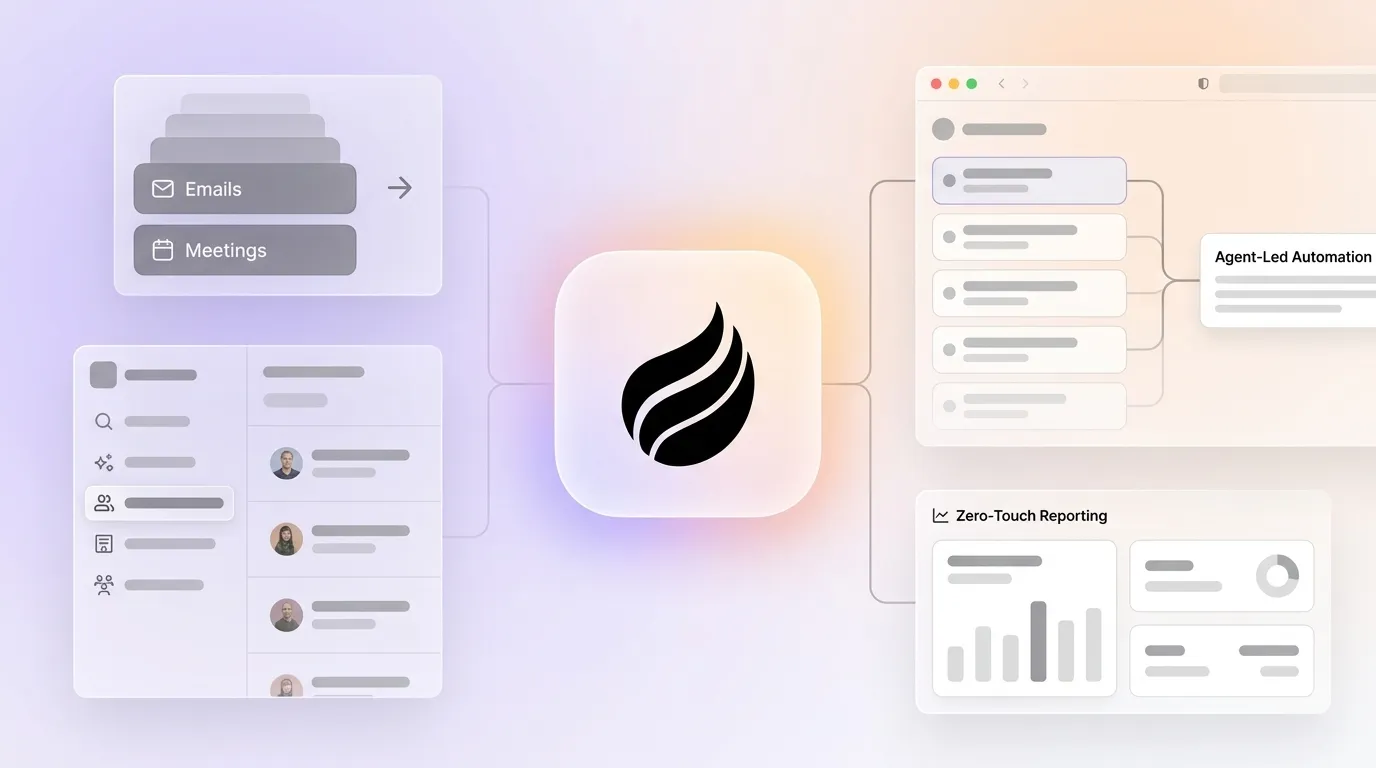
Workflow summary: Communication tools such as email, calendar, and call recording feed the Coffee Agent, which ingests and structures data. The built-in data warehouse stores full history. Clean records are written back to Salesforce or HubSpot through the Companion App or to Coffee Standalone CRM. Automated dashboards and Pipeline Compare then surface insights, leaving no manual reporting steps.
For new teams, the Standalone CRM replaces spreadsheets and legacy platforms entirely. For established teams, the Companion App deploys the agent on top of an existing Salesforce or HubSpot instance without disrupting current workflows, quotas, or required fields. Coffee’s deep integration knowledge covers complexity that newer alternatives like Day.ai and Clarify have not addressed.
Start reclaiming those lost hours with Coffee’s agent layer.
Evaluation Checklist: Is Your Stack Ready for Zero-Touch Reporting?
- ☐ Can your current CRM ingest unstructured data such as call transcripts and email threads without manual copy-paste?
- ☐ Does your pipeline report update automatically when a deal signal occurs, or does a rep trigger it?
- ☐ Is full interaction history preserved when a CRM field is overwritten?
- ☐ Do reps spend fewer than two hours per week on CRM data entry and reporting?
- ☐ Can you identify named individuals visiting your website and route them to the CRM without manual research?
- ☐ Does your weekly pipeline review require zero spreadsheet exports to run?
If any box remains unchecked, the missing piece is an agent layer, not a configuration change.
Frequently Asked Questions
Does Coffee work with our existing Salesforce or HubSpot instance?
Yes. The Coffee Companion App deploys as an agent layer on top of an existing Salesforce or HubSpot installation. A simple authentication allows the Coffee Agent to read activity, enrich records, and write clean structured data back to the primary CRM. Existing quotas, required fields, forecasting configurations, and workflows remain intact. Coffee has deep integration knowledge of both platforms, including the complexity that simpler alternatives have not addressed.
What data sources does the Coffee Agent ingest?
The agent connects to Google Workspace or Microsoft 365 to ingest emails and calendar events. It joins video calls on Zoom, Google Meet, and Microsoft Teams to record and transcribe. It enriches contact and company records via licensed data partners for job titles, funding, and LinkedIn profiles. A website tracking pixel identifies anonymous visitors and converts them into named, enriched CRM records. All of these sources feed the built-in data warehouse without any manual input from reps.
Is Coffee secure and compliant?
Coffee is SOC 2 Type 2 certified and GDPR compliant. Customer data is not used to train public AI models. For teams in heavily regulated industries such as healthcare or finance that require multi-year security reviews, Coffee recommends evaluating whether the current compliance requirements align with the platform’s certification scope before proceeding.
How long does it take to see results?
The Coffee Agent begins auto-creating contacts and logging activity immediately after connecting to Google Workspace or Microsoft 365. Teams typically see clean pipeline data within the first week. The Pipeline Compare feature becomes meaningful after the first full sales cycle, surfacing week-over-week movement without any manual reporting effort. Pricing is seat-based with no complex metering on AI usage, so the cost structure stays predictable from day one.
What if we use other tools like ZoomInfo, Gong, or Apollo alongside our CRM?
Coffee consolidates the jobs performed by enrichment tools, call recording platforms, and forecasting add-ons into a single agent. The agent provides data enrichment roughly on par with dedicated enrichment vendors for most use cases, built in. Teams that have already purchased these point solutions can use Coffee’s Companion App to unify the data those tools generate into a single coherent view inside Salesforce or HubSpot, which removes the manual stitching between platforms that currently consumes rep time.
Summary: Your Path to Automatic Pipeline Reporting
Legacy CRMs will not fix themselves. Their architecture assumes human data entry, and no configuration change or Zapier workflow resolves that assumption at the root. The path to zero-touch reporting runs through an agent layer that captures every interaction, structures it automatically, retains full history in a data warehouse, and writes clean records back to whatever system of record the team already uses.
The six-step blueprint above covers every entry point, from auditing current manual tasks and replacing rule-based integrations with an agent to auto-logging meetings, triggering stage updates on behavioral signals, replacing manual exports with live dashboards, and closing the loop from anonymous web traffic to enriched CRM records. Each step is executable independently, and each one returns hours to the selling week.
Coffee delivers this through two models: Standalone CRM for teams ready to replace legacy platforms, and Companion App for teams committed to Salesforce or HubSpot. Both deploy the same agent, the same data warehouse, and the same zero-touch reporting output.
Evaluate Coffee’s agent approach for your stack with pricing and demos here.