
Written by: Doug Camplejohn, CEO & Co-Founder, Coffee
Key Takeaways
- Automated contact creation uses AI agents to create clean, deduplicated CRM records from emails, calendars, and transcripts without manual entry.
- Connecting email and calendar accounts via OAuth is the essential first step for continuous, real-time contact ingestion.
- Native CRM auto-create features and Zapier workflows often create duplicates unless paired with fuzzy matching and duplicate-detection rules.
- AI agents like Coffee handle unstructured data such as email signatures and call transcripts, and they deliver enriched records with job titles and LinkedIn profiles.
- Eliminate manual contact entry from your team’s workflow today with Coffee.
Why Automated Contact Creation Matters for Sales Teams
Sales reps spend approximately 70% of their time on non-selling tasks, including manually entering customer notes into the CRM. This wasted time creates downstream problems. Duplicate records in CRM systems can reach 20% of total volume, and bad data costs companies millions per year. Corrupted contact records produce unreliable pipeline reports and forecasts that managers cannot trust.
The business case for fixing this is clear. CRM systems can increase sales by up to 29% or lead to a 25% increase in revenue per salesperson. To capture that return, your team needs a few basics in place before you roll out automated contact creation.
Readiness checklist before proceeding:
- Google Workspace or Microsoft 365 admin access confirmed
- Existing CRM identified (Salesforce, HubSpot, or none) or a decision made to adopt a standalone system
- Buyer-persona definitions documented (title, company size, industry)
- Deduplication policy owner assigned
Step 1: Connect Email and Calendar Accounts for Continuous Contact Capture
The first input layer for automated contact creation is the email and calendar connection. Grant your CRM or AI agent OAuth access to Google Workspace or Microsoft 365. This access provides a continuous stream of sender data, meeting attendees, and thread context that the agent can use to build contact records.
To complete this step, you need access to Gmail, Google Calendar, Outlook, or Exchange mailboxes (Inputs). Before connecting, decide which inboxes are in scope, and exclude shared aliases to reduce noise (Decision). Ask your RevOps or IT admin to complete the OAuth grant, and have sales leadership approve the scope (Ownership). You know the connection is working when the agent surfaces new contacts within 24 hours of connection without any manual import (Success signal).
Step 2: Configure Auto-Create Settings with Duplicate Detection Enabled
Salesforce, HubSpot, and Outlook each offer native auto-create toggles. Enabling them without a deduplication layer is the single most common mistake teams make at this stage.
Common mistake: Activating Salesforce’s “Auto-create Contacts from Emails” or HubSpot’s contact sync without first enabling duplicate detection rules. Every new email thread creates a net-new record regardless of whether that person already exists, which produces fragmented activity histories and broken pipeline reports.
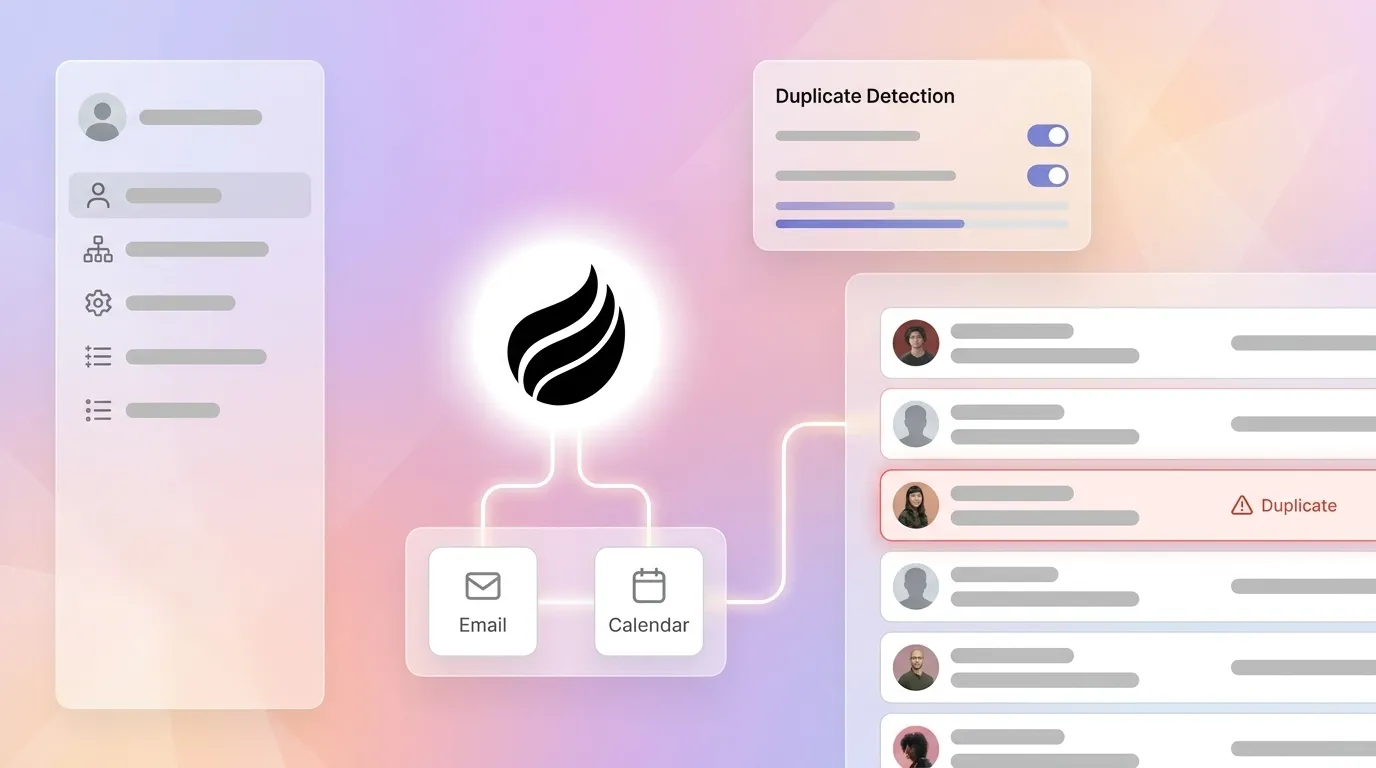
Duplicate detection rules should start with email and phone because these are the most reliable unique identifiers for matching contacts. Enable detection during record creation, during imports, and during any Outlook sync event so duplicates are caught at the point of entry rather than cleaned up later. Review and tune these rules quarterly because business data patterns change over time.
Step 3: Use Zapier or Make for Simple Flows and Recognize Their Limits
Zapier and Make (formerly Integromat) allow teams to trigger contact creation from form fills, email events, or calendar bookings. These workflows work well for structured, low-variation inputs such as a demo-request form with required fields.
Their limitation is fundamental. Rule-based automation needs clean, structured inputs and works reliably only when data arrives in a consistent, expected format. An email signature containing two names, a forwarded thread with multiple participants, or a call transcript with an informal introduction can all break rule-based triggers.
Ignored edge case: A single email thread can contain signatures from three different people. A Zapier rule keyed to the “From” address creates one contact and silently drops the other two. Those missed contacts never enter the CRM.
30–50% of RPA projects fail to meet objectives primarily due to unstructured data inputs, UI changes, and exception-heavy processes. Licensing accounts for 25–30% of total RPA costs, with the remaining 70–75% covering development, infrastructure, integration, training, and ongoing maintenance because teams must constantly reconfigure bots to handle input variations common in sales data workflows.
Step 4: Deploy an AI Agent to Parse Email Signatures and Transcripts
An AI agent solves the brittleness of Zapier-style triggers by using context-aware reasoning. AI agents use natural language understanding to produce outputs suited to the situation, so they can handle multi-step workflows with variability and judgment calls that rule-based systems cannot manage.
The Coffee Agent connects to Google Workspace or Microsoft 365 via OAuth and immediately begins scanning emails, calendar events, and call transcripts. It extracts names, titles, companies, and phone numbers from unstructured email signatures. It parses meeting attendee lists to create records for every participant. It ingests post-call transcripts to capture contacts mentioned but never formally introduced. Each record is enriched with job title, funding data, and LinkedIn profile via Coffee’s licensed data partners, which removes the need for a separate ZoomInfo or Apollo subscription.
The agent uses email threads, calendar invites, and Zoom, Teams, or Meet transcripts as inputs. RevOps defines which domains to exclude, such as competitors or personal addresses (Decision). The Coffee Agent then operates autonomously while RevOps maintains exclusion rules as needed (Ownership). You know this step is working when reps stop creating contacts manually for 30 days and all new records carry at least four enriched fields on creation (Success signal).

Get started with Coffee to deploy the agent across your email and calendar stack in minutes.
Step 5: Add a Fuzzy Matching Layer to Prevent Duplicates
Even with an AI agent handling ingestion, you still need a duplicate-prevention layer. This layer catches edge cases such as name variations, role changes, and contacts who appear in both a legacy import and a new email thread.
Effective fuzzy matching combines exact email matching, exact phone matching, and a fuzzy full-name match using the first five characters to catch common variations like “Jon” versus “Jonathan.” Avoid over-matching by using too many criteria simultaneously, because this incorrectly flags legitimate similar contacts as duplicates.
Required-field validation keeps incomplete records out of the system by enforcing that every contact record carries at minimum an email address and company name before saving. Bi-directional sync between sales automation platforms and CRMs then removes duplicate entry and reduces errors across tools.
Success signal: Zero net-new duplicate contacts detected in any 30-day audit window.
Step 6: Extend Contact Creation to Anonymous Website Visitors
Automated contact creation should cover every meaningful interaction, not just email and meetings. Website visitors who never fill out a form represent a significant pool of unidentified prospects. Coffee’s visitor identification feature converts this anonymous traffic into named, enriched contacts through a single tracking pixel.
Place the Coffee-generated script inside the <head> tag of your site. The agent immediately begins identifying visitors and surfacing name, title, email, LinkedIn profile, company, pages visited, time on site, and whether the visit is a first or return. Real-time Slack notifications alert the relevant rep when a high-fit visitor appears. With one click, the prospect is added to Coffee with all enrichment pre-filled and routed into a LinkedIn outreach sequence or automated drip campaign.
Coffee’s Suggested Leads feature goes further than competitors like RB2B or Warmly, which surface only the visiting company or undifferentiated people lists. Coffee uses your defined buyer persona to recommend the specific two or three individuals inside that visiting company who are most worth contacting, with LinkedIn profiles surfaced for immediate outbound action.
Validate and Maintain Your Automated Contact Creation Workflow
Validation keeps your workflow healthy over time. Treat it as a recurring operational step rather than a one-time check. Run the following three reviews on a weekly cadence.
- Pipeline Compare report: Coffee’s Pipeline Compare feature visualizes week-over-week changes and highlights progressed deals, stalled opportunities, and new additions. If contact creation is working correctly, every deal in the pipeline will have a fully enriched contact record attached with no blank required fields.
- Duplicate audit: Pull a report filtered to contacts created in the last 30 days and check for matching email addresses. The target is zero duplicates.
- Rep time-saved survey: Run a monthly two-question survey asking reps to estimate hours spent on manual data entry. Sales professionals can save more than two hours per day using AI tools, so use this benchmark to measure your team’s progress.
Scale Automated Contact Creation from Small Teams to Larger Orgs
Small teams can run their entire system of record on Coffee. For teams of five or fewer, Coffee’s standalone CRM handles contacts, activity logging, and pipeline management without additional tooling. Setup takes minutes through a single Google Workspace or Microsoft 365 OAuth connection.
Growing teams can keep their existing CRM and add Coffee as a companion layer. For teams of 10 to 40 with a Salesforce or HubSpot investment, Coffee handles all data ingestion and enrichment, then writes clean records back to the primary CRM. This approach preserves existing quota structures, forecasting configurations, and required-field schemas while removing the manual entry burden.
Multi-region and multi-currency teams can add routing rules that assign newly created contacts to the correct territory owner based on company domain, country code, or deal size. Advanced routing can also trigger automatic enrollment into region-specific outreach sequences the moment a contact is created.
Automated Contact Creation vs. Legacy Rules: Comparison Table
The table below summarizes how each approach handles the four factors that determine whether your contact creation workflow will scale: the variety of data sources it can ingest, its ability to prevent duplicates, its tolerance for unstructured inputs, and the ongoing maintenance burden it places on your team.
| Approach | Data Sources Handled | Duplicate Prevention | Unstructured-Data Support | Required Maintenance |
|---|---|---|---|---|
| Coffee AI Agent | Email, calendar, call transcripts, email signatures, website visitor data, enrichment APIs | Fuzzy matching plus exact-field validation, agent flags conflicts before saving | Full, parses freeform email text, signatures, and transcripts natively via NLP | Minimal, exclusion rules set once and the agent adapts to new input formats |
| Native CRM toggles (Salesforce / HubSpot) | Structured email sender fields only | Requires separate deduplication configuration, duplicates common without it | None, rule-based systems break when inputs change or arrive in unexpected formats | High, rules require manual reconfiguration when data patterns change |
| Zapier / Make workflows | Structured trigger events such as form fills and single sender fields | None built in, each zap creates a net-new record regardless of existing data | None, traditional automation executes fixed sequences and fails when inputs vary | Very high, the RPA cost structure mentioned earlier plus frequent reconfiguration needs |
| Manual entry | Whatever the rep remembers to type | None, entirely human-dependent | None, unstructured context is lost unless the rep transcribes it manually | Ongoing, the 70% time burden noted earlier |
Frequently Asked Questions
How long does it take to set up automated contact creation with Coffee?
Most teams are fully operational within one business day. The core setup uses a single OAuth connection to Google Workspace or Microsoft 365, which takes under five minutes. Coffee then begins scanning emails and calendar data immediately. Enrichment fields populate on existing and new contacts within 24 hours. Teams using Coffee as a companion layer on Salesforce or HubSpot complete the CRM authentication in the same session, and the agent begins writing enriched records back to the primary system the same day. No professional services engagement or multi-week implementation is required.
Is Coffee SOC 2 Type 2 and GDPR compliant?
Yes. Coffee is SOC 2 Type 2 certified and GDPR compliant. Customer data is not used to train public AI models. For teams in regulated industries or those handling EU personal data, Coffee’s data handling practices meet the standards required for processing contact information sourced from email and calendar integrations. Teams with specific compliance questions can review Coffee’s security documentation or contact the team directly before committing to a plan.
How does Coffee’s contact data quality compare to dedicated enrichment tools like ZoomInfo or Apollo?
Coffee’s enrichment, delivered through licensed data partners, provides job titles, funding data, and LinkedIn profiles at a quality level that covers the majority of use cases for small to mid-market sales teams. For most teams, this coverage eliminates the need to maintain a separate enrichment subscription. Teams that currently pay for ZoomInfo or Apollo primarily to populate CRM fields, rather than for prospecting list building, typically find Coffee’s built-in enrichment sufficient. Coffee’s List Builder feature also supports natural-language prospecting queries, which further reduces dependence on standalone enrichment tools.
What happens to the automated contact creation workflow when a new CRM is added or the team migrates platforms?
Coffee’s agent operates as the data ingestion layer rather than as a native CRM feature, so adding or changing a CRM does not break the contact creation workflow. Teams migrating from HubSpot to Salesforce, or adding a second CRM instance for a new business unit, reconnect Coffee to the new system via OAuth. The agent’s parsing logic, enrichment rules, exclusion lists, and duplicate-prevention configuration carry over without reconfiguration. Historical contact records created by the agent remain in Coffee’s data warehouse and can be synced to the new system on demand.
Does Coffee handle contacts created from call transcripts and meeting notes, not just email?
Yes. Coffee’s AI Meeting Bot joins Zoom, Microsoft Teams, and Google Meet calls to record and transcribe. After the call, the agent parses the transcript to identify any person mentioned or introduced, including those who were not on the calendar invite, and creates or updates their contact record automatically. Meeting summaries, next steps, and follow-up drafts are generated in the same workflow. Sales methodology frameworks including BANT, MEDDIC, and SPICED can be applied to structure qualification data captured during the call, so every contact created from a transcript carries consistent, actionable context.

Conclusion: Put an End to Manual CRM Data Entry
The six steps above move a sales team from fragmented, duplicate-prone manual entry to a fully automated contact creation workflow. You connect email and calendar accounts, configure legacy settings with deduplication enabled, recognize the limits of rule-based Zapier workflows, deploy an AI agent to handle unstructured data, enforce fuzzy-match duplicate prevention, and activate visitor identification to capture contacts from anonymous web traffic. Validation through Pipeline Compare reports and duplicate audits confirms that the system is working.
Buyers are increasingly interested in software with AI capabilities, and No evidence supports an 83% rate of teams seeing quick ROI from automated CRM updates; the only 83% statistic refers to CFOs needing concrete ROI data before approving renewals. The only variable is how long your team continues to absorb the cost of manual entry before acting.
Get started with Coffee and put the agent to work on your contact data today.


