
Written by: Doug Camplejohn, CEO & Co-Founder, Coffee
Key Takeaways for Replacing Visitor Queue or Snitcher
- B2B sales teams are replacing Visitor Queue and Snitcher because these tools only surface company-level data and still require manual research and CRM work.
- Company-level identification typically delivers 30–65% match rates on US B2B traffic and relies on organizational data that falls under GDPR legitimate interest.
- Person-level tools reach 5–40% accuracy, depending on traffic and stack, but require explicit consent for EU visitors.
- Coffee combines person-level identification with Suggested Leads that highlight the best contacts inside visiting accounts and syncs them directly to Salesforce or HubSpot.
- Most alternatives either skip automated CRM contact creation, charge high per-resolution fees, or only support company-level data.
- Teams ready to remove manual exports and data entry can get started with Coffee today.
Company vs Person Identification: What Actually Reaches Your Reps
Company-level identification maps a visitor IP address to a known business using commercial corporate IP databases. These setups often reach 30–65% match rates on US B2B traffic and process only organizational data such as company name, sector, size, and location. That data does not count as personal data under GDPR and can be processed under legitimate interest per Article 6(1)(f).
Person-level identification layers cookies, device fingerprints, or identity graphs on top of IP matching to resolve a visit to a specific individual. These systems typically reach 5–40% match rates depending on tool and traffic volume, but require explicit consent for EU residents under GDPR. The practical gap is not only accuracy. It is whether a rep receives a company name to research or a named contact ready for outreach.
The next comparison table shows how leading alternatives differ on identification type, pricing, and CRM integrations so you can see where Visitor Queue and Snitcher fall short.
Head-to-Head Comparison of Visitor Identification Tools
| Tool | Identification Type | Starting Price (2026) | Native CRM Integrations |
|---|---|---|---|
| Coffee | Person-level + Suggested Leads | Seat-based (see pricing) | Salesforce, HubSpot (Companion App) |
| RB2B | Person-level (US only) | $79/mo (Starter, person-level) | HubSpot, Salesforce, Clay (Pro+) |
| Warmly | Company + person-level | Warmly’s lowest paid tier (TAM) starts at $15,000 per year | HubSpot, Salesforce (higher tiers) |
| Leadpipe | Person-level (US only) | Leadpipe’s Pro plan starts at $147/mo for 500 identified visitors | HubSpot, Salesforce |
| Leadfeeder (Dealfront) | Company-level | $99/mo (annual) | Salesforce, HubSpot, Pipedrive, Dynamics, Zoho, Marketo |
| Leadinfo | Company-level | Custom (EU-focused) | HubSpot, Salesforce, Pipedrive |
| Visitor Queue | Company-level | $31/mo | HubSpot, Salesforce, Pipedrive, Zoho, Dynamics, Attio |
| Snitcher | Company-level | Usage-based pricing starting at $50/mo monthly (or $35/mo annual) | HubSpot, Salesforce, Pipedrive, Zoho, Dynamics, Attio |
View Coffee’s seat-based pricing — no per-resolution metering.
Person-Level Tracking Tools Compared
RB2B resolves US-based visitors to individual LinkedIn profiles using identity graph technology. Match rates vary by plan and traffic volume for high-volume US traffic. Pricing: free tier (150 credits/mo, company-level only); Starter $79/mo; Pro $149/mo; Pro+ $199/mo. CRM integrations with HubSpot, Salesforce, and Clay unlock on Pro and above. Pro: fast LinkedIn-profile delivery in Slack. Con: no automated contact creation or outreach inside the CRM.
Warmly routes visitors through 20+ data providers in a waterfall to reach both company and person-level identification. Pricing: free (500 visitors/mo); TAM tier from $15,000 per year. CRM integrations unlock on higher tiers. Pro: broad data coverage. Con: costs climb quickly as traffic grows.
Opensend focuses on email-based person-level identification for retargeting workflows. CRM sync works with HubSpot and Salesforce. Pro: strong email capture rates. Con: functions mainly as a retargeting tool rather than a full sales pipeline platform.
Leadpipe delivers person-level identification for US traffic only and automatically geofences EU visitors to remain GDPR-compliant. Pricing: Leadpipe’s Pro plan starts at $147/mo for 500 identified visitors, with higher tiers scaling upward. Pro: built-in GDPR geofencing. Con: credit-based pricing becomes expensive at higher volumes.
GDPR-Focused Visitor Identification Options
Leadfeeder (Dealfront) identifies companies via IP matching and acts as a data processor under DPAs for GDPR compliance. Pricing: free tier (100 companies, 7-day retention); paid from $99/mo annual. CRM coverage includes Salesforce, HubSpot, Pipedrive, Dynamics, Zoho, Marketo, and Zapier. Pro: broad CRM support. Con: company-level only, with no person-level resolution.
Leadinfo reaches a 35–40% company identification rate in Europe by analyzing corporate IP ranges without storing individual IP addresses or using cookies, and stores data in EU data centers with ISO 27001 certification. Pro: strongest GDPR posture among company-level tools. Con: EU focus limits US match performance.
Visitor Queue provides company-level identification starting at $31/mo, scaling to $2,299/mo for high-traffic sites. Native CRM sync covers HubSpot, Salesforce, Pipedrive, Zoho, Dynamics, and Attio. Pro: low starting price. Con: no person-level identification and manual outreach after export.
Snitcher offers company-level identification with usage-based pricing starting at $50/mo for monthly plans (or $35/mo for annual plans). CRM sync covers HubSpot, Salesforce, Pipedrive, Zoho, Dynamics, and Attio. Pro: broad CRM coverage at a low cost. Con: same ceiling as Visitor Queue, since reps still receive company names instead of named contacts.
Tools Built for HubSpot and Salesforce Teams
HubSpot Breeze Intelligence delivers native HubSpot CRM sync and enriches visitor data with over 100 firmographic and technographic attributes directly inside HubSpot. Pricing: from $45/mo for 100 credits on HubSpot Starter, with full Reveal packages around $20,000/year. Pro: zero integration friction for HubSpot-centric teams. Con: requires an existing HubSpot subscription and costs scale with credit usage.
ZoomInfo WebSights bundles into SalesOS and pushes identified visitor data directly into CRM records while auto-creating leads when target accounts hit high-intent pages. Pricing: SalesOS starts around $15,000–$25,000/yr, with full-stack costs reaching $40,000–$100,000+/yr. Pro: deep Salesforce and HubSpot automation. Con: enterprise pricing excludes most 10–50-person teams.
Coffee: From Anonymous Visitor to Automated Pipeline
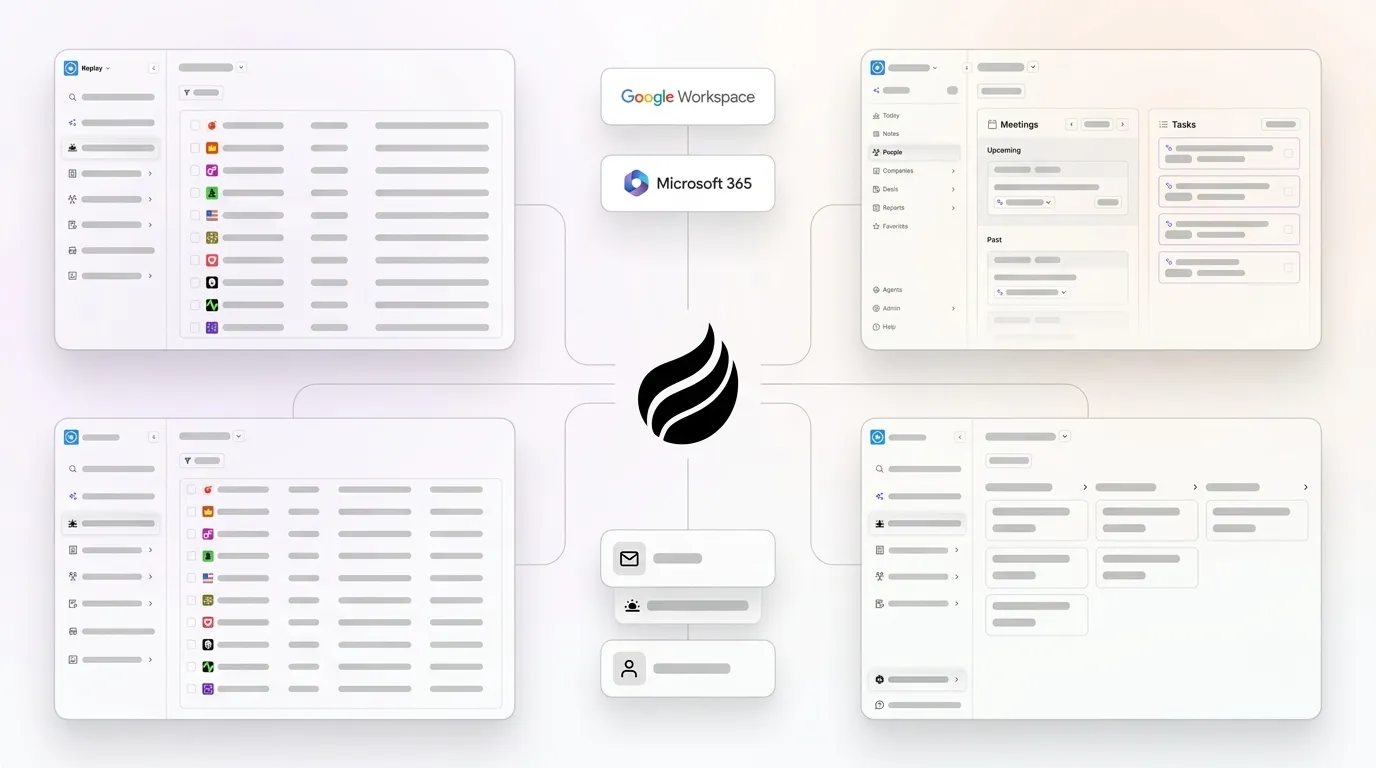
Coffee treats visitor identification as one input into a fully automated sales pipeline rather than a standalone reporting dashboard. A single tracking pixel in your site <head> tag begins identifying visitors immediately and surfaces name, title, email, LinkedIn profile, pages viewed, time on site, and return-visit status.
The core differentiator is Suggested Leads. RB2B and Warmly deliver raw people lists or company names. Coffee instead applies your buyer persona and recommends two or three specific individuals inside each visiting company, with LinkedIn profiles ready for instant outreach. This closes the gap between “a company visited” and “here is the right person to contact now.”

Teams already on Salesforce or HubSpot can use the Companion App to layer Coffee on top of the existing CRM. The Coffee Agent auto-creates contacts, logs web activity on the correct record, and triggers outreach sequences, so reps avoid acting as data entry clerks. The key integration question for any visitor identification platform is whether data flows bi-directionally and automatically into CRMs or requires manual export. Coffee delivers fully automated bi-directional sync.
Post-cookie accuracy comes from a data-warehouse architecture that combines first-party signals, licensed enrichment data, and identity resolution instead of third-party cookies. Google formally retired the Privacy Sandbox initiative in October 2025, and Safari has blocked third-party cookies by default since 2020, so data-warehouse-backed identification offers a durable path forward. Coffee is SOC 2 Type 2 and GDPR compliant, and data never trains public models.
Activate your automated pipeline — one pixel, one agent, instant setup.
Best-Fit Use Cases by Team Type
Early-stage teams (1–15 people, no CRM yet): Coffee Standalone CRM or RB2B Starter both keep setup light. Coffee adds automated contact creation, while RB2B still requires manual follow-through.
Growing sales orgs (15–50 people, HubSpot or Salesforce in place): Coffee Companion App fits best by pairing person-level identification with automated CRM writes under one seat-based price. Warmly sits closest as an alternative but costs more at scale and does not automate contact creation.
Legacy-CRM teams needing GDPR coverage for EU traffic: Leadinfo or Leadfeeder (Dealfront) handle European traffic, while Coffee or Leadpipe cover US person-level identification. A combined stack works but adds cost and integration overhead that Coffee’s single-platform model avoids.
Decision Matrix: Match Constraints to the Right Tool
| Constraint | Best fit | Second option | Avoid |
|---|---|---|---|
| Need person-level ID + auto CRM contact creation | Coffee | ZoomInfo WebSights (if budget allows) | Visitor Queue, Snitcher |
| Budget under $100/mo | Visitor Queue ($31/mo) or Snitcher ($39/mo) | RB2B Starter ($79/mo) | Warmly, ZoomInfo |
| EU traffic, strict GDPR posture | Leadinfo | Leadfeeder (Dealfront) | Leadpipe, RB2B (US-only tools) |
| HubSpot-native enrichment only | HubSpot Breeze Intelligence | Coffee Companion App | Standalone tools that require manual export |
Compare plans and pricing — activate your pixel today.
Frequently Asked Questions
How long does it take to implement a visitor identification tool and see first results?
Most visitor identification platforms, including Coffee, only need a single tracking pixel installed in the head tag of your website. For teams using Coffee’s Standalone CRM, the product generates the pixel and verifies it automatically, so most teams see identified visitors within hours of installation. For the Coffee Companion App that connects to Salesforce or HubSpot, a short authentication flow syncs the CRM and the Coffee Agent begins writing enriched contact records the same day.
Company-level tools like Visitor Queue and Snitcher follow a similar one-pixel setup. Person-level tools that rely on identity graph matching, such as RB2B, usually need a few days of traffic before match rates stabilize. A 30-day pilot on real traffic remains the most reliable way to validate match rates before signing an annual plan.
Is my visitor data secure, and how do these tools handle GDPR compliance?
Data security and compliance posture vary widely across tools. Coffee is SOC 2 Type 2 certified and GDPR compliant, and visitor data never trains public AI models. For company-level identification, the GDPR framework stays relatively straightforward and builds on the legitimate interest basis described earlier. Vendors that process only organizational data such as company name, sector, size, and location without cookies or device fingerprinting can usually rely on Article 6(1)(f), as long as your privacy policy explains tracking and offers an opt-out.
Person-level identification of EU residents requires explicit consent as the lawful basis, which is why tools like Leadpipe and Coffee geofence EU traffic to company-level identification only. Leadinfo holds ISO 27001:2022 certification and stores all data in EU data centers, which helps teams with strict data residency requirements. Any team deploying a visitor identification tool should execute a data processing agreement with the vendor and have legal counsel review that DPA before installing tracking scripts.
How difficult is it to migrate from Visitor Queue or Snitcher to a new platform?
Migration from Visitor Queue or Snitcher stays relatively simple because both tools operate as pixel-plus-CRM-sync systems without proprietary data lock-in. The process usually involves three steps: remove the existing tracking pixel, install the new platform’s pixel, and reconnect CRM integrations. Historical identified-company data from Visitor Queue or Snitcher can typically be exported as a CSV before deactivation.
Teams moving to Coffee can authenticate the Companion App directly with Salesforce or HubSpot, and the Coffee Agent then enriches and writes records without manual data mapping. The main migration consideration is match-rate validation rather than technical complexity. Person-level tools like Coffee identify different signals than company-level tools, so the first 30 days will surface a more granular but different set of leads than the outgoing tool produced. Running both pixels in parallel for two to four weeks helps calibrate expectations before fully decommissioning the legacy tool.


