
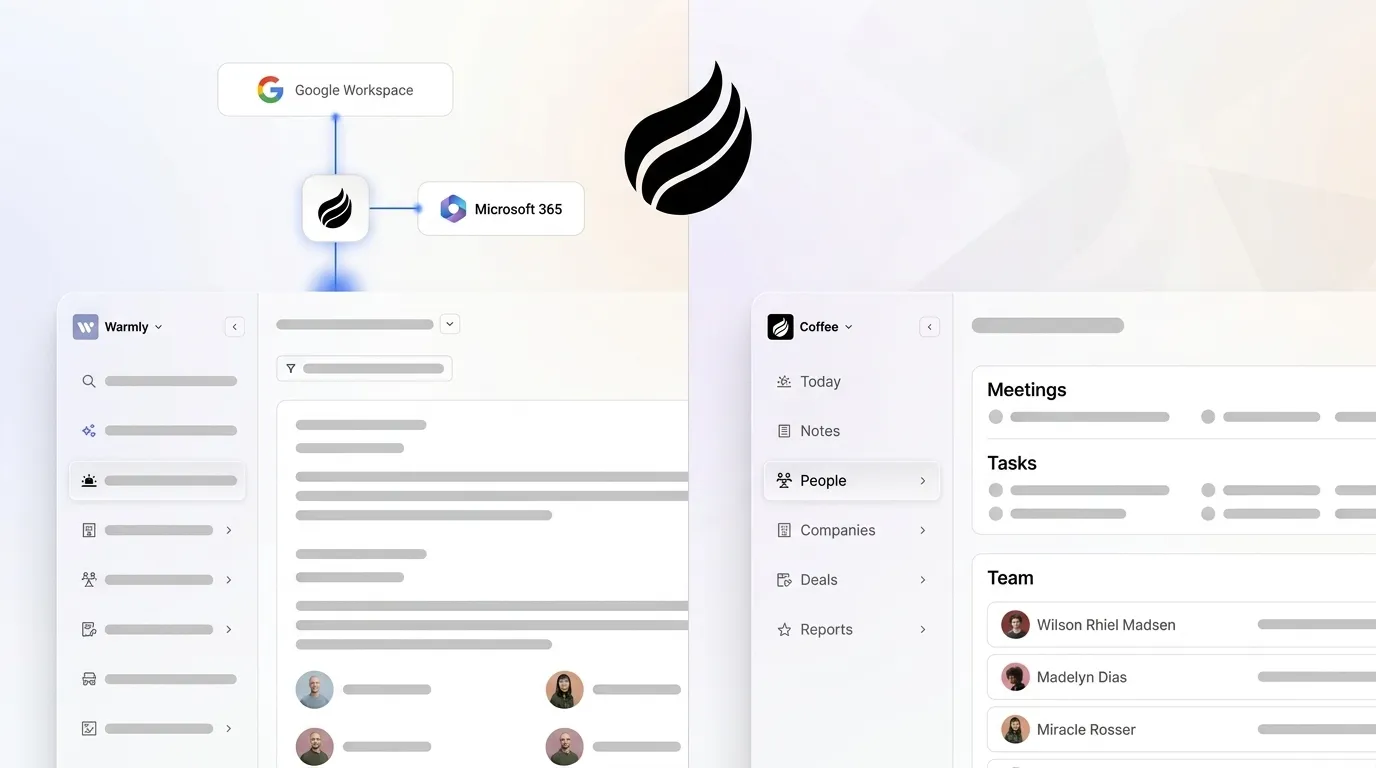
Written by: Doug Camplejohn, CEO & Co-Founder, Coffee
Key Takeaways for RevOps Teams
-
Warmly typically takes 15–30 minutes of manual work, including pixel installation, CRM authentication, and persona configuration.
-
Coffee uses an agent-led flow with three quick actions: connect workspace, drop the pixel, and authenticate the CRM.
-
Coffee enriches visitor data and writes back to Salesforce or HubSpot automatically, so teams avoid ongoing manual field mapping.
-
Both platforms need live traffic to surface leads, but Coffee surfaces persona-matched contacts faster once the pixel is verified.
-
Teams ready to cut setup time and manual CRM work can see Coffee’s pricing and start a setup in minutes.
Warmly Setup Duration and Required Steps
Warmly onboarding follows a multi-step sequence: create an account, verify the domain, install the tracking pixel, authenticate at least one CRM, configure intent signals, and define target personas. Each step requires a human to complete it. User-reported timelines place the full sequence at 15–30 minutes for a technically proficient RevOps professional working without interruption.
Teams that lack direct access to their website’s <head> tag or whose CRM administrator is a separate person often experience additional delays from internal coordination. Implementation of outreach sales agents typically takes two to eight weeks when data preparation requirements, integration complexity, workflow configuration, and team training are factored in, and Warmly’s persona-configuration step mirrors that complexity at a smaller scale.
Warmly Pixel Installation Time in Practice
The pixel installation step itself, copying a script tag and pasting it into the site’s <head>, can be completed quickly for a developer with direct CMS or codebase access. Most RevOps leaders do not have that access, so the realistic elapsed time is longer. When the RevOps leader must submit a ticket to engineering, typical queue times add one to three business days. Google Tag Manager offers a middle path that reduces developer dependency, but only if GTM is already live on the site, otherwise the team faces the same ticketing delay to deploy GTM first.
Warmly CRM Integration Steps and Delays
Warmly’s CRM connection requires OAuth authentication with Salesforce or HubSpot, field mapping for lead routing, and configuration of sync rules that determine which visitor signals trigger record creation. Connecting sales tools with Salesforce and HubSpot for bi-directional data sync can be completed in minutes when field schemas are clean. In practice, teams must decide which fields map to existing CRM objects, whether to create new custom fields, and how to handle duplicate records. Teams with non-standard CRM architectures report this step as the single largest source of setup delay.
Warmly vs Coffee Setup Comparison by Stage
The following table breaks down each setup stage to show where Coffee’s agent-led approach saves time compared with Warmly’s manual configuration.
|
Setup Stage |
Warmly (Reported Time) |
Coffee (Reported Time) |
|---|---|---|
|
Account creation & domain verification |
5–10 min |
3–5 min |
|
Pixel installation (direct access) |
5–10 min |
2–5 min, agent confirms automatically |
|
CRM authentication & field mapping |
5–10 min |
5–10 min (OAuth, agent writes back automatically) |
|
Persona / ICP configuration |
5 min (manual filter setup) |
Agent-inferred from connected data, about 2 min to confirm |
|
First lead surfaced |
15–30 min total, traffic-dependent |
Quick, traffic-dependent |
Time estimates for Warmly are drawn from vendor documentation. Coffee estimates reflect the agent-led onboarding flow described in product documentation. Both platforms require live website traffic to surface a first lead, so zero-traffic sites will see no leads regardless of setup speed.
Human-Directed vs Agent-Led Onboarding Effort
Warmly onboarding is human-directed, so a RevOps leader or developer must complete each step sequentially and make configuration decisions at each stage. Coffee’s agent-led setup reduces decision points to three: connect your email or calendar workspace, drop the pixel, and authenticate your CRM or select the standalone mode. The agent then handles contact creation, enrichment, and field population autonomously. AI agents automate time-consuming operational tasks such as lead routing, data enrichment, segmentation, and CRM updates, freeing teams for higher-value work and shortening time to usable leads.
Data-Capture Automation and Suggested Leads
Once setup is complete, the two platforms diverge in how quickly they deliver actionable leads. Warmly identifies visiting companies and surfaces a list of people associated with that company from its database, so the RevOps team must manually review and decide which individuals to pursue. Coffee’s Suggested Leads feature applies the team’s buyer persona to recommend two or three specific contacts inside a visiting company who match the ICP, pre-enriched with name, title, email, and LinkedIn profile. AI agents follow a closed-loop perceive-think-do process that detects a visitor from a target account, reasons about buying intent from pricing and demo page views, and autonomously notifies sales reps via Slack while updating CRM status. Coffee applies this same loop natively, without requiring a separate intent-data subscription.
CRM Sync Friction and Data Overlap
Warmly pushes visitor data to CRM as new leads or contacts, but teams must configure field mapping manually and maintain it when CRM schemas change. Coffee’s agent writes back to Salesforce or HubSpot automatically, logging activity, enriching records, and updating deal state without human intervention. Seamless CRM integration allows outreach agents to sync prospect records in real time, automatically logging activities, updating conversation history, and routing qualified leads to representatives without manual data entry. Teams running Warmly alongside a separate enrichment tool such as ZoomInfo or Apollo introduce deduplication overhead; pairing Apollo and ZoomInfo creates 70% data overlap, requiring 2–3 hours per week of analyst deduplication time.
Time-to-First-Lead on Real Traffic
Both platforms are traffic-dependent, so a site receiving fewer than 100 daily visitors will surface leads slowly regardless of setup speed. Given equivalent traffic, Coffee’s agent begins identifying and enriching visitors as soon as pixel verification completes. Warmly setup completes before the platform begins filtering visitors against ICP criteria, placing first-lead delivery at the timeline discussed earlier under ideal conditions. Intent signals older than 30 days lose predictive value for most outbound motions, which makes speed of first-lead delivery a material competitive variable rather than a vanity metric.
Ongoing Administrative Burden for RevOps
Beyond the initial setup and first-lead milestone, the two platforms also differ in ongoing time requirements. Warmly requires periodic review of persona filters, intent-signal thresholds, and CRM field mappings as the ICP evolves, and these tasks remain manual. Coffee’s agent updates enrichment and persona matching continuously as new data enters the system. Teams evaluating AI sales enablement platforms should run a two-week pilot tracking time saved, response rate, multi-threading activity, and pipeline created to quantify ongoing burden differences before committing to either platform.
See how Coffee’s agent eliminates manual CRM maintenance, review pricing, and start your setup.
Reality Check: Common User-Reported Delays
The minute-level benchmarks above assume ideal conditions, while real implementations encounter three recurring friction points. First, pixel deployment often stalls when engineering queues are involved, and a ticket-based deployment process adds one to five business days to both platforms. Second, as noted in the CRM sync discussion, data quality issues compound during setup when enrichment depends on existing contact accuracy. Third, Outreach requires 20–40 hours of onboarding and dedicated sales ops support for teams with 10 or more reps, a benchmark that applies directionally to any platform requiring manual workflow configuration at scale. Coffee’s agent-led approach reduces but does not eliminate this third friction point, because teams with complex routing rules still require configuration time.
Best-Fit Guidance for Early-Stage and Mid-Market Teams
Early-stage teams with 1–20 employees and no dedicated RevOps function benefit most from Coffee’s standalone CRM model, where the agent handles the entire system of record and visitor identification without requiring a pre-existing Salesforce or HubSpot instance. Mid-market teams already committed to Salesforce or HubSpot benefit from Coffee’s Companion App, which layers agent-led enrichment and visitor identification on top of the existing system without a migration. Warmly fits best for teams that already have a mature CRM, a developer available for pixel deployment, and a RevOps resource to manage ongoing persona configuration.
Risks and Limitations of Pixel-Based Identification
Pixel-based visitor identification carries legal considerations in jurisdictions with active privacy enforcement. Both Warmly and Coffee operate on first-party pixel data, and teams should confirm compliance with applicable state privacy laws before deployment. Coffee is SOC 2 Type 2 and GDPR compliant, and data is not used to train public models. Neither platform guarantees 100% visitor identification. Email accuracy drops below the 80% threshold required for cold email campaigns to avoid sender reputation damage when enrichment data quality is insufficient, a risk that applies to any visitor-identification platform relying on third-party contact databases.
Decision-Framework Checklist for Lower-Effort Setup
Use the following criteria together to select the lower-effort path for your team:
-
Developer availability this week. If no developer is available, Coffee’s GTM-compatible pixel and automatic verification reduce the engineering dependency.
-
CRM schema standardization. If your schema is non-standard, Coffee’s agent-inferred field mapping reduces manual configuration time.
-
Need for Suggested Leads instead of raw company lists. If you want persona-matched contacts, Coffee’s ICP-matching layer is native, while Warmly requires manual filtering.
-
Existing Salesforce or HubSpot usage. If you already run one of these CRMs, Coffee’s Companion App authenticates in under 10 minutes and writes back automatically.
-
Team size and RevOps coverage. If your team is under 20 people without a dedicated RevOps function, Coffee’s standalone CRM removes the need for a separate system of record.
-
Same-day first-lead requirement. If you need first leads within the same business day, Coffee’s setup path presents the lower-risk option.
Frequently Asked Questions
How long does full implementation typically take in 2026?
For Coffee, full implementation, including pixel live, CRM authenticated, and first visitor identified, can be completed rapidly under ideal conditions such as direct site access and a clean CRM. For Warmly, the same milestone takes 15–30 minutes under ideal conditions and can extend when engineering queues or CRM administrator availability are involved. Neither timeline includes the two-week pilot period that revenue teams should run to validate lead quality and pipeline impact before full deployment.
What internal expertise is required for each platform?
Warmly requires a RevOps professional to configure persona filters and CRM field mappings, and either a developer or GTM access for pixel deployment. Coffee requires a team member with Google Workspace or Microsoft 365 admin credentials and CRM OAuth access. The Coffee agent handles enrichment, field population, and persona matching autonomously after authentication, so the ongoing expertise requirement shifts to periodic review of agent outputs rather than active configuration management.
How much migration effort is involved when switching tools?
Switching from Warmly to Coffee does not require a CRM migration if the team uses Salesforce or HubSpot, because Coffee’s Companion App authenticates against the existing instance and begins writing enriched data back immediately. Historical visitor data captured by Warmly does not transfer automatically, but Coffee begins building a new first-party behavioral dataset from the moment the pixel goes live. Teams switching from a legacy CRM to Coffee’s standalone product should expect a data import step for existing contacts, which the Coffee agent assists with during onboarding.
What security considerations apply during setup?
Both platforms use OAuth for CRM authentication, which avoids the need to share raw API credentials. Coffee is SOC 2 Type 2 certified and GDPR compliant, and data ingested by the Coffee agent is not used to train public AI models. Teams in regulated industries or states with active privacy enforcement should review pixel deployment against applicable consent requirements before going live. Coffee’s pixel operates on first-party behavioral data collected from the team’s own website, which generally carries lower regulatory risk than third-party data sharing arrangements, though legal review is recommended for any visitor-identification deployment.
Conclusion: Choosing the Lower-Effort Path
Warmly setup time is real and measurable at 15–30 minutes under ideal conditions via a simple Google Tag Manager script tag, with material extension risk when engineering or CRM admin access is not immediate. Coffee’s agent-led architecture compresses that timeline by automating the steps that Warmly leaves to human configuration. For RevOps leaders whose primary constraint is internal hours rather than feature breadth, the setup-time gap becomes a decision-relevant data point rather than a marketing claim. Teams that also need ongoing CRM enrichment, meeting intelligence, and pipeline tracking without adding additional point solutions will find that Coffee’s consolidated agent model reduces total stack complexity beyond the initial setup comparison.
Compare Coffee’s pricing tiers and begin your agent-led implementation.


