
Written by: Doug Camplejohn, CEO & Co-Founder, Coffee | Last updated: August 1, 2026
Key Takeaways for Busy Sales Leaders
- Legacy CRMs force sales reps to spend 65% of their time on manual data entry and admin tasks, leaving little time for actual selling.
- Agent-based contact management automatically captures, enriches, and structures both structured and unstructured data from email, calendar, and call transcripts without human input.
- Traditional platforms like Salesforce, HubSpot, and Pipedrive overwrite historical context and cannot process unstructured data, while agent-based systems preserve full history and deliver accurate pipeline intelligence.
- Teams using Coffee save 8–12 hours per rep each week by automating contact creation, meeting transcription, follow-up drafting, and pipeline tracking.
- Eliminate the data-entry grind and let the agent handle your records—see Coffee’s pricing and plans today.
The Problem: Legacy Contact Management Burns 65% of Selling Time
Sales reps spend 65% of their time on non-selling tasks, with CRM data entry accounting for a significant share of that burden. Reps lose many hours each week to manual CRM entry, admin work, and switching between disconnected tools. Only a fraction of the workday remains for actual selling, and the downstream consequences compound quickly.
Fragmentation sits at the center of this problem. A typical mid-market rep toggles between a CRM for records, a data provider for enrichment, a sequencing tool for outreach, and a recording platform for calls, and this pattern scales as teams grow. Sellers use an average of 8.3 tools in their sales tech stack, per a Q2 2025–Q1 2026 benchmark of 938 B2B companies. This tool sprawl does more than create friction; it produces cognitive overload, and nearly 70% of sales reps feel overwhelmed by the number of tools they must juggle. That overwhelm carries a measurable quota penalty: sellers overwhelmed by tool sprawl are 45% less likely to hit quota.
Legacy CRM architecture intensifies the issue. Salesforce carries 25 years of legacy baggage as of 2026, and HubSpot (2006) and Pipedrive (2010) were built around forms, fields, lists, and workflows as the primary interface. When a field is updated in these relational databases, historical context is overwritten and lost. Neither platform was designed to ingest unstructured data, such as email text, call transcripts, and meeting notes, without manual intermediation. Traditional CRM systems cannot automatically classify documents, extract contextual entities via NLP, or normalize data into standardized formats, so RevOps teams remain reliant on error-prone manual processes.
This setup creates a vicious cycle. Low adoption produces bad data. Bad data produces unreliable forecasts. Unreliable forecasts force managers into interrogation-style pipeline reviews that consume even more selling time. Forrester research finds that fewer than 50% of CRM records in mid-market companies have complete contact data, accurate deal stage information, and up-to-date activity logs.
Fix your data quality problem at the source—see how Coffee’s agent captures complete, accurate records automatically.
The Solution: Passive Databases vs. Agent-Based Contact Management
The distinction between a passive database and an agent-based CRM is architectural, not cosmetic. To understand how these architectural differences translate into practical capabilities, review the comparison below across the dimensions that determine whether a CRM can operate autonomously or requires constant human input.
| Capability | Salesforce / HubSpot / Pipedrive | Coffee Agent |
|---|---|---|
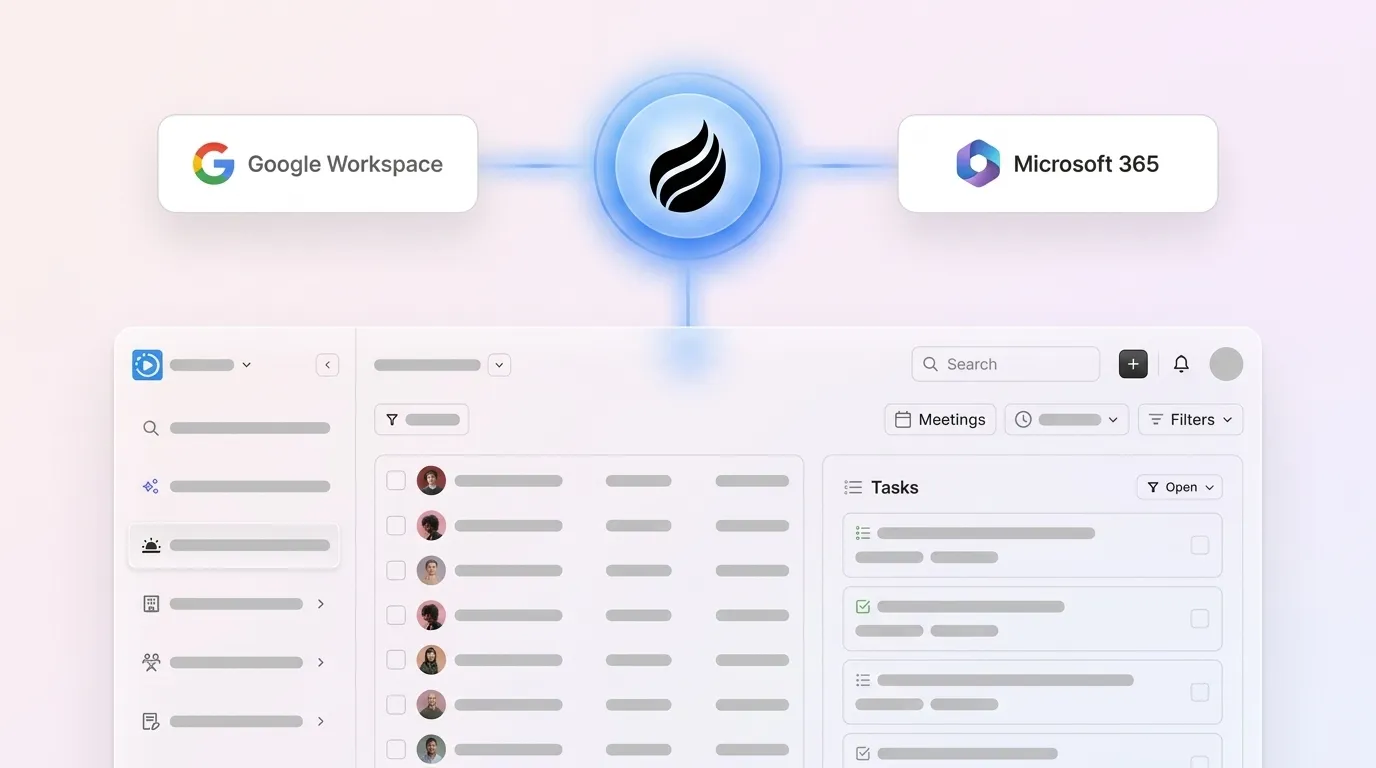
| Data capture method | Requires reps to manually log calls, emails, and meetings | Automatically captures interactions from email, calendar, calls, and transcripts upon Google Workspace or Microsoft 365 connection |
| Unstructured data handling | Cannot process Slack messages, call transcripts, or email threads without manual tagging | Ingests and structures unstructured data (email text, transcripts, meeting notes) natively via NLP |
| Historical context | Relational database overwrites field values; prior state is lost | Built-in data warehouse preserves full history; Pipeline Compare visualizes week-over-week changes |
| Forecast accuracy | Spreadsheet or basic CRM forecasting has limited accuracy | AI-powered forecasting can achieve higher accuracy |
These capability gaps explain why legacy platforms cannot escape the manual data-entry trap; they were built around forms and fields, not autonomous data capture. Agentic CRM inverts the legacy model: AI agents capture, enrich, and update data automatically from conversations and signals already flowing through the business, rather than requiring sellers to manually describe reality after the fact. The passive database asks reps to serve the software. The agent serves the rep.
The Category: AI-Driven, Agent-Led Contact Management Systems
Agent-led contact management follows one principle: the software does the work, not the human. Instead of presenting a blank form for a rep to fill in after a call, the agent joins the call, transcribes it, extracts structured data, and writes enriched records back to the system of record before the rep closes their laptop.

Coffee operates this model in two configurations. As a Standalone CRM, the Coffee Agent is the system of record, which suits companies of 1 to 20 employees that have outgrown spreadsheets and Notion but find legacy CRMs to be expensive, manual chores. As a Companion App, the Coffee Agent deploys as an intelligent layer on top of an existing Salesforce or HubSpot instance, handling the “data in” process so the system of record stays accurate without human effort. Teams committed to their existing CRM investment do not need to rip and replace. They hire the agent to fix the data quality problem that has always plagued those platforms.
Many organizations now invest in AI agents, and early adopters report productivity gains and reductions in operational costs. The category already defines the competitive baseline for sales teams that intend to hit quota in 2026.
Deploy the agent in your environment today, either as a standalone CRM or as a companion layer on Salesforce or HubSpot.
Four Workflow Outcomes That Replace Manual Maintenance
Having established what agent-based contact management is and how it differs from legacy CRMs, the next step is to see what this looks like in daily work. The following outcomes show the specific manual workflows the agent removes and the concrete time savings that turn category positioning into quota attainment.
Automatic Data Entry and Enrichment
After you connect Google Workspace or Microsoft 365, the Coffee Agent scans emails and calendars to auto-create contacts and companies, logs last activity and next activity autonomously, and augments records with job titles, funding data, and LinkedIn profiles via licensed data partners. A 10-rep sales team loses 4,420 hours per year to manual data entry. The agent eliminates that line item entirely and returns the time savings outlined earlier directly to selling activity.

Meeting Orchestration and Follow-Up Drafting
The Coffee Agent prepares reps with a “Today” page briefing before each call, joins Zoom, Teams, or Meet sessions to record and transcribe, and then generates summaries, next steps, and draft follow-up emails in Gmail for rep review. Notes are structured according to BANT, MEDDIC, or SPICED so consistent qualification data enters the system. Sellers spend an average of 15–20 hours per week on activities that could be delegated, automated, or simplified. Meeting orchestration directly shifts a meaningful portion of that time back to higher-value activities.

Pipeline Intelligence Without Spreadsheets
Because the Coffee Agent captures all interaction history in a built-in data warehouse, pipeline intelligence emerges as a byproduct of normal operation rather than a separate reporting exercise. The Pipeline Compare feature visualizes week-over-week changes, highlights stalled opportunities, and surfaces progressed deals, which replaces manual CSV exports and expensive add-ons. Sales managers using AI forecasting tools reduce time spent on forecast compilation and review by 50 to 70 percent, reclaiming hours each week for coaching and deal strategy.
Visitor Identification to Outbound Loop
A single tracking pixel turns anonymous website traffic into named, qualified prospects. The Coffee Agent infers visitor identity, including name, title, email, and LinkedIn profile, alongside pages visited, time on site, and visit frequency. Real-time Slack notifications surface high-fit visitors, and with one click the prospect is added to Coffee with enrichment pre-filled, ready for LinkedIn outreach or auto-enrollment in a Campaign sequence. Unlike standalone visitor identification tools that surface only company-level data or undifferentiated people lists, Coffee’s Suggested Leads feature recommends the two or three specific individuals inside a visiting company who match the buyer persona.

How the Agent Works: From Workspace Connection to Structured Output
The Coffee Agent workflow follows a consistent loop that turns raw activity into structured CRM output.
- Connect: Authenticate Google Workspace or Microsoft 365, and the agent immediately begins scanning emails and calendar events.
- Capture: Contacts, companies, and activities are auto-created, and every note and interaction is associated with the correct record without rep input.
- Enrich: Records are augmented with firmographic data, LinkedIn profiles, and funding information via licensed data partners, so teams avoid a separate ZoomInfo subscription.
- Transcribe and structure: The agent joins calls, transcribes conversations, and extracts structured qualification data aligned to the team’s chosen sales methodology.
- Output: Summaries, follow-up drafts, pipeline changes, and forecast data are written back to Coffee’s data warehouse or synced to Salesforce or HubSpot for Companion App customers.
McKinsey research estimates that automating data entry, call logging, email tracking, and meeting notes returns hours of selling time to reps each week. The Coffee Agent operationalizes that return across every rep on the team, every day, without additional headcount.
Connect your pipeline and watch the agent work, with no setup, no training, and no manual entry.
2026 Buyer Criteria for Mid-Market Sales Teams
The Salesforce 2026 State of Sales report identifies investing in AI as the number-one growth tactic, and a 2026 Gartner survey finds that reps using AI tools save an average of nearly 5 hours per week. For mid-market sales leaders evaluating the best CRM for sales teams in 2026, three criteria have moved from nice-to-have to table stakes.
- AI enrichment without a separate subscription: Paying for ZoomInfo or Apollo on top of a CRM doubles the data budget. The agent model bundles enrichment into the platform.
- Pipeline intelligence from real data: Forecast accuracy requires a data warehouse that preserves history. AI-driven pipeline analytics can improve forecast accuracy.
- Natural-language Lead Finder: Reps should be able to command “Find me VPs of Sales at SaaS companies with 50–200 employees” and receive a verified, enriched list ready for outreach, without leaving the CRM or exporting a CSV.
Evaluation Framework for Teams of 5–50 Reps
Mid-market teams evaluating contact management tools should assess a few core dimensions before committing to a platform.
Start with the technical foundation.
- Integrations: Coffee connects to existing tools today via Zapier, with deeper native integrations on the roadmap. For Companion App customers, a simple authentication syncs the Coffee Agent bidirectionally with Salesforce or HubSpot, writing enriched data back to the primary system of record.
- Security and compliance: Coffee is SOC 2 Type 2 and GDPR compliant, and data is not used to train public models. Compliance certifications are a core evaluation criterion for mid-market teams, particularly given GDPR exposure from bad data handling.
Once technical requirements are satisfied, evaluate economic and organizational fit.
- Pricing model: Coffee uses seat-based pricing. The agent’s labor, including enrichment, transcription, pipeline tracking, and campaign execution, is included without metering on LLM usage or process volume. Teams pay for humans, and the agent works without a headcount line.
- Team-size fit: Coffee is purpose-built for small to mid-market companies. It is not designed for large enterprises with complex, custom workflows or heavily regulated industries requiring multi-year security reviews. Teams of 5 to 50 reps represent the optimal fit.
Finally, consider change management.
- Adoption curve: Because the agent handles data entry automatically, rep adoption rarely becomes a change-management problem. Reps do not need training to log calls they already attended, because the agent was there too.
Frequently Asked Questions
What is agent-based contact management, and how does it differ from a traditional CRM?
A traditional CRM is a passive database that stores whatever a human manually enters and retrieves it on demand. Agent-based contact management replaces the human data-entry step with an autonomous AI agent that captures interactions directly from email, calendar, and call recordings, structures both structured and unstructured data, enriches records automatically, and writes accurate output back to the system of record. The agent works continuously in the background so reps never need to open a form to log a call or update a deal stage.
Can Coffee work alongside my existing Salesforce or HubSpot instance?
Yes. Coffee offers a Companion App model specifically for teams committed to Salesforce or HubSpot. A simple authentication deploys the Coffee Agent as an intelligent layer on top of the existing CRM. The agent handles data capture, enrichment, transcription, and pipeline tracking, then syncs enriched, structured data back to Salesforce or HubSpot. Teams keep their existing system of record and eliminate the data quality problem that has always undermined it.
How does Coffee handle data security and compliance?
Coffee is SOC 2 Type 2 and GDPR compliant, and customer data is not used to train public AI models. For mid-market teams in regulated or data-sensitive environments, these certifications represent the baseline security posture required before deploying any agent with access to email and calendar data.
What size sales team is Coffee best suited for?
Coffee is purpose-built for small to mid-market companies with sales teams of roughly 1 to 50 reps. The Standalone CRM suits early-stage teams of 1 to 20 that have outgrown spreadsheets. The Companion App targets mid-market teams of up to 50 reps that are already invested in Salesforce or HubSpot but are experiencing low adoption, poor data quality, and fragmented tooling. Coffee is not designed for large enterprises with complex custom workflows or heavily regulated industries requiring multi-year security reviews.
How much time can reps realistically save with Coffee?
Coffee delivers the 8–12 hours per week in time savings detailed throughout this article by automating contact creation, activity logging, data enrichment, meeting transcription, follow-up drafting, and pipeline tracking. For a 10-rep team, that represents approximately 4,420 hours per year returned to selling activity, which mirrors the impact of hiring more than one additional full-time rep without adding headcount or payroll.
Conclusion: Stop Serving the CRM and Let the Agent Serve You
Legacy contact management tools were designed for a world where humans were the only available data-entry mechanism. That world ended when AI agents became capable of reading email threads, joining calls, extracting qualification signals, and writing structured records without human intermediation. The 65% time burden established earlier does not reflect user error; it reflects tools that were never designed to do the work for reps.
Coffee is built on the opposite premise. The agent captures, enriches, and structures data so that reps spend their time on relationships and revenue, not record-keeping. Pipeline intelligence becomes a byproduct of normal operation rather than a manual reporting exercise. Forecasts reflect reality because the data warehouse preserves history that relational databases discard. The agent works whether Coffee is the system of record or a companion layer on top of Salesforce or HubSpot.
For mid-market sales leaders and RevOps heads managing teams of 5 to 50 reps, the evaluation question in 2026 is not whether to adopt an agent-based approach; it is which agent to hire first.
Hire the Coffee Agent and reclaim 8–12 hours per rep, per week, starting today.


