
Written by: Doug Camplejohn, CEO & Co-Founder, Coffee | Last updated: August 23, 2026
Key Takeaways for SMB Sales Leaders
- SMB sales teams lose 5–6 hours per week to manual CRM data entry, which creates incomplete records and unreliable forecasts.
- Legacy and modern AI CRMs still require significant human input, so reps continue to spend several hours weekly on admin tasks.
- Point-solution stacks raise total cost of ownership and create ongoing integration maintenance that most small teams cannot sustain.
- Agent-led platforms like Coffee remove data-clerk work by automatically capturing emails, calls, and meetings while preparing briefings and follow-ups.
- Teams ready to remove manual CRM work entirely can see Coffee’s pricing and start a free trial today.
Evaluation Criteria for SMB Sales Pipeline Automation Tools
Six criteria structure this comparison, and each one reflects a real constraint for 5-to-20-person teams in 2026.
- Data capture effort: This measures how much human action is required to keep a deal record current after every call, email, or meeting. 75% of respondents say staff fabricates CRM data to tell the story they want decision makers to hear because manual entry conflicts with quota pressure, which makes automation depth the most consequential variable.
- Hours saved per rep per week: High-performing teams spend fewer hours on CRM admin than struggling teams. The gap between those figures represents the time savings automation must deliver.
- Pipeline visibility accuracy: 76% of organizations report that less than half of their CRM data is accurate and complete, according to Validity’s 2025 State of CRM Data Management report, which stems from the fabrication behavior described above. Visibility accuracy measures whether the tool produces forecasts a leader can act on.
- Implementation time for 5-to-20-person teams: Small teams cannot absorb months of configuration work. This criterion looks at how quickly a tool delivers value without a dedicated RevOps function.
- Total cost of ownership after add-ons: The average SMB uses 42 different apps to run their business, and headline per-seat pricing rarely reflects what a team actually pays once integrations, enrichment, and recording tools are added.
- Long-term scalability: A tool that works for five reps but breaks at fifteen forces a disruptive migration. Scalability measures whether the architecture grows with the team without adding proportional admin burden.
The table below applies these six criteria across four automation approaches so SMB teams can see how each category performs on the metrics that matter most.
Side-by-Side Comparison of Sales Pipeline Automation Approaches
| Approach | Data Capture Effort | Hours Saved / Week (per rep) | Pipeline Visibility Accuracy | Implementation Time (5–20 person team) | Total Cost of Ownership | Long-Term Scalability |
|---|---|---|---|---|---|---|
| Legacy Passive CRMs (HubSpot, Pipedrive, Zoho) | High, manual entry required after every interaction | Minimal hours saved, reps still spend several hrs/week on admin | Low, frequent gaps and fabricated fields reduce forecast reliability | Weeks to months, configuration and training required | Low headline price, add-ons for automation, enrichment, and recording raise real cost significantly | Scales on paper, but admin burden grows with every new rep |
| Modern AI CRMs (Salesflare, Freshsales) | Medium, auto-logs some activity but gaps remain | 4–12 hrs saved via automated call and meeting updates | Medium, better than legacy tools but still dependent on rep edits | Days to a few weeks, lighter setup than legacy CRMs | Transparent base pricing, some enrichment and intelligence features require upgrades | Reasonable for small teams, complexity increases with advanced workflows |
| Point-Solution Stacks (CRM + enrichment + recorder + sequencer) | Medium to high, each tool captures a slice and stitching creates gaps | Varies, automation can reduce admin time when fully configured, but configuration is ongoing | Medium to high when maintained, degrades quickly when integrations break | Weeks to months, continuous tuning and RevOps support required | Highest TCO, four or more subscriptions plus RevOps time to maintain integrations | Technically scalable, operational overhead grows faster than team size |
| Agent-Led Platforms (Coffee) | Minimal, agent captures email, calendar, and call data automatically | 8–12 hrs saved as the agent handles data entry, meeting briefings, and follow-ups | High, records stay current without relying on rep discipline | Hours to a few days, simple authentication and light configuration | Seat-based pricing, agent labor included, no separate enrichment or recording subscriptions required | Designed to scale from solo sellers to larger teams without adding admin work |
Legacy Passive CRMs: Manual Databases in a 2026 World
Legacy passive CRMs function as structured databases rather than automation engines. Their core architecture assumes a human will log every call, update every field, and move every deal stage manually. In 2026, that assumption drives most pipeline visibility failures at SMB teams.
Enterprise account executives spend 12–15 hours per week searching for deal information because records are incomplete. When qualification fields go dark and deal context disappears, leaders cannot measure pipeline health accurately. Gartner estimates the average annual financial impact of poor data quality at $12.9 million per organization, which still represents a meaningful hit even when scaled down for SMBs.
Pricing also creates surprises. Most small sales teams use Pipedrive’s Growth plan at $39 per user per month billed annually because the Lite plan excludes automation features. For a five-person Premium team, the total cost including add-ons for lead generation, email campaigns, and related features is approximately $245 per month. HubSpot and Zoho follow similar patterns with low entry tiers that omit the automation SMBs actually need.
Meeting orchestration remains absent. These platforms store notes if a rep writes them, but they do not prepare briefings before calls, join meetings autonomously, or draft follow-ups afterward. Pipeline intelligence depends on manual entries, which decay at 30% per year as reps rush through updates under quota pressure. The data quality problem described earlier, where three-quarters of staff fabricate CRM entries, reflects this architecture.
Modern AI CRMs: Helpful Automation with Gaps
Modern AI CRMs provide a meaningful step forward from passive databases. Tools like Salesflare and Freshsales auto-log emails, track link clicks, and surface some activity data without manual input after every interaction. For teams moving off spreadsheets, this shift reduces friction in daily workflows.
Automation depth still falls short. These platforms capture structured signals such as email opens, meeting bookings, and website visits, but they do not process unstructured data like call transcripts or email body text at the level an agent does. Reps still review and correct records after complex conversations, which leaves additional admin work on the table compared to agent-led platforms.
Pricing tends to be more transparent than legacy CRMs, and enrichment often comes partially built in. Meeting intelligence features such as briefings, transcription, and structured follow-ups aligned to MEDDIC or BANT usually require either a native capability that varies by vendor or an additional point solution.
Point-Solution Stacks: Power with Heavy Maintenance
Many SMB teams assemble a point-solution stack over time. They adopt a CRM for records, a tool like ZoomInfo or Apollo for enrichment, a recorder like Fathom or Gong for calls, and a sequencer like Outreach or Salesloft for follow-up. Each tool solves one problem well, yet the combined stack introduces new challenges.
51% of sales leaders say disconnected systems are slowing AI initiatives, and 42% of reps feel overwhelmed by too many tools. For a 5-to-20-person team without dedicated RevOps, maintaining integrations between four or more platforms becomes a part-time job. When one integration breaks after a vendor API update, data gaps appear silently and pipeline accuracy degrades before anyone notices.
A fully configured automation stack can reduce CRM admin time and improve data accuracy. That outcome, however, depends on sustained configuration effort that most SMB teams cannot maintain. Total cost of ownership also lands at the top of the range once the subscriptions and RevOps time are combined.
Agent-Led Platforms: How Coffee Automates the Entire Loop
Agent-led platforms use a different architecture from the other categories. Anthropic’s research on building effective agents explains that workflows follow predefined code paths while agents dynamically direct their own processes and tool usage. Coffee operates as a true agent that plans across multiple steps, calls tools in a loop while observing results, maintains memory across sessions, and makes decisions within clear guardrails.
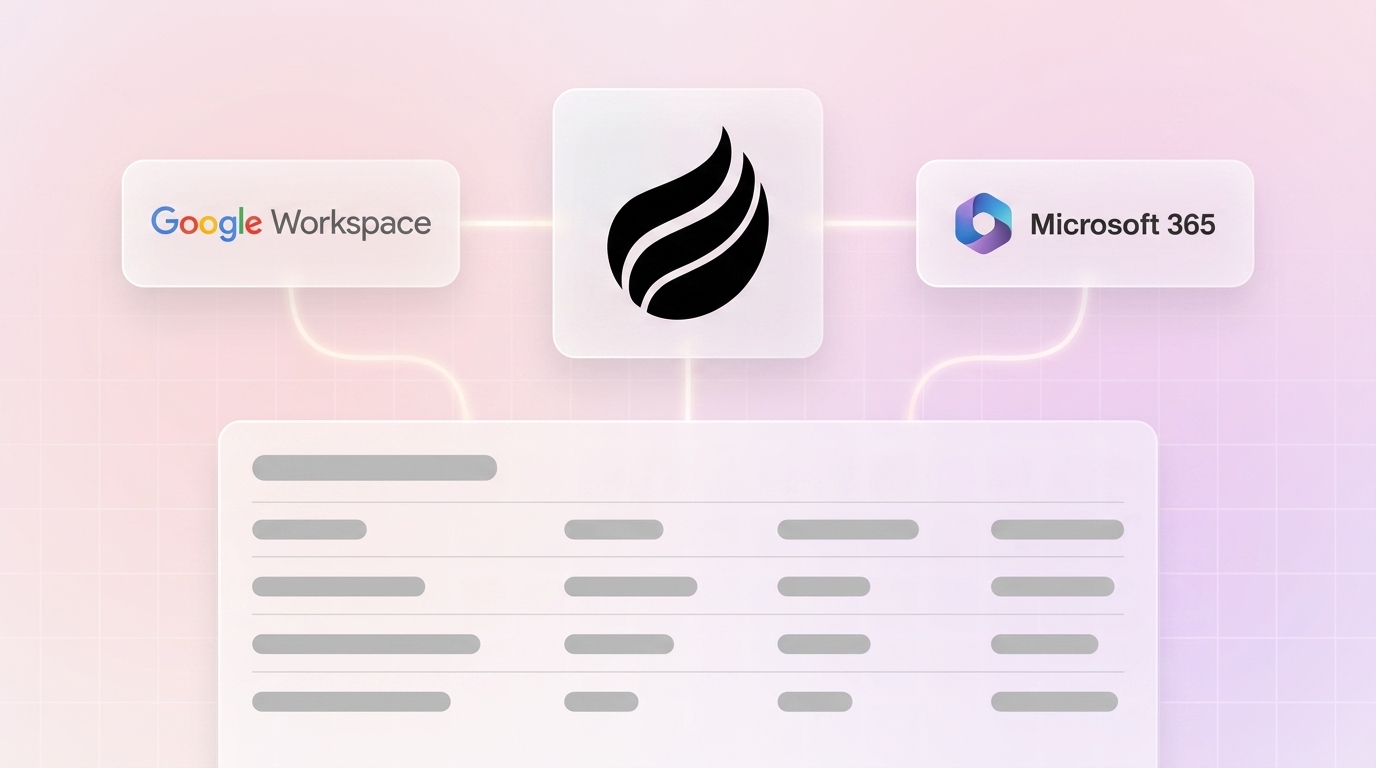
Once connected to Google Workspace or Microsoft 365, the Coffee Agent starts capturing contacts, companies, and activities from emails and calendars without rep input. Coffee’s AI search on deals answers natural-language questions such as “Which deals are stuck in negotiation?” or “What is closing this month?” so managers can skip manual report building. The Intelligence layer stores deep context on business model, product specifics, ICP, and competitors for tailored AI suggestions that improve with every interaction.

Meeting orchestration runs end to end. The agent prepares briefings before calls, joins Zoom, Teams, or Meet sessions to record and transcribe, and generates structured summaries and follow-up drafts that align to BANT, MEDDIC, or SPICED as configured. Custom Meeting Briefings and Summaries let users define formats from high-level executive summaries to granular technical breakdowns.

Pipeline intelligence uses the same captured data. The Compare feature visualizes week-over-week pipeline changes, including progressed deals, stalled opportunities, and new additions, without CSV exports or manual review sessions. The Stripe integration automatically imports customers and companies, enriches them, and adds paid invoices to deals as Closed Won, which closes the loop between revenue and pipeline data.

Coffee supports two deployment models. The Standalone CRM replaces legacy systems for teams of 1 to 20 people, and the Companion App runs as an intelligent layer on top of existing Salesforce or HubSpot instances, writing enriched data back to the system of record without migration. Pricing remains seat-based with no separate metering for agent actions, enrichment calls, or LLM usage.
Teams ready to evaluate Coffee’s agent-led approach can start a free 14-day trial without entering payment information.
Best-Fit Scenarios for Early-Stage and Growing SMB Teams
Two primary scenarios determine which approach fits a given team.
Early-stage teams (1–10 people, no existing CRM commitment): Teams that have outgrown spreadsheets but view legacy CRMs as expensive manual burdens align well with Coffee’s Standalone CRM. The agent becomes the system of record from day one and removes data-entry habits that would otherwise corrupt pipeline accuracy. Guided onboarding and a free 14-day trial lower the barrier to a live evaluation.
Growing teams (10–20 people, committed to Salesforce or HubSpot): Teams with established CRM instances, custom fields, quota structures, and forecasting workflows cannot migrate without disruption. Coffee’s Companion App deploys through simple authentication, enriches existing records, and writes structured data back to the primary CRM. This path improves data quality and pipeline visibility while preserving the configured system of record.
Operational Considerations and Risks for SMB Teams
Every automation approach carries implementation and operational risks that SMB teams should evaluate before committing. These risks fall into five categories that represent common failure modes and deserve attention during vendor selection.
Change management: Reps accustomed to manual entry workflows need clarity on what the agent handles and what they still own. Agent-led platforms reduce this surface area significantly, yet a short onboarding period still helps establish trust in automated records.
Data quality maintenance: Only tools built for structured CRM write-back can automatically set Salesforce or HubSpot picklist and dropdown values such as deal stage and loss reason. This capability separates true agents from AI notetakers that only populate free-text fields. Teams should confirm write-back depth before signing.
Hidden maintenance work: Point-solution stacks require ongoing integration maintenance that compounds as each vendor updates its API. Legacy CRMs demand continuous manual hygiene. Agent-led platforms shift much of the maintenance responsibility to the vendor, so teams should review the vendor’s integration roadmap and current Zapier or native connector coverage.
Overbuying: Teams under 15 reps can often manage pipeline with CRM-native tools if data entry has not yet become a measurable drag. Teams that have not quantified hours lost to admin should run a one-week time audit before committing to a platform change.
Security and compliance: Coffee is SOC 2 Type 2 and GDPR compliant, and data is not used to train public models. Teams in heavily regulated industries such as healthcare and finance should still conduct a full security review for any platform.
Decision Matrix: Match Tools to Your Constraints
The decision matrix below moves from simpler to more complex deployment scenarios. Identify which constraint, such as existing CRM commitment, team size, or budget, most limits your options, then match your situation to the corresponding recommendation.
- No existing CRM, 1–10 reps, budget-conscious: Coffee Standalone CRM. The agent handles data entry from day one, and seat-based pricing avoids an add-on stack.
- Existing Salesforce or HubSpot, 10–20 reps, low CRM adoption: Coffee Companion App. The agent enriches and writes back to the existing system of record without migration.
- Existing Salesforce or HubSpot, satisfied with data quality, need meeting intelligence only: Evaluate modern AI CRM features or a single-point recorder before adding a full agent layer.
- Early-stage, price-sensitive, willing to do some manual entry: Modern AI CRMs such as Salesflare or Freshsales provide partial automation with transparent pricing.
- Team with dedicated RevOps, complex workflow requirements, and budget for multiple tools: A point-solution stack with a CRM, enrichment, recorder, and sequencer can reach high automation depth if the integration maintenance cost is acceptable.
- Large enterprise with custom workflows and compliance requirements: Legacy CRMs with enterprise support tiers remain the default, although data quality risks persist without an agent layer.
Frequently Asked Questions
How long does implementation take for a 5-to-20-person team?
Coffee’s Standalone CRM begins implementation as soon as Google Workspace or Microsoft 365 connects. The agent starts capturing contacts, companies, and activities from existing emails and calendar data within hours of authentication. Most teams have a populated, working CRM within the first week without manual data migration. For the Companion App on Salesforce or HubSpot, a simple authentication step allows the agent to sync and enrich existing records. Teams with complex custom field structures or required fields should plan a brief configuration session, typically one to three days with Coffee’s onboarding support.
What is the migration effort from HubSpot or Salesforce?
Teams moving to Coffee’s Standalone CRM can import existing contact and company records via standard CSV or direct integration. The agent then enriches those records automatically and fills gaps left by incomplete manual entry. Historical deal data can also be imported to preserve pipeline context. Teams that prefer to keep Salesforce or HubSpot as their system of record do not need to migrate. The Companion App operates as an agent layer on top of the existing instance and writes enriched data back without replacing the CRM, which suits teams that have invested in custom objects, quota structures, and forecasting hierarchies.
How does Coffee ensure data security for SMBs?
Coffee is SOC 2 Type 2 certified and GDPR compliant. The agent processes email, calendar, and call data to populate CRM records, but that data does not train public AI models. Each customer’s data remains isolated within their own instance. SMB teams evaluating any pipeline automation tool should ask whether the platform is SOC 2 Type 2 certified, whether customer data is used for model training, and what the data retention and deletion policies are. Coffee documents answers to these questions and provides them during evaluation.
How do I assess fit across different team contexts in 2026?
A time audit followed by a structured trial provides the most reliable assessment. Spend one week having each rep log time spent on CRM updates, meeting prep, note-taking, and follow-up drafting. If the total exceeds five hours per rep per week, the cost of inaction becomes clear and a platform change is justified. From there, match the tool to the current stack commitment. Teams without an existing CRM should evaluate Coffee’s Standalone CRM against one modern AI CRM alternative. Teams committed to Salesforce or HubSpot should compare the Companion App against the total monthly cost of their current point-solution stack. Coffee’s free 14-day trial gives enough time to connect a real workspace, let the agent run, and compare resulting pipeline data quality against the baseline.
Conclusion: Choosing the Right Sales Pipeline Automation Approach
Across every category except agent-led platforms, the CRM still depends on humans to function, and humans under quota pressure do not maintain CRMs reliably. Gartner research shows only 7% of sales organizations achieve 90% or higher forecast accuracy, while the median B2B sales team misses its quarterly revenue forecast by 13–17%, which reflects the manual data entry model that legacy and even modern AI CRMs still require.
Agent-led platforms close the visibility gap by removing humans from the data entry loop. Salesforce’s 2026 State of Sales report named AI and AI agents the number-one growth tactic for 2026, and 54% of sales teams have already adopted AI agents. For SMB teams evaluating sales pipeline automation tools in 2026, the real decision concerns whether automation runs deep enough to eliminate the data-clerk role entirely.
Coffee is built to answer that question with a clear yes.
Explore Coffee’s pricing and deployment options to see which model fits your team.


