Written by: Doug Camplejohn, CEO & Co-Founder, Coffee | Last updated: August 6, 2026
Key Takeaways for RevOps and Sales Leaders
- Connector-based enrichment tools like ZoomInfo, Apollo, and Clay create ongoing maintenance work and still leave reps typing data into the CRM.
- Deep CRM integration in 2026 means bidirectional sync, workflow-aware triggers, native deduplication, unstructured data handling, low setup effort, and low total cost of ownership.
- Coffee’s Companion App stands out with full bidirectional sync, autonomous workflow triggers, native deduplication, and the ability to process emails, transcripts, and calendar events without field-mapping work.
- Teams using Salesforce or HubSpot can remove the enrichment layer by adopting an agent-native approach that maintains CRM records automatically and scales without extra RevOps overhead.
- RevOps and sales leaders ready to remove manual CRM data entry can start a Coffee trial and see pricing details today.
Six Requirements for Deep CRM Integration in 2026
Deep CRM integration in 2026 goes far beyond a one-way API push. It requires six specific capabilities that work together in production.
- Bidirectional sync: Data moves into and out of the CRM in real time. Changes made inside Salesforce or HubSpot flow back to the enrichment layer, and the reverse happens without manual exports.
- Workflow-aware triggers: Enrichment events trigger CRM automations such as stage changes, task creation, and sequence enrollment. These triggers run without a human building and maintaining every rule.
- Native deduplication: The tool finds and merges duplicate records inside the CRM. It does not rely on a staging environment that needs a separate import step.
- Automation depth: The system handles unstructured data sources such as call transcripts, email threads, and calendar events. It then writes structured outputs back to standard CRM fields.
- Implementation effort: Deep integration keeps ongoing configuration work low. Tools that need a RevOps engineer to adjust field mappings every quarter do not qualify.
- Total cost of ownership: Licensing fees are only one part of the cost. RevOps hours spent keeping the integration running and the impact of bad data also matter.
Integration-Depth Scorecard Across Leading Tools
The table below scores five platforms across these six criteria. Ratings reflect publicly documented capabilities as of mid-2026. “Partial” means the feature exists but needs manual configuration or a third-party connector.
| Criterion | ZoomInfo / Apollo.io | HubSpot Breeze Intelligence | Clay | Coffee Companion App |
|---|---|---|---|---|
| Bidirectional sync | Partial (push-primary) | Partial (HubSpot-only) | Partial (waterfall, outbound) | Full (reads and writes to Salesforce and HubSpot) |
| Workflow-aware triggers | Partial (manual rule setup) | Partial (HubSpot workflows only) | No (pipeline-external) | Yes (agent fires triggers autonomously) |
| Native deduplication | No | Partial | No | Yes |
| Unstructured data handling | No | No | No | Yes (emails, transcripts, calendar) |
| Implementation effort | High (field mapping, admin) | Medium (HubSpot admin required) | High (Clay table maintenance) | Low (OAuth authentication) |
| Total cost of ownership | High (license + admin hours) | Medium (bundled but limited) | High (credits + engineering) | Low (seat-based, agent labor included) |
The scorecard highlights consistent capability gaps across every platform except Coffee. The next section explains how these gaps show up in daily Salesforce usage.
Salesforce Enrichment: Tool-by-Tool Breakdown
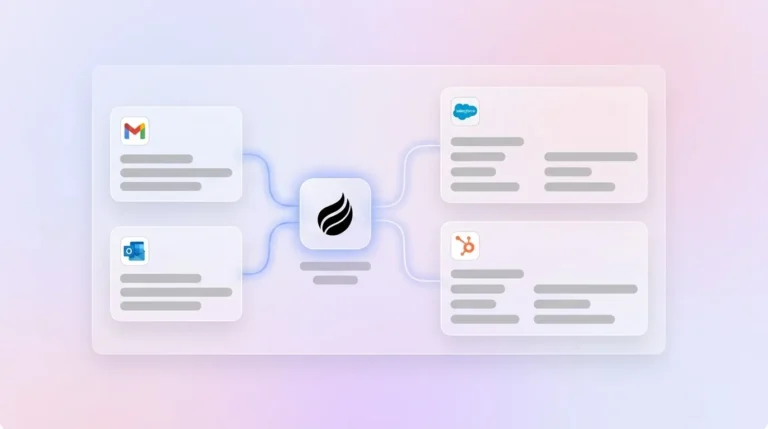
Setup and onboarding. ZoomInfo and Apollo both need Salesforce administrators to configure field mappings, deduplication rules, and sync schedules before enrichment reaches production records. Clay adds a waterfall-pipeline build on top of that work. Coffee’s Companion App connects through OAuth and begins reading emails, calendars, and call transcripts right away, with no field-mapping configuration.

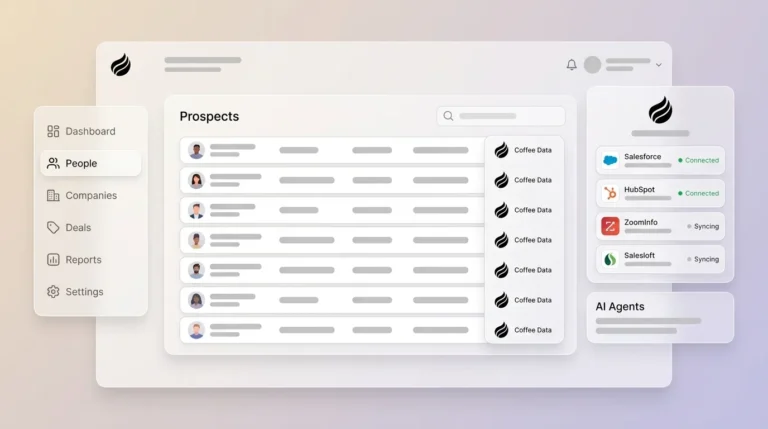
Data capture and maintenance. Connector-based tools enrich a record at a single point in time. When a contact changes roles or a company raises a funding round, the record stays stale until the next scheduled sync. Coffee’s agent monitors communication signals continuously and updates records as new information appears in emails and meeting transcripts.
Usability for frontline teams. Reps using ZoomInfo or Apollo still open a separate interface to search, select, and push records into Salesforce. Coffee surfaces enriched data and meeting briefings inside the rep’s existing workflow, which removes the context switch.

Manager visibility. Pipeline accuracy in connector-based stacks depends on reps updating stage fields after enrichment runs. Because Coffee’s agent logs activity and writes summaries back to Salesforce or HubSpot automatically, pipeline data reflects actual deal state without rep effort.

Integration complexity. Maintaining a ZoomInfo-to-Salesforce integration across CRM updates, API version changes, and field schema changes creates recurring RevOps work. Coffee’s agent-native architecture absorbs those changes at the application layer.
Long-term flexibility. Connector-based tools lock enrichment logic into static field mappings. Coffee’s Intelligence layer, released in February 2026, allows teams to define ICP, product context, and competitor framing. The agent then adapts enrichment and suggestions as the business evolves.
HubSpot Enrichment: Native and Agent-Native Options
HubSpot Breeze Intelligence offers the most convenient enrichment option for HubSpot-native teams because it needs no external connector. Its scope stays narrow. Breeze enriches company and contact fields but does not process unstructured data from calls or emails, does not touch Salesforce records, and does not fire workflow triggers on its own.
Clay often serves HubSpot teams that need multi-source waterfall enrichment. It delivers broad data coverage but runs outside HubSpot’s workflow engine. Enriched data must move back through Zapier or a custom webhook, which adds latency and a maintenance dependency.
Coffee’s Companion App functions as a HubSpot-native alternative by authenticating directly with HubSpot and writing enriched contacts and activity logs back to HubSpot records in real time. As noted earlier, this same real-time write-back capability applies to HubSpot meeting summaries. It also handles Salesforce at the same time, making it the only option here that supports teams running both CRMs in parallel. For HubSpot teams seeking this level of automation, Coffee’s Companion App offers a direct path to eliminating manual enrichment work.
Automatic CRM Enrichment: Best-Fit Use Cases
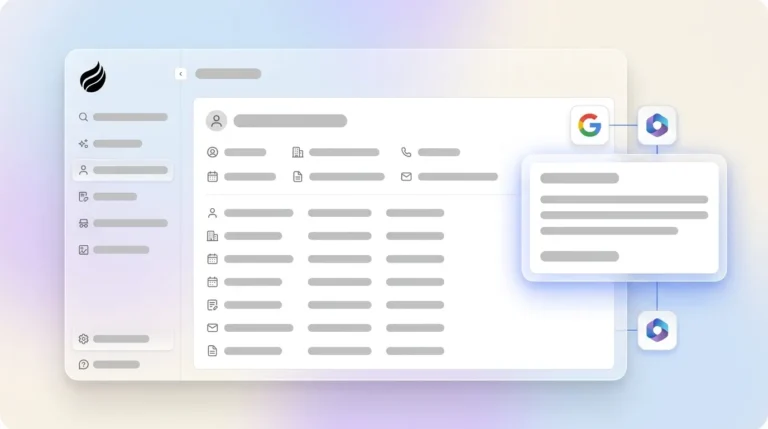
Early-stage teams. Founders and early sales hires gain the most from a tool that needs no configuration overhead. Coffee’s Standalone CRM or Companion App connects to Google Workspace or Microsoft 365 and begins auto-creating contacts and logging activity right away.

Growing sales organizations. Teams scaling from 5 to 50 reps face the highest risk of CRM data decay. Connector-based tools demand more admin effort as contact volume grows. An agent-native layer scales without adding configuration work.
Established mid-market teams. Organizations already committed to Salesforce or HubSpot and unwilling to migrate benefit from the Companion App model. The agent enriches and maintains the existing system of record instead of replacing it.
Operational and Long-Term Tradeoffs to Plan For
Cross-functional ownership often becomes the most underestimated cost of connector-based enrichment. When ZoomInfo’s Salesforce sync fails, the ticket lands in RevOps. When Clay’s waterfall returns incomplete data, someone audits the pipeline and re-runs affected rows. Agent-native tools move this ownership from a human queue to an autonomous system.
Change management and training needs also differ by architecture. Connector tools require reps to learn a new interface and adopt a new workflow step. Coffee’s agent runs in the background, so the rep’s workflow stays the same and adoption friction stays low.
Data hygiene compounds over time. A connector that runs nightly enrichment allows 24 hours of stale data to build up during each cycle. An agent that monitors communication signals continuously keeps records current without scheduled batch jobs.
Structural Risks of Connector-Based Enrichment
Connector-based tools carry four structural risks that RevOps leaders should weigh before purchasing.
- Hidden maintenance work: Field mappings, API version updates, and deduplication rule audits require recurring RevOps hours that do not appear in the license cost.
- Incomplete automation: Enrichment that stops at contact fields leaves activity logging, meeting notes, and pipeline stage updates to human reps.
- Integration gaps: Most enrichment tools handle structured data only. Unstructured signals from call transcripts and email threads stay outside the enrichment scope.
- Overbuying: Teams often purchase ZoomInfo for data, Gong for call intelligence, and a separate deduplication tool. These three subscriptions solve problems that an agent-native layer can address in one product.
Decision Checklist for Choosing an Enrichment Architecture
Use the following criteria and work through these scenarios in order of specificity. This approach helps match your constraints to the right architecture.
- If your primary pain is contact and company data coverage and you have RevOps capacity to maintain field mappings, a connector-based tool such as ZoomInfo or Apollo is a viable choice.
- If you are HubSpot-native and need enrichment without a separate subscription, HubSpot Breeze Intelligence covers basic field enrichment within the existing license, though it will not address activity logging or unstructured data.
- If you need multi-source waterfall enrichment and have engineering resources to maintain webhook pipelines, Clay provides the highest data-source flexibility, but expect ongoing pipeline maintenance as your data sources change.
- If your core problem is manual data entry, incomplete activity logging, and stale pipeline data and you run Salesforce or HubSpot, an agent-native Companion App removes the enrichment layer instead of adding another tool.
- If you are pre-CRM or have outgrown spreadsheets, a Standalone AI-first CRM with an embedded agent removes the need to evaluate enrichment tools at all.
Frequently Asked Questions
How long does it take to implement Coffee’s Companion App on an existing Salesforce or HubSpot instance?
Coffee Companion requires macOS 14.0 Sonoma or later to run. Teams can often be operational with minimal setup. As described in the implementation section above, OAuth authentication enables immediate deployment without the field-mapping overhead required by connector-based tools. The agent reads emails and calendar events and writes enriched data back to the CRM.
Does Coffee require dedicated RevOps or technical expertise to maintain?
No. Coffee’s agent handles enrichment, activity logging, and CRM write-back autonomously, so RevOps teams avoid ongoing configuration work. The agent absorbs CRM schema changes and API updates at the application layer. Teams without a dedicated RevOps function can deploy and maintain Coffee without technical support.
How does Coffee handle data security and compliance?
Coffee is SOC 2 Type 2 certified and GDPR compliant. Customer data is not used to train public AI models. All data processed by the agent, including email content, call transcripts, and CRM records, remains within Coffee’s compliant infrastructure. Teams in regulated industries should review Coffee’s security documentation to confirm alignment with their specific requirements before purchasing.
Can Coffee replace ZoomInfo or Apollo for prospecting data?
Coffee’s enrichment features provide contact and company data from licensed data partners, covering job titles, funding information, and LinkedIn profiles. Teams with highly specialized data needs or enterprise-scale prospecting volumes may find that a dedicated database offers broader coverage. For most small to mid-market sales teams, Coffee’s built-in enrichment and Lead Finder remove the need for a separate prospecting subscription.
Is Coffee suitable for teams already deeply configured in Salesforce with custom objects and required fields?
Yes. Coffee’s Companion App is designed with an understanding of Salesforce complexity, including quotas, forecasting, required fields, and more. Unlike newer CRM alternatives that lack depth in Salesforce and HubSpot integrations, Coffee’s agent operates inside established CRM architectures instead of working around them.
Conclusion: Why Agent-Native Enrichment Wins in 2026
The strongest data enrichment tools with deep CRM integration in 2026 are not judged on data coverage alone. Bidirectional sync, workflow-aware triggers, native deduplication, unstructured data handling, implementation effort, and total cost of ownership together determine whether an enrichment tool reduces RevOps burden or adds to it.
Connector-based tools such as ZoomInfo, Apollo, Clay, and HubSpot Breeze Intelligence address parts of the problem. An agent-native layer addresses the full problem by removing the enrichment layer and the manual entry it demands. For RevOps and sales leaders who already bought separate tools and still struggle with bad data, the next step is a different architecture, not another connector.