Written by: Doug Camplejohn, CEO & Co-Founder, Coffee | Last updated: July 21, 2026
Key Takeaways
- Sales reps lose over 11 hours weekly to manual CRM data entry from Gmail and Calendar, which creates pipeline gaps and burnout.
- Three tool categories exist in 2026: native CRM integrations, no-code platforms like Zapier, and autonomous AI agents, each with different context awareness and maintenance needs.
- AI agents like Coffee extract and structure unstructured email and meeting content into CRM records using methodologies such as BANT and MEDDIC.
- Coffee reduces ongoing maintenance by self-managing data hygiene and removing rule updates required by native syncs or workflow tools.
- Eliminate manual CRM data entry with Coffee. See pricing and deployment options.
Top 5 Gmail and Calendar CRM Automation Tools for 2026
- Coffee AI Agent – Autonomous AI agent with context-aware extraction, available as a Standalone CRM or Companion App for Salesforce and HubSpot.
- HubSpot Native Google Workspace Integration – Free, fast to configure, and limited to structured field sync with no unstructured data extraction.
- Salesforce Einstein Activity Capture – Native Salesforce sync for Gmail and Google Calendar that requires admin setup and often experiences sync delays.
- Zapier / Make – No-code workflow automation that connects Gmail and Calendar to any CRM via rule-based triggers, with high maintenance and no context extraction.
- Copper CRM – Google Workspace–native CRM with built-in Gmail and Calendar sync that remains limited to its own database and lacks Salesforce or HubSpot depth.
Teams that want to remove manual data entry can move to an AI agent today. Deploy Coffee’s AI agent and capture context from every email and meeting automatically.
How This Comparison Evaluates Gmail and Calendar Automation
The three tool categories operate on different architectural assumptions. Native integrations such as HubSpot Google Workspace, Einstein Activity Capture, and Copper use vendor-defined field mappings to push structured data between systems. No-code platforms such as Zapier and Make apply if-this-then-that rules to move data between APIs without interpreting content. AI agents such as Coffee ingest both structured fields and unstructured content, including email prose, meeting transcripts, and calendar context, then write enriched, interpreted records back to the CRM.
Eight criteria distinguish these approaches for RevOps and sales leaders evaluating a 2026 deployment.
- Data quality and context extraction from unstructured sources
- Implementation effort and time to value
- Workflow fit for Gmail and Google Calendar specifically
- User adoption and rep experience
- Integration depth with Salesforce and HubSpot
- Pipeline reporting visibility for managers
- Ongoing administrative and maintenance burden
- 2026 AI capabilities such as noise filtering, meeting intelligence, and autonomous action
Side-by-Side Comparison Table
| Criterion | Coffee AI Agent | Native Integrations (HubSpot / Einstein) | Zapier / Make |
|---|---|---|---|
| Context extraction from email threads | Full unstructured extraction, since the majority of enterprise data is unstructured and Coffee processes it autonomously. | Structured fields only. Fixed mappings cannot accommodate custom fields outside the vendor-defined set. | No content interpretation. Follows fixed if-this-then-that rules without understanding email content, urgency, or context. |
| Implementation effort | Simple OAuth authentication, after which the agent begins populating records immediately. | HubSpot native integration is straightforward to configure. Einstein Activity Capture requires multi-step admin configuration and per-user Google authorization. | Requires building and maintaining individual workflows with monthly subscription costs. |
| Salesforce / HubSpot integration depth | Deep bidirectional sync that writes enriched, context-aware records including BANT, MEDDIC, and SPICED notes back to the existing CRM. | Native HubSpot connector struggles with complex custom objects and cannot support intricate conditional sync rules. | API-level access only with no semantic understanding of deal stage or pipeline context. |
| Ongoing maintenance burden | Agent self-manages, so no rule updates are required when email patterns change. | Authentication issues account for about 40% of CRM automation failures. | A typical 23-integration sales stack should expect roughly 3–4 silent connector failures per year, which allows data drift to accumulate unnoticed for weeks. |
| Pipeline reporting visibility | Automated Pipeline Compare that surfaces week-over-week deal changes without manual CSV exports. | Dependent on rep-entered data, and CRM data quality is often poor. | No native reporting layer, so outputs depend entirely on data quality of upstream triggers. |
The table above highlights key differences across implementation, data capture, reporting, and maintenance. The following sections expand on these criteria so you can understand how each approach behaves in daily sales workflows.
Category-by-Category Analysis
Setup and Onboarding for Each Tool Type
Native integrations offer the fastest initial setup. HubSpot’s Google Workspace integration is free with any HubSpot tier and is quick to configure. Einstein Activity Capture requires Salesforce admin enablement at the org level, permission set assignment, and individual user Google authorization, which introduces implementation complexity. Coffee’s Companion App requires a single OAuth authentication, then the agent begins scanning emails and calendars to auto-create contacts and log activities without further configuration.
Data Capture from Email Threads and Calendar Events
Sales reps spend 5.5 hours per week on CRM administration according to Salesforce’s State of Sales report, including logging notes, updating fields, and creating follow-up activities. Native integrations log the existence of an email or meeting but cannot extract what was discussed, what was agreed, or what the next step is. Coffee’s agent reads the content of email threads and meeting transcripts, structures that information according to sales methodologies like BANT or MEDDIC, and writes the output directly to the CRM record.

Handling Personal vs. Business Noise
Gathering the right context is the hard part, and more context makes answers worse when relevant facts get buried in noise. No-code tools apply no filtering, so every email matching a trigger rule gets processed regardless of relevance. Coffee’s agent distinguishes business interactions from personal noise and ensures only deal-relevant signals update CRM records.
Manager Visibility and Long-Term Scalability
A significant portion of open pipeline value is attached to stale contacts. Rule-based tools and native syncs do not detect staleness and treat every stored value as current. Coffee’s continuous agent hygiene maintains field completeness and accuracy, which gives managers a reliable pipeline view without requiring reps to manually update records before each review. The authentication failures highlighted in the comparison above also represent a significant ongoing cost for native integrations.
AI Agent vs. Zapier / Make
The architectural difference between an AI agent and a no-code workflow platform is categorical rather than incremental. No-code tools lack understanding of personal context, fail to identify key contacts, urgent emails, or priorities, and act as a pipe between apps rather than an intelligent assistant. When an email thread contains a pricing objection, a revised timeline, and a new stakeholder, Zapier logs the email’s metadata. Coffee reads the content, identifies the objection, updates the deal stage, and drafts a follow-up.

Agentic AI suits unstructured inputs such as natural language emails from unpredictable sources, while rule-based automation works best with consistent structured inputs. For Gmail and Calendar automation, the inputs are almost entirely unstructured. A typical 23-integration sales stack should expect roughly 3–4 silent connector failures per year, which allows data drift to accumulate unnoticed for weeks. These silent failures compound the maintenance burden and require dedicated RevOps time to monitor, debug, and rebuild broken zaps.
By the end of 2026, 40% of enterprise applications will include task-specific AI agents, up from less than 5% in 2025, according to Gartner. Teams that lock in rule-based architectures now will face a migration cost as that shift accelerates.
Salesforce and HubSpot Companion App Workflows
Coffee’s Companion App deploys the AI agent as an intelligent layer on top of an existing Salesforce or HubSpot instance. The workflow below covers the full Gmail and Calendar automation cycle.

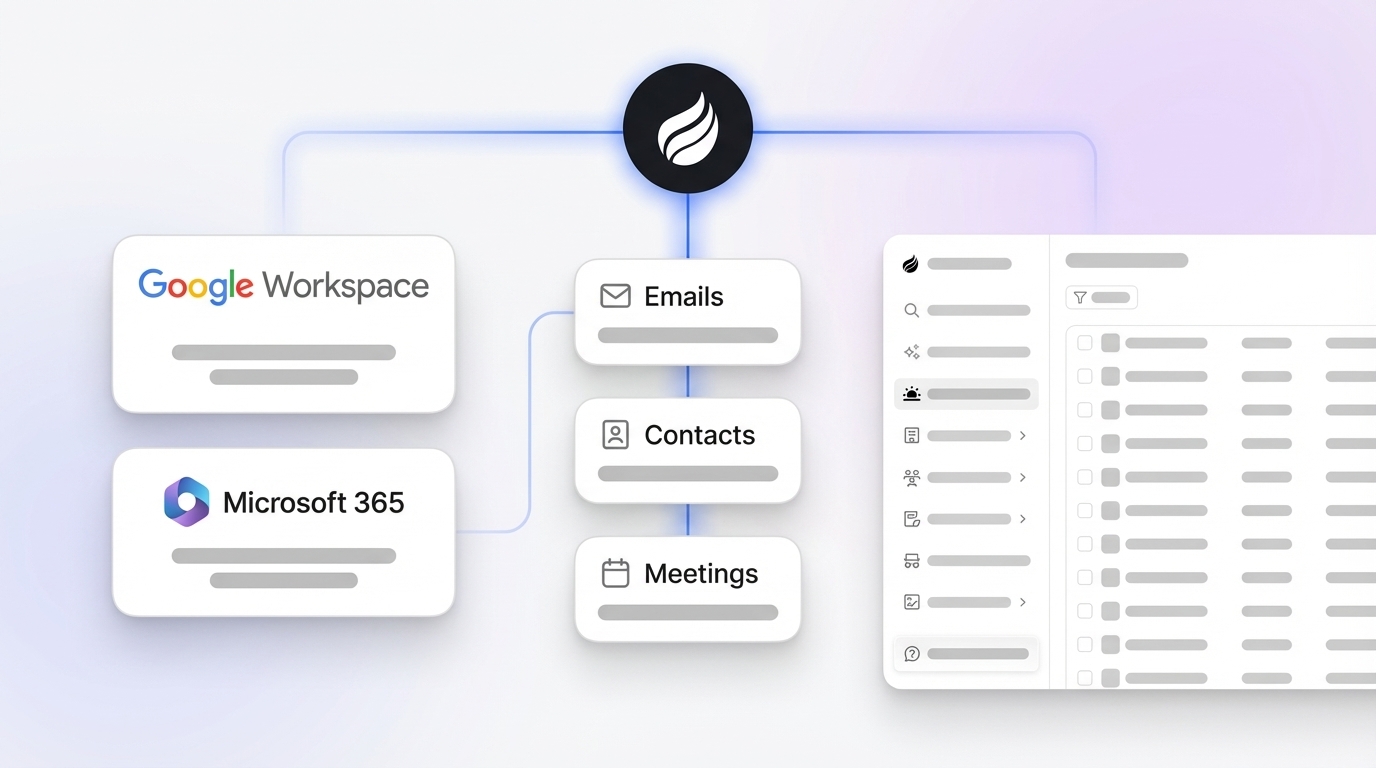
- Connect Google Workspace: Authenticate Coffee with your Google account via OAuth. The agent immediately begins scanning Gmail and Google Calendar to auto-create contacts, companies, and activity logs in your existing Salesforce or HubSpot instance.
- Pre-meeting briefing: Before each calendar event, Coffee’s agent generates a briefing on the “Today” page covering attendee roles, company context, deal history, and open action items from prior interactions.
- Meeting capture: The Coffee AI Meeting Bot joins Zoom, Google Meet, or Teams calls to record and transcribe. The agent structures its notes according to your chosen sales methodology, such as BANT, MEDDIC, or SPICED, and writes the output to the associated CRM record.
- Auto-summary and field update: After the call, the agent generates a meeting summary, identifies next steps, and updates relevant CRM fields, including deal stage, close date, and stakeholder map, without rep input.
- Follow-up email draft: The agent drafts a follow-up email in Gmail that reflects the agreed next steps, ready for the rep to review and send in one click.
- Pipeline Compare: The agent surfaces week-over-week pipeline changes, including progressed deals, stalled opportunities, and new additions, directly in the CRM and replaces manual pipeline review preparation.
Deploy this workflow on top of your existing Salesforce or HubSpot instance today.
Best-Fit Use Cases by Team Profile
The right tool depends on company size, existing tech stack, and team maturity.
- Coffee Standalone CRM: Companies with 1–20 employees that have outgrown spreadsheets and want an AI-first system of record without the overhead of Salesforce or HubSpot.
- Coffee Companion App: Mid-market teams with 20–200 employees already committed to Salesforce or HubSpot that suffer from low CRM adoption, poor data quality, and fragmented point solutions for enrichment and intelligence.
- HubSpot Native Integration: Teams that need basic Gmail logging and Calendar sync and have no requirement for context extraction or unstructured data processing.
- Zapier / Make: Teams with simple, high-volume structured triggers such as form submissions and status field changes where rule-based logic is sufficient and inputs are predictable.
- Copper CRM: Very small teams that live entirely within Google Workspace and have no existing Salesforce or HubSpot investment to protect.
Operational Considerations for RevOps Leaders
Sales reps spend 5.5 hours per week on CRM administration according to Salesforce’s State of Sales report. At a fully loaded rep cost, that time represents a quantifiable annual expense that automation directly offsets.
Change management remains the most common implementation risk. Reps adopt tools that reduce their workload, not tools that add steps. Coffee’s agent removes the data entry obligation entirely, which drives adoption organically. Data governance requires defining a system of record per field before deployment. For bidirectional CRM sync, defining a system of record per field rather than per object eliminates conflict ambiguity when multiple teams update the same data in different systems. Coffee is SOC 2 Type 2 and GDPR compliant, and data is not used to train public models.
Risks, Limitations, and Common Misconceptions
- Hidden maintenance in native integrations: The most common failure point for HubSpot Google Workspace integration is BCC-to-HubSpot email logging that stops working when users change Gmail signatures or HubSpot extensions update. A true “set and forget” operating model for native syncs rarely exists.
- Incomplete context filtering in AI agents: As noted earlier regarding context filtering, an AI agent empowered to update a sales forecast can produce a costly business error without sufficient business context such as return policy, customer history, and exception rules. Coffee addresses this by building context from a persistent data warehouse rather than stateless API calls.
- Over-reliance on enrichment quality: Running predictive lead scoring on a CRM where 38.3% of contacts are stale produces unreliable outputs. Any automation layer requires a baseline of data hygiene to function correctly.
- No-code workflow fragility: No-code workflows lack error handling mechanisms such as retries or alerting, so when a step fails due to API errors or null fields, the workflow stops or silently produces bad data.
Decision-Framework Checklist for Tool Selection
Use the criteria below to match your constraints to the right solution.
- Reps spend more than 5 hours per week on CRM data entry → AI agent required.
- You need context extracted from email prose and meeting transcripts, not just metadata → AI agent required.
- You are committed to Salesforce or HubSpot as your system of record → Coffee Companion App.
- You are starting fresh without an existing CRM → Coffee Standalone.
- You only need structured field sync with no content interpretation → Native integration sufficient.
- Your automation triggers are fully predictable and structured, such as form submissions → Zapier / Make sufficient.
- You require SOC 2 Type 2 and GDPR compliance → Coffee meets both requirements.
- You need pipeline reporting without manual CSV exports → Coffee Pipeline Compare.
Explore Coffee’s deployment models to find the fit for your team’s stack and maturity level.
Frequently Asked Questions
How long does it take to implement Coffee and see results?
Coffee’s Companion App for Salesforce or HubSpot requires a single OAuth authentication with your Google Workspace account. The agent begins scanning emails and calendars immediately after connection and auto-creates contacts while logging activities without additional configuration. Most teams see populated CRM records within the first business day. The Standalone CRM follows the same authentication model for teams starting without an existing CRM. You avoid multi-week implementation projects, professional services engagements, and custom field mapping for standard deployments.
What technical expertise is required to set up and maintain Coffee?
No engineering resources are required. Coffee is designed for RevOps leaders and Heads of Sales who need results without developer dependency. The OAuth connection, meeting bot activation, and pipeline reporting features are all configured through a self-serve interface. Unlike Zapier workflows that require ongoing monitoring and rebuilding when APIs change, or Einstein Activity Capture that requires Salesforce admin configuration at the org level, Coffee’s agent self-manages its data capture logic as email patterns and calendar structures evolve.
Is Coffee secure and compliant with data privacy regulations?
Coffee is SOC 2 Type 2 certified and GDPR compliant. Customer data is not used to train public AI models. The agent operates on your data exclusively, and all modifications made by the agent are logged with a previous value, timestamp, and source, which makes every change auditable and reversible. For mid-market teams in regulated-adjacent industries, Coffee’s compliance posture meets the standard requirements for sales and RevOps tooling without requiring a multi-year security review.
How does Coffee’s data quality compare to dedicated enrichment tools like ZoomInfo?
Coffee’s agent augments contact and company records with job titles, funding data, and LinkedIn profiles via licensed data partners, which provides enrichment roughly on par with ZoomInfo for most mid-market use cases and is built into the platform at no additional cost. The more significant data quality advantage is Coffee’s continuous hygiene. The agent captures ground-truth interaction data from live email threads and calendar events, which no static enrichment database can replicate. B2B contact data decays at approximately 2.1% per month, so stored enrichment snapshots become unreliable quickly. Coffee’s agent refreshes context continuously from live signals rather than relying on a point-in-time database snapshot.
What is Coffee’s pricing model?
Coffee uses seat-based pricing. You pay for the human seats on your team, and the agent’s labor across data entry, enrichment, meeting capture, pipeline reporting, and follow-up drafting is included without additional metering on AI usage or process volume. There are no separate charges for LLM inference, API calls, or automation runs. This model makes cost predictable for RevOps leaders budgeting at the team level and scales linearly as headcount grows rather than spiking with usage volume.
Conclusion: Choosing the Right Automation Approach for 2026
The core problem in CRM automation is not a lack of integration options but a lack of context. Native syncs and no-code workflows move structured data between systems reliably, yet they cannot read an email thread, understand a pricing objection, or update a deal stage based on what was actually said in a meeting. That gap costs sales teams thousands of hours per year and produces incomplete pipeline data that makes forecasting unreliable.
Coffee’s autonomous AI agent processes both structured and unstructured data, operates as either a Standalone CRM or a Companion App on top of Salesforce and HubSpot, and removes the manual data entry burden without adding a new maintenance obligation. For mid-market RevOps and sales leaders who need accurate pipeline intelligence without hiring data entry clerks, Coffee provides a clear 2026 answer.
Put Coffee’s AI agent to work on your Gmail and Calendar data today.