
Written by: Doug Camplejohn, CEO & Co-Founder, Coffee | Last updated: June 23, 2026
Key Takeaways
- An AI-first CRM acts as an autonomous agent that captures, enriches, and logs customer data automatically from emails, calendars, and call transcripts.
- Legacy CRMs force reps to spend 8–12 hours weekly on manual data entry, while AI-first systems remove those manual steps from the workflow.
- Three core AI capabilities—handling structured and unstructured data, automatic prioritization, and end-to-end meeting orchestration—turn reactive processes into proactive, agent-driven actions.
- Pipeline forecasting improves because the agent tracks every change automatically, turning stale estimates into real-time, observed behavior.
- Teams ready to reclaim selling time can get started with Coffee and deploy the agent as either a Standalone CRM or Companion App.
Why Manual CRM Workflows Break Efficiency
Legacy CRMs rely on a flawed assumption that sales reps will reliably enter data. They rarely do. Seventy-one percent of sales reps report spending too much time on data entry, leaving only 35% of their time available for actual selling. The result is a CRM filled with incomplete, stale records that produce unreliable forecasts and force managers to run pipeline reviews as interrogation sessions instead of strategic discussions.
The before-state for a rep using a legacy CRM looks like this. A call ends, the rep manually opens the CRM, types a summary from memory, updates deal stage, logs the activity, and switches to a separate enrichment tool to update contact details. They then draft a follow-up email from scratch. That sequence repeats across every interaction and consumes an estimated 8–12 hours per week per rep.
The after-state with an AI-first CRM agent removes each of those manual steps. The agent joins the call, transcribes it, generates a structured summary aligned to a sales methodology like BANT or MEDDIC, updates the contact record, logs the activity, and enriches the company profile. It also drafts the follow-up email before the rep closes their laptop. The rep reviews and sends, which completes the workflow.

This shift from passive database to active agent drives the core efficiency gains of an AI-first CRM. The system no longer waits for humans to feed it. It captures ground-truth data from the source and writes it back to the record automatically. AI-first CRM automation removes the human as the bottleneck in the data pipeline, which creates consistent data quality at scale.
Three Practical Ways AI Shows Up Inside a CRM
The difference between an AI CRM agent and a passive database becomes clearest in three specific operational examples.
Handling structured and unstructured data simultaneously. A legacy relational database stores structured fields such as company name, deal stage, and close date. When a field is updated, the historical value is overwritten and lost. Unstructured data like email threads or call transcripts has no native home in these architectures. An AI-first CRM agent ingests both data types into a built-in data warehouse, preserves history, and associates every interaction with the correct contact and deal record automatically. A rep can then surface what was discussed in a call three months ago without digging through a separate recording tool.
Automatic prioritization and next-best-action. The agent continuously monitors deal activity, including last contact date, open action items, and pipeline stage changes. It can then surface which opportunities are stalling and recommend the next action. This replaces the manual process of a rep scrolling through a CRM list and making judgment calls based on incomplete data. The agent flags a deal that has gone dark for 14 days and drafts an outreach message, which turns a reactive process into a proactive one.
End-to-end workflow automation for meetings. The agent manages the full meeting lifecycle without human coordination. Before a meeting, it generates a briefing that includes attendee roles, funding history, and prior conversation context. During the meeting, it records and transcribes. After the meeting, it produces a summary, identifies next steps, and drafts a follow-up email ready for one-click send. This setup reflects a different architecture where the software performs the work instead of simply storing it.

How AI Improves Forecasting, Meetings, and Adoption
Pipeline forecasting shows how improved data quality compounds into strategic value. Legacy CRM forecasting depends on reps manually updating deal stages and close dates, which often produces stale or optimistic data. Forecasts then rely on human estimates instead of observed behavior. Managers compensate by exporting CSVs, building spreadsheet models, and purchasing separate forecasting tools, which adds cost and complexity without fixing the underlying data problem.
An AI-first CRM agent tracks every pipeline change automatically. Coffee's Pipeline Compare feature visualizes week-over-week deal movement and highlights which opportunities progressed, which stalled, and which were added. It does this without a single manual export. Pipeline reviews shift from data-gathering exercises to strategic conversations because the data is already current and complete.
Beyond pipeline management, the agent also transforms how reps prepare for and follow up on meetings. On the meeting side, the agent functions as a pre- and post-meeting executive assistant. A Today page briefs the rep on every scheduled call and pulls in attendee context and prior deal history. After the call, summaries and action items are generated and follow-up emails are drafted in Gmail for review. Reps spend their time on judgment and relationship-building, not on note-taking and administrative reconstruction.

Coffee deploys this agent in two models so teams can adopt it without disrupting existing systems. The Standalone CRM serves companies with 1–20 employees that have outgrown spreadsheets but find legacy CRMs like HubSpot or Pipedrive expensive and maintenance-heavy. The Companion App delivers the same agent as an intelligent layer on top of an existing Salesforce or HubSpot instance. It handles the data-in process so the system of record stays accurate without human effort. A simple authentication connects the agent, which then syncs, enriches, and writes insights back to the primary CRM.
Coffee's architecture also addresses three common adoption concerns. On integrations, Coffee currently connects to external tools via Zapier, with deeper native integrations on the roadmap, so teams can connect existing workflows without rebuilding them. On security, Coffee is SOC 2 Type 2 and GDPR compliant, and customer data is not used to train public models, which protects data governance while automation scales. On data quality, the agent's built-in enrichment, covering job titles, funding data, and LinkedIn profiles via licensed data partners, often removes the need for a separate tool like Apollo or ZoomInfo and keeps the tech stack lean.
Get started with Coffee and replace your manual pipeline reviews with agent-driven intelligence.
Frequently Asked Questions About Coffee
How long does it take to set up an AI-first CRM?
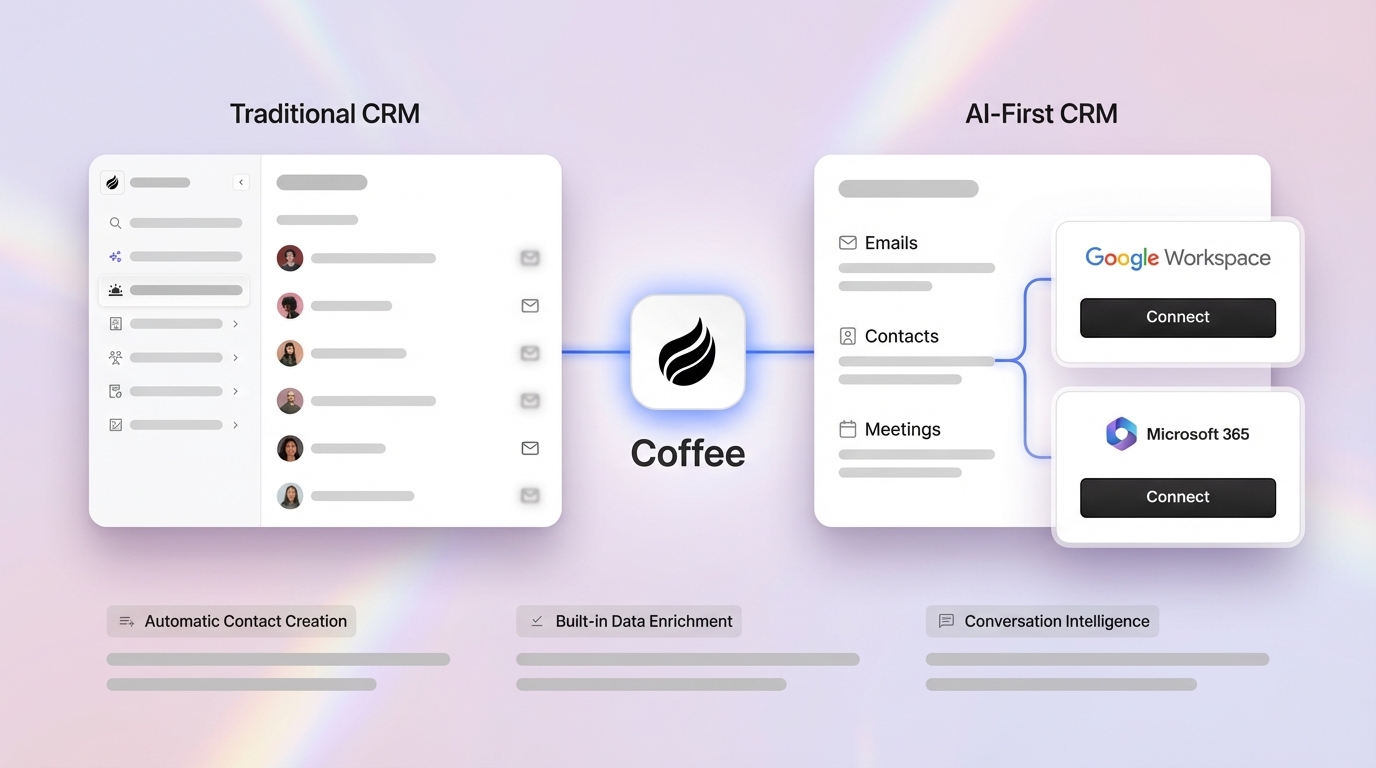
Coffee is designed for fast deployment. Connecting Google Workspace or Microsoft 365 authenticates the agent and triggers immediate contact creation, activity logging, and enrichment. For the Companion App, a single authentication links the agent to an existing Salesforce or HubSpot instance. Teams often become operational quickly without lengthy onboarding cycles or professional services engagements.
Who owns the data inside Coffee?
Customers own their data. Coffee is SOC 2 Type 2 and GDPR compliant, and data ingested by the agent is never used to train public AI models. The data warehouse architecture preserves historical context and keeps it accessible to the customer instead of abstracting it away inside the platform.
Can a team start with the Companion App and later move to the Standalone CRM?
Yes. Coffee's dual-model strategy supports this transition. A team currently committed to Salesforce or HubSpot can deploy the Companion App and address data quality immediately. If the team later decides to migrate off the legacy platform, the Coffee agent already holds a clean, enriched, historically complete data set that becomes the foundation for the Standalone CRM. The agent's work remains portable because it is built on a data warehouse rather than a flat relational database.
How does the agent maintain data quality over time?
The agent captures data from primary sources such as emails, calendar events, and call transcripts instead of relying on human input. Because the source of truth is the actual communication record, data quality does not degrade as team size grows or rep turnover occurs. The agent continuously enriches records with updated job titles, company funding status, and LinkedIn profiles, so the CRM reflects current reality rather than the last time a rep updated a field.
Is Coffee appropriate for teams already using Salesforce with significant customization?
Coffee has deep knowledge of Salesforce and HubSpot integration complexity, including quotas, forecasting configurations, and required fields. These are areas where newer AI CRM alternatives often fall short. The Companion App respects existing Salesforce architecture instead of overriding it and writes enriched data back to the correct objects and fields within the current setup. Teams with heavily customized instances should evaluate the Companion App specifically for this scenario.
Conclusion: Moving From Passive Database to Active Agent
An AI-first CRM improves automation and efficiency by replacing the human data-entry loop with an autonomous agent that captures, enriches, and acts on data from the moment it is generated. The six mechanisms—automatic record creation, unstructured data ingestion, intelligent prioritization, meeting orchestration, pipeline tracking, and visitor identification—compound into the time savings described earlier and reshape how reps allocate their week. Legacy passive databases cannot match this impact because their architecture requires human input to function. The agent architecture relies on human judgment, not human labor.
Coffee deploys this agent as either a Standalone CRM for growing teams or a Companion App for teams invested in Salesforce or HubSpot, which keeps the shift to an agent-first workflow accessible regardless of current stack. The pricing model is seat-based with no metering on agent activity, so the agent's labor scales without scaling cost.
Get started with Coffee and let the agent handle the work your reps should not be doing.


