Written by: Doug Camplejohn, CEO & Co-Founder, Coffee
Key Takeaways for Revenue Teams
- Legacy CRMs force manual data entry, which costs sales reps 10–11 hours per week and produces incomplete records and unreliable forecasts.
- AI-powered autonomous agents fix this by ingesting emails, calendar events, and call transcripts to create clean, enriched CRM records in real time.
- Companies using AI-driven data capture see up to 30% higher forecast accuracy and sharply lower missing-field rates compared to manual processes.
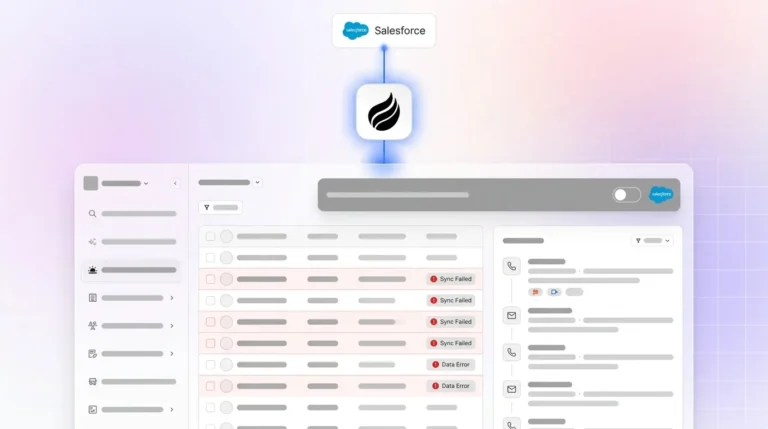
- Deployment flexibility matters: Coffee works as a standalone AI-first CRM for small teams or as a Companion App on top of Salesforce or HubSpot.
- Teams ready to remove manual CRM entry can explore Coffee’s pricing and deployment options today.
The Problem: Manual CRM Entry Drains Time and Corrupts Data
Salesforce’s State of Sales report found that sales professionals have limited trust in the accuracy of their CRM data. This distrust has a clear cause. Sales reps dedicate only 29% of their workweek to actual selling, with CRM data entry representing the single largest category of non-selling work. Market data from Coffee shows that 71% of sales reps say they spend too much time on data entry, which leaves only 35% of their time for selling.
Sales reps lose 10–11 hours per week to manual CRM data entry, equating to 25–30% of a full workweek before any customer conversations occur. For a team of ten reps, that translates to roughly 100 lost selling hours per week, equivalent to 2.5 full-time sellers focused solely on data logging. These lost hours do not just reduce selling capacity. Time pressure pushes reps to rush updates, skip fields, and log only partial notes, which directly degrades data quality.
The consequences extend well beyond wasted hours and rushed updates. According to Validity’s 2022 State of CRM Data Management report covering more than 1,200 CRM users, 44% of respondents say they lose over 10% in annual revenue due to low-quality CRM data. Gartner estimates that poor data quality costs the average organization $12.9 million per year. These costs include forecast inaccuracy, missed follow-ups, and downstream issues in systems that depend on incomplete CRM records. B2B CRM data decays at 22.5–30% per year (up to 70% in some sectors) because of job changes and company shifts, regardless of how data is entered. On top of that, 37% of sales staff admit to fabricating CRM data because the burden of manual entry conflicts with required fields that block workflow.
Why Traditional CRM and Point Solutions Cannot Keep Up
Manual entry makes CRM data incomplete and outdated, and the root cause sits in the architecture. The flaw is not a configuration issue. Legacy CRMs were built on the premise that humans would reliably log every call, update every stage, and populate every field. Manual CRM updates force revenue teams to reconstruct deal reality after the selling work has already happened, which turns the CRM into a delayed summary instead of a live view of the deal.
Point solutions and spreadsheet workarounds add more tools without fixing the core problem. They introduce extra tabs to toggle between and more fragmented data sources. Native CRM AI tools such as Salesforce Einstein, Agentforce, and HubSpot Breeze can manage duplicates and validate fields already inside the CRM but cannot fix the root cause of inaccuracy because they lack direct access to unstructured conversation data. Newer UI layers still rely on the same passive architecture and cannot process free-text content from emails or call transcripts at the source.
Manual CRM updates also lose deal intelligence during translation. Reps compress rich conversations into short notes, which discards objections, hesitation, urgency, stakeholder dynamics, buying criteria, internal politics, competitive pressure, and commitments that a brief summary cannot preserve. As a result, 68% of sales leaders do not trust their forecasts because pipeline visibility is limited.
The Solution: Autonomous Agents for AI-Powered Sales Data Capture
Agent-led CRM automation removes the human data-entry step entirely. Instead of asking reps to translate customer interactions into structured fields after the fact, an autonomous agent ingests raw signals such as emails, calendar events, and call recordings. It then writes clean, enriched, structured records directly to the system of record in real time.
Coffee is built on this agent-first architecture. The Coffee Agent operates in two deployment models. It can power a standalone AI-first CRM for companies with 1–20 employees. It can also run as a Companion App that layers on top of existing Salesforce or HubSpot installations for small to mid-market teams. In both models, the agent owns the data-in process so the system of record stays accurate without human effort. That accuracy produces reliable data out in the form of pipeline intelligence, forecasts, and meeting briefings.

The core principle stays simple and practical. Good AI output requires good data input. Coffee’s agent focuses on keeping the input clean so the output stays actionable.
How Coffee’s Automated CRM Data Entry Works
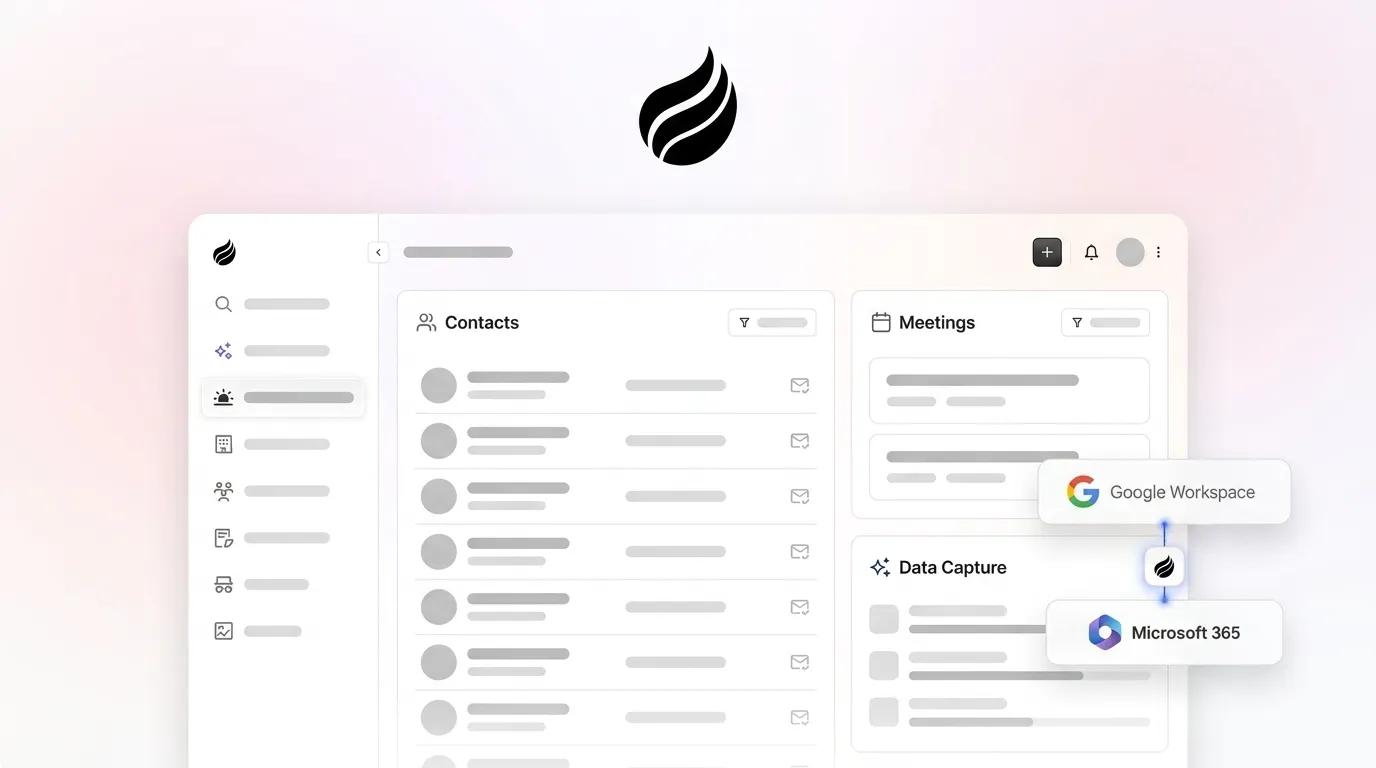
Once connected to Google Workspace or Microsoft 365, the Coffee Agent starts working immediately. Understanding how it operates across these five layers shows exactly where manual work disappears.

- Contact and company creation: The agent scans emails and calendar events to auto-populate the CRM with people and organizations. It associates every note and interaction with the correct record automatically.
- Data enrichment: The agent augments records with job titles, funding data, and LinkedIn profiles through licensed data partners. This removes the need for separate enrichment tools such as Apollo or ZoomInfo.
- Activity logging: Last activity and next activity are logged autonomously. Deal state stays current without any rep input.
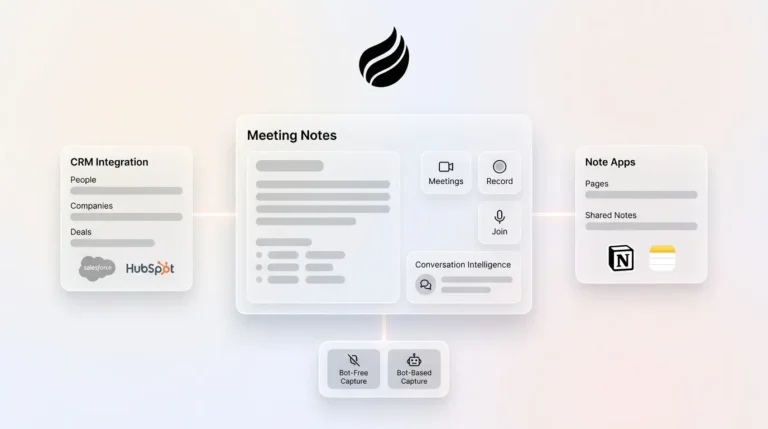
- AI meeting capture: The agent joins calls on Zoom, Teams, or Meet to record and transcribe. After the call, it generates summaries, identifies next steps, and drafts follow-up emails. Notes can follow BANT, MEDDIC, or SPICED so qualification data enters the system in a consistent format.
- Pipeline intelligence: The agent stores history in a built-in data warehouse. It can then surface week-over-week pipeline changes, highlight stalled opportunities, and replace manual CSV exports with automated deal reviews.
AI-driven CRM workflow automation extracts structured qualification data such as budget confirmation, decision timeline, and champion identification directly from unstructured sales call content and writes it to specific CRM fields including MEDDIC criteria and custom properties, unlike manual entry where qualification fields are frequently left blank. No documented implementation in the provided evidence achieved a CRM field-completion increase from 15% to 90% or a 60% reduction in change orders.

Benefits of a Zero Manual Entry Sales CRM
Reduced Administrative Time for Reps
Automated data entry can reduce CRM data entry time by 35–91%, depending on the implementation. AI and automation tools are estimated to save sales professionals 2 hours and 15 minutes daily by automating tasks such as data entry and scheduling. Coffee’s agent contributes to these gains by handling contact creation, enrichment, and activity logging automatically.
Improved Data Quality and Completeness
Teams that use AI for automated CRM updates see far fewer missing fields and stale records. Salesforce data indicates AI agents slash research time by 34%, with secondary analyses reporting 41% sales productivity or revenue gains from AI-enhanced CRM. Higher completion rates and fresher data give leaders a more accurate view of pipeline health.

Pipeline Visibility that Matches Reality
The Coffee Agent captures every interaction at the source, so pipeline state reflects what actually happened instead of what reps remember. Coffee’s Pipeline Compare feature visualizes week-over-week changes automatically. It surfaces progressed deals, stalled opportunities, and new additions without spreadsheets or manual exports.
Reliable Forecasting from Clean Pipelines
Improving CRM data hygiene alone increases forecast accuracy by up to 30%. Research shows that CRM field completion rates correlate directly with forecast accuracy. AI sales forecasting accuracy reaches 85% to 95% for firms with clean milestone-based pipelines but falls to 50% to 60% for firms with messy CRM data, which makes data quality the primary limiter rather than the forecasting model itself.
Legacy Passive Databases vs. Active Agent Architectures
The table below compares three approaches to CRM data management. It highlights how each handles unstructured data, preserves historical context, and influences forecast accuracy.
| Approach | Data Handling | Historical Context | Forecast Impact |
|---|---|---|---|
| Legacy CRMs (Salesforce, HubSpot, Pipedrive) | Passive systems of record, structured fields only, rely entirely on manual rep input, CRM data often incomplete or outdated | Relational database architecture loses historical context when fields are overwritten, no data warehouse, no unstructured data processing | CRM data quality impacts forecast accuracy, median B2B team misses quarterly forecast by 13–17% |
| Point Solutions (Gong + ZoomInfo + Salesloft stack) | Captures unstructured data in silos, requires manual stitching between tools, enrichment and conversation intelligence remain disconnected from the system of record | Context fragmented across multiple platforms, no unified history, most teams must combine a conversation-capture layer, a deduplication layer, and an enrichment provider separately | Forecast accuracy depends on how reliably reps bridge tool outputs back to CRM fields, root data-entry problem persists |
| Coffee Agent (Standalone CRM or Companion App) | Autonomous ingestion of structured and unstructured data from emails, calendars, and calls, auto-creates contacts, enriches records, logs activity, and writes structured outputs back to CRM fields without rep input | Built-in data warehouse preserves full interaction history, Pipeline Compare surfaces week-over-week changes automatically, no context lost on field updates | Fewer than 25% of companies forecast within 5% of actual quarterly revenue, while AI-assisted methods achieve ±8–15% variance |
How to Evaluate AI-Powered Sales Data Capture Tools
Sales leaders and RevOps teams at 10–50 person tech companies can use the following criteria when selecting an AI-powered data capture solution.
- Integration depth: Admin-level API access to CRMs such as HubSpot, Salesforce, or Pipedrive plus connector compatibility verification for each data source is required before any AI enrichment layer can be built. Confirm whether the vendor supports your existing email provider, calendar system, and call recording platform natively or through middleware. Coffee connects via Google Workspace or Microsoft 365 and syncs bidirectionally with Salesforce and HubSpot.
- Security and compliance: Key implementation and security factors include tenant isolation architecture, TLS 1.3 encryption in transit and AES-256 at rest, role-based and field-level permissions, audit logs, and SOC 2/GDPR compliance certifications. Coffee is SOC 2 Type 2 and GDPR compliant, and customer data is not used to train public models.
- Data quality and enrichment: Check whether the agent writes to structured CRM fields and picklists or leaves information in free-text notes. AI tools that write captured data to structured Salesforce or HubSpot fields matched to the CRM’s existing options, with bidirectional sync and conflict detection, prevent overwriting of human edits.
- Deployment flexibility: Teams already committed to Salesforce or HubSpot can use a Companion App model to avoid a full CRM migration while still eliminating manual entry. Teams that have outgrown spreadsheets can adopt a standalone AI-first CRM and remove legacy overhead entirely. Coffee supports both paths.
- Fit for company size: Autonomous AI agents within CRM systems enable sales representatives to save 5–10 hours per week on administrative tasks while maintaining higher data quality. This gain matters for lean teams where every selling hour counts. Coffee is purpose-built for small companies with 1 to 20 employees using the Standalone CRM and for small to mid-market companies using the Companion App for Salesforce or HubSpot.
- Pricing model: Avoid solutions that meter on LLM usage or process volume. Coffee uses seat-based pricing, so the agent’s labor is included without complex metering.
Frequently Asked Questions
How much time do sales reps actually lose to manual CRM data entry?
Across published research, reps consistently lose 20–30% of their week to CRM tasks and related admin. As detailed earlier, this equals roughly 10–11 hours per rep and about 100 lost selling hours per week for a ten-person team, which matches 2.5 full-time sellers focused only on logging data. The Coffee Agent cuts this burden by capturing activity automatically from email, calendar, and call sources.
Does AI-powered data capture actually improve forecast accuracy?
AI-powered data capture improves forecast accuracy by raising field completion and data freshness. Earlier sections showed that better CRM hygiene alone can increase forecast accuracy by up to 30% and that clean, milestone-based pipelines support 85–95% AI forecasting accuracy, while messy data drops accuracy to 50–60%. Coffee’s agent supports these gains by capturing qualification signals directly from calls and writing them to structured CRM fields automatically.
Can Coffee work alongside my existing Salesforce or HubSpot instance, or does it require a full migration?
Coffee supports both companion and standalone setups. As a Companion App, the Coffee Agent layers on top of an existing Salesforce or HubSpot installation through a simple authentication flow. The agent handles the data-in process, auto-creating contacts, enriching records, logging activities, transcribing calls, and writing structured outputs back to your existing CRM fields without a migration. Teams that want to move away from legacy CRMs entirely can use Coffee as a standalone AI-first CRM. Both models deliver the same agent-led data capture and pipeline intelligence.
How does Coffee handle unstructured data like call transcripts and email threads?
The Coffee Agent joins calls through a meeting bot on Zoom, Teams, or Meet, records and transcribes the conversation, and then generates summaries, next steps, and follow-up email drafts automatically. For emails and calendar events, the agent scans connected Google Workspace or Microsoft 365 accounts to extract contact information, activity signals, and deal context. It converts this unstructured content into structured CRM fields, including BANT, MEDDIC, or SPICED qualification criteria, without any rep involvement. This approach contrasts with legacy CRMs, which can only store structured data that humans manually enter.
Is the Coffee Agent secure, and how is customer data handled?
Coffee is SOC 2 Type 2 and GDPR compliant, and customer data is not used to train public AI models. When evaluating any AI-powered data capture tool, teams should confirm encryption in transit and at rest, role-based access controls, audit logging, and whether the vendor sends data to third-party AI providers for model training. Coffee’s architecture meets these standards for U.S. technology companies that operate in regulated or security-conscious environments.
Conclusion: Moving from Manual Logging to Autonomous Sales Data Capture
B2B sales operations struggle less with CRM availability and more with CRM architecture. Legacy systems require humans to act as data-entry clerks, and humans under quota pressure perform that job inconsistently. The result is incomplete records, stale pipeline views, and forecasts that sales leaders do not trust.
AI-powered sales data capture through an autonomous agent removes this dependency. The Coffee Agent ingests emails, calendar events, and call transcripts automatically, writes clean structured records to the system of record, and delivers accurate pipeline intelligence without extra headcount or manual work. Whether deployed as a standalone CRM or as a Companion App for Salesforce or HubSpot, Coffee provides an agent-led approach that keeps data accurate and makes downstream AI tools far more effective.