Written by: Doug Camplejohn, CEO & Co-Founder, Coffee
Key Takeaways
- AI-native CRMs capture and log emails, calls, and transcripts into structured records, eliminating the 25% of rep time traditionally lost to manual Salesforce data entry.
- Legacy Salesforce architecture overwrites historical context and ignores unstructured data, while AI-native systems built on data warehouses preserve every record version for accurate forecasting.
- Standalone AI CRMs like Coffee suit 1–20 seat teams ready to migrate, whereas the companion agent layer works for 15–50 seat teams keeping Salesforce as the system of record.
- Zero manual entry comes from email and calendar sync, meeting bots, and enrichment partners, reclaiming 8–12 hours per rep per week and cutting forecast error rates to 5–8%.
- Teams ready to eliminate manual CRM work can review Coffee pricing and plans today.
AI CRM vs. Salesforce: The Core Tradeoff
Replacing Salesforce with an AI CRM starts with a concrete operational problem: the time burden of manual data entry leaves reps with only 35% of their workweek for actual selling. The downstream effect is predictable: 75% of respondents say staff fabricates CRM data to tell the story they want decision makers to hear because the entry burden conflicts with quota pressure, and traditional forecasting methods often have limited accuracy when built on that stale data.
A passive relational database, the architecture underlying Salesforce, stores structured fields and waits for humans to populate them. An AI-native CRM operates differently. It captures signals from emails, calendar events, and call transcripts autonomously, extracts structured insights using NLP, and writes those outputs directly into CRM fields without any keyboard input from a human. The result is a system where good data in produces accurate forecasts out, without reps acting as data clerks.
For a 15-person SaaS sales team, the math is direct. A rep earning $100,000 per year who spends 25% of time on CRM admin represents $25,000 in misallocated compensation annually. Multiplied across a team, the case for replacing or augmenting Salesforce becomes a financial argument, not just a productivity preference. That financial case is now technically feasible because of a fundamental shift in CRM architecture.
What Will Replace Salesforce in 2026?
CRM systems have shifted from assistive AI that suggests actions to agentic AI that plans and executes multi-step goals, such as identifying a lead, drafting outreach, scheduling follow-ups, and updating records, largely on its own. This architectural shift makes replacement credible in 2026 rather than speculative.
Agentic CRM capabilities now include:
- Automatic summarization and logging of call and email content into the correct record
- Deal stage advancement and task creation triggered directly from conversation data
- LLM extraction of structured fields such as budget, decision maker, timeline, and next steps from unstructured email and transcript text
- Natural-language deal queries such as “Which deals are stuck in negotiation?” answered in real time
By the end of 2026, 40% of enterprise applications will incorporate task-specific AI agents, up from less than 5% in 2025. What replaces Salesforce for SMBs is not a single vendor but a deployment model: an autonomous agent that owns the data-capture layer, either as a standalone system of record or as a companion layer on top of an existing instance.
Why Salesforce AI Struggles With Data and Forecasts
Legacy CRMs such as Salesforce function as record-keeping tools that store structured fields inside relational databases with fixed schemas, producing only retrospective reporting rather than operationally intelligent outputs. Adding Einstein or Agentforce does not change that foundation. AI-augmented CRMs add a machine-learning layer on top of an existing relational database with fixed schemas, leaving the underlying architecture unchanged.
Three structural constraints follow from that architecture:
- Historical context loss: Relational databases overwrite field values on update. When a deal stage changes, the prior state is gone unless a separate audit table was configured in advance. AI grounded on current-state-only records cannot reason about deal velocity or regression.
- Unstructured data blindness: Legacy CRM architectures function as rigid databases not built for modern language models, so bolt-on AI tools remain limited to an interface layer when underlying records are incomplete. Email threads, call transcripts, and Slack messages live outside the schema.
- Adoption dependency: Adoption of AI-powered features often stalls because clean historical data is missing, a problem the architecture itself creates.
Data warehouses store curated historical and multi-source data in schemas designed for analysis, providing a more reliable grounding layer for AI insights than OLTP-based legacy CRM databases limited to current transactional records. An AI-native CRM built on a warehouse retains every version of every record, so the agent can reason across time rather than snapshots.
Choosing Between Coffee Standalone and Coffee Companion
The deployment decision depends on contract lock-in, team size, and integration depth. The table below compares the two models on dimensions relevant to a 5–50 person SaaS team.
| Dimension | Standalone AI CRM (Coffee) | AI Agent Layer on Salesforce (Coffee Companion) |
|---|---|---|
| Ideal team size | 1–20 seats; outgrown spreadsheets | 15–50 seats; Salesforce contract active |
| System of record | Coffee owns the warehouse and record | Salesforce remains system of record; Coffee writes enriched data back |
| Migration effort | 4–6 weeks for under 25,000 records with standard objects | Days to authenticate, with no data migration required |
| Cost structure | Single seat-based subscription; no Salesforce license | Coffee seat fee added to existing Salesforce license, often offset by stack consolidation |
Zero Manual Entry CRM: How Coffee Captures Data
Coffee's agent operates across three primary capture surfaces without requiring rep input.

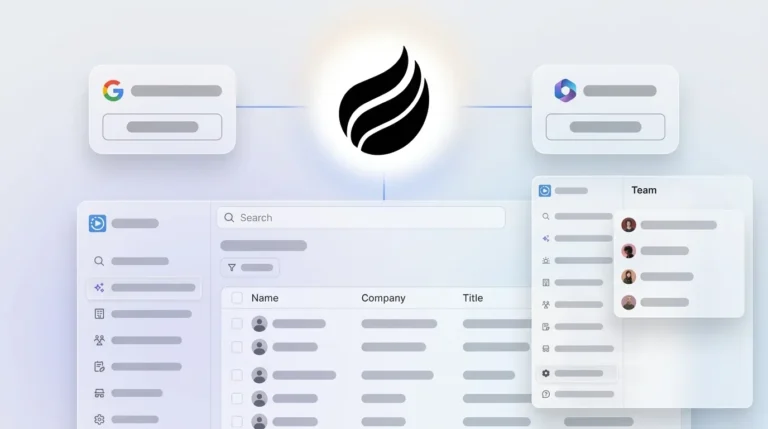
- Email and calendar sync: Upon connecting Google Workspace or Microsoft 365, the agent scans emails and calendars to auto-create contacts, companies, and activities. Custom meeting briefings and summaries, launched in February 2026, let users define exact formats such as high-level executive summaries or granular technical breakdowns, written back automatically to Coffee, HubSpot, or Salesforce.
- Meeting transcription: The agent joins Zoom, Teams, and Meet calls to record, transcribe, and extract BANT, MEDDIC, or SPICED qualification data into structured fields.
- Data enrichment: Records are augmented with job titles, funding rounds, and LinkedIn profiles via licensed data partners, removing the need for separate Apollo or ZoomInfo subscriptions.

Every captured signal is stored in Coffee's built-in data warehouse, preserving historical context that relational databases overwrite on update. This complete capture reclaims 8–12 hours per rep per week and enables AI sales forecasting to achieve 5–8% error rates versus actual revenue.

Cost Comparison: Salesforce Seat Math vs. AI CRM Pricing
The figures below use published 2026 list prices and documented TCO models for a 15-person sales team over three years.
| Cost Line | Salesforce Enterprise (15 seats) | Coffee Standalone (15 seats) |
|---|---|---|
| Annual license | $175/user/month list = $31,500/year | Seat-based; contact Coffee for current rate |
| Implementation | Salesforce implementation costs for a 10-person team typically start around $10,000–$25,000 depending on complexity | Days to authenticate, with minimal setup cost |
| 3-year TCO (15 seats, enterprise tier) | Substantially higher when including subscription, implementation, migration, integrations, training, and support | Stack consolidation eliminates enrichment, recording, and sequencing tool subscriptions |
| Annual price escalation | Salesforce contractual annual uplifts default to 7% and are commonly reported in the 7–10% range | Simple seat pricing with no metered LLM usage fees |
Auto-logging and drafting in an AI CRM layer typically save reps 5–10 hours per week once fully adopted, enabling a 15-rep team at $75/hour fully loaded cost to reclaim roughly $351,000 per year in selling time from 6 recovered hours weekly. That recovered labor cost frequently exceeds the annual platform fee, and the resulting data completeness drives the forecast accuracy improvements discussed earlier.
90-Day Migration Checklist for AI CRM Adoption
This timeline follows the structure documented in mid-market AI CRM migration engagements, adapted for a 5–50 person SaaS team.
- Weeks 1–2: Object inventory. Export all Salesforce objects such as contacts, accounts, opportunities, and activities. Identify duplicates, inconsistent values, and stale records before migration begins. Poor source-system hygiene is the single largest failure factor.
- Weeks 3–4: Data preparation. Budget up to 30% of total project effort for data cleansing. Deduplicate, normalize field formats, and archive records older than 18 months to a read-only store. Set unique-field and duplicate-check rules before any import.
- Weeks 5–6: Build and configure. Connect Google Workspace or Microsoft 365. Configure enrichment, meeting bot, and pipeline compare. Map custom fields. Define BANT and MEDDIC summary templates.
- Weeks 7–8: Integration testing. Validate email sync, calendar sync, and any Zapier connections. Confirm that every note and interaction routes to the correct record automatically.
- Weeks 9–10: Parallel run. Run legacy and new systems simultaneously for 30 days. Compare pipeline coverage and forecast figures between systems daily.
- Weeks 11–12: Cutover and hypercare. Disable manual Salesforce entry. Target 80% or higher weekly active users within 30 days of AI CRM go-live, with forecast accuracy unchanged or improved versus the Salesforce baseline.
Success metrics: 100% source-to-destination record reconciliation, duplicate rate below 4%, forecast variance within 5% of actuals, and zero manual pipeline update sessions required.
Handling Common Objections: Security, Integrations, Data Quality
Three objections surface consistently in RevOps evaluations of AI CRM alternatives.
Security: Coffee is SOC 2 Type 2 and GDPR compliant. Data is not used to train public models. Automating compliance documentation can reduce compliance logging time compared to manual processes, creating a net security improvement over rep-driven entry.
Integrations: Current connections run through Zapier, with deeper native integrations on the roadmap. QuickBooks integration launched in February 2026 automatically syncs invoices and payment statuses into the CRM in real time, and Stripe integration imports customers, enriches them, and marks paid invoices as Closed Won automatically. Teams running parallel point solutions for enrichment, recording, and sequencing typically consolidate three to five subscriptions into Coffee's single agent.
Data quality: Shadow CRMs such as spreadsheets and Notion boards exist because reps distrust the official system. Manual CRM entry can consume several hours weekly, while automation can reduce review time substantially. When the agent handles entry, reps stop maintaining shadow systems because the official record is already accurate. Companies deploying full AI activity capture report significant improvements in data completeness.
FAQ
Is CRM going to be replaced by AI?
The passive relational database model that defines legacy CRMs is being displaced, not CRM as a category. Sales teams still need a system of record for contacts, deals, and pipeline. What changes is who, or what, maintains that record. By 2026, autonomous agents handle data capture, enrichment, and write-back without human input. The CRM persists; the manual labor required to operate it does not. Teams that replace the human-entry model with an agent layer retain the strategic value of a CRM while eliminating its primary failure mode.
Will AI completely replace Salesforce jobs?
AI removes the data-clerk function that legacy CRM adoption created, the rep or admin whose primary job is keeping the system current. It does not replace sales roles focused on relationship development, negotiation, or complex deal strategy. RevOps roles shift from data remediation toward model governance, territory design, and forecast interpretation. The net effect for a 15–50 person SaaS team is fewer hours spent on CRM administration and more capacity for quota-carrying activity, not headcount reduction.
Do you really need a CRM in 2026?
Teams still need a CRM in 2026, but the definition has expanded. A spreadsheet or Notion board cannot enforce pipeline stages, generate forecasts, or trigger automated follow-up sequences. What teams no longer need is a CRM that requires constant manual maintenance to remain useful. An AI-native CRM agent, whether standalone or layered on Salesforce, provides the structure of a traditional CRM with autonomous data capture, making the system self-maintaining. The question in 2026 is not whether to use a CRM but whether the one in use requires humans to serve it or serves humans instead.
How accurate are AI CRM forecasts compared to manual methods?
Traditional forecasting methods built on manually entered data can have limited accuracy. AI-augmented forecasting, grounded on autonomously captured and warehouse-stored data, achieves significantly higher accuracy, with well-implemented AI sales forecasting achieving 5–8% error rates versus actual revenue. The improvement is a direct function of data completeness. When the agent logs every interaction, the forecast reflects the actual pipeline rather than the portion reps remembered to enter.
Evaluation Summary: When to Replace Salesforce With Coffee
The decision to replace Salesforce with an AI CRM in 2026 reduces to three criteria: data quality, cost, and deployment fit. Data quality asks whether the current system reflects reality or rep memory. Cost asks whether the 3-year TCO, including implementation, add-ons, and annual escalation, justifies the seat count. Deployment fit asks whether the team is ready to migrate the system of record or whether a companion agent layer on the existing instance delivers faster ROI.
Teams that score poorly on all three criteria have a clear case for full replacement. Teams with active Salesforce contracts and complex custom objects may find the companion model delivers equivalent data-quality outcomes at lower switching cost. Both paths require an autonomous agent at the data-capture layer. The architecture, not the vendor name, determines whether the CRM produces forecasts worth trusting.