
Written by: Doug Camplejohn, CEO & Co-Founder, Coffee
Key Takeaways
- The Fireflies Salesforce integration depends on specific Salesforce editions and Fireflies Pro or Business plans, which introduces ongoing API maintenance and manual field mapping work.
- Setup uses OAuth authentication, object mapping for Contacts, Leads, Opportunities, and Tasks, plus auto-sync configuration and Integration Rules on higher-tier plans.
- Common limitations include edition restrictions, token expiration monitoring, limited contextual understanding, and data quality risks that still require rep verification and correction.
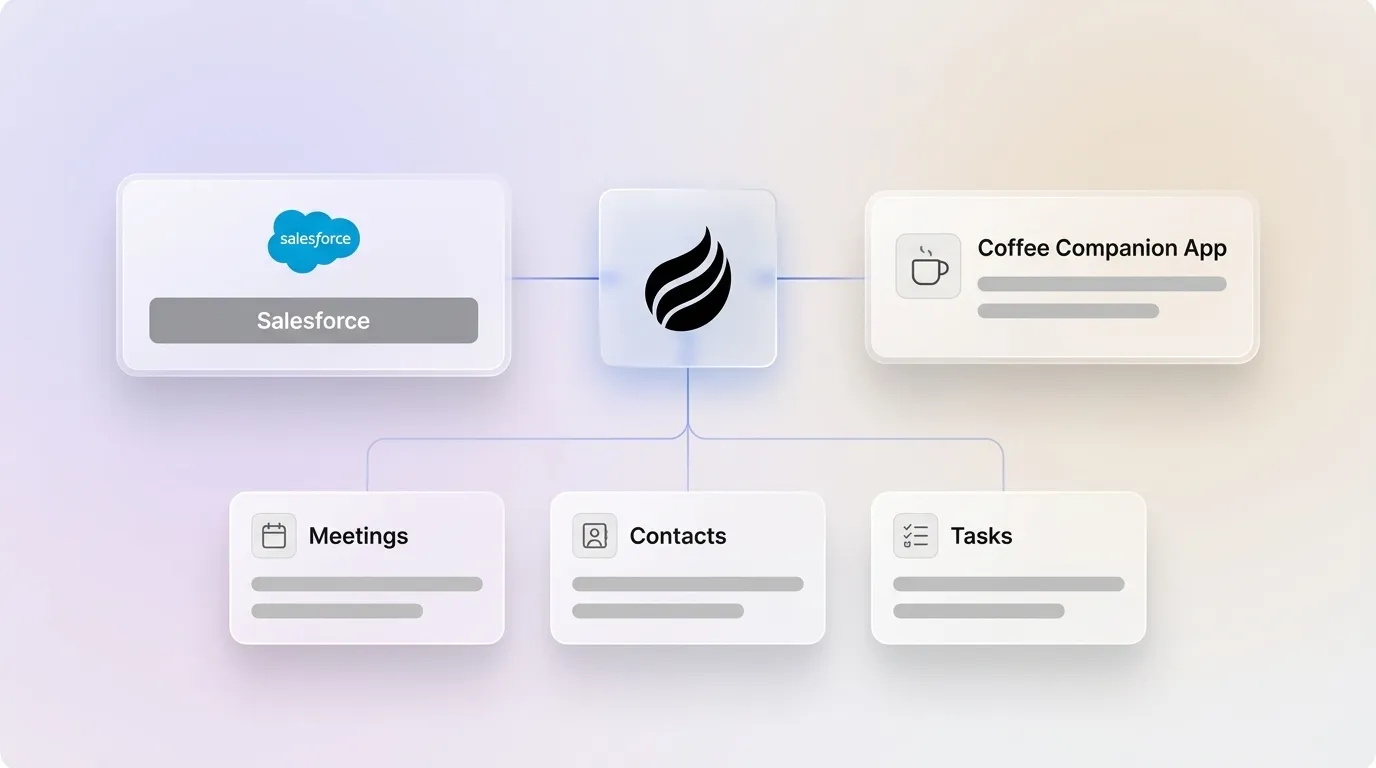
- Coffee’s Companion App removes the integration layer by using an autonomous agent that writes structured, enriched data directly to Salesforce without manual mapping or sync maintenance.
- Teams that want reliable pipeline intelligence and less admin work should explore Coffee’s agent-based approach to replace point-to-point integrations.
Salesforce and Fireflies Requirements to Check First
Confirm that your Salesforce and Fireflies setup meets these requirements before you connect the integration.
Salesforce edition requirements: The Fireflies Salesforce integration requires REST API access and lists Enterprise, Unlimited, Performance, or Developer editions in its setup guide, though Salesforce also enables REST API access on Group and Professional editions under certain conditions.
Fireflies plan requirements:
- Saving meeting transcripts to Salesforce requires a Fireflies Pro plan or higher.
- Integration Rules, which provide advanced syncing and filtering controls, are available on Fireflies Business plans or higher.
Salesforce edition compatibility matrix:
| Salesforce Edition | REST API Access | Fireflies Integration Supported |
|---|---|---|
| Professional | Yes (under certain conditions) | Yes (under certain conditions) |
| Enterprise | Yes | Yes |
| Unlimited | Yes | Yes |
| Performance | Yes | Yes |
| Developer | Yes | Yes (sandbox/testing only) |
Fireflies connects to Salesforce via external API rather than as a native Salesforce application, which requires a separate vendor environment, a separate authentication flow, and ongoing monitoring of a data-sync layer.
Mapping Fireflies Notes to Salesforce Objects
Because Fireflies runs as an external API integration instead of a native Salesforce app, you must manually configure how meeting data maps to your Salesforce objects. The following steps reflect the standard OAuth-based setup flow for connecting Fireflies to Salesforce and configuring object mapping.
- Log in to your Fireflies account and open Integrations in the left sidebar.
- Select Salesforce from the integrations list.
- Complete the OAuth authentication flow to grant Fireflies permissions to read and write to your Salesforce org.
- Under Sync Settings, choose which Salesforce objects receive meeting data. Supported objects include Contacts, Leads, Accounts, Opportunities, and Tasks.
- Map the Fireflies output fields such as summary, transcript, and action items to the corresponding Salesforce fields on each object. Fireflies logs meeting notes under the Notes & Attachments section of matched Contacts, Leads, or Opportunities in Salesforce.
- Enable Auto-sync to push data after each completed meeting, or configure manual sync triggers.
- On higher-tier plans, configure Integration Rules to filter which meetings sync based on participant domain, meeting type, or calendar label.
A common limitation of point-to-point AI meeting tool to CRM integrations is the lack of contextual understanding, which forces reps to spend time correcting inaccurate field updates or misplaced action items in Salesforce. Field mapping between Fireflies output and custom Salesforce objects requires manual configuration and does not update itself as your schema changes.
Configuring Salesforce Tasks from Fireflies Action Items
Fireflies can log action items identified during a call as Salesforce Tasks when you complete a short configuration sequence.
- In Fireflies, open Integrations > Salesforce > Task Settings.
- Enable Create Tasks from Action Items. Fireflies parses action items from the meeting transcript and generates a Salesforce Task record for each item.
- Set the default Task owner. Fireflies maps the task to the Salesforce user whose email matches the meeting host or the internal participant.
- Set the default due date offset, such as 24 hours or 48 hours after the meeting end time.
- Link the Task to the relevant Opportunity or Contact record by enabling Auto-associate Tasks in the sync settings. Fireflies matches records by participant email address.
- Review created Tasks in Salesforce under the Activity tab of the associated record. Verify that action item text has been captured accurately before the rep acts on it.
Shallow CRM integrations from AI meeting assistants often perform only a one-way data push that logs a meeting occurred without updating specific fields or creating tasks in Salesforce, so step-by-step verification of task creation after each call remains essential.
Common Setup Issues and Structural Limitations
Several structural limitations affect the Fireflies Salesforce integration in production environments. These fall into three groups: access restrictions that control whether you can run the integration, operational overhead once it is live, and data quality risks that remain even after successful setup.
Edition restrictions: As noted in the requirements section, the setup guide lists only Enterprise and higher editions, though Professional edition may also work under certain conditions.
Plan-gated filtering: Integration Rules for advanced syncing and filtering are available on Fireflies Business plans or higher, which gives control over which meetings sync based on criteria such as participant domain, meeting type, or calendar label.
API maintenance overhead: API-based integrations used by Fireflies introduce operational overhead in addition to their flexibility for multi-CRM and multi-tool environments. Token expiration, API limit consumption, and sync failures require ongoing monitoring by a Salesforce admin or RevOps engineer.
No end-to-end Salesforce administration: Fireflies does not handle end-to-end Salesforce admin operations such as building validation rules, custom fields, or Flows to protect data quality from meeting notes.
Data quality risk: CRM data decays at 30% per year when reps rush through manual entries, a risk that persists even with partial automation if reps must still review and correct synced records.
Vendor continuity risk: Signing a multi-year contract with a standalone meeting intelligence vendor like Fireflies in 2026 carries vendor-continuity risk as platforms converge into unified Revenue Orchestration Platforms.
Fireflies Salesforce Integration vs Coffee Companion App
The table below compares the Fireflies and Salesforce point integration against Coffee’s Companion App for Salesforce across five operational criteria. Every data point is cited inline.
| Criteria | Fireflies + Salesforce | Coffee Companion App | Winner |
|---|---|---|---|
| Data Quality | Requires manual correction (see data quality limitations above) | Agent ingests emails, calendars, and transcripts to write structured, enriched data back to Salesforce objects without human correction | Coffee |
| Implementation Effort | Requires Salesforce edition with REST API access, OAuth setup, manual field mapping, and plan-tier gating for filtering rules | Simple authentication connects the Coffee Agent to an existing Salesforce instance, with no custom field mapping required | Coffee |
| Ongoing Maintenance | API token expiration, sync-layer monitoring, and Salesforce admin involvement required on an ongoing basis | Agent self-manages data sync, so the RevOps team avoids sync-layer monitoring and token maintenance | Coffee |
| Automation Depth | Categorized as a notetaker rather than a full automation tool that eliminates manual CRM updates, and covers transcription and basic CRM write-back without deep native bi-directional triggers | Customizable summary templates write back to Salesforce, and the agent also auto-creates contacts, logs activities, and generates follow-up emails | Coffee |
| Pipeline Visibility | Meeting data logs under the Notes & Attachments section of matched records, with no pipeline change tracking or week-over-week deal comparison built in | Pipeline Compare feature visualizes week-over-week deal changes, stalled opportunities, and new additions using agent-captured data | Coffee |
On data quality and automation depth, the gap is structural rather than configurational. Fireflies functions as a general-purpose meeting AI tool rather than a revenue-intelligence or CRM-automation platform, while Coffee’s Companion App operates as an autonomous agent that writes clean, structured data to Salesforce without a separate sync layer to maintain.

Best-Fit Use Cases for Fireflies and Coffee
Keep the Fireflies Salesforce integration when:
- Your team is on a Salesforce edition that supports the integration and already has Fireflies licenses provisioned.
- Your use case focuses on transcript archiving and basic activity logging, with no requirement for enriched contact data or pipeline intelligence.
- A dedicated Salesforce admin is available to monitor the API sync layer and maintain field mappings as your org evolves.
- Your primary need is saving 10–15 minutes of manual data entry per call and you do not require autonomous enrichment or pipeline forecasting.
Replace the point integration with Coffee’s Companion App when:
- Your Salesforce org is on Professional edition or you want to avoid API add-on costs.
- RevOps bandwidth is limited and ongoing sync-layer maintenance is not sustainable.
- Data quality issues such as duplicate records, missing fields, or misplaced action items are affecting pipeline accuracy.
- Your team of 10 reps is losing roughly 100 selling hours per week to admin work and needs an agent to reclaim that capacity.
- You need pipeline intelligence such as deal change tracking and forecasting accuracy, not just basic logging of meeting notes.
Decision Checklist for Your Salesforce Org
Use this checklist to decide which approach fits your environment.
- ☐ Salesforce edition supports REST API access (recommended for Fireflies)
- ☐ Fireflies plan supports Integration Rules and filtering, if needed
- ☐ A Salesforce admin is available to maintain the API sync layer on an ongoing basis
- ☐ Field mapping between Fireflies output and your custom Salesforce objects has been configured and tested
- ☐ Task creation from action items has been verified post-call for accuracy
- ☐ Data quality in Salesforce is acceptable without additional enrichment or correction workflows
- ☐ Pipeline visibility needs are met by basic note logging, with no deal-change tracking required
If three or more items are unchecked, the point integration is unlikely to deliver the data quality or automation depth your team requires. Coffee’s Companion App addresses each gap through its autonomous agent model.
Frequently Asked Questions
Implementation Time for Coffee vs Fireflies
The Coffee Companion App connects to an existing Salesforce instance through a simple authentication step, with no custom field mapping, no OAuth troubleshooting, and no Salesforce admin involvement required for initial setup. Most teams become operational within a single session. The Fireflies Salesforce integration, by contrast, requires confirming your Salesforce edition supports REST API access, completing an OAuth flow, manually configuring object mapping for each Salesforce object you want to sync, and, on Business plans, setting up Integration Rules for filtering. Teams without a dedicated Salesforce admin typically spend several hours across multiple sessions before the integration feels stable.
Technical Expertise Needed for Each Approach
The Fireflies Salesforce integration requires familiarity with Salesforce object structure, field mapping conventions, and API authentication. Ongoing maintenance such as monitoring sync failures, refreshing tokens, and updating field mappings when your Salesforce org changes requires either a Salesforce admin or a RevOps engineer with API experience. Coffee’s Companion App targets Heads of Sales and RevOps managers who want the agent to handle the technical layer. The agent self-manages data sync, contact creation, activity logging, and summary write-back to Salesforce without requiring the user to interact with API settings or field mapping configurations.
Data Security and Compliance for Coffee and Fireflies
Coffee is SOC 2 Type 2 certified and GDPR compliant. Meeting data, transcripts, and CRM records processed by the Coffee Agent are not used to train public AI models, and data is stored in a built-in data warehouse that maintains historical context. For the Fireflies Salesforce integration, data flows through Fireflies’ external vendor environment before being written to your Salesforce org via API, which means call transcripts and meeting notes transit a third-party infrastructure layer outside of Salesforce’s native security perimeter. Organizations in regulated industries or with strict data residency requirements should review both vendors’ DPA terms and subprocessor lists before deployment.
Using Coffee with Existing Fireflies Recordings
Coffee can ingest data from Fireflies if you already use it. Coffee expanded its call recording options in January 2026 to include a Zapier integration with tools including Fireflies, Gong, and Fathom, as well as a Desktop app for MacOS, Windows, and Linux. Teams already using Fireflies for transcription can route that data through Coffee’s agent for enrichment, structured write-back to Salesforce, and pipeline intelligence without changing their recording workflow immediately. Over time, as Coffee’s agent handles more of the data-in process autonomously, the dependency on Fireflies as a separate sync layer typically shrinks.
Conclusion: Choosing Between a Point Integration and an Agent
The Fireflies Salesforce integration works as a focused point solution for teams on qualifying Salesforce editions with appropriate Fireflies licenses and dedicated admin resources. It reliably logs meeting notes under the Notes & Attachments section and can create Tasks from action items. It also operates as an external API layer that requires ongoing maintenance, offers no pipeline intelligence beyond basic logging, and cannot self-correct data quality issues when field mapping produces inaccurate or misplaced records.
Coffee’s Companion App removes the integration layer by deploying an autonomous agent directly on top of your existing Salesforce instance. The agent captures, enriches, and writes structured meeting data to the correct Salesforce objects without manual rules, API monitoring, or sync failures. For RevOps and sales leaders whose core problem is bad data in and unreliable pipeline intelligence out, the agent model addresses the root cause instead of adding another point solution to maintain.
Deploy Coffee on Salesforce — put the Companion App to work on your data today.

