How to Build a 100-Point Deal Scoring Model With Examples

How to Build a 100-Point Deal Scoring Model With Examples

Content

Written by: Doug Camplejohn, CEO & Co-Founder, Coffee

Key Takeaways

  • A 100-point deal scoring model assigns weighted points to ICP fit, engagement, urgency, and MEDDIC criteria so sales teams prioritize high-conversion opportunities instead of relying on intuition.
  • Successful implementation requires clean CRM data, stakeholder alignment, and automation rules that recalculate scores whenever fields change.
  • The model uses explicit disqualification rules and engagement-decay weighting to prevent stale deals from inflating forecasts.
  • AI-powered data capture from email, calendar, and call transcripts keeps every scoring criterion accurate without manual entry.
  • Teams can eliminate manual data entry that corrupts scoring models by getting started with Coffee.

Prerequisites for a Reliable 100-Point Scoring Model

Confirm a few basics before assigning a single point.

Required CRM fields:

  • Company size (employee count or revenue band)
  • Industry vertical
  • Contact job title and seniority
  • Technology stack (e.g., Salesforce, HubSpot)
  • Last activity date and next activity date
  • Engagement events: pricing page visits, demo requests, content downloads, call transcripts
  • Negative signals: email domain type, inactivity duration, unsubscribe status

Stakeholder sign-off required from:

  • Head of Sales (threshold calibration and tier definitions)
  • RevOps lead (CRM field mapping and automation rules)
  • Marketing (MQL handoff criteria and negative scoring rules)

Automation readiness check:

  • Email and calendar connected to CRM for automatic activity logging
  • Call recording and transcription active on all rep accounts
  • Workflow rules available to trigger score updates on field changes

Connect Coffee to your workspace to start populating every field above automatically from day one.

Step 1: Lock In Your Ideal Customer Profile and Firmographic Filters

ICP attributes create the baseline fit layer of the model. A B2B SaaS fit scoring model on a 100-point scale allocates points across demographics including job title, industry, company size, and geography. Map your ICP to concrete attributes before you start assigning weights.

Building a company list with Coffee AI

Example ICP attributes for a B2B SaaS company targeting RevOps and Sales leaders:

  • Industry: SaaS, Fintech, or Technology
  • Company size: 50–500 employees
  • Contact title: VP, Director, or C-Level in Sales or Revenue Operations
  • Technology stack: Salesforce or HubSpot as primary CRM
  • Geography: North America

Point values in 100-point B2B scoring models should be calculated based on close rates relative to baseline: criteria linked to a 4x higher close rate warrant 20–25 points, while those with a 2x close rate earn 10–15 points. Use closed-won data from the past 12–24 months to validate every allocation before publishing the model.

Step 2: Choose and Weight 8–10 Deal-Scoring Criteria

Keep the model focused by limiting it to 8–10 criteria. Fewer than 5 criteria leave important dimensions unaddressed, while more than 10 exceed team rating capacity and create false precision. Group criteria into four categories: ICP fit, budget signals, engagement metrics, and urgency indicators.

Decision checkpoints before finalizing criteria:

  • Confirm each criterion appears in closed-won data at a statistically meaningful rate.
  • Confirm the criterion can be populated automatically from email, calendar, or call data.
  • Confirm the criterion is independent of the others to avoid double-counting.
  • Confirm the sales team agrees the criterion reflects real buyer behavior.

Apply the close-rate weighting approach from Step 1 to every criterion you keep in the model.

Common Mistake: Over-weighting budget signals. Jay Tuel, Chief Evangelist at Demandbase, notes: “If you simply gave 10 points to every interaction, an intern opening 10 emails would outscore a VP requesting one demo. That’s the kind of distortion weighting prevents.” The same logic applies to budget. A stated budget without an identified Economic Buyer or confirmed decision process is an unreliable signal, so cap budget signals at 10–15 points until verified.

Step 3: Build the 100-Point Weighted Scoring Table

The table below serves as the master scoring reference. All point values are drawn from published B2B scoring benchmarks. Explicit behaviors like demo requests carry higher values, while passive behaviors like email opens receive lower points. Negative scoring rules deduct points for disqualifiers such as competitor email domains, free providers like gmail.com, student job titles, or unsubscribed contacts.

Category Criterion Points Disqualification Rule
ICP Fit C-Level or VP/Director title +20 Intern or Student title: −25, auto-disqualify below 0 fit points
ICP Fit Target industry (SaaS, Fintech, Tech) +15 Out-of-ICP industry: 0 points
ICP Fit Company size 50–500 employees +15 Under 10 employees: 0 points
ICP Fit CRM is Salesforce or HubSpot +10 No CRM in use: 0 points
Engagement Demo request submitted +25 0
Engagement Pricing page visited (2+ times) +15 0
Engagement Case study or ROI content downloaded +10 0
Engagement Email replied to or forwarded to colleague +10 Unsubscribed: −50, auto-disqualify
Urgency Confirmed timeline within 90 days +10 No timeline identified after 3 touches: −5
Negative Free or personal email domain −15 Competitor domain: −50, auto-disqualify
Negative No activity for 60+ days −10 No activity for 90+ days: additional −10

Maximum possible score: 130 points before negatives, with a normalized ceiling of 100 for reporting. A B2B SaaS scoring model requires minimum component scores, such as 25 fit points, 30 engagement points, and 10 intent points, in addition to composite thresholds for qualification (AND logic, not OR). While the master table captures fit, engagement, and urgency, it does not show how qualified the deal is to close, which is where MEDDIC helps.

Step 4: Add a MEDDIC-Style Qualification Layer on Top

MEDDIC functions as a real-time qualification test rather than a static CRM tab, and each element must receive a defensible answer or be marked “Unknown” during active deal work to reveal blind spots instead of storing optimistic answers in fields. The table below treats each MEDDIC element as a weighted criterion scored in real time. Assigning “Unknown” a low or zero score penalizes incomplete qualification and forces evidence-based scoring.

MEDDIC Element Scoring Condition Points Unknown / Missing Penalty
Metrics Quantified business impact confirmed by buyer (for example, “reduce data entry by 8 hrs/week”) +20 0 points, flag deal as “Metrics Gap”
Economic Buyer Named EB identified and directly engaged (meeting or email reply logged) +20 0 points, LinkedIn and Bain research shows hidden buyers in procurement, finance, and legal represent half of decision-making influence.
Decision Criteria Formal evaluation criteria documented and shared by prospect +15 0 points, flag deal as “Criteria Gap”
Decision Process Buying process steps and approvers confirmed in writing +15 0 points, flag deal as “Process Gap”
Identify Pain Primary business pain confirmed verbally on call and logged in transcript +15 0 points, flag deal as “Pain Gap”
Champion Internal champion identified, has organizational credibility, and has actively advocated +15 0 points, flag deal as “Champion Gap”

MEDDIC overlay scores add to the master table score but also qualify the deal. A deal scoring 75 on the master table but 20 on the MEDDIC overlay, with two “Unknown” elements, should sit in a nurture tier regardless of the composite total. AI-powered tools can analyze CRM data to flag gaps in MEDDIC metrics, identify missing decision-makers, or suggest next steps, helping reps prioritize opportunities and improve forecasting accuracy.

Step 5: Define Scoring Tiers and Disqualification Rules

Tier A (Hot) accounts score 80–100 based on strong ICP fit, high engagement, and active intent signals, triggering immediate sales outreach within 24 hours. Tier B (Warm) accounts score 60–79 and enter targeted sequences. Accounts below 60 receive no active outreach.

  • 80–100 (High Priority): Assign to an AE immediately, follow up within 24 hours, and require a MEDDIC overlay score of 60+ to advance to Commit forecast stage.
  • 60–79 (Nurture): Place in a structured SDR sequence, reassess at 30-day intervals, and escalate to High Priority if engagement accelerates.
  • Below 60 (Disqualify or Recycle): Move to long-term nurture with a reason code logged, remove from active pipeline, and re-score if an inbound signal reactivates.

Common Mistake: Ignoring engagement decay. Temporal weighting is critical: recent signals (last 7 days) receive 100% weight, signals from 30–60 days receive 50% weight, and signals from 90+ days receive only 10% weight. A deal that scored 82 three months ago on a single demo request may now belong in the nurture tier. Decay rules must run automatically, not on a quarterly manual review cycle.

Scoring thresholds must align with team capacity; if SDRs can handle only 20 high-priority leads daily, the model should be calibrated so approximately that number falls into the 80–100 tier.

Step 6: Automate Data Capture So Scores Stay Accurate

A scoring model only works when the data behind each criterion stays current. Top-quartile demand-gen teams convert MQL to SQL at 28% compared with a 13% median rate. That gap comes from data quality more than model design.

Coffee’s agent keeps your scoring data fresh without extra work from reps. Upon connecting to Google Workspace or Microsoft 365, the agent:

GIF of Coffee platform where user is using AI to prep for a meeting with Coffee AI
Automated meeting prep with Coffee AI CRM Agent
  • Auto-creates and enriches contact and company records from emails and calendar events
  • Logs last activity and next activity dates autonomously so engagement decay rules fire accurately
  • Joins calls via AI meeting bot, transcribes conversations, and structures notes according to MEDDIC, BANT, or SPICED, then populates the MEDDIC overlay fields without rep input
  • Detects pricing page visits, demo requests, and email reply events and writes them back to Salesforce or HubSpot as scored activities
  • Surfaces week-over-week pipeline changes via Pipeline Compare, replacing manual CSV exports

Conversation signals, including buying language, objection patterns, and stakeholder mentions detected from call transcripts, are weighted at 25–35% in AI deal scoring models. Without automated transcript capture, this entire scoring category defaults to zero or rep memory, and both options are unreliable.

Create instant meeting follow-up emails with the Coffee AI CRM agent

Connect Coffee to your CRM to replace manual field updates with automated data capture that keeps scores accurate.

Step 7: Launch in Your CRM with Clear Ownership and Cadence

Implementation succeeds when four decisions are made before go-live.

  1. Field mapping: Map every scoring criterion to a specific CRM field. Criteria without a mapped field cannot be scored automatically.
  2. Workflow rules: Build automation triggers in Salesforce or HubSpot that recalculate the composite score whenever a mapped field changes.
  3. Ownership: Assign RevOps as the model owner. Sales leadership owns threshold calibration. Individual AEs own MEDDIC overlay completion for their deals.
  4. Review cadence: Run a 30-day post-launch audit comparing scored predictions to actual outcomes. Quarterly recalibration sessions reviewing false positive rates (target below 30%), false negative rates (target below 10%), and conversion metrics by score range prevent scoring drift as market conditions evolve.

Adoption metrics to track at 30 days:

  • Percentage of active deals with a composite score populated, which shows whether automation runs correctly on live pipeline
  • Percentage of MEDDIC overlay fields completed per deal, which highlights where reps need coaching on qualification
  • Number of deals auto-disqualified by negative scoring rules, which reveals whether disqualification criteria are firing as designed
  • Rep override rate, which tracks deals manually moved against model recommendation and signals where thresholds may not match sales judgment

Validate Model Performance and Keep It Calibrated

Companies with mature scoring models often see improvements in lead-to-opportunity conversion rates and sales productivity. Reaching those benchmarks requires ongoing validation, not a one-time setup.

Data-quality audit checklist (run monthly):

  • Confirm last activity date is populated on 100% of open deals
  • Confirm email domain field is populated and negative scoring rules are firing
  • Confirm call transcripts are being written back to deal records
  • Confirm decay rules are reducing scores on deals inactive for 30+ days

Forecast accuracy check (run quarterly):

  • Compare predicted win rate by tier to actual close rate
  • Identify criteria with low predictive value and reduce their weight
  • Identify criteria correlated with closed-won deals and increase their weight

No Forrester report in the evidence states 30% higher win rates or 25% shorter sales cycles; one source attributes different benefits (20% sales productivity increase) to Forrester. Those results require the model to remain calibrated, which depends on clean, current data in every scored field.

Scale the Framework by Team Size and Sales Motion

The 100-point model above works best for teams of 5–30 reps. Adjust it based on team size and go-to-market motion.

5-rep teams (founder-led or early sales):

  • Reduce criteria to 6–7 and remove criteria that rely on data sources not yet connected
  • Set a single tier threshold (60+ equals active pursuit, below 60 equals nurture) to keep operations simple
  • Use Coffee’s Standalone CRM to avoid Salesforce or HubSpot configuration overhead

30-rep teams (scaled sales motion):

Product-led growth (PLG) motion:

Frequently Asked Questions

How long does it take to set up a 100-point deal scoring model?

A functional model can be live inside Salesforce or HubSpot in one to two weeks for a team with clean CRM fields and stakeholder alignment already in place. The first week typically covers ICP definition, criterion selection, and point allocation. The second week usually covers CRM field mapping, workflow rule configuration, and a historical data validation pass against 12–24 months of closed deals. Teams without automated data capture, where reps manually log activities, should expect an additional two to four weeks to close field-population gaps before the model produces reliable scores. Coffee’s agent shortens that timeline by populating required fields automatically from email, calendar, and call data from day one.

Who should own the scoring model inside a RevOps team?

RevOps owns the model architecture, including field mapping, workflow rules, weight calibration, and quarterly recalibration sessions. Sales leadership owns the threshold definitions, specifically what composite score constitutes a High Priority deal given current team capacity and pipeline volume. Individual AEs own MEDDIC overlay completion for their active deals, and incomplete MEDDIC fields should be treated as a coaching signal rather than a data entry failure. Marketing owns the negative scoring rules and MQL handoff criteria. All four parties should sign off on the initial model before launch and participate in the 30-day post-launch audit.

How often should weights be recalibrated?

Recalibrate quarterly at minimum. Each session should compare predicted win rates by score tier to actual close rates, identify criteria with low predictive value, and adjust weights accordingly. If a criterion consistently appears in closed-lost deals at the same rate as closed-won deals, it carries no predictive signal and should be removed or replaced. Markets shift, buyer behavior changes, and product positioning evolves, so a model built on 18-month-old closed-won data without recalibration will drift toward false positives within two to three quarters. Teams with high deal volume, such as 100+ opportunities per quarter, can run monthly micro-calibrations on the highest-weighted criteria.

What happens when engagement data decays?

Engagement data decay represents the most common failure mode in scoring models. A deal that scored 85 on a single demo request six months ago may now represent a stale opportunity that inflates the forecast. Decay rules must be automated. Reduce engagement scores by 10–20% after 30 days of inactivity, apply an additional reduction at 60 days, and apply a near-zero multiplier at 90 days. Deals that fall below the High Priority threshold due to decay should automatically move to the Nurture tier in the CRM, which triggers a re-engagement sequence instead of leaving them in an AE’s active pipeline. Coffee’s agent enforces this by logging last activity dates in real time, so decay rules fire on accurate data rather than a field last updated manually three months ago.

Conclusion: Turn Consistent Scoring into Predictable Revenue

A 100-point deal scoring model built on the seven steps above gives RevOps and sales leaders a consistent, defensible basis for pipeline prioritization and forecast accuracy. The framework covers ICP fit, engagement signals, urgency indicators, MEDDIC qualification, explicit disqualification rules, and scoring tiers calibrated to team capacity. For a mid-market B2B team, switching to structured AI scoring can increase monthly closed deals and reduce customer acquisition cost while keeping SDR headcount and marketing spend flat.

The model only holds if the data feeding it is accurate and current. Coffee’s agent keeps that foundation solid by eliminating manual data entry entirely, as detailed in Step 6. The scoring criteria stay populated. The tiers stay accurate. The forecast stays trustworthy.

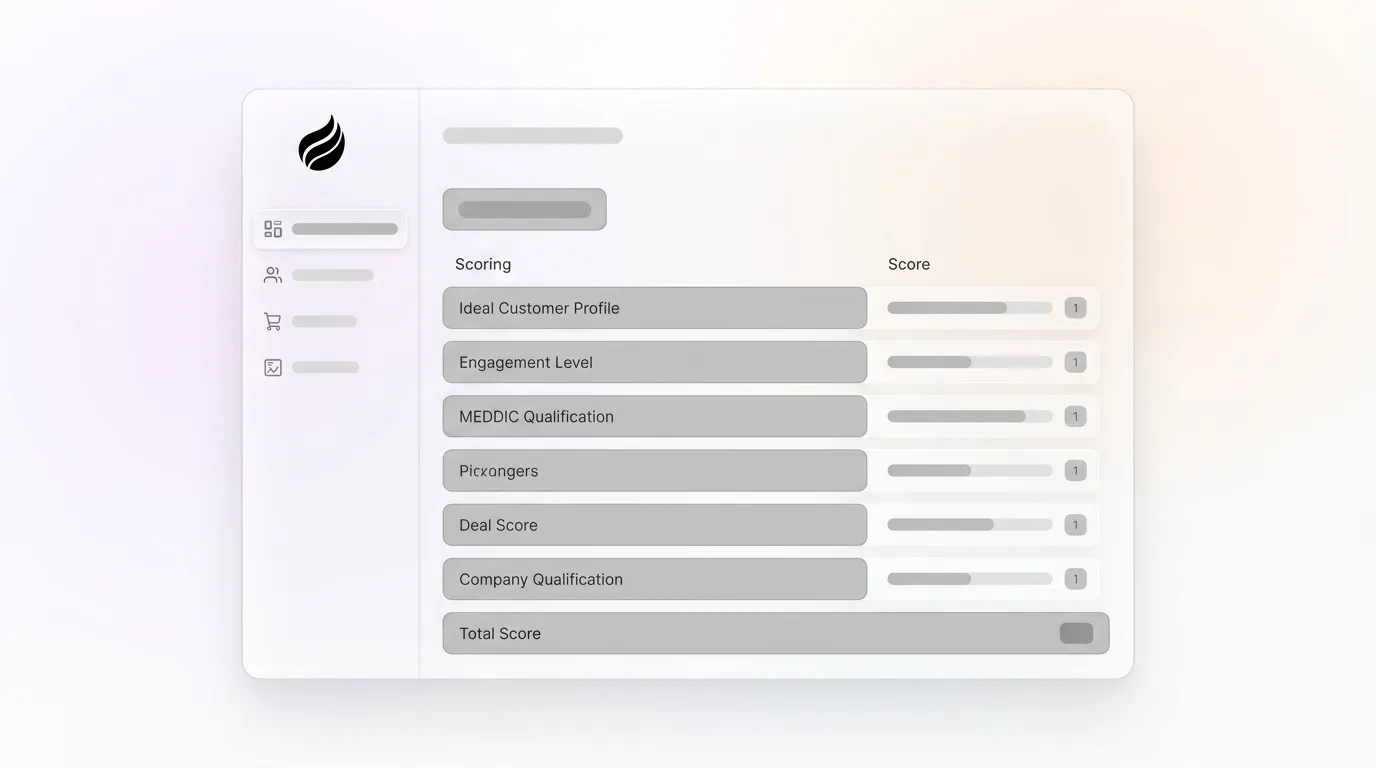
Give your scoring model Coffee’s automated data foundation so it stays accurate from week one through quarter four.