
Written by: Doug Camplejohn, CEO & Co-Founder, Coffee
Key Takeaways for Fathom CRM Sync
- Reliable Fathom CRM two-way sync means automatic data flowing both directions, with conflict handling and preserved history. Anything less behaves like a one-way push.
- Native Fathom integrations and Zapier/Albato connectors only move data in one direction and rely on manual field mapping that often breaks when your CRM schema changes.
- Coffee Agent delivers bidirectional sync, automatic custom-field mapping, built-in conflict resolution, and full historical data preservation without ongoing maintenance work.
- Salesforce and HubSpot setups finish in under fifteen minutes and do not require Zapier workflows, webhooks, or developer time.
- Teams can remove recurring RevOps overhead and keep Fathom and CRM data aligned. Start your free Coffee trial and see the sync in action.
Why Native Fathom Integrations Miss True Two-Way Sync
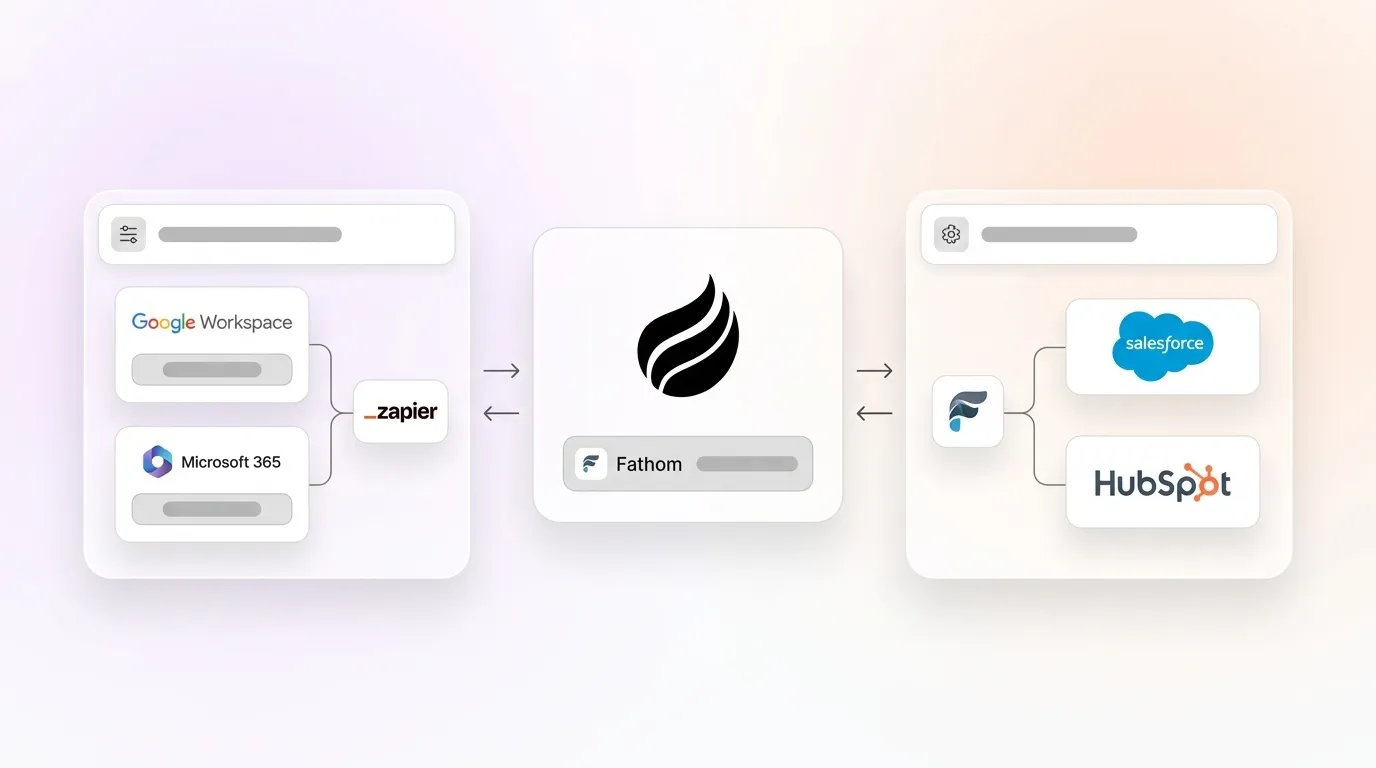
Fathom’s native CRM integrations push meeting summaries, action items, and call recordings into Salesforce or HubSpot after a call ends. That covers the basic “log the meeting” use case. It also creates a structural gap because nothing flows back into Fathom from the CRM.
When a sales rep updates a deal stage in Salesforce, closes a contact record, or adds a custom qualification field in HubSpot, Fathom does not see that change. The next meeting brief Fathom generates relies on stale context that ignores the latest CRM activity.
Custom fields make this gap even larger. Native connectors map to a fixed set of standard CRM objects. Teams that use custom MEDDIC or SPICED fields, non-standard pipeline stages, or proprietary scoring attributes either lose that data or need a developer to build and maintain custom object mappings.
Meeting summaries arrive as unstructured text blobs attached to activity records. They do not land as parsed, structured data written into the right fields, which limits reporting and automation.
Fathom Salesforce Two-Way Sync: Limits of Zapier and Albato
Zapier’s Fathom-to-Salesforce workflows and Albato’s connector handle the trigger-action pattern in one direction. A completed Fathom meeting fires a Zap that creates or updates a Salesforce record. This setup appears complete until the team needs Salesforce-to-Fathom context.
Teams that want Salesforce stage changes to write context back to Fathom must build a separate Zap with its own authentication, field mapping, and error handling. Each custom Salesforce field that needs to sync requires a separate mapping step. When the Salesforce schema changes, such as a renamed picklist value or a new required field, the Zap often fails silently or routes data to the wrong object.
RevOps teams then spend recurring hours each month auditing and repairing these pipelines. The system offers no real conflict resolution. If both systems update a field within the same polling window, the last write wins and the previous value disappears.
Fathom HubSpot Two-Way Integration: Same Direction Problem
Fathom’s HubSpot path through Zapier mirrors the Salesforce pattern. Meeting notes push to HubSpot contact or deal timelines as activities. HubSpot lifecycle stage changes, contact property updates, and custom deal fields do not flow back into Fathom.
A rep preparing for a renewal call sees Fathom context from the last meeting. That brief does not reflect current HubSpot deal health or the custom “renewal risk” property the CSM updated yesterday.
HubSpot’s own App Marketplace listing for Fathom describes the integration as pushing call summaries and action items to HubSpot. The direction is clearly one-way. Teams that want HubSpot data to inform Fathom meeting prep must either build a reverse Zap with the same maintenance burden or accept the context gap.
Native vs Connectors vs Coffee Agent: Side-by-Side Comparison
| Criteria | Native Fathom | Albato / Zapier | Coffee Agent |
|---|---|---|---|
| Directionality | One-way (Fathom → CRM) | One-way per Zap, reverse requires separate build | Automatic two-way sync |
| Field mapping effort | Fixed standard objects only | Manual per-field mapping, breaks on schema change | Automatic mapping for custom and standard fields |
| Conflict handling | None | Last-write-wins, no resolution logic | Agent logic preserves history and resolves conflicts |
| Historical data sync | No backfill | Limited by Zap history window | Built-in data warehouse with full history |
| Ongoing maintenance | Low, limited scope | High, recurring manual audits required | Zero, agent self-maintains |
Try Coffee’s agent-powered sync and remove the maintenance cycle entirely.
How Fathom-to-CRM Flows Run with Coffee Agent
The comparison above highlights Coffee Agent’s structural advantages, and the flow details show how those advantages play out in daily work. When a Fathom call ends, Coffee Agent receives the transcript, summary, and action items as structured inputs instead of raw text.
The agent parses each action item into a discrete CRM task, assigns it to the correct owner, and writes it to the right object based on meeting participants and deal context already stored in the CRM. The agent can target opportunity, contact, or account records with this context.
Summary content maps into the correct custom fields instead of sitting in a freeform note. The agent logs the activity with a timestamp and links the recording URL to the record. No one needs to retype notes or chase down links.
How CRM-to-Fathom Flows Keep Meetings Current
The reverse flow exposes the biggest gap in native and Zapier solutions and shows where Coffee Agent closes the loop. The Coffee Agent monitors CRM records in real time, watching for changes that should shape upcoming conversations.
When a deal stage advances in Salesforce or a lifecycle stage changes in HubSpot, the agent immediately updates the context available to Fathom before the next scheduled meeting. This update ensures that Fathom sees the latest CRM state.
Custom fields such as renewal risk scores, MEDDIC qualification status, and open support tickets appear in the pre-meeting brief. The rep enters the call with current CRM data instead of a snapshot from the last sync window.
Automatic Custom-Field Mapping in Both Directions
Custom field mapping often becomes the operational bottleneck that breaks Zapier-based setups at scale. Every new custom field in Salesforce or HubSpot forces someone to open the Zap editor, add a mapping step, test it, and publish the change.
Coffee Agent removes that manual work through schema introspection. The agent reads the CRM’s field definitions at authentication and builds the mapping automatically. This behavior covers both standard and custom fields.
When a new custom field appears in the CRM, the agent detects it on the next sync cycle and incorporates it without configuration changes. Structured data from Fathom, such as BANT scores, SPICED qualification fields, and next-step categories, maps to the corresponding CRM fields by semantic matching instead of position in a static template.
How Coffee Agent Handles Data Conflicts Safely
Conflict resolution separates reliable two-way sync from two independent one-way pushes. Consider a case where a Fathom summary writes a “next step” field at 2:05 PM and a rep manually updates the same field in Salesforce at 2:06 PM. A last-write-wins system discards the Fathom data without visibility.
Coffee Agent applies a clear precedence model. Structured human edits in the CRM take priority over automated writes from transcripts. The agent still preserves both versions in its built-in data warehouse.
No data is permanently overwritten, and the full history remains queryable. The agent can surface discrepancies for review instead of silently resolving them in the background.
Step-by-Step: Set Up Coffee Agent for Salesforce
Salesforce setup follows a short, connected sequence that finishes in minutes. First, navigate to Coffee’s integration settings and select Salesforce. This choice tells the agent which CRM to scan.
Next, authenticate through OAuth using a Salesforce admin account. This step grants the agent read and write access to your CRM and removes the need to build a custom connected app.
After authentication, the agent performs an initial schema scan and presents a field-mapping confirmation screen so you can verify which fields will sync. Once you confirm the mappings, select the Fathom workspace to connect.
With both systems linked, the agent begins two-way sync immediately and applies a configurable historical backfill window to bring in past meeting data. No Zaps, no webhooks, and no developer involvement enter the process.
Step-by-Step: Set Up Coffee Agent for HubSpot
HubSpot setup mirrors the same simple pattern and remains accessible to non-technical teams. In Coffee’s integration settings, select HubSpot so the agent knows which CRM to connect.
Authenticate through HubSpot’s OAuth flow with a Super Admin account. This step authorizes the agent to read and write across contacts, companies, and deals.
Once connected, the agent scans all standard and custom properties across these objects. After the scan, connect the Fathom workspace so the agent can link meetings to CRM records.
Two-way sync then activates, and CRM-to-Fathom context updates begin before the next scheduled meeting. The entire process takes under fifteen minutes and does not require technical resources.
Set up your bidirectional sync in under fifteen minutes and keep Salesforce or HubSpot aligned with Fathom.
How Each 2026 Solution Handles Data and History
Beyond setup and maintenance, each approach treats data very differently. The table below focuses on how native integrations, connector tools, and Coffee Agent process transcripts, structured fields, and historical records between Fathom and your CRM.
| Capability | Native Fathom | Albato / Zapier | Coffee Agent |
|---|---|---|---|
| Unstructured data parsing (transcripts) | Text blob to activity | Text blob to activity | Parsed to structured CRM fields |
| Structured data (stage, score, custom fields) | Not supported | Manual mapping required | Automatic schema-matched mapping |
| Built-in data warehouse history | No | No | Yes, full version history |
| Pre-meeting CRM context in Fathom | No | No | Yes, real-time CRM state surfaced |
Security, Compliance, and Data Quality with Coffee
Coffee is SOC 2 Type 2 certified and GDPR compliant. Call transcript data processed by the agent does not train public models and remains scoped to your environment.
Transcript and summary data is encrypted in transit and at rest. Access controls stay limited to authenticated CRM and Fathom credentials, and the sync runs without third-party connector platforms.
On data quality, the agent’s enrichment layer provides contact and company data comparable to dedicated enrichment tools for most RevOps needs. Many teams can avoid a separate ZoomInfo or Apollo subscription for filling gaps left by CRM sync alone.
Decision Guide: Matching Fathom CRM Sync to Your Team
| Criteria | Native Fathom | Albato / Zapier | Coffee Agent |
|---|---|---|---|
| Team size / CRM maturity | Small teams, standard fields only | Small teams willing to maintain Zaps | SMB to mid-market, Salesforce or HubSpot committed |
| Custom field requirements | None | Low to moderate, with manual effort | High, complex custom schemas supported |
| Tolerance for manual maintenance | Low maintenance, low capability | Requires ongoing RevOps time | No maintenance required |
| Two-way sync requirement | Not supported | Partial, two separate builds | Built-in to the agent |
Frequently Asked Questions
How long does Coffee Agent implementation take?
Teams can complete authentication, schema mapping confirmation, and initial sync quickly for either Salesforce or HubSpot. Historical backfill time depends on the volume of existing Fathom meetings, and the agent handles this in the background while active sync continues.
Standard configurations typically do not require a professional services engagement, which keeps rollout simple.
Do I need technical expertise to maintain the sync?
No technical expertise is required for ongoing maintenance. Coffee Agent performs schema introspection automatically when CRM fields change and updates mappings on its own.
There are no Zap workflows to audit, no webhook endpoints to monitor, and no field mappings to adjust when your Salesforce admin adds a new picklist. RevOps leaders can configure the integration once and let the agent handle ongoing work.
What is the migration effort from Zapier?
Migrating from a Zapier-based Fathom sync to Coffee Agent involves authenticating Coffee with your CRM and Fathom workspace, then deactivating the existing Zaps. The agent takes over the sync from that point.
Coffee handles field mapping automatically, so you do not need to recreate mapping logic from your Zap steps. Historical data already in your CRM stays in place, and the agent’s backfill covers Fathom meetings that never synced.
How does Coffee protect sensitive call data?
Coffee is SOC 2 Type 2 certified and GDPR compliant. Transcript and summary data processed by the agent is encrypted in transit and at rest and does not train shared or public AI models.
Access controls stay scoped to authenticated CRM and Fathom credentials. No data is shared with third-party connectors because Coffee’s agent operates the sync natively.
Conclusion: A Maintenance-Free Path to Fathom Two-Way Sync
Native Fathom integrations deliver one-way pushes to standard CRM fields. Zapier and Albato extend that reach but depend on manual mapping, provide no CRM-to-Fathom flow without a separate build, and create recurring maintenance overhead for RevOps. Neither approach resolves data conflicts or preserves history.
Coffee Agent offers an automatic, conflict-aware, custom-field-ready, and maintenance-free two-way sync for both Salesforce and HubSpot. Teams that want Fathom call intelligence and CRM data to stay aligned without human intervention can rely on this agent-based approach.
Try Coffee’s agent-powered sync today and keep Fathom and your CRM continuously aligned.

