Written by: Doug Camplejohn, CEO & Co-Founder, Coffee
Key Takeaways for RevOps and Sales Leaders
- Sales teams lose 11.5 hours weekly to manual CRM data entry, which creates unreliable forecasts and $12.9 million in annual costs from poor data quality.
- AI sales reporting automation captures activity from email, calendar, and call transcripts without human input so pipeline intelligence stays accurate in real time.
- Legacy CRMs like Salesforce and HubSpot depend on manual entry and rigid rules, which overwrites history, increases error rates, and pushes teams into spreadsheets.
- Coffee’s agent automates data ingestion, generates real-time insights with Pipeline Compare, and sends stakeholder-ready reports so teams avoid manual compilation.
- Teams can get started with Coffee to remove manual data entry at the source and build trustworthy AI-driven pipeline intelligence.
How AI Sales Reporting Automation Works
AI sales reporting automation uses intelligent agents to capture, structure, and analyze sales activity data without human input. As a result, pipeline reports, forecasts, and deal summaries reflect ground-truth information in real time. The output quality of any AI reporting system depends entirely on the quality of data flowing into it. Automation therefore must begin at the data-capture layer, not at the reporting layer.
Why Legacy CRMs Undermine Automated Reporting
Legacy CRMs function as structured databases, not intelligent agents. They store data that humans choose to enter, in formats humans remember to use, at frequencies humans find convenient. 32% of sales reps spend more than one hour per day on manual CRM data entry, equating to over 250 hours per year per rep, and that effort still produces unreliable records.
The architectural limitations extend beyond user behavior. Salesforce carries 25 years of legacy infrastructure. HubSpot started as a marketing tool with a CRM added later. Neither system was designed to ingest unstructured data such as email threads, call transcripts, and meeting notes at scale. Traditional CRM automation follows rigid if-then rules that work only with structured data in predefined formats and cannot handle nuance or adapt when a prospect’s behavior diverges from a predefined pattern.
When fields are updated in a relational database, historical context disappears. Manual data entry exhibits error rates between 1% and 4% per field (or 96–99% accuracy). The result is a garbage-in/garbage-out cycle: low adoption produces bad data, bad data produces unreliable reports, and unreliable reports erode trust in the CRM entirely, which pushes teams toward shadow systems like spreadsheets and Notion.
Coffee’s agent-first architecture solves this problem through three phases that automate the entire reporting pipeline from data capture to stakeholder delivery.
1. Data Aggregation with an Agent-First CRM Layer
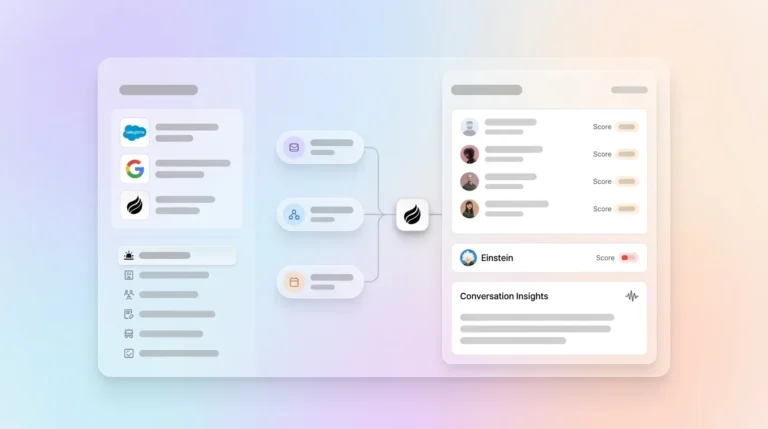
The first phase of AI sales reporting automation replaces human data entry with agent-driven ingestion. After connecting to Google Workspace or Microsoft 365, the Coffee Agent immediately scans emails and calendars to auto-create contacts, companies, and activity logs. It associates every interaction with the correct record automatically, enriches those records with job titles, funding data, and LinkedIn profiles via licensed data partners, and logs last and next activity without any rep involvement.

This process creates a single source of truth built from ground-truth signals, not from what a rep remembered to type after a call. Automated data entry reduces CRM data entry time by up to 60%, and AI-powered automation can cut error rates by more than 97% while completing in seconds tasks that take employees hours. Beyond email and calendar, Coffee’s agent also joins calls via Zoom, Teams, or Google Meet to record, transcribe, and structure notes according to BANT, MEDDIC, or SPICED. This consistency ensures that qualification data from every conversation enters the system in a structured, comparable format.

2. Real-Time Insight Generation from a Persistent History
The second phase turns that clean, persistent history into live pipeline intelligence. Because the Coffee Agent captures history in a built-in data warehouse rather than overwriting flat fields, it can surface week-over-week pipeline changes with precision. The Pipeline Compare feature visualizes progressed deals, stalled opportunities, and new additions without a manual CSV export or a separate forecasting add-on.
After each call, the agent generates summaries, identifies next steps, and drafts follow-up emails for rep review. Before each call, it prepares a briefing with attendee roles, past interaction context, and open action items. AI-driven forecasting in 2026 is adaptive and continuous, with models that incorporate engagement signals, deal velocity, historical win patterns, and external signals rather than relying on rep-submitted numbers. Coffee’s data warehouse architecture supports this style of forecasting by storing the detailed interaction history those models require.

3. Automated Distribution of Stakeholder-Ready Reports
The third phase converts clean, structured pipeline data into stakeholder-ready outputs without manual compilation. Coffee delivers instant post-meeting summaries, drafted follow-up emails, and QBR-ready pipeline snapshots directly to the people who need them. Pipeline reviews shift from interrogation sessions, where managers chase reps for updates, to strategic discussions grounded in automatically maintained records.

96% of revenue leaders expect their teams to use AI tools by the end of 2026. The teams that benefit most will be those whose AI operates on consistently clean data.
Coffee as Companion App or Standalone CRM
Coffee operates a dual-model strategy so teams can deploy the agent regardless of their current tech stack. For small companies with 1–20 employees that have outgrown spreadsheets but find legacy CRMs expensive and manual, the Standalone AI-First CRM positions Coffee as the full system of record managed entirely by the agent. For small-to-mid-market teams already committed to Salesforce or HubSpot, the Companion App deploys the Coffee Agent as an intelligent layer on top of the existing installation.
A simple authentication allows the agent to sync data, enrich records, and write insights back to the primary CRM. This approach improves data quality while avoiding a disruptive platform migration.
Comparison: Passive Databases vs Proactive Agent Models
| Capability | Legacy CRMs (Salesforce, HubSpot) | Modern Agent-Light CRMs (Clarify, Day.ai) | Coffee (Proactive Agent) |
|---|---|---|---|
| Data entry method | Manual human input, reps spend significant time on CRM entry | Partial automation, limited unstructured data handling | Fully automated via agent ingesting email, calendar, and transcripts |
| Data accuracy | 70–80% manual entry accuracy | Varies, dependent on structured inputs | Marketing claims of 95%+ AI accuracy in document data extraction typically refer only to character-level metrics and do not reflect reliable field- or document-level performance |
| Historical context retention | Overwritten on field update, no data warehouse | Limited history tracking | Built-in data warehouse preserves full interaction history |
| Salesforce/HubSpot integration depth | Native (is the system) | Shallow, limited support for quotas, forecasting, required fields | Deep Companion App integration with full CRM schema support |
Real-World Results: Hours Saved and Forecasts That Match Reality
A company generating tens of millions in revenue, and building custom AI solutions, was managing its entire sales operation in spreadsheets. The team evaluated Salesforce and HubSpot but rejected both because they required too much manual maintenance. They also rejected Rox because it lacked sufficient depth.
After deploying the Coffee Agent, automatic contact creation from Google Workspace kept the CRM current without human effort. The Pipeline Compare feature replaced their manual weekly review process entirely. API access allowed the team to use Coffee’s clean data to script custom briefing prompts tailored to their workflow. The agent consolidated enrichment, recording, and forecasting into a single system. Coffee’s internal data indicates the agent saves reps 8–12 hours per week, with additional time recovered from reduced tool-switching.
Checklist for Evaluating AI Sales Reporting Automation
RevOps leaders can use the following criteria when evaluating AI sales reporting automation tools:
- Data capture method: The tool should capture data automatically from email, calendar, and call transcripts rather than relying on rep input. Unreliable data produces unreliable AI outputs for lead scoring, forecasting, and next-best-action recommendations.
- Integration depth: For Salesforce and HubSpot users, the tool should support quotas, forecasting fields, required fields, and custom objects, not just surface-level sync.
- Security and compliance: The tool must be SOC 2 Type 2 and GDPR compliant, with a clear policy that customer data is not used to train public models. Coffee meets both requirements.
- Data quality parity: Built-in enrichment should match the quality of dedicated tools like ZoomInfo or Apollo for your use cases so you can retire extra point solutions.
- Implementation effort: Platform consolidation is a dominant 2026 trend, with revenue teams preferring fewer integrated platforms over multiple disconnected point solutions. A tool that adds complexity rather than reducing it defeats its own purpose.
- History retention: The system should preserve historical pipeline state for week-over-week comparison instead of erasing prior context when a field updates.
Get started with Coffee to see how the agent performs against every item on this checklist.
Frequently Asked Questions
What is AI sales reporting automation?
AI sales reporting automation uses intelligent agents to capture sales activity data automatically from sources like email, calendar, and call transcripts. The agents then structure and analyze that data to produce pipeline reports, forecasts, and deal summaries without manual input from reps. The critical distinction from traditional reporting tools is that automation begins at the data-capture layer, which ensures clean inputs, rather than applying AI only to the reporting output.
Does Coffee work with Salesforce and HubSpot, or does it replace them?
Coffee supports both deployment models. The Companion App deploys the Coffee Agent as an intelligent layer on top of an existing Salesforce or HubSpot instance. It handles data ingestion, enrichment, and activity logging, then writes clean data back to the primary CRM. Teams that want a full modern alternative can use Coffee’s Standalone CRM, where the agent manages the entire system of record. Coffee has deep knowledge of Salesforce and HubSpot schema, including quotas, forecasting fields, and required fields, which distinguishes it from newer CRM entrants with shallow integration support.
What data sources does the Coffee Agent use?
The Coffee Agent ingests data from Google Workspace and Microsoft 365 email and calendar, meeting recordings and transcripts from Zoom, Google Meet, and Microsoft Teams, and licensed enrichment data partners for job titles, company funding, and LinkedIn profiles. It also includes a website visitor identification pixel that turns anonymous site traffic into named, enriched prospects. All of these sources feed a built-in data warehouse that preserves full interaction history for pipeline comparison and forecasting.
Is Coffee secure and compliant?
Yes. Coffee is SOC 2 Type 2 and GDPR compliant. Customer data is not used to train public AI models. For teams in regulated industries or those with formal security review requirements, Coffee’s compliance posture covers the standard requirements for small-to-mid-market companies. Large enterprises with multi-year custom security review processes fall outside Coffee’s current ideal customer profile.
How quickly does Coffee deliver value after setup?
The Coffee Agent begins working immediately after authentication with Google Workspace or Microsoft 365. Contact and company records are auto-created from existing email and calendar history, activity logs are populated, and enrichment data is applied without manual configuration by the sales team. Pipeline Compare and meeting intelligence features become available from the first synced call. Most teams see measurable time savings within the first week of deployment as the agent takes over data entry and post-meeting documentation tasks that previously consumed hours of rep time.
Conclusion: Give Your AI Clean Data from Day One
As established earlier, the garbage-in/garbage-out cycle stems from a data-capture problem, not a reporting problem. Poor CRM data leads AI to produce confidently wrong outputs at scale, including bad forecasts, mis-routed leads, and inaccurate scorecards. Layering AI reporting tools on top of a manually maintained CRM does not fix the underlying failure. It amplifies it.
Coffee’s agent-first architecture addresses the problem at the source. By automating data capture from email, calendar, transcripts, and enrichment partners, the Coffee Agent ensures that every pipeline report, forecast, and deal summary reflects reality, not what a rep remembered to log. Whether deployed as a Standalone CRM for growing teams or as a Companion App on top of Salesforce or HubSpot, Coffee provides a practical path to trustworthy AI sales reporting automation for small-to-mid-market revenue teams.
Get started with Coffee and give your AI the clean data it needs to deliver pipeline intelligence you can act on.