
Written by: Doug Camplejohn, CEO & Co-Founder, Coffee
Key Takeaways for Startup Teams
- Granola captures meeting notes but still needs manual attachment, field mapping, and ongoing maintenance to sync with CRMs like Attio or HubSpot.
- Post-meeting CRM updates depend on human decisions, which creates data decay and 8–12 hours of weekly admin work for small teams.
- Granola lacks autonomous data capture, export options, and interactive task creation, so it cannot function as a full CRM solution.
- Coffee’s autonomous agent auto-creates contacts, logs activities, and enriches records directly from email and calendar with no manual sync layer.
- For startups ready to eliminate manual CRM work, deploy Coffee’s autonomous agent to keep pipeline data accurate from day one.
Why Granola Still Requires Manual CRM Updates
Many startups layer Granola’s meeting transcription on top of a CRM like Attio or HubSpot and expect automated pipeline updates. The core problem with this Granola-plus-CRM stack is that transcription and sync are not the same as automation. Granola’s HubSpot integration automatically syncs notes to CRM records from meetings using folders and matches them to the right contacts, companies, or deals, but that sync only moves the note file itself, not structured data. Granola has no export function in any standard format (PDF, Markdown, DOCX, or JSON), which forces copy-and-paste to move note content into a CRM before any pipeline update can occur. Every post-call CRM update therefore still depends on a human decision about what to extract and where to put it.
Creating new tasks remains a manual process in Granola; the AI extracts action items only as plain text snippets rather than interactive, assignable objects. Reps must convert each snippet into a CRM task, and that step often gets skipped when calendars fill up. The result is post-sync data decay: records in Attio or HubSpot reflect what a rep remembered to paste, not what actually happened. For a 1–20 person team, that decay compounds into 8–12 hours of weekly admin work as reps backfill missing tasks and reconcile incomplete records, which founders cannot afford.
Eight Criteria to Evaluate Granola AI for Startups
Any honest comparison of Granola AI for startups against a fully autonomous agent should cover eight criteria. Data quality and automation depth measure whether your CRM reflects ground truth or rep memory. Implementation effort determines whether a five-person team can deploy in hours or in weeks. Workflow fit evaluates whether the tool matches how technical founders and early sellers actually work. User adoption tracks whether reps will maintain the system when they face deadline pressure.
Integration complexity reveals how much ongoing maintenance the sync layer requires. Reporting visibility shows whether managers can trust pipeline data for forecasting. Long-term scalability tests whether the architecture can grow with the team without constant cleanup. Total cost of ownership accounts for subscriptions, integrations, and labor hours combined. These criteria expose where transcription-plus-sync stacks break down and where an agent-first architecture holds.
Side-by-Side Comparison: Granola, Attio/HubSpot + Granola, and Coffee
The table below applies all eight criteria to three configurations: Granola alone, Granola layered on a traditional CRM, and Coffee’s autonomous agent. Focus on the rows for “Data Quality & Automation Depth” and “Total Cost of Ownership”, because they show whether a tool truly removes manual work or simply shifts it.
| Criteria | Granola (Free / Business) | Attio or HubSpot + Granola | Coffee Standalone / Companion |
|---|---|---|---|
| Data Quality & Automation Depth | Notes locked in Granola’s ecosystem; no automatic CRM write-back | Manual note attachment required; post-sync data decay without ongoing maintenance | Agent auto-creates contacts, logs activities, and enriches records from email and calendar without human input |
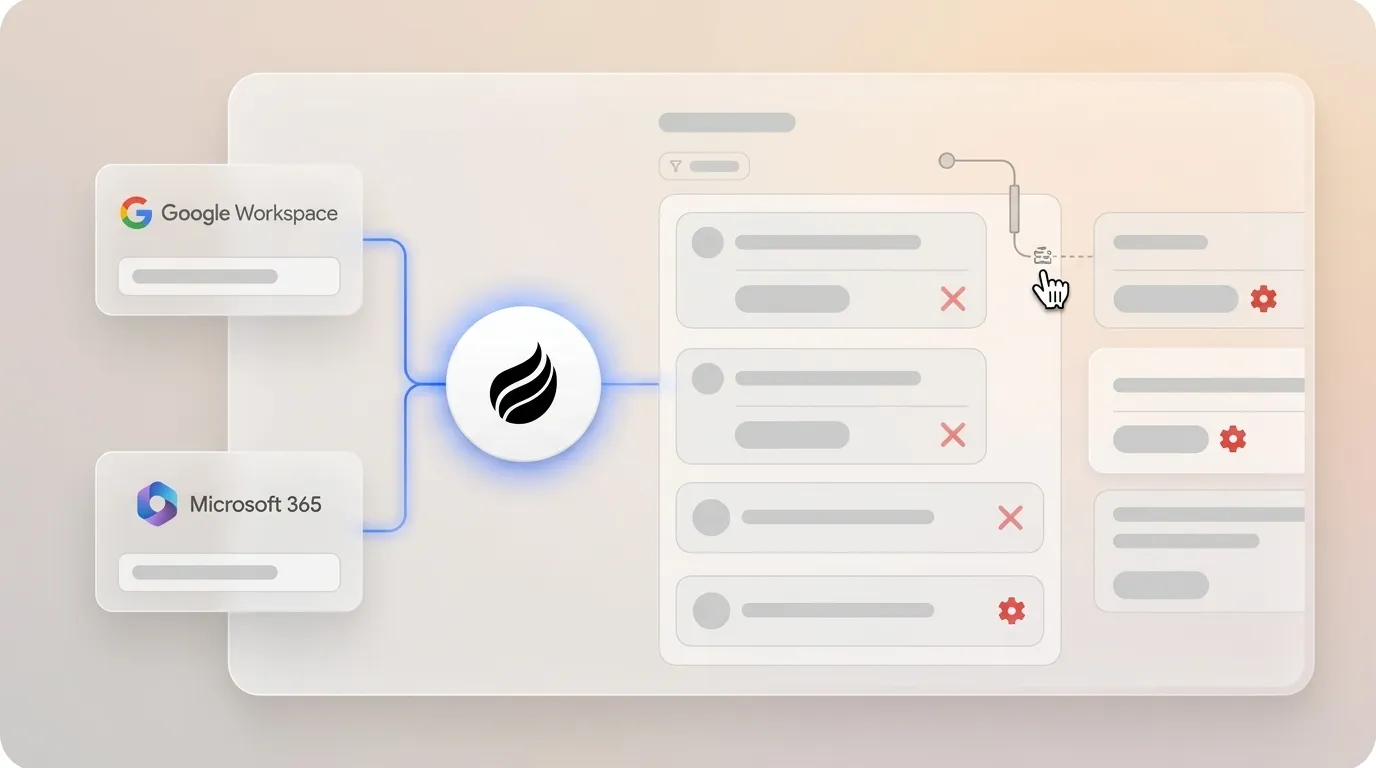
| Implementation Effort | 5-minute desktop install; CRM sync requires Business plan at $14/user/month | Requires Granola Business plus a separate CRM subscription and manual field mapping | Connect Google Workspace or Microsoft 365, and the agent begins auto-creating contacts immediately |
| Workflow Fit | Strong for individual note capture, weak for team pipeline visibility | Adds CRM structure but still requires reps to operationalize notes manually | Agent handles pre-meeting briefings, post-call summaries, and follow-up drafts automatically |
| User Adoption | High for note-taking, low for CRM hygiene due to manual steps | Sharing and permissions require manual adjustment per note, which adds friction | Reps interact with a “Today” briefing page, while the agent manages the data layer invisibly |
| Integration Complexity | Salesforce only via Zapier, HubSpot and Attio native on Business plan ($14/user/month) | Zapier triggers require manual note-sharing to fire, with no content-aware automation | Native Companion App writes directly into required Salesforce and HubSpot fields, including forecasting, with no sync layer |
| Reporting Visibility | No pipeline reporting, notes only | CRM reporting depends on data reps remembered to sync | Pipeline Compare visualizes week-over-week deal changes automatically from agent-captured data |
| Long-Term Scalability | The free plan allows access to notes from the last 30 days only; older notes are stored but inaccessible until a paid upgrade. | Scales only as fast as reps maintain sync discipline | Built on a data warehouse, so historical context is preserved and queryable as the team grows |
| Total Cost of Ownership | Free tier available; Business at $14/user/month; Enterprise at $35+/user/month | Granola Business plus CRM subscription plus Zapier plan plus manual labor hours | Seat-based pricing with agent labor included, replacing Granola, enrichment tools, and recording add-ons |
Eliminate the manual sync layer by connecting Coffee’s agent to your workspace today.
Setup and Onboarding for 1–20 Person Teams
Granola installs as a desktop app in roughly five minutes, but CRM sync is unavailable on the free tier. The free plan excludes all CRM integrations; HubSpot, Attio, and Affinity sync require the Business plan at $14 per user per month. Once upgraded, teams still face manual field mapping and must configure Zapier separately for Salesforce. Coffee’s onboarding path works differently. Connecting Google Workspace or Microsoft 365 triggers the agent to scan emails and calendars and start auto-creating contacts and companies without any mapping step. For a five-person founding team, that difference creates a clean CRM on day one instead of a partially populated one that degrades without ongoing maintenance.

Data Capture and Maintenance for Granola Attio vs Coffee Agent
Granola’s Zapier integration supports both automatic triggers (when a note is added to a folder) and manual sharing to start workflows, but these triggers respond to folder actions, not meeting content. Granola stores chat query outputs persistently via a history picker added in April 2026, which helps with reference but not with structured CRM updates. The Granola-Attio combination therefore produces a CRM that reflects manual effort instead of ground truth. Coffee’s agent logs last activity and next activity autonomously, enriches records with job titles, funding data, and LinkedIn profiles via licensed data partners, and maintains historical context in a built-in data warehouse. McKinsey research indicates AI implementation in CRM can increase leads by more than 50% and reduce costs by up to 60%. Those outcomes depend on clean data entering the system, not on reps remembering to paste notes.

Usability for Frontline Teams and Manager Visibility
Granola’s sharing workflow requires manual permission adjustment for each note unless it already sits in a shared folder, which creates friction between the sales conversation and the pipeline record. Managers who rely on a Granola-fed CRM review data filtered through rep memory and copy-paste discipline. Coffee’s “Today” briefing page surfaces attendee context, past interactions, and deal status before each call. The Pipeline Compare feature then visualizes week-over-week changes such as progressed deals, stalled opportunities, and new additions automatically. Pipeline reviews shift from interrogation sessions to strategic discussions without spreadsheet exports.

Integration Complexity and Long-Term Flexibility
CRM-native agents that read and write directly to the same CRM data carry no sync layer to maintain, while integration-layer tools require ongoing field mapping, deduping, and sync logic that the customer must manage. Granola’s path to Salesforce runs entirely through Zapier, which means every workflow is a custom build that breaks when fields change. Coffee’s Companion App writes directly into required Salesforce and HubSpot fields, including forecasting objects, without a sync layer. Buyers in 2026 increasingly evaluate autonomous agents based on whether they eliminate manual workflow maintenance and sync overhead rather than simply automating individual tasks, and the Granola-plus-Zapier stack does not meet that standard.
Replace Zapier-dependent sync with Coffee’s native agent that writes directly to your CRM.
Best-Fit Use Cases and Limits for Granola vs Coffee
Granola works well as a meeting notes tool for individuals who do not need pipeline visibility. It does not function as a CRM replacement or an autonomous data layer. The 30-day archive limit mentioned earlier makes the free plan insufficient for teams that need historical context for renewal conversations or investor pipeline reviews. The Business plan unlocks unlimited history and CRM sync, but the sync remains manual in practice. Coffee Standalone fits teams that have outgrown spreadsheets and want an agent-managed system of record from day one. Coffee Companion fits teams already committed to Salesforce or HubSpot that need the data-entry layer automated without migrating their system of record. Neither Granola use case removes the manual work, and both Coffee models do.
Decision Framework Summary Matrix
Use the matrix below to match your team profile with the right approach. The key variables are your current CRM commitment and your tolerance for ongoing manual work.
| Team Profile | Current CRM Commitment | Tolerance for Manual Work | Recommended Option |
|---|---|---|---|
| 1–5 person founding team | None / spreadsheets | Low | Coffee Standalone |
| 5–20 person early sales team | HubSpot or Attio | Low | Coffee Companion App |
| 5–20 person team | Salesforce | Low | Coffee Companion App |
| Individual contributor | None | High (notes only) | Granola Free |
| Team needing notes + basic sync | HubSpot or Attio | Medium | Granola Business + manual CRM maintenance |
Frequently Asked Questions
How long does Coffee implementation take for a 5-person startup?
Implementation requires connecting Google Workspace or Microsoft 365 to the Coffee agent. Once authenticated, the agent begins scanning emails and calendars to auto-create contacts, companies, and activity logs immediately. Most 5-person teams have a populated CRM within the first business day, with no manual field mapping required. The AI meeting bot joins calls automatically after calendar connection, and post-call summaries and follow-up drafts appear within minutes of each meeting ending.

What migration effort is required when moving from Granola + Attio to Coffee?
Because Granola stores notes in a proprietary format with no native export, migration functions as a forward-looking exercise rather than a historical data transfer. Coffee’s agent begins capturing new interactions from the connection date. For historical records already in Attio, Coffee’s Companion App can sync with existing CRM data. Teams should expect a clean break instead of a bulk import of Granola notes, which aligns with Granola’s architecture because it was not designed as a system of record.
Does Coffee integrate with existing HubSpot or Salesforce instances?
Yes. Coffee’s Companion App is designed specifically for teams already committed to HubSpot or Salesforce. A simple authentication allows the Coffee agent to read existing records, enrich them, log new activities, and write insights back into required fields including forecasting objects. Unlike Zapier-based integrations that require custom field mapping and break when CRM configurations change, Coffee’s Companion App has deep native knowledge of HubSpot and Salesforce data models, including quotas and required fields.
How does Coffee ensure data quality compared with Granola’s manual sync?
Coffee’s data quality advantage comes from its architecture. The agent ingests ground-truth data directly from email and calendar streams, so every contact, activity, and interaction is captured at the source instead of relying on a rep to paste notes. Records are enriched automatically with job titles, funding information, and LinkedIn profiles via licensed data partners. Granola’s sync depends on a human deciding to attach a note to the correct CRM contact after the meeting, a step that is frequently skipped or delayed, which produces data decay over time.
How does pricing scale for early-stage teams seeking free alternatives to Granola for startups?
Granola’s free plan is limited to 30-day meeting archives and excludes all CRM integrations. The Business plan at $14 per user per month adds CRM sync but not autonomous data entry. Coffee uses seat-based pricing where the agent’s labor, including contact creation, enrichment, activity logging, meeting recording, and pipeline reporting, is included in the seat cost with no additional metering for AI usage. For a 5-person team, the total cost of ownership comparison should account for Granola Business plus a separate CRM subscription plus any Zapier plan, versus a single Coffee seat that replaces all three. Coffee is SOC 2 Type 2 and GDPR compliant, and customer data is not used to train public models.
Conclusion: Choose the Agent That Removes the Data-Entry Layer
Granola is a well-designed meeting notes tool, but it is not an autonomous CRM agent. The Granola-plus-Attio or Granola-plus-HubSpot stack adds a sync layer, and sync is a handoff that still requires human decisions at every step. Traditional CRM solutions require teams to manually update records and build reports, which creates bottlenecks and data gaps that prevent full use of customer insights. Coffee’s agent removes that requirement entirely and ensures that the pipeline data managers rely on reflects reality rather than rep memory. Whether the team needs a standalone CRM or an agent layer on Salesforce or HubSpot, the outcome stays consistent: good data in, accurate intelligence out, with no data-entry clerk required.
Replace manual data entry with an agent that works while your team sells.

