Written by: Doug Camplejohn, CEO & Co-Founder, Coffee
Key Takeaways
- Ad-hoc lead qualification wastes rep time on low-fit prospects and breaks downstream automation when scores become stale.
- A 7-step production-ready framework, from ICP extraction through quarterly drift detection, delivers calibrated Fit + Intent scoring that improves SQL-to-opportunity conversion.
- Static scoring models lose correlation with conversion within 12–18 months; continuous data quality via automated enrichment keeps scores reliable.
- AI agents that auto-capture every email, call, meeting, and website visit remove manual entry and enable real-time score updates without added headcount.
- Teams ready to replace gut-feel qualification with a trustworthy scoring system can get started with Coffee today.
Pre-Implementation Readiness Checklist for Lead Scoring
Confirm these inputs and stakeholder commitments before you begin Step 1. Treat each row as a prerequisite that must be in place before you move to the listed step.
| Input | Owner | Status Gate |
|---|---|---|
| 12-month closed-won export from CRM | RevOps | Required before Step 1 |
| Buyer persona documentation (firmographic + behavioral) | Marketing / RevOps | Required before Step 2 |
| CRM admin access (Salesforce, HubSpot, or Coffee) | RevOps | Required before Step 3 |
| Sales stakeholder sign-off on ICP definition | VP Sales / Sales Ops | Required before Step 2 |
| Marketing automation platform access | Marketing Ops | Required before Step 3 |
| Coffee agent authenticated to email + calendar | RevOps | Required before Step 4 |
Step 1: Extract and Analyze Closed-Won Data to Define ICP Attributes
Input: Last 12 months of closed-won deals. Owner: RevOps. Output: Documented ICP table with must-have vs. nice-to-have attributes.
Analyze your top 20 customers to identify common firmographic traits such as industry, company size, and revenue, and interview sales reps to document characteristics of deals that close fastest. Identify patterns appearing in 60% or more of the top 20% of customers by lifetime value, then document eight to ten specific, measurable ICP characteristics such as company size of 100–500 employees, $10M–$50M annual revenue, North American location, and VP+ decision makers.

Common failure mode: Teams export closed-won data but omit closed-lost records. Without negative signals such as job functions that never convert or company sizes that churn, the resulting ICP is incomplete and the scoring matrix will over-qualify.
Step 2: Build a Fit + Behavior Scoring Matrix
Input: ICP table from Step 1, closed-won behavioral patterns. Owner: RevOps + Sales. Output: Finalized scoring matrix with explicit point values and negative rules.
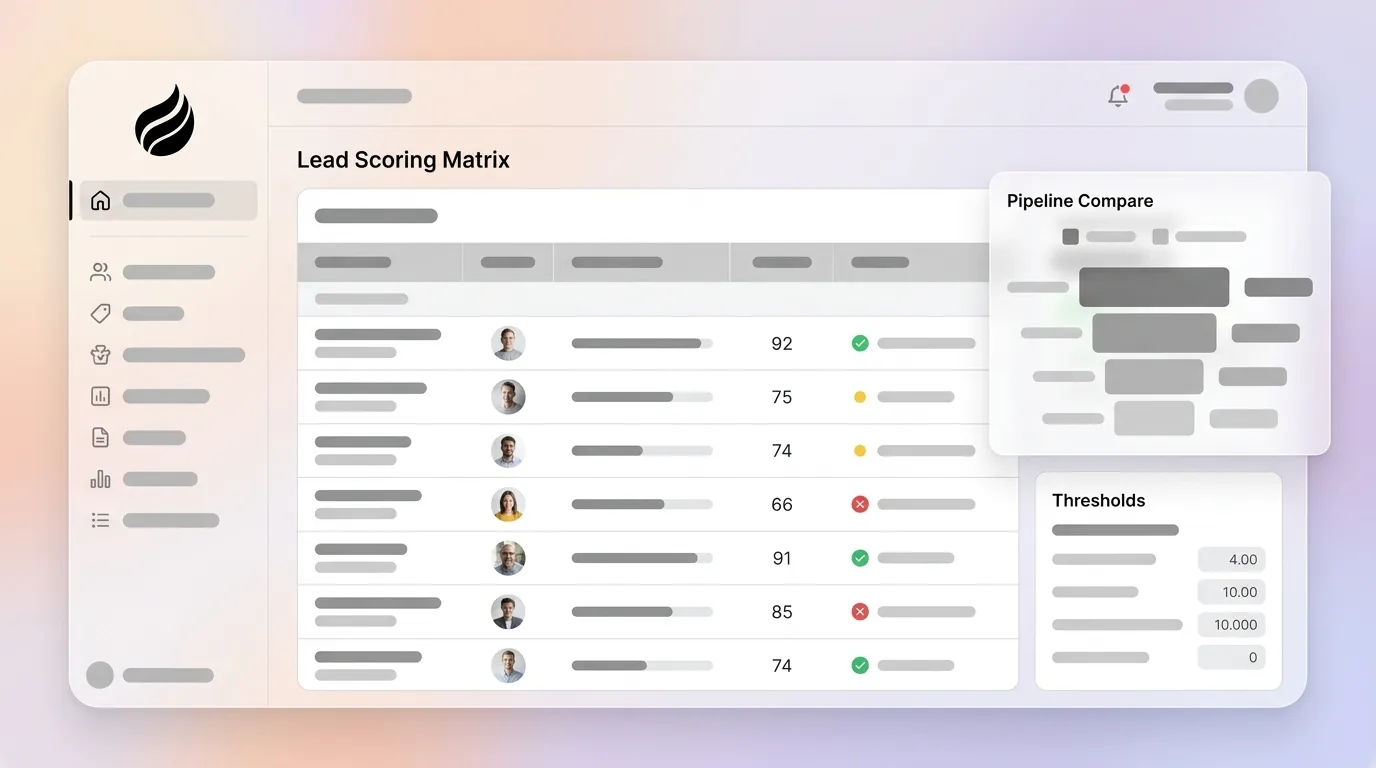
The table below shows an example scoring matrix with point allocations for fit, intent, and disqualifying signals. Use it as a starting template and adjust point values based on your own closed-won conversion data.
| Signal Type | Signal | Points | Rationale |
|---|---|---|---|
| Fit | Target industry match | +20 | ICP firmographic |
| Fit | Company size 50–500 employees | +15 | ICP firmographic |
| Fit | VP+ title | +15 | Decision-maker signal |
| Behavior | Pricing page visit (×2 in 7 days) | +20 | Converts at 40% vs. 15% for other patterns |
| Behavior | Demo request | +25 | High-intent actions warrant 5–10× blog-read value |
| Behavior | Email open only | +2 | Awareness signal, low weight |
| Negative | Competitor employee domain | −50 | Disqualifier |
| Negative | Personal email in B2B form | −25 | Disqualifier |
| Negative | Email unsubscribe | −25 | Disengagement signal |
| Negative | Careers page visit | −15 | Non-buyer intent |
| Decay | No activity for 30 days | −25% | Time-based decay rule |
Rule drift risk: The Sales Operations Group advises quarterly recalibration cycles that include structured A/B testing of scoring approaches with control groups, plus decay rules that automatically reduce the value of older interactions. Without this cadence, matrices become stale within one quarter of ICP or product changes.
Step 3: Set MQL/SQL Thresholds and Auto-Routing Logic
Input: Scoring matrix, historical conversion data by score band. Owner: RevOps + Sales. Output: Configured workflow routing rules.
Leads scoring 80–100 should trigger auto-routing to an AE with a Slack alert and a 5-minute response SLA, leads scoring 60–79 should route to an SDR with a 24-hour SLA and nurture sequence, and leads scoring 40–59 should receive marketing nurture only. These score bands assume a simple additive model, but a blended threshold that combines a minimum score with a demographic grade prevents a common failure mode, where high-engagement but low-fit prospects qualify despite zero product fit. A standard blended MQL threshold requires both a score above 50 and a demographic grade of B or higher.
Benchmarks show that routing scored leads within five minutes produces better conversion rates than manual routing. Auto-routing rules must also explicitly exclude existing customers by checking that the matched CRM Account Type is not “Customer,” because customer engagement otherwise pollutes new-business MQL queues at rates of 10–30%.
Step 4: Configure the Coffee Agent to Auto-Capture and Enrich Every Interaction
Input: Coffee agent authenticated to Google Workspace or Microsoft 365, CRM connected. Owner: RevOps. Output: Live enrichment with every email, call, and meeting logged automatically.

This step prevents the degradation described in the Key Takeaways and keeps scores accurate beyond the initial launch. AI lead scoring systems maintain data quality through an automated cleaning phase that removes inconsistencies, duplicates, and errors from data collected across CRMs, marketing automation tools, website interactions, email campaigns, and social media. Coffee’s agent handles this continuously, scanning emails and calendars to auto-create contacts, logging last and next activity autonomously, and augmenting records with job titles, funding data, and LinkedIn profiles via licensed enrichment partners.

The agent also joins calls via Zoom, Teams, or Meet, transcribes them, and writes structured summaries back to the CRM record using BANT, MEDDIC, or SPICED frameworks. That consistent transcription feeds richer data into the scoring model, which improves accuracy when scores update in real time. Real-time scoring updates occur the moment new information arrives, so scores adjust within seconds rather than on weekly or monthly cycles.

Start your free Coffee trial to eliminate manual data entry and keep every lead score current.
Step 5: Add Website Visitor Identification to Score Anonymous Traffic
Input: Coffee tracking pixel installed in site <head> tag, buyer persona configured. Owner: RevOps / Marketing. Output: Anonymous visitors converted to named, scored prospects with auto-routing.
Drop Coffee’s custom-generated script into the site header. The agent immediately begins identifying visitors, inferring name, title, email, and LinkedIn profile alongside company, pages visited, time on site, and visit frequency. Real-time Slack notifications surface high-fit visitors, and with one click the prospect is added to Coffee with all enrichment pre-filled and routed according to the thresholds set in Step 3.
Competing visitor identification tools often surface only company-level data or undifferentiated people lists. Coffee’s Suggested Leads feature instead uses the configured buyer persona to recommend which two or three individuals inside a visiting company to contact, closing the loop from pixel hit to LinkedIn outreach without leaving the agent.

Failure mode: Incomplete persona matching. If the buyer persona in Coffee does not reflect the ICP attributes documented in Step 1, Suggested Leads will surface low-fit contacts and inflate apparent pipeline.
Step 6: Enable Pipeline Compare for Automated Quarterly Drift Detection
Input: 90+ days of scored pipeline data in Coffee. Owner: RevOps. Output: Visualized score distribution changes with flagged rules requiring recalibration.
With visitor identification live and scoring rules applied to both known and anonymous traffic, the next priority is keeping those rules accurate over time. Scoring models degrade as ICP definitions shift and product positioning evolves, so Step 6 establishes a mechanism to detect and correct that drift before it erodes pipeline quality.
Coffee’s Pipeline Compare feature visualizes week-over-week changes, highlighting progressed deals, stalled opportunities, and new additions without manual CSV exports. For scoring maintenance, this same view surfaces score distribution shifts that indicate rule drift. After 30 days of implementation, hot leads (80–100) should convert at 40–60%, warm leads (60–79) at 20–30%, and cold leads (40–59) at 5–10%; score distribution should show 10–20% hot, 30–40% warm, and 40–50% cold. Deviations from these bands signal the need to recalibrate.
Research indicates organizations reviewing scoring models quarterly can achieve higher ROI from marketing investments. Coffee’s agent surfaces the data required for that review automatically, so teams can run the analysis without manual data pulls.
Step 7: Validate Scoring Performance with Adoption Metrics and Pipeline Accuracy Checks
Input: 30-day post-launch pipeline data, rep activity logs. Owner: RevOps + Sales leadership. Output: Confirmed live scoring, high data quality, measurable reduction in manual entry.
Validation confirms the system is working as designed. Monitor whether the conversion and acceptance targets set in Step 3 are being met: MQL-to-opportunity rates should hold at 10–15%, and sales acceptance should remain above 80%. If SQL-to-opportunity conversion falls below 30%, raise the SQL threshold rather than allowing low-quality leads to continue through the funnel.
Scaling the Framework for Different Team Sizes and CRMs
The 7-step framework adapts to both small and larger teams and to different CRM setups. The table below contrasts key implementation decisions for a 5-person team using Coffee as a standalone CRM and a 25-person team running Coffee Companion on top of Salesforce or HubSpot.
| Dimension | 5-Person Team (Coffee Standalone) | 25-Person Team (Coffee Companion on SF/HubSpot) |
|---|---|---|
| ICP Analysis | Founder + 1 AE review top 10 customers | RevOps leads structured closed-won export with Sales Ops |
| Scoring Matrix | Simplified 5-signal matrix, 50-point scale | Full 10-signal matrix, 100-point scale with negative rules |
| Thresholds | Single MQL threshold (35+ points) | Blended MQL + SQL thresholds with grade component |
| Agent Configuration | Coffee Standalone as system of record | Coffee Companion writes enrichment back to SF/HubSpot |
| Recalibration Owner | Founder or Head of Sales | RevOps with VP Sales as named co-owner |
| Drift Detection | Monthly Pipeline Compare review | Quarterly structured recalibration with A/B testing |
Validation Checklist for Your Lead Scoring Rollout
- Scoring rules are live in CRM and auto-updating on new activity
- Coffee agent is logging all emails, calls, and meetings without manual input
- MQL auto-routing is triggering correctly by score band with SLA timers active
- Existing customers are excluded from new-business MQL queues
- Negative scoring rules are deducting points for unsubscribes, bounces, and disqualifying signals
- Score decay is configured and running on inactive records
- Visitor identification pixel is verified and surfacing named prospects
- Pipeline Compare baseline is established for drift detection
- MQL-to-opportunity conversion rate is at or above 10% after 30 days
- Sales acceptance rate is at or above 80%
- Rep time on manual data entry has measurably decreased
Frequently Asked Questions
How do you set up lead scoring?
Teams set up lead scoring in four foundational steps before any CRM configuration begins. First, export 12 months of closed-won data to identify ICP attributes. Second, build a scoring matrix that assigns explicit point values to fit signals and behavioral signals while subtracting points for disqualifying signals. Third, set MQL and SQL thresholds based on actual conversion data rather than industry presets. Fourth, configure auto-routing rules that connect score bands to rep assignment and SLA timers. The most common setup failure is skipping the data export phase and building the matrix from assumptions rather than closed-won patterns. Coffee’s agent accelerates setup by auto-populating contact and company records from email and calendar data from day one, so the scoring model has clean inputs immediately.
What is an example of negative scoring?
Negative scoring deducts points from a lead’s total when disqualifying signals appear. Common examples include subtracting 50 points when a lead’s email domain matches a known competitor, subtracting 25 points when a B2B form submission uses a personal email address such as Gmail or Yahoo, subtracting 25 points when a contact unsubscribes from email, subtracting 15 points when a visitor browses the careers page rather than product or pricing pages, and setting a record to zero or negative when a hard bounce or spam complaint is recorded. Negative scoring prevents disengaged or low-fit prospects from accumulating behavioral points and crossing MQL thresholds despite having no real purchase intent. Without negative rules, high-volume email openers and competitor researchers inflate MQL counts and waste rep time.
What are lead scoring threshold best practices?
Thresholds should be set from real conversion data, not industry defaults. A practical starting framework on a 100-point scale is 40–59 points for marketing nurture only, 60–79 points for SDR outreach with a 24-hour SLA, and 80–100 points for immediate AE routing with a 5-minute response SLA. Blended thresholds that combine a minimum score with a minimum demographic grade outperform score-only thresholds because they prevent high-engagement but low-fit prospects from qualifying. Auto-routing rules should also enforce component minimums, such as a minimum fit score of 25 and an engagement score of 30, using AND logic rather than total score alone. Thresholds require immediate adjustment, not a wait for the next quarterly cycle, if MQL-to-opportunity conversion drops below 8% for two consecutive months.
What is the recommended maintenance cadence for a lead scoring model?
The minimum cadence is a monthly performance check and a quarterly recalibration. Monthly checks confirm that high-scoring leads are converting at the rates and distribution targets established in Step 6. Quarterly recalibration involves pulling the most recent closed-won and closed-lost deals, analyzing score distribution against actual outcomes, identifying rules whose weighting no longer correlates with conversion, and adjusting point values accordingly. Sales must be a named co-owner of quarterly recalibration, because models treated as solely a marketing responsibility lose sales trust and are ignored. Immediate recalibration outside the quarterly cycle is warranted when a new product launches, the ICP expands to a new segment, or conversion rates fall outside acceptable ranges. Coffee’s Pipeline Compare feature surfaces the score distribution data needed for both monthly checks and quarterly recalibrations automatically, which removes the manual CSV export that causes many teams to skip the process.
Conclusion: Turn Ad-Hoc Scoring into a Reliable Revenue Engine
The 7-step sequence above moves a RevOps team from ad-hoc qualification to a production-ready scoring system: ICP extraction from closed-won data, a fit + behavior matrix with explicit negative rules, blended MQL/SQL thresholds with auto-routing, agent-powered real-time enrichment, website visitor identification, automated drift detection, and ongoing validation against pipeline accuracy metrics.
Every step depends on data quality. Without automated data capture, the scoring accuracy established in Steps 1–3 erodes as records go stale and rules drift. An AI agent that captures every email, call, meeting, and website visit automatically is the only mechanism that keeps scoring accurate without adding headcount. That is what Coffee’s agent does, whether deployed as a standalone CRM or as a companion layer on top of Salesforce or HubSpot.
See Coffee pricing and start building a lead scoring system that stays accurate long after launch.