Written by: Doug Camplejohn, CEO & Co-Founder, Coffee
Key Takeaways
- Autonomous AI sales assistants remove the 5.5 hours per week per rep spent on manual CRM data entry by capturing and enriching contacts, emails, calls, and pipeline events without human input.
- Five evaluation criteria, automation depth, meeting intelligence, pipeline visibility, architectural flexibility, and total cost and time saved, separate true agent platforms from traditional CRMs with basic AI add-ons.
- Coffee is the only platform that runs as both a standalone CRM and a companion agent on Salesforce or HubSpot, so teams gain flexible deployment options.
- Agent-powered platforms like Coffee deliver 8–12 hours of weekly time savings per rep through autonomous data capture, meeting summaries, and historical pipeline tracking in a built-in data warehouse.
- Teams ready to remove manual data entry can get started with Coffee today.
The Problem: Manual CRM Architecture Blocks Revenue in 2026
Manual CRM data entry now costs sales teams 5.5 hours per week per rep as data requirements grow more sophisticated. That burden compounds across a 20-person team into more than 100 hours of lost selling time every week. Sales representatives spend only around 30% of their time selling and 20% managing CRM tasks, a ratio that has barely moved despite years of CRM investment.
The root cause sits in the architecture. Legacy CRMs require reps to function as professional data-entry clerks, dedicating significant time to updating records and generating reports manually instead of engaging customers. When reps stop entering data, 76% of organizations report that less than half their CRM data is accurate and complete. That gap undermines every forecast and AI feature that depends on reliable history. For 10-to-50-person tech teams without a dedicated CRM admin, the system meant to drive revenue often becomes the primary obstacle.
Agent-powered platforms break this cycle by removing humans from the data-entry loop. Sales teams using AI are 1.26× more likely (83% vs 66%) to see revenue growth than those without it, according to Salesforce survey data. Gartner reports that sellers who effectively partner with AI tools are 3.7x more likely to meet quota. Clean, automatically captured data creates the foundation for those gains.
Get started with Coffee, and eliminate manual data entry for your team today.
Five Evaluation Criteria for AI Sales Assistant CRMs
1. Automation Depth: The platform should autonomously create contacts, log activities, and enrich records from email, calendar, and call data instead of prompting reps to confirm each entry.
2. Meeting Intelligence: The platform should join calls, transcribe them, generate structured summaries, and write follow-ups back to the CRM without human intervention.
3. Pipeline Visibility: The platform should track deal-stage changes over time in a data warehouse, which enables week-over-week comparison and accurate forecasting.
4. Architectural Flexibility: The platform should operate as a standalone system of record, as a companion layer on an existing CRM, or both.
5. Total Cost and Time Saved: The platform should deliver a clear all-in per-seat cost in 2026 and quantified time savings for a 10-to-50-person team.
Decision Matrix: How Leading Alternatives Score
With these five criteria in place, the next step is to see how leading Pipedrive alternatives perform in practice. The table below scores Pipedrive, Attio, HubSpot Breeze, Freshsales Freddy, and Coffee across each dimension based on publicly documented capabilities as of mid-2026. Where pricing or feature scope differs by tier, the most relevant tier for a 10-to-50-person team is used.
| Platform | Automation Depth | Meeting Intelligence | Pipeline Visibility | Architectural Flexibility | Cost / Time Saved |
|---|---|---|---|---|---|
| Coffee | Full autonomous capture from email, calendar, transcripts, Stripe, auto-enrichment with job titles, funding, LinkedIn | AI bot joins calls, generates custom briefings and summaries, writes follow-ups to Gmail, HubSpot, or Salesforce | Built-in data warehouse, Pipeline Compare tracks week-over-week deal changes | Standalone CRM or Companion App on Salesforce or HubSpot, only dual-mode agent platform | Seat-based pricing, agent labor unlimited, saves 8–12 hours per week per rep |
| Pipedrive | AI Sales Assistant identifies patterns and recommends next actions, core logging still requires rep input | Add-on required, no native post-call write-back to deal record | Visual pipeline, no native data warehouse for historical comparison | Standalone only, no companion mode | AI features reduce pipeline review from 45 minutes to 5–10 minutes, manual entry burden persists |
| Attio | Custom data models, adapts to user-defined structures but requires significant initial setup | Limited native meeting intelligence, relies on integrations | Flexible reporting, no built-in data warehouse for time-series pipeline tracking | Standalone only | Raised $116M (Series B, Google Ventures), pricing targets high-growth tech, setup overhead is high |
| HubSpot Breeze | Breeze Copilot provides data-based insights, agentic AI available for workflow automation | Breeze handles some post-call tasks, depth varies by tier | Strong reporting suite, historical tracking requires higher tiers | Standalone only, no companion mode for other CRMs | HubSpot’s AI features (Breeze) are either bundled into premium plans or charged via usage-based credits and outcome fees rather than adding a flat $50 per month |
| Freshsales Freddy | Freddy AI scores leads and suggests next steps, activity capture requires integration setup | Freddy Copilot assists with summaries, no autonomous post-call write-back | Built-in forecasting, limited historical deal-change tracking | Standalone only | Competitive base pricing, AI tier adds cost, time savings not independently quantified at rep level |
Data Capture and Enrichment Depth Across Platforms
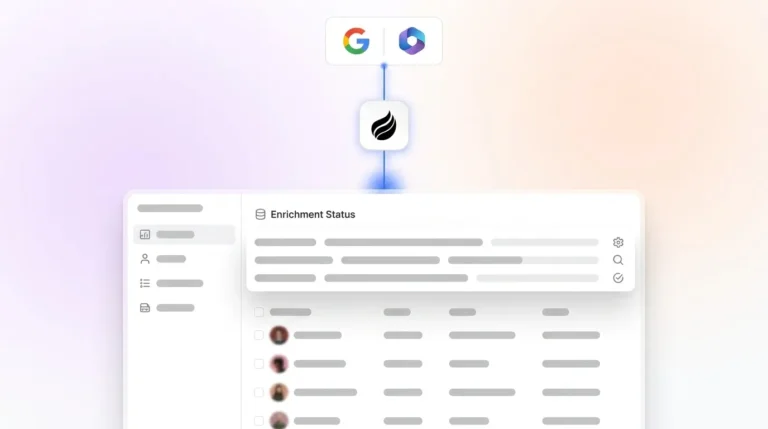
Coffee’s agent connects to Google Workspace or Microsoft 365 and quickly begins scanning emails and calendars to auto-create contacts, companies, and activity logs. The January 2026 Stripe integration automatically imports customers, enriches them, and marks paid invoices as Closed Won deals, which previously required manual reconciliation across three tools. Enrichment pulls job titles, funding data, and LinkedIn profiles from licensed data partners, so many teams can remove separate Apollo or ZoomInfo subscriptions.

Pipedrive’s AI Sales Assistant logs call details and identifies patterns to recommend prioritization, yet reviewers consistently note that it misses context that manual notes would capture. Attio’s flexible data model works well for technical teams but requires more initial setup than traditional CRMs and does not autonomously populate records from communication streams. HubSpot’s Breeze and Freshsales’ Freddy both offer enrichment features, but autonomous capture without rep confirmation appears only on higher-tier plans at meaningfully higher cost.
Organizations combining traditional CRM with voice and communication data capture achieve 85–95% data completeness versus the 40–50% industry average for manual entry. This architectural difference has measurable impact, and Coffee’s design targets that upper range by default.

Meeting Intelligence and Post-Call Automation Depth
Coffee launched Custom Meeting Briefings and Summaries in February 2026, so teams can define exact output formats such as executive summaries, technical breakdowns, or BANT, MEDDIC, and SPICED qualification notes. The agent writes these outputs back automatically to Coffee, HubSpot, or Salesforce. It joins Zoom, Teams, and Meet calls, transcribes them, identifies next steps, and drafts follow-up emails in Gmail for one-click review and send.

Pipedrive relies on third-party tools for call recording and offers no native post-call write-back to deal records. HubSpot Breeze handles some post-call summarization, yet the depth of autonomous action, including briefing prep, structured note formatting, and CRM write-back, falls short at comparable price points. AI CRM solutions save sales reps 30–60 minutes daily on note-taking and data entry. The meeting automation alone recovers a significant portion of that range.

Pipeline Visibility and Historical Tracking Capabilities
Most CRMs store only the current state of a deal, so prior values disappear when a field is updated. Coffee stores pipeline history in a built-in data warehouse, which enables the Pipeline Compare feature to surface week-over-week changes such as which deals progressed, which stalled, and what was added. The January 2026 AI search release answers natural-language queries like “Which deals are stuck in negotiation?” or “What is closing this month?” without a manual report build.

Pipedrive’s visual pipeline remains its strongest feature but lacks native time-series comparison. HubSpot’s reporting suite becomes comprehensive at enterprise tiers but increases cost. Attio’s reporting is flexible yet requires configuration. Pipeline review and prioritization time drops from 45 minutes to 5–10 minutes when AI handles the workflow, and that gain depends on accurate historical data.
Standalone CRM vs Companion Layer Flexibility
Every alternative in this comparison operates only as a standalone CRM. Coffee gives teams a genuine choice, either deploy it as the system of record for groups that have outgrown spreadsheets or deploy it as a companion agent on top of an existing Salesforce or HubSpot instance. The companion mode authenticates once, syncs data, enriches records, and writes insights back to the primary CRM, which preserves existing workflows, quotas, and required fields while removing the manual-entry burden.
This flexibility matters for RevOps leaders at 20-to-50-person companies that already invested in HubSpot or Salesforce and cannot justify a full migration. Coffee’s November 2025 summary templates are customizable and writable back to Coffee, HubSpot, or Salesforce. That capability turns the companion layer into a practical, low-disruption upgrade path instead of a rip-and-replace project.
Compare standalone and companion pricing to see which deployment model fits your existing CRM setup.
Total Cost and Time Saved for 10-to-50-Person Teams
Coffee uses seat-based pricing with no metering on agent actions, LLM usage, or automated processes. The agent’s labor, including enrichment, logging, meeting bots, and pipeline tracking, is included. For a 15-person team, this model stays predictable and scales in a linear way.
HubSpot’s AI features (Breeze) are either bundled into premium plans or charged via usage-based credits and outcome fees rather than adding a flat $50 per month, so the all-in cost for a small team often lands far above the base license. Salesforce’s standalone Einstein AI add-ons add $50 to $75 per user per month on top of base per-seat costs. Pipedrive’s base pricing looks competitive, yet achieving comparable automation depth usually requires separate tools for enrichment, recording, and forecasting, which creates a fragmented stack that still leaves reps with the same manual-entry burden described earlier.
Coffee’s stated savings of 8–12 hours per week per rep, even at the lower bound across a 15-person team, represent more than 120 hours of recovered selling time weekly. That recovered time easily outweighs platform cost at any reasonable revenue-per-hour estimate.
Real Rep Feedback on Pipedrive’s Manual Work and Fragmented Stack
Pipedrive reviews on forums like Reddit’s r/sales and G2 highlight a consistent pattern. The tool works well for pipeline visualization but demands constant manual maintenance. Reps report spending significant time logging calls, updating deal stages, and reconciling data from separate tools such as Fathom or Gong for recording, Apollo or ZoomInfo for enrichment, and Outreach or Salesloft for sequencing. These tools do not write back to Pipedrive automatically without custom Zapier workflows.
Pipedrive’s AI Sales Assistant sometimes misses context that manual notes would capture, so reps who rely on it for deal intelligence still need to supplement with their own notes. Automation is critical in enterprise CRM because manual tasks like call logging, email tracking, and campaign maintenance consume time that reps should spend selling. Pipedrive’s current architecture has not fully resolved this issue, and for teams beyond five reps, stack management overhead quickly becomes a RevOps burden.
Best-Fit Use Cases for Early-Stage and Mid-Market Teams
1-to-20-person teams with no existing CRM: Coffee Standalone fits directly. The agent handles setup, enrichment, and logging from day one. There is no migration, no admin overhead, and no fragmented stack to manage. Teams that have outgrown Notion or spreadsheets but view HubSpot and Pipedrive as expensive manual chores benefit most.
20-to-50-person teams committed to HubSpot or Salesforce: Coffee Companion fits these teams. The agent layers on top of the existing system, improves data quality without disrupting workflows, and removes the need for separate enrichment and recording tools. RevOps leaders keep their existing reporting structure while gaining autonomous data capture.
Teams evaluating Attio or HubSpot Breeze for the first time: Both options work for teams that prioritize custom data models with Attio or marketing-sales unification with HubSpot. Neither offers a companion mode, and both require meaningful setup investment before automation depth approaches Coffee’s out-of-the-box agent behavior.
Operational Considerations for Change Management, Security, and Scale
Coffee is SOC 2 Type 2 and GDPR compliant. Data is not used to train public models, which addresses the primary security objection from RevOps leaders at companies handling sensitive deal data. Duplicate customer records across parallel CRM systems create GDPR compliance risks because the same data subject may be stored under different legal bases and consent records. Coffee’s unified data model reduces that risk by maintaining a single enriched record per contact.
Change management for a 15-person team adopting Coffee Standalone stays light. The agent begins populating the CRM from existing email and calendar data immediately after authentication, so reps see value before they change behavior. For the Companion mode, the integration uses a single authentication against an existing Salesforce or HubSpot instance with no workflow disruption. Legacy CRM deployments can take several months for full adoption. Coffee’s agent-first design compresses that timeline significantly.
Current third-party integrations run through Zapier, and deeper native integrations sit on the roadmap. Teams with complex custom Salesforce or HubSpot configurations, including required fields, quota structures, and multi-currency forecasting, should validate specific field-mapping requirements during onboarding.
Decision Framework Checklist for CRM Buyers
Choose Coffee Standalone if: Your team is 1–20 people, you have no existing CRM or are actively replacing Pipedrive, and you want autonomous data capture without setup complexity or per-feature add-on costs.
Choose Coffee Companion if: Your team is 20–50 people, you are committed to Salesforce or HubSpot, and your primary problem is low CRM adoption, poor data quality, or a fragmented enrichment and recording stack.
Consider Pipedrive if: Your team needs a low-cost visual pipeline tool and feels comfortable managing a separate enrichment and recording stack manually. Expect the manual-entry burden described earlier to continue.
Consider Attio if: Your team has a technical RevOps function, needs highly custom data models, and can invest in initial configuration. Automation depth for unstructured data capture remains limited compared with Coffee.
Consider HubSpot Breeze if: Marketing-sales alignment is the primary driver and your team already uses HubSpot’s marketing platform. Budget for AI add-on costs and confirm whether Breeze’s automation depth meets your data-entry elimination threshold.
Frequently Asked Questions
How long does Coffee implementation take for a 15-person sales team?
For the Standalone CRM, implementation begins immediately after connecting Google Workspace or Microsoft 365. The Coffee Agent starts scanning emails and calendars to auto-create contacts, companies, and activity logs within hours of authentication. Most 15-person teams have a populated, enriched CRM within the first week without any manual data migration. For the Companion App on HubSpot or Salesforce, setup requires a single authentication against the existing CRM instance. The agent then begins enriching records and writing meeting summaries back to the system of record. There is no workflow disruption for reps, and the data quality improvement becomes visible within the first sales cycle.
What migration effort is required when moving from Pipedrive to an agent-powered CRM?
Moving from Pipedrive to Coffee Standalone involves exporting contact, company, and deal records from Pipedrive and importing them into Coffee. The Coffee Agent then enriches those records automatically by appending job titles, funding data, and LinkedIn profiles, so the imported data ends up cleaner than the source. Historical activity logs such as calls, emails, and notes can be migrated in bulk. The more significant transition is behavioral. Coffee’s agent handles ongoing data entry autonomously, so reps no longer need to log activities manually after migration. Teams that relied on Pipedrive’s manual pipeline updates usually see the largest time savings in the first 30 days as the agent takes over that workload.
How deep are Coffee’s integrations with Salesforce and HubSpot compared with other alternatives?
Coffee’s Companion App is built around the complexity of Salesforce and HubSpot, including required fields, quota structures, custom objects, and forecasting configurations. The agent authenticates once, syncs existing records bidirectionally, enriches contacts and companies, and writes meeting summaries and activity logs back to the primary CRM in the correct field structure. Newer AI CRM alternatives like Day.ai and Clarify do not match this depth of understanding of Salesforce and HubSpot’s architecture, which creates friction for teams with established configurations. Coffee’s summary templates, released in November 2025, are customizable and writable back to Coffee, HubSpot, or Salesforce, so RevOps leaders control exactly what data the agent writes and where it lands in the existing data model.
How can teams measure time saved after adopting an autonomous AI sales assistant?
The most direct measurement uses rep-reported time on administrative tasks before and after adoption, tracked over a 30-day baseline period. Useful metrics include time spent logging calls and emails, time spent updating deal stages, time spent preparing for meetings, and time spent building pipeline reports. Coffee’s Pipeline Compare feature provides an objective measure of pipeline review time. Teams that previously spent 45 minutes per rep per week on manual pipeline updates can compare that against the time required to review the agent-generated comparison. A secondary measure is data completeness, which compares the percentage of deals with complete activity logs, next steps, and enriched contact records before and after the agent is deployed. Teams that track both behavioral time savings and data quality improvement build the clearest ROI case for continued investment.
Conclusion: Matching AI Sales Assistants to Your CRM Strategy
The five criteria in this analysis, automation depth, meeting intelligence, pipeline visibility, architectural flexibility, and total cost and time saved, separate agent-powered platforms from passive databases with AI features bolted on. Pipedrive, Attio, HubSpot Breeze, and Freshsales Freddy each address parts of the problem. None removes the manual-entry burden across all five dimensions, and none offers dual-mode flexibility that lets a team deploy the same agent whether they have an existing CRM or not.
Coffee is the only platform in this comparison that operates as both a standalone system of record and a companion agent layer, captures structured and unstructured data autonomously, maintains a built-in data warehouse for historical pipeline tracking, and prices on a predictable per-seat model with unlimited agent labor included. For Heads of Sales and RevOps leaders at 10-to-50-person US tech companies, that combination addresses the core issue directly. The manual-entry burden is not a workflow problem, it is an architecture problem. Coffee’s agent solves it at the architecture level.
Get started with Coffee and see which plan fits your team’s CRM setup.