Written by: Doug Camplejohn, CEO & Co-Founder, Coffee
Key Takeaways
- Real-time sales dashboards stay accurate only when CRM data is complete and current. Incomplete records create misleading forecasts.
- Manual data entry by busy sales reps drives poor CRM data quality. Industry surveys show just 23–24% of records are accurate and complete.
- Legacy CRMs like Salesforce and HubSpot were not built to unify structured and unstructured data, so teams fall back to shadow systems and fragmented reporting.
- Agent-powered automation that captures emails, calls, and calendar events automatically removes manual entry and keeps dashboards refreshed in real time.
- Teams ready to eliminate stale pipeline data can use Coffee to unlock trustworthy real-time reporting without extra work.
The Operational Problem Behind Failing Real-Time Dashboards
Real-time dashboards are only as reliable as the records feeding them. In most B2B sales environments, those records are maintained by sales representatives who are already stretched thin. Legacy CRM workflows depend on busy sellers to log every email, call, and update, yet this rarely happens consistently. The result is incomplete records that weaken forecast accuracy, pipeline visibility, and executive decision-making.
The symptoms are predictable. Deals advance in conversation but not in the CRM. Close dates go unrevised. Stage definitions drift across reps. Teams then build shadow CRMs in spreadsheets or Notion, which fragments customer intelligence further. This fragmentation contributes to a broader data quality crisis. Industry surveys show only about 23–24% of CRM data is accurate and complete. When a dashboard pulls from these incomplete records, the output is not real-time visibility, it is a real-time view of broken data.
Why Legacy Dashboards and Manual Entry Break Down
Sales representatives spend only about 35% of their time on actual selling, with the rest lost to administrative work. Despite this effort, many CRM records still lack complete information, which shows that manual processes are unreliable even when reps try to keep up.
The architectural problem compounds the human one. Older CRM architectures struggle to unify structured CRM objects with unstructured content such as email text or call notes. Relational databases often overwrite history when fields change. This behavior reduces context for AI models and weakens forecast accuracy. Salesforce carries 25 years of legacy architecture. HubSpot started as a marketing tool with a CRM added later. Neither platform was designed as a unified intelligence system.
The result is shadow-CRM proliferation. Low CRM adoption drives teams to run shadow CRMs in spreadsheets or side tools, which fragments customer intelligence and reduces reporting trust. A dashboard connected to a fragmented system of record cannot produce trustworthy metrics, no matter how polished the charts look.
Real-Time Pipeline Visibility Without Manual Data Entry
Given these systemic failures in legacy CRM architectures, the only viable solution is to remove humans from the data entry loop entirely. Automating data capture from emails, calendars, and call logs into a centralized CRM creates a single source of truth. This approach eliminates manual entry errors and supports trustworthy real-time dashboards.
AI CRM data automation captures and updates customer information automatically from emails, calls, documents, email signatures, LinkedIn profiles, and meeting notes. This automation removes manual typing and keeps dashboard data fresh in real time. AI can reach high accuracy in data processing and extraction tasks. Manual entry, by contrast, suffers from human error, inconsistent habits, and skipped updates during busy periods.
Automated data pipelines from CRM systems such as Salesforce and HubSpot are required to eliminate manual reporting effort. These pipelines ensure KPI dashboards reflect current information without lag. For activity metrics, real-time dashboards should target under 15-minute latency. Pipeline metrics should refresh in under one hour and revenue metrics within six hours to avoid stale decision-making.
Forecast Metrics That Matter for CRM Leaders in 2026
Five metrics define trustworthy pipeline visibility for RevOps and sales leaders in 2026.
- Pipeline coverage ratio (3–4× quota): Total pipeline value divided by sales quota, with a benchmark of 3–4× quota coverage, ensures enough opportunities to hit revenue targets and support forecast reliability.
- Pipeline velocity: Calculated as (pipeline × win rate × average deal size) ÷ cycle length. This metric shows how quickly opportunities convert to revenue and supports reliable real-time pipeline forecasting.
- Close rate (15–25%): Closed won deals divided by total pipeline opportunities, with a benchmark of 15–25% for most B2B funnels. This rate measures funnel efficiency and conversion performance, both critical to trustworthy pipeline visibility.
- Deal slippage rate (<20%): Deals moved past original close date divided by total deals forecast, with a benchmark of less than 20%. This metric signals forecast risk and qualification problems that undermine real-time pipeline visibility.
- Forecast accuracy (90%+): Calculated as [1 − |Forecasted Sales − Actual Sales| ÷ Actual Sales] × 100%, with a benchmark of 90%+. Strong performance here enables better business planning and resource allocation in revenue operations.
AI-powered sales tracking tools can improve forecast accuracy by up to 25%. None of these gains are achievable when the underlying CRM data is incomplete.
Agent-Powered Sales Reporting Compared With Legacy Dashboards
With these metrics established as the standard for trustworthy pipeline visibility, CRM leaders need to evaluate how different tools support real-time analytics. The answer depends less on the dashboard layer and more on the data quality layer beneath it. The following numbered list addresses the most common evaluation questions.
- Does Salesforce offer real-time analytics natively? Salesforce provides reporting tools, but their accuracy depends on manual data entry by reps. Salesforce Agentforce enables autonomous agents that execute actions across systems using MuleSoft API connectors and Flows to maintain CRM data quality. These capabilities require extra configuration and licensing beyond the core CRM.
- Does HubSpot offer real-time analytics natively? HubSpot’s Smart Deal Progression feature delivers automatic post-meeting CRM updates, email follow-ups, and suggested next steps. HubSpot Data Enrichment automatically fills contact and company records. These features reduce manual logging and improve completeness, yet they remain partial solutions within a platform not architected for unified intelligence.
- Do BI tools like Domo solve the data quality problem? KPI reliability for forecast operations depends on connecting to certified systems of record with standardized calculation logic and monitored data freshness SLAs rather than fragmented departmental sources. BI tools visualize data. They do not repair the source.
- What does an agent-led architecture add? AI-assisted record matching can achieve high precision and recall when merging duplicate records. This approach preserves all interaction history and continuously improves CRM data quality over time.
The Agent-Led Solution Category: How Coffee Fits
Coffee is the CRM Agent built to solve the data quality problem at its root. It operates in two models. The first model is a Standalone AI-First CRM for teams of 1–20. The second model is a Companion App that deploys the Coffee Agent as an intelligent layer on top of existing Salesforce or HubSpot installations. In both cases, the agent handles the data capture process so that the system of record stays accurate without human effort. Real-time dashboards then reflect reality.
67% of data and analytics professionals do not fully trust their company’s data, with 64% citing data quality as their primary data integrity challenge. Coffee’s architecture addresses this directly by ingesting structured and unstructured data such as emails, calendar events, and call transcripts. It then writes clean, enriched records back to the CRM continuously.
Key Benefits of Deploying the Coffee Agent
Automatic Enrichment and Activity Logging
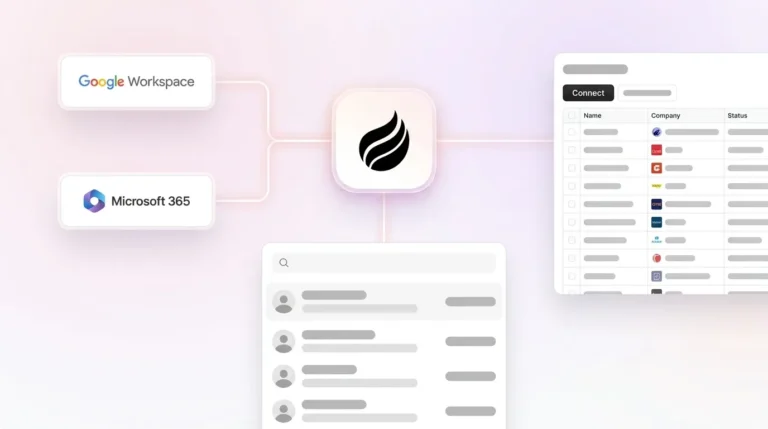
After connecting to Google Workspace or Microsoft 365, the Coffee Agent scans emails and calendars to auto-create contacts and companies. It augments records with job titles, funding data, and LinkedIn profiles, and logs last and next activity autonomously. The Coffee Agent saves each representative 8–12 hours per week while maintaining consistent records.

Meeting Orchestration for Consistent Qualification
The Coffee Agent joins calls via Zoom, Teams, or Meet to record and transcribe. After each call, it generates summaries, identifies next steps, and drafts follow-up emails. It structures notes according to BANT, MEDDIC, or SPICED. This structure ensures consistent qualification data enters the CRM after every interaction, with no rep effort required.

Pipeline Compare for Faster Reviews
Coffee captures history in a built-in data warehouse and visualizes week-over-week pipeline changes automatically. It highlights progressed deals, stalled opportunities, and new additions. Pipeline reviews become strategic discussions instead of data reconciliation sessions.

Workflow from Capture to Dashboard Output
- Connection: Coffee authenticates with Google Workspace or Microsoft 365 and the existing Salesforce or HubSpot instance.
- Capture: The agent ingests emails, calendar events, and call transcripts continuously.
- Enrichment: Records are augmented with third-party data such as titles, funding, and LinkedIn via licensed partners.
- Structuring: Unstructured content is parsed into CRM fields using the team’s chosen sales methodology.
- Sync: Clean, enriched data is written back to Salesforce or HubSpot in real time.
- Output: Dashboards, Pipeline Compare views, and forecast metrics reflect complete, current records without a single manual entry.
2026 Market Context and Comparison of Approaches
Many companies expect AI to unlock sales growth and are increasing investment in AI. CIOs are redefining revenue strategy through improved data governance and cross-functional alignment to enable predictable, scalable growth with AI agents. The table below compares four architectural approaches by their data-quality capability, which is the decisive factor for real-time dashboard reliability.
| Approach | Data Quality Capability | Unstructured Data Support | Manual Entry Required |
|---|---|---|---|
| Legacy CRM (Salesforce, HubSpot native) | Only 23–24% accurate on average, with most organizations reporting less than half their data is complete | Limited, relational databases overwrite history | Yes, rep-dependent |
| Modern CRM (Clarify, Day.ai) | Improved UX, limited integration depth for established teams | Partial, productivity-focused | Reduced but not eliminated |
| BI Tool (Domo, Tableau) | Depends on certified systems of record with monitored data freshness SLAs | None, visualization layer only | Yes, upstream CRM still manual |
| Agent Architecture (Coffee) | High accuracy (see above) | Full, emails, transcripts, calendar events unified | No, agent handles capture and enrichment |
Evaluation Framework for Real-Time Dashboard Solutions
CRM leaders at $10M–$500M ARR companies should assess real-time dashboard solutions against four criteria.
- Data quality capability: Before trusting outputs from any real-time sales dashboard, CRM leaders must audit source systems for consistent stage definitions, weekly-updated close dates, and 100% populated rep-assignment fields. Evaluate whether the solution fixes data at the source or only visualizes existing records.
- Integration depth: A centralized data layer is required for reliable real-time dashboards; point-to-point CRM-to-dashboard connections create maintenance failures whenever source schemas change. Coffee integrates via direct authentication with Salesforce and HubSpot, with additional connections available through Zapier.
- Security and compliance: Coffee is SOC 2 Type 2 and GDPR compliant. Data is not used to train public models. For teams in regulated industries, verify that any agent solution meets equivalent standards before deployment.
- Implementation effort: Implementation of a sales dashboard should include a pilot phase with 1–2 reps per role for two weeks, followed by refinement of alert thresholds and refresh cadences before full rollout. CRM leaders should launch quickly with 3–5 core metrics such as pipeline velocity, lead conversion rate, and forecast accuracy before refining based on feedback. Coffee’s seat-based pricing and simple authentication model support fast deployment without enterprise-scale implementation overhead.
Summary: Why Agent-Led Architectures Win
Real-time sales reporting dashboards fail when the data feeding them is incomplete. Legacy CRMs, BI tools, and even modern CRM alternatives do not resolve the root cause. Manual data entry produces records that are too sparse, too stale, and too fragmented to support accurate forecasting. An agent-led architecture that captures structured and unstructured data automatically from emails, calendars, and call transcripts, then writes clean records back to Salesforce or HubSpot, offers a reliable path to trustworthy real-time pipeline visibility in 2026.
Frequently Asked Questions
What is a real-time sales reporting dashboard?
A real-time sales reporting dashboard is a visualization layer that pulls live data from a CRM to display current pipeline value, deal stage distribution, rep activity, forecast versus actuals, and other revenue metrics. The key word is “live” because the dashboard refreshes continuously rather than relying on scheduled exports. The dashboard itself does not generate data quality. It reflects whatever sits in the underlying CRM. If the CRM contains incomplete or outdated records due to manual entry gaps, the dashboard will display those inaccuracies in real time.
Why do Salesforce and HubSpot dashboards produce inaccurate forecasts?
Salesforce and HubSpot are relational database systems that depend on sales representatives to log activities, update deal stages, and revise close dates manually. When reps are busy, these updates are skipped, delayed, or entered inconsistently. The result is a CRM where most organizations report that less than half their data is accurate and complete, stage definitions drift across reps, and close dates are never revised. Dashboards built on these records produce forecasts that mirror data entry behavior instead of actual pipeline health. Native AI features cannot fully resolve this because they operate on the same incomplete source data.
How does Coffee improve dashboard accuracy on Salesforce or HubSpot?
Coffee deploys as a Companion App on top of an existing Salesforce or HubSpot instance. After authentication with Google Workspace or Microsoft 365, the Coffee Agent automatically captures emails, calendar events, and call transcripts. It structures that content into CRM fields, enriches records with third-party data, and writes everything back to the primary CRM continuously. Reps no longer need to log activities manually. Because the CRM records stay complete and current, any dashboard connected to that CRM, including native Salesforce reports or HubSpot dashboards, reflects accurate, real-time data.
Is Coffee secure enough for mid-market B2B companies?
Coffee is SOC 2 Type 2 certified and GDPR compliant. Data processed by the Coffee Agent is not used to train public AI models. For most $10M–$500M ARR B2B companies, these certifications satisfy standard security review requirements. Coffee is not currently designed for heavily regulated industries such as healthcare or finance that require multi-year security reviews or custom compliance frameworks.
Which metrics improve most quickly after deploying Coffee?
The fastest improvements appear in activity completeness and pipeline coverage accuracy because the Coffee Agent begins logging interactions from day one of deployment. Within the first weeks, CRM records reflect complete email and meeting history without rep effort. This completeness immediately improves the reliability of pipeline coverage ratios and deal slippage tracking. Forecast accuracy then improves over time as the agent accumulates historical deal data that supports more precise probability weighting. Teams also report that weekly pipeline reviews become significantly faster because Pipeline Compare replaces manual CSV exports and spreadsheet reconciliation.