
Written by: Doug Camplejohn, CEO & Co-Founder, Coffee
Key Takeaways
- Manual contact creation fails at scale, with 71% of sales reps spending too much time on data entry and only 35% of their hours actually selling.
- Bad contact data causes 1–5% annual EBITA loss and 2.1% monthly decay, so automated enrichment and deduplication become essential for reliable forecasting.
- The 7-step agent-orchestrated workflow of signal detection, deduplication, record creation, enrichment, ICP tagging, activity logging, and quarterly hygiene removes manual entry while enforcing data quality from the first signal.
- Mandatory fields such as name, email, company, title, lead source, owner, and LinkedIn URL must be populated at creation, and AI agents reach 85% or higher enrichment coverage with multi-source waterfalls.
- Teams ready to automate contact creation can get started with Coffee and connect their inbox and calendar in minutes.
Why Contact Creation Best Practices Matter Now
Bad contact data creates real revenue loss, not just operational friction. Companies lose between 1% and 5% of EBITA annually due to revenue leakage, with fragmented data and manual entry as primary contributors. B2B contact data decays at roughly 2.1% per month, so nearly a quarter of any static database becomes outdated within a year. Sales professionals often lack complete trust in their organization’s data, which undermines automation and forecasting.
Agent-led workflows now offer a practical alternative to manual entry. A 2025 HubSpot State of Sales report found that sales agents use AI in their processes and report that AI and automation solutions deliver the best ROI out of their entire sales tech stack. Gartner predicts that by the end of 2026, 40% of enterprise applications will include task-specific AI agents capable of handling end-to-end workflows, up from less than 5% in 2025.
Readiness checklist before starting:
- Google Workspace or Microsoft 365 connected to your CRM or agent
- Defined buyer personas with ICP firmographic criteria
- Existing or planned CRM such as Salesforce, HubSpot, or Coffee Standalone
- Designated RevOps or sales ops owner for workflow governance
- Duplicate threshold and data quality benchmarks agreed upon by leadership
Connect your inbox to Coffee and begin auto-creating contacts today with no CRM migration required.
Mandatory Fields for Sales Contact Records
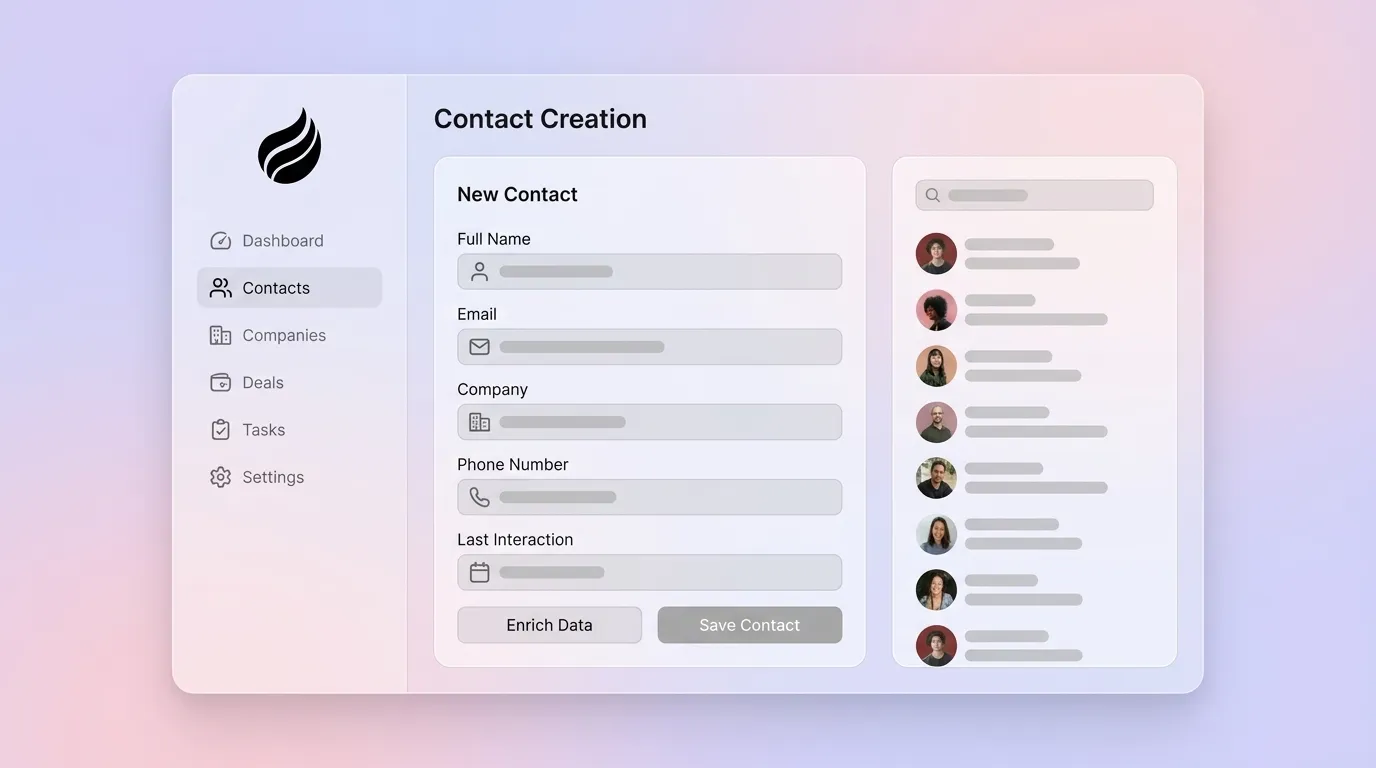
Clear field definitions give your agent concrete rules for data quality. Contact records should contain at minimum first name, last name, email, phone, and company. Pipedrive’s 2026 documentation states that person name, or organization name, is the sole mandatory field required to create records during import. Minimal compliance creates data gaps that break automation and enrichment workflows. The table below defines the full mandatory field set for SMB sales teams, and each field supports deduplication, enrichment, or routing, so missing any one of them weakens automatic data quality.

| Field | Type | Owner | Purpose |
|---|---|---|---|
| First Name + Last Name | Text (required) | Agent / Rep | Primary identifier, deduplication anchor |
| Work Email | Email (required) | Agent | Outreach, deduplication, enrichment match key |
| Company Name | Lookup (required) | Agent | Account association, firmographic enrichment trigger |
| Job Title | Text (required) | Agent (enriched) | ICP qualification, persona routing |
| Phone (Direct) | Phone | Agent (enriched) | Outreach fallback, data quality signal |
| LinkedIn URL | URL | Agent (enriched) | Identity verification, enrichment source |
| Lead Source | Picklist (required) | Agent | Attribution, pipeline reporting |
| Contact Owner | User lookup (required) | Agent / RevOps | Routing, SLA accountability |
Fields used by AI features should be prioritized for completeness and accuracy before any enrichment or automation workflow goes live. For sales use cases, the highest-value fields are verified work email, direct dial, current job title, and company size or industry.
The 7-Step Contact-Creation Workflow
Step 1 — Signal Detection
Input: Incoming email, calendar event, or website visit. Owner: Coffee Agent. Output: Raw contact candidate flagged for creation. The agent scans Gmail or Outlook continuously and identifies net-new email addresses and meeting attendees not already present in the CRM. This inbox-first approach captures relationship signals as they happen. For prospects who have not yet emailed your team, website visitor identification through a tracking pixel surfaces anonymous traffic as named prospects and extends signal detection beyond direct communication.

Step 2 — Deduplication Check
Input: Candidate email and name. Owner: Agent. Output: Confirmed net-new record or merge flag. Strong record-matching logic that uses multiple identifiers such as email domain, company name, and phone reduces false positives and improves deduplication accuracy. Data cleansing and deduplication must occur before enrichment, because enriching duplicate records amplifies existing data quality problems.
Pitfall: “Verify Before Create” Paralysis. Teams that require manual rep approval before every contact is created recreate the same bottleneck they wanted to remove. Set agent confidence thresholds. If email domain matches a known account and no duplicate exists, allow auto-creation without human review.
Step 3 — Record Creation
Input: Verified net-new signal. Owner: Agent. Output: Structured contact record with mandatory fields populated. The Coffee Agent writes the record directly to the CRM, such as Salesforce, HubSpot, or Coffee Standalone, with name, email, company, lead source, and contact owner pre-filled from the originating signal.
Step 4 — Enrichment
Input: Base record with email and company name. Owner: Agent. Output: Enriched record with title, LinkedIn, phone, and firmographics. In a 10,000-contact test, single-source enrichment reached 55% while a 3-step waterfall reached 85% coverage, with 68% verified after cleaning. Start with the highest-value fields such as email, phone, and title, verify results, then add secondary firmographic and technographic fields.
Pitfall: Missing LinkedIn Enrichment. LinkedIn URL is the single most reliable identity-verification field for B2B contacts. Without it, deduplication across job changes fails and persona routing degrades. Configure your agent to enrich this field at creation rather than retroactively.
Step 5 — ICP Tagging and Routing
Input: Enriched record. Owner: Agent or RevOps rules engine. Output: Tagged contact with ICP fit score, persona label, and assigned owner. Enrichment creates the most value when embedded in workflows that recalculate ICP fit and trigger owner assignment the moment new data arrives.
Step 6 — Activity Logging
Input: Originating email or calendar event. Owner: Agent. Output: Logged first activity with date, type, and next step. The agent associates the originating signal with the new record automatically and keeps “last activity” and “next activity” fields current from day one without rep input.
Step 7 — Quarterly Hygiene Pass
Input: Full contact database. Owner: Agent and RevOps. Output: Refreshed records, merged duplicates, flagged churned contacts. RevOps teams typically run quarterly enrichment passes across the entire database while enriching new leads in real time as they enter the CRM. Automated enrichment triggers should include lead creation in real time, email bounce events with immediate re-enrichment, quarterly refreshes for active records, and annual database refreshes.
Coffee Agent Workflow in Everyday Sales Scenarios
The table below converts the 7-step workflow into concrete trigger and action pairs. It shows exactly how the Coffee Agent responds to common sales signals and where human review still adds value.
| Trigger | Coffee Agent Action | CRM Output | Human Step Required |
|---|---|---|---|
| New email from unknown sender | Extracts name, email, company, then runs a dedup check | Net-new contact created with lead source = Email | None |
| Calendar invite accepted | Identifies all attendees and cross-references the CRM | Missing attendees created and meeting logged as activity | None |
| Website pixel hit (named visitor) | Identifies visitor, matches to ICP persona, and suggests top 2–3 contacts | Prospect added with enrichment pre-filled | One-click approval for outreach |
| Email bounce event | Flags record and triggers re-enrichment for a verified email | Updated email field with bounce flag cleared or contact archived | None |
| Quarterly cadence | Scans all active records for decay and refreshes stale fields | Updated titles, phones, LinkedIn URLs, and duplicate merge report | RevOps reviews merge report |
Validation Checklist and Success Metrics
- ☐ Mandatory fields completion rate of at least 95% across all contact records
- ☐ Duplicate contact rate below 2% of the total database
- ☐ Enrichment match rate of at least 85% for email and title fields
- ☐ Lead source populated on 100% of net-new contacts
- ☐ Contact owner assigned within 5 minutes of record creation
- ☐ Time-to-first-contact reduced by at least 30% versus the manual baseline
- ☐ Rep time on data entry reduced by at least 8 hours per week per seat
- ☐ Quarterly hygiene pass completed with stale records flagged and resolved
McKinsey reports that early adopters of sales automation see efficiency improvements of 10–15% and significantly more time spent on customer-facing activities. Nucleus Research found that marketing automation drives a 14.5 percent increase in sales productivity.
Run your first automated workflow and measure time saved within the first week.
Scaling the Workflow Across Team Sizes
5-Person Team (Coffee Standalone CRM): Connect Google Workspace or Microsoft 365 on day one so the Coffee Agent can auto-create contacts from all inbound email and calendar activity immediately. No CRM admin is required for this setup. Use Coffee’s built-in Pipeline Compare for weekly reviews. The agent handles quarterly hygiene with a single RevOps review of the merge report.
25-Person Team (Salesforce or HubSpot + Coffee Companion): Deploy Coffee as a Companion App through simple authentication. The agent writes enriched contacts back to Salesforce or HubSpot and respects existing required fields, validation rules, and assignment logic. No-code automation platforms let RevOps teams build enrichment workflows that trigger on lead actions without engineering resources. Maintain a weekly refresh cadence for active pipeline contacts and a quarterly pass for the full database. The strongest setups use layered enrichment plus automated governance controls such as conflict-resolution rules and property-level permissions to maintain match quality over time.
Frequently Asked Questions
What mandatory fields should every sales contact record include?
Every contact record should include first name, last name, work email, company name, job title, lead source, and contact owner. Work email is the single most critical field because it serves as the primary deduplication key and enrichment match identifier. LinkedIn URL should function as a near-mandatory field for B2B teams because it enables identity verification across job changes. Phone, preferably direct dial, and firmographic fields such as industry and company size should be enriched automatically at record creation rather than entered manually by reps.
How do you prevent duplicate contacts in a CRM?
Duplicate prevention requires a multi-identifier matching strategy executed before a record is created, not after. The agent should check incoming signals against existing records using email address, company domain, and full name at the same time. A single-field check that relies on email only misses duplicates created under different email formats. Set a confidence threshold. If two or more identifiers match an existing record, route to merge rather than create. Run a quarterly deduplication pass across the full database to catch records that slip through and target a duplicate rate below 2% of total contacts.
What triggers should fire automated contact enrichment?
Four triggers cover the full contact lifecycle. Real-time enrichment at lead creation runs the moment a net-new record is written to the CRM. Immediate re-enrichment on email bounce events recovers a verified address. Quarterly refreshes for all active records address natural data decay. Annual passes for the full database keep long-tail records current. Behavioral triggers such as job change alerts, funding events, and hiring signals should also fire enrichment when detected, because these signals correlate with buying intent and improve reply rates when acted on quickly.
How does an AI agent handle contact creation differently from a human rep?
A human rep creates contacts reactively, inconsistently, and incompletely. They usually add records only after a deal is already in motion and only with the fields they remember to fill. An AI agent operates continuously and systematically. It scans every email and calendar event, applies deduplication logic before writing any record, enriches mandatory fields from licensed data sources at creation, assigns ownership based on routing rules, and logs the originating activity automatically. The result is a contact database that reflects actual relationship activity rather than selective manual input, so reps interact with complete records instead of building them.
Is agent-orchestrated contact creation suitable for teams already using Salesforce or HubSpot?
Agent-orchestrated contact creation works well with existing Salesforce or HubSpot instances. An agent like Coffee operates as a Companion App that authenticates with the current CRM and writes enriched data back to the system of record. It respects existing required fields, validation rules, and assignment logic already configured in the CRM. Teams do not need to migrate or replace their existing platform. The agent handles the data-in process such as contact creation, enrichment, and activity logging, while Salesforce or HubSpot continues to serve as the system of record for reporting, forecasting, and pipeline management.
Conclusion: Turn Contact Creation into an Agent-Led Advantage
Manual contact creation acts as a structural liability for modern sales teams. It produces incomplete records, duplicate entries, and stale data that corrupt forecasting and slow outreach. The 7-step workflow of signal detection, deduplication, record creation, enrichment, ICP tagging, activity logging, and quarterly hygiene turns contact creation from a rep chore into an agent-executed system. Sales teams using agentic AI for CRM hygiene and workflow automation report cleaner data, healthier pipelines, and forecasts based on current deal activity rather than outdated manual entries. Coffee acts as the agent that enforces every step of this workflow end-to-end, whether your team runs Coffee as a standalone CRM or as a companion layer on top of Salesforce or HubSpot. Every contact created is enriched, deduplicated, tagged, and logged without a rep lifting a finger.
Let the agent handle contact creation from day one and connect your inbox to see results immediately.


