Written by: Doug Camplejohn, CEO & Co-Founder, Coffee
Key Takeaways
- Website visitor identification CRM tools turn anonymous traffic into identifiable leads that sync directly into HubSpot or Salesforce without manual entry.
- Effective solutions combine IP, cookie, and enrichment data to deliver person-level details like name, title, email, and LinkedIn profiles in real time.
- Key evaluation criteria include person-level accuracy, real-time auto-enrichment, privacy compliance, implementation effort, and whether records are auto-created in the CRM.
- Most tools either stop at company-level data, require Zapier or manual steps, or lack persona-based filtering before pushing leads into the CRM.
- Coffee unifies identification, enrichment, and persona matching inside your CRM to deliver outreach-ready records, and you can get started with Coffee to close the loop from pixel to pipeline.
Executive Summary for RevOps and Sales Leaders
This comparison serves RevOps leads and Heads of Sales at 10–50 person U.S. B2B teams that already run HubSpot or Salesforce and now need a visitor identification layer that feeds clean, actionable leads into that system. The core decision centers on which tool closes the loop from pixel hit to enriched CRM record without Zapier, spreadsheets, or manual follow-up steps.
The market offers three main categories: standalone person-level tools such as RB2B and Warmly, company-level native features like HubSpot Prospects, and enrichment-heavy platforms such as ZoomInfo Onsite. Coffee fits a fourth category as an agent-driven solution that unifies structured and unstructured data inside the CRM and converts anonymous traffic into persona-matched, named leads ready for outreach.
Evaluation Criteria for CRM-Connected Visitor Identification
Person-level vs. company-level accuracy. Company-level identification via reverse IP lookup typically achieves 30–65% match rates for B2B traffic, while person-level identification typically reaches 5-20% for U.S. traffic.
Real-time auto-enrichment. Data loses value unless it flows immediately into existing sales and marketing workflows in CRMs like Salesforce and HubSpot. Tools that batch-export or require manual imports introduce latency that hurts conversion.
Privacy posture. Person-level identification faces greater compliance challenges and lower match rates in Europe due to GDPR, leading many tools to prioritize company-level identification or U.S. traffic, though GDPR-compliant person-level solutions exist for EU visitors. Compliance certifications such as SOC 2 Type 2, GDPR, and CCPA remain non-negotiable for teams with any international exposure.
Implementation effort. Pixel installation complexity, native versus Zapier sync, and time-to-first-lead vary significantly across tools.
Match-rate realities. Even a perfectly implemented tool faces accuracy limits when your audience works remotely. A significant portion of knowledge workers browse from home networks that resolve to consumer ISPs rather than employer networks, which degrades company-level match rates for remote-heavy audiences. This reality increases the value of real-time enrichment and person-level identification compared with raw IP matching alone.
Workflow closure. The final criterion covers whether identified visitors auto-create enriched CRM records and trigger sequences, or whether a human must intervene at any step.
Applying these six criteria to the leading tools reveals significant gaps in how each product handles CRM integration and lead readiness.
Side-by-Side CRM Integration and Workflow Comparison
The table below summarizes how each tool handles HubSpot and Salesforce integration and highlights the main limitation that prevents fully automated lead creation.
| Tool | HubSpot Integration Depth | Salesforce Integration Depth | Key Limitation |
|---|---|---|---|
| RB2B | Real-time Slack alerts, no native CRM sync on standard tiers | Manual export or additional steps required | U.S.-only person-level ID |
| Warmly | Native sync available, uses 20+ provider waterfall for match rates | Native sync available | Performs person-level tracking as a registered CCPA data broker while claiming GDPR compliance and supports ICP-based lead scoring and filtering |
| ZoomInfo Onsite | Native CRM sync | Native CRM sync with Salesforce and Microsoft Dynamics | Enterprise pricing, primarily account-level enrichment, separate product from core ZoomInfo license |
| HubSpot Prospects | Native, company-level IP matching only, requires manual steps to add records | Not applicable | No person-level ID, no auto-record creation |
| Coffee | Native Companion App, auto-creates and enriches contact and company records, triggers sequences | Native Companion App, agent writes enriched records and pipeline data back to Salesforce | U.S. person-level coverage, international traffic resolves at company level |
Company-Level vs. Person-Level Identification Accuracy
Company-level identification uses reverse IP lookup to match a visitor’s IP address to a corporate network range and delivers the 30–65% match rates noted earlier for B2B traffic. IP-based matching reaches 70–80% accuracy for B2B traffic when employees browse on corporate networks, but match rates drop when employees work from home.
Person-level identification cross-references browser signals such as IP address, cookie data, and device fingerprints against identity graphs and enrichment databases to surface names, work emails, titles, and LinkedIn profiles. Person-level identification typically reaches 5-20% for U.S. traffic. Kwanzoo, for example, claims up to 40% person-level identification by scanning more than 110 million cookies and device IDs in its identity grid.
Accuracy is reduced by VPN usage, proxies, virtual desktops, privacy-focused browsers, and extremely low website traffic volumes. Running a pilot on actual traffic is recommended over relying on vendor-claimed rates because results vary significantly by audience geography and traffic mix.
Privacy and Compliance Realities in 2026
Under GDPR and UK GDPR, company-level identification based on reverse IP lookup with no personal data is generally permissible under legitimate interest and typically does not require a consent banner. Person-level identification of EU or UK residents requires a lawful basis and usually requires explicit consent collected through a compliant banner.
ZoomInfo holds SOC 2 Type II, ISO 27001, ISO 27701, and TRUSTe GDPR certifications. Coffee is SOC 2 Type 2 and GDPR compliant, and does not use customer data to train public models. Teams should obtain a data processing agreement and current subprocessor list from any vendor before signing.
Once compliance requirements are satisfied, the next evaluation dimension becomes how quickly each tool can be deployed and start delivering leads.
Setup Effort and Native CRM Integrations
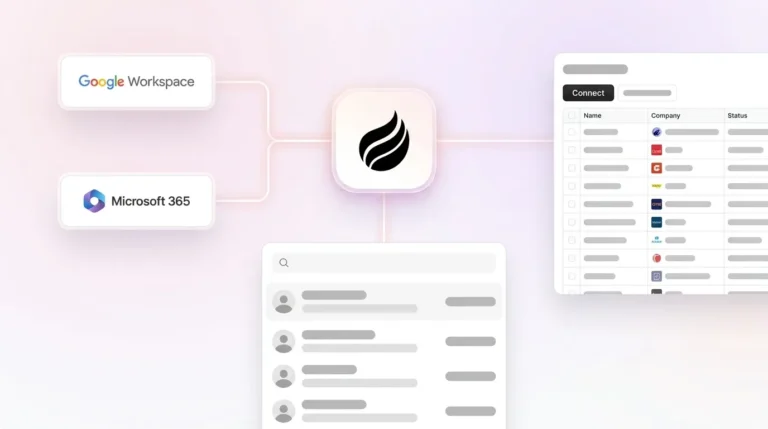
Coffee’s implementation starts with a single tracking pixel dropped into the <head> tag. The agent verifies installation and begins identifying visitors immediately. For HubSpot and Salesforce users, a simple authentication connects the Companion App, and the agent then syncs data, enriches records, and writes insights back to the primary CRM without additional engineering work.
HubSpot Prospects uses the existing HubSpot tracking code and requires no additional pixel, but requires manual steps to add identified companies as CRM records. ZoomInfo provides native CRM sync with Salesforce, HubSpot, and Microsoft Dynamics. RB2B delivers Slack notifications but requires Zapier or manual steps to push records into a CRM on standard tiers.
Suggested Leads vs. Raw Lists Inside Your CRM
Most visitor identification tools surface either the visiting company or an undifferentiated list of people associated with that company’s domain. Neither output is immediately actionable without a human deciding who to contact and then manually creating or updating a CRM record.

Coffee’s Suggested Leads feature applies the team’s buyer persona to the visiting company and surfaces the two or three specific individuals most likely to be the right contact, with name, title, email, and LinkedIn profile pre-filled. From that single view, a rep can trigger a LinkedIn connection request, send an outbound email, or enroll the prospect in a drip campaign without leaving the agent. The record is created in HubSpot or Salesforce with all enrichment attached, which removes the spreadsheet step entirely.

Best-Fit Use Cases by Team Stage and CRM Setup
This section maps common team stages and CRM setups to the Coffee product that fits each situation.
Early-stage teams replacing spreadsheets. Coffee’s Standalone CRM is purpose-built for 1–20 person teams that have outgrown Notion or Google Sheets but find HubSpot and Salesforce too manual. The agent handles data entry, visitor identification, and pipeline tracking in one product.
Mid-market HubSpot teams. The Coffee Companion App layers agent-driven visitor identification and enrichment on top of an existing HubSpot instance. Teams keep their HubSpot workflows and gain person-level identification and Suggested Leads without adding another point solution.
Teams retiring RB2B + Warmly + ZoomInfo stacks. Organizations running three or more point solutions for visitor ID, enrichment, and outreach can consolidate onto Coffee. This consolidation reduces vendor management overhead and tool fragmentation. The agent performs the jobs of all three tools, including identification, enrichment, persona matching, and CRM sync, under a single seat-based price with no complex metering.
Operational Considerations and Common Misconceptions
Before committing to any visitor identification tool, teams need to understand several operational realities that affect day-to-day CRM hygiene and lead quality.
Visitor identification does not automatically improve CRM data quality. Person-level matching is probabilistic, which adds uncertainty compared with IP-to-company resolution. This uncertainty means that a visitor identified as a specific person may represent a low-confidence match. Without persona filtering or deduplication logic to screen out weak matches and duplicates, raw lists pushed into a CRM create noise rather than pipeline.
HubSpot has requirements for associating page views with contact records that can depend on how the contact was created and on additional engagement actions. Teams should confirm how their visitor identification tool respects those rules to avoid confusing activity histories.
Real-time enrichment requires an always-on API connection and comes at a premium, while batch enrichment can be more cost-effective but may introduce processing delays that risk hot leads going cold. Teams should confirm whether their chosen tool enriches in real time or on a schedule before committing.
VPN and proxy usage, remote work, and privacy browsers all reduce match rates regardless of vendor. Supplemental signals including cookie graphs, marketing automation data, and enrichment partnerships are layered on top of IP matching to improve match rates when IP-to-company matching alone is insufficient.
Use the matrix below to match your team’s current CRM setup and size to the visitor identification approach that requires the least implementation friction.
Decision Framework Summary Matrix
| Scenario | CRM | Team Size | Recommended Option |
|---|---|---|---|
| Replace spreadsheets, no existing CRM | None | 1–20 | Coffee Standalone CRM |
| Add person-level ID to existing HubSpot | HubSpot | 10–50 | Coffee Companion App |
| Add person-level ID to existing Salesforce | Salesforce | 10–50 | Coffee Companion App |
| Company-level only, EU-heavy traffic, minimal compliance risk tolerance | HubSpot or Salesforce | Any | HubSpot Prospects or ZoomInfo Onsite |
| High-velocity outbound, Slack-first workflow, no CRM sync required | Any | 1–10 | RB2B (paid tier) |
| Consolidate RB2B + Warmly + ZoomInfo stack | HubSpot or Salesforce | 10–50 | Coffee Companion App |
Frequently Asked Questions
How long does it take to get Coffee’s visitor identification working inside HubSpot or Salesforce?
Implementation involves the two steps described earlier: installing the tracking pixel and authenticating the Companion App with your CRM instance. Most teams complete both steps in under an hour. The agent begins identifying visitors and writing enriched records to the CRM immediately after installation is verified. No engineering backlog or professional services engagement is required for standard deployments.
What is the difference between Coffee’s Suggested Leads and the raw visitor lists that RB2B or Warmly provide?
RB2B and Warmly surface either the visiting company or a list of people associated with that company’s domain. The rep must then decide who to contact, look up their details, and manually create or update a CRM record. Coffee’s Suggested Leads feature applies the team’s buyer persona definition to the visiting company and returns the two or three specific individuals who match that persona, with name, title, email, and LinkedIn profile already attached. The rep takes one action to add the record to the CRM and initiate outreach. No spreadsheet, no Zapier step, no manual enrichment.
Is Coffee compliant with GDPR and CCPA for person-level visitor identification?
Coffee meets SOC 2 and GDPR requirements, as noted earlier. Person-level identification is focused on U.S.-based traffic, which aligns with the regulatory reality that GDPR and UK GDPR require explicit consent for person-level identification of EU and UK residents, a requirement that limits the practical reach of any person-level tool for international audiences. For U.S. traffic, CCPA compliance requires privacy policy disclosure, an opt-out mechanism, and honored suppression lists, all of which Coffee supports. Customer data is not used to train public models.
Can Coffee replace ZoomInfo for data enrichment?
Coffee’s agent augments contact and company records with job titles, funding data, and LinkedIn profiles via licensed enrichment partners, which removes the need for a separate ZoomInfo subscription for most use cases at the 10–50 person team scale. Coffee’s data quality is roughly on par with ZoomInfo for standard enrichment fields. Teams with highly specialized enrichment requirements, such as very large volumes of direct-dial phone numbers or deep technographic intent signals, should evaluate coverage on a sample of their actual target accounts before fully retiring a ZoomInfo contract.
What happens to visitor identification data if a prospect is already in the CRM?
When Coffee identifies a visitor who matches an existing contact or company record in HubSpot or Salesforce, the agent updates that record with the new visit activity, including pages viewed, time on site, and first versus returning visit status, rather than creating a duplicate. This approach keeps the CRM clean and ensures that sales reps see a complete engagement history on the existing record. If the visitor does not match any existing record, the agent creates a new enriched contact and company record automatically.
Conclusion: Choosing a Visitor Identification Approach That Scales With Your CRM
Company-level tools such as HubSpot Prospects identify the organization but stop there, which leaves reps to find the right person manually. Standalone person-level tools such as RB2B deliver LinkedIn profiles via Slack but require Zapier or manual steps to reach the CRM. ZoomInfo Onsite offers native sync and enrichment but at enterprise pricing and without persona-based lead filtering. These options do not close the full loop from anonymous pixel hit to enriched, persona-matched, outreach-ready CRM record.
Coffee’s agent-driven approach unifies structured data such as firmographics and contact details and unstructured data such as call transcripts and email threads inside HubSpot or Salesforce. It applies buyer persona logic to surface the right two or three contacts from every visiting company and creates enriched records ready for LinkedIn outreach or campaign enrollment, without a manual step.
For 10–50 person U.S. B2B teams committed to HubSpot or Salesforce, that difference separates a visitor identification tool from a visitor identification agent.
Get started with Coffee and turn your anonymous traffic into pipeline today.