Written by: Doug Camplejohn, CEO & Co-Founder, Coffee
Key Takeaways
- Most organic B2B traffic stays anonymous, but consent-first server-side tracking turns those visits into named, pipeline-ready contacts.
- GDPR, the UK Data Act 2025, and Consent Mode v2 require auditable consent records and forbid pre-ticked boxes or cookie walls.
- Define three event tiers, then enrich them with transaction IDs and value parameters to support reliable attribution.
- Hybrid client-plus-server architectures recover 20–25 % more data today and are projected to reach 70 % adoption by 2027.
- Deploy Coffee’s single-tag pixel to identify high-fit visitors in real time and route them straight into your CRM, and start identifying visitors today.
Consent and Privacy Compliance for B2B Tracking
Consent forms the legal and architectural base for every tracking program. Under GDPR Article 7, when processing relies on consent, the controller must prove it, keep any bundled declaration clearly distinguishable, and inform the data subject that consent can be withdrawn at any time. Withdrawal must be as easy as giving consent. The European Data Protection Board bans pre-ticked checkboxes, cookie walls, and treating continued browsing as valid consent.
A compliant consent management platform scans the site for all cookies and trackers, pauses non-essential tracking until consent is granted, and stores auditable records of each consent event. Teams must retain consent records long enough to demonstrate compliance during an investigation. Non-compliance can trigger fines of up to €20 million or 4 % of global annual turnover.
In the UK, the Data (Use and Access) Act 2025 widens exemptions for analytics cookies in specific cases, but advertising and attribution tracking still require appropriate consent mechanisms. For B2B teams running paid acquisition alongside organic, full Consent Mode v2 integration serves as the practical baseline.
Designing Revenue Events and Funnels That Match Your Pipeline
Tracking infrastructure only delivers value when the underlying event taxonomy is clear and intentional. A vague event-based model produces data that looks complete but explains nothing. B2B teams should define three tiers before writing a single tag: micro-conversions such as content downloads and video plays, intent signals such as pricing page visits, demo page views, and return visits, and true revenue events such as demo requests, trial signups, and qualified lead submissions.
GA4 provides recommended events for lead generation and conversion that map anonymous website activity to named, pipeline-ready leads. Each event should carry a transaction_id or equivalent unique identifier to prevent duplicate counting. A value parameter should weight events by pipeline impact so reporting reflects commercial reality, not just volume.
Dreamdata's B2B tracking framework assigns every visitor an anonymous ID stored in both the browser and local storage, then joins individual journeys into a single company journey that records first anonymous visit, initial identification, first payment, and lifetime revenue, calculating Time to Revenue from first touch to closed-won. Adopting a similar account-level event model connects website behavior directly to CRM pipeline stages.
Choosing Between Server-Side and Client-Side Tracking
Even the most carefully designed event taxonomy fails if the tracking setup cannot capture events reliably. A significant share of internet users run ad-blocking tools that block Meta pixels or Google tags, and Safari blocks third-party cookies by default, with Intelligent Tracking Prevention previously capping client-side first-party cookies at 7 days until the cap was removed in 2022. For B2B teams with long sales cycles, attribution data often disappears before a deal reaches the pipeline.
Server-side tracking improves data accuracy compared with client-side implementations alone. Reports show meaningful gains in data quality and conversion recovery after teams migrate to server-side setups.
20-25% of B2B companies have adopted server-side tracking now, projected to reach 70% by 2027. In a server-side setup, events route through a company-controlled subdomain such as tracking.yourdomain.com. The server applies PII stripping and consent enforcement before forwarding data to GA4 or ad platforms, and sets first-party cookies with lifetimes of 90–400 days. Implementation projects typically take several weeks, and ongoing infrastructure costs vary by provider.
A hybrid architecture suits most B2B SaaS teams. Client-side tracking handles browser context and behavioral signals, while server-side tracking manages delivery, enrichment, consent enforcement, and CRM feedback loops for revenue reporting.
Deploy Coffee's consent-first tracking pixel in a single <head> tag and begin identifying visitors within a server-side architecture immediately.
Behavioral Analytics and Session Insights for Lead Scoring
Behavioral data such as pages visited, time on site, scroll depth, and return visit frequency separates casual browsers from in-market buyers. A visitor who reads the pricing page three times across two sessions in one week shows materially different intent than a visitor who bounces from the homepage.
Session-level data should flow directly into lead scoring models. Key behavioral dimensions include pages visited per session, time on high-intent pages such as pricing, integrations, and case studies, visit frequency and recency, and entry source such as organic, paid, or direct. 95% of the time, the winning vendor is already on the buyer's day-one shortlist, so behavioral signals often provide the only observable evidence that a high-intent buyer is evaluating a product.
Visitor Identification Best Practices for Sales Teams
Capturing behavioral signals covers what visitors do, and identification reveals who is doing it. IP resolution maps a visitor's IP address to a company record using commercial databases, which provides account-level identification without a form fill. This account layer forms the baseline. Account-based matching then compares the resolved company against a target account list to highlight in-ICP visitors before any human reviews the data.

Buyer-persona filtering adds a second layer because not every employee at a target account is a relevant contact. A RevOps leader at a 200-person SaaS company signals a very different opportunity than an intern at the same firm. Effective visitor identification applies persona rules such as title, seniority, and function to surface only the contacts worth pursuing.
Coffee's Suggested Leads feature operationalizes this filtering by applying the buyer persona rules to every identified visitor. Where tools like RB2B and Warmly surface either company-only data or undifferentiated people lists, Coffee uses those persona rules to recommend two or three individuals inside a visiting company to contact and surfaces their LinkedIn profiles for immediate outbound action. By narrowing a visiting company down to a small set of in-ICP contacts, Coffee closes the loop from pixel hit to named prospect without manual research.

Turning Identified Visitors into CRM Actions
Identification only creates value when it triggers action. The operational goal is zero latency between a high-intent visit and a sales rep's awareness of it. Coffee sends real-time Slack notifications when a high-fit visitor appears, surfacing the visitor's name, title, company, pages viewed, and time on site in a single alert.
From that notification, one click enriches and creates the contact and company record in Coffee's standalone CRM or writes directly to an existing Salesforce or HubSpot instance. No one needs to type data into the CRM. Activities log automatically, and the contact becomes pipeline-ready before the rep finishes reading the Slack message.
Coffee's dual deployment model is the logical endpoint for this workflow because it meets teams wherever they are in their CRM journey. For teams without an existing CRM, the Coffee Agent operates as the full system of record. For teams already committed to Salesforce or HubSpot, the same agent deploys as a companion layer that authenticates with the existing instance and writes enriched visitor data, contact records, and activities back to it automatically. Either path removes the manual data entry that often causes CRM adoption to collapse.
Pipeline Compare gives RevOps leaders a week-over-week view of how identified visitors progress through the funnel, without CSV exports or manual reporting.
Connect Coffee to your CRM and deploy the visitor identification pixel in minutes, with no engineering resources required.
Step-by-Step Implementation Checklist
- Pixel placement. Drop Coffee's custom-generated script into the
<head>tag of every page. Coffee verifies installation automatically and confirms that data is flowing before you move on. - Consent banner configuration. Integrate your CMP with Consent Mode v2. Pause non-essential tracking until consent is granted, and store consent records with timestamps for audit purposes.
- Event taxonomy setup. Define three tiers of events, covering micro-conversions, intent signals, and revenue events, using GA4's recommended lead-generation event schema. Assign
valueparameters to revenue events so reporting reflects commercial impact. - Server-side endpoint verification. Provision a server-side container on a first-party subdomain. Validate that events forward correctly to GA4 and any ad platforms, and confirm that PII stripping occurs before data leaves the server.
- Persona rule definition. Configure buyer-persona filters in Coffee, including target titles, seniority levels, company size, and industry. Suggested Leads then surfaces only in-ICP contacts from visiting companies.
- CRM authentication. Connect Coffee to Salesforce or HubSpot via OAuth, or designate Coffee as the standalone system of record. Verify that identified visitors automatically create contacts, companies, and activities in the correct CRM instance.
- Weekly audit cadence. Run automated validation reports comparing ad platform conversions against CRM data each week, and treat match rates above 70 % as a sign of a healthy server-side implementation. Review Suggested Leads quality monthly, refine persona rules as your ICP evolves, and use pipeline views in Coffee's standalone CRM or companion app to support this review without manual exports.
Common Pitfalls to Avoid
Treating consent as a one-time checkbox. ~42% of sites have broken or partial Consent Mode v2 implementation in 2026. When consent signals are misconfigured, ad platforms receive incomplete or missing conversion data, which suppresses attribution as severely as having no server-side tracking at all. This reality makes ongoing consent audits essential rather than optional.
Relying on client-side tracking alone for revenue reporting. Client-side accuracy often sits in the 60–80 % range, which is not reliable enough for pipeline decisions in long B2B sales cycles.
Identifying companies without identifying people. Company-level identification provides a starting point, not an endpoint. Without persona filtering and individual-level identification, sales teams receive lists of accounts with no clear entry point, which creates research work instead of removing it.
Skipping event deduplication. Platform-specific deduplication parameters such as event_id for Meta or transaction IDs for Google must be shared across client-side pixels and server-side Conversion API calls to prevent double-counting of conversions in ad platform reporting. Without deduplication, bidding algorithms optimize against inflated conversion data and waste budget.
Leaving out the CRM write-back loop. Tracking data that lives only in an analytics platform never reaches the sales team. The implementation reaches completion only when identified visitors automatically create records in the CRM with zero manual steps.
Legacy List Tools vs. Coffee Agent: A Comparison
The table below shows how Coffee's architecture differs from legacy list tools across four operational dimensions, and highlights where Coffee removes manual work that other tools leave to the sales rep.
| Capability | Legacy List Tools (e.g., RB2B, Warmly) | Coffee Agent | Practical Impact |
|---|---|---|---|
| Visitor identification output | Company name only, or undifferentiated people list | Named individuals with title, email, and LinkedIn profile | Coffee eliminates manual research to find the right contact inside a visiting account |
| Persona-based filtering | Not available, all visitors surfaced equally | Suggested Leads, 2–3 specific in-ICP contacts per visiting company | Coffee surfaces only contacts matching the defined buyer persona, which reduces noise |
| CRM write-back | Manual export or limited webhook, rep creates record manually | One-click auto-creation of contact, company, and activity in Salesforce, HubSpot, or Coffee CRM | Coffee removes data entry entirely, and automates CRM record creation |
| Deployment model | Standalone point solution, does not integrate with CRM agent | Standalone CRM or companion agent on top of existing Salesforce or HubSpot | Coffee meets teams where they are without forcing a CRM migration |
FAQ
What CRM and tool integrations does Coffee support?
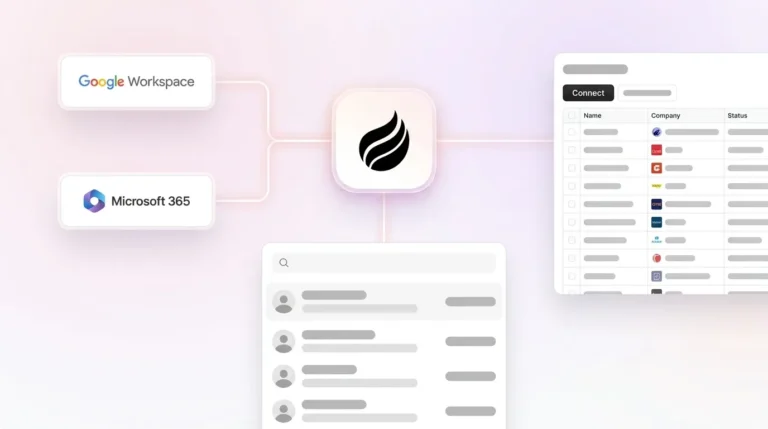
Coffee supports two deployment paths. It can run as a companion agent that writes to existing Salesforce or HubSpot instances via OAuth, or as a standalone CRM for teams without an existing system. The standalone version also ingests data from Google Workspace and Microsoft 365 automatically. Broader integrations with additional tools are available through Zapier, and deeper native integrations sit on the product roadmap.
Is Coffee SOC 2 Type 2 and GDPR compliant?
Yes. Coffee is SOC 2 Type 2 certified and GDPR compliant. Customer data is not used to train public AI models. The visitor identification pixel operates within a consent-first architecture, so tracking activates only after a visitor has provided valid consent in jurisdictions where consent is required. Teams operating under CCPA, GDPR, or the UK's Data (Use and Access) Act 2025 can configure Coffee's consent signals to match their specific compliance requirements.
How does Coffee's pricing model work?
Coffee uses seat-based pricing. Teams pay for the number of human seats on the account, and the Coffee Agent's labor, including visitor identification, contact enrichment, activity logging, pipeline tracking, and CRM write-back, is included without extra metering on AI usage or process volume. There are no separate charges for LLM calls or automation runs. This model lets the agent's value scale with the team instead of with usage complexity.
How accurate is Coffee's visitor identification data compared to dedicated enrichment tools?
Coffee's enrichment data, including job titles, funding information, LinkedIn profiles, and contact details, comes from licensed data partners and is broadly comparable to standalone enrichment tools for most B2B use cases. As described in the Visitor Identification section, Coffee's Suggested Leads feature applies buyer persona filters to surface only in-ICP contacts instead of raw lists.
How long does it take to see pipeline impact after deploying Coffee's visitor identification pixel?
The pixel begins identifying visitors as soon as installation is verified. Teams with defined buyer personas and CRM authentication configured can see named, enriched contacts appear in their CRM during the first session after setup. Pipeline impact, measured as identified visitors entering active outreach sequences, depends on the team's outbound cadence, but the identification-to-CRM-record loop runs in real time from day one.