Written by: Doug Camplejohn, CEO & Co-Founder, Coffee
Key Takeaways for Modern RevOps Teams
- Company data enrichment adds firmographic, technographic, behavioral, contact, and geographic attributes to CRM records so reps skip manual research and qualify leads faster.
- AI agents reach 80–95% coverage by running waterfall enrichment across 15+ providers, far above the 50–70% accuracy of single-source tools like Apollo or ZoomInfo.
- The five-step workflow of Match, Append, Validate, Write Back, and Refresh keeps data accurate as B2B records decay at 2.1% per month.
- Native integration with Salesforce and HubSpot removes middleware, credit metering, and surprise costs while embedding SOC 2 Type 2 and GDPR compliance.
- Ready to automate your CRM hygiene? Start your free data quality assessment today.
The Five Categories of Enrichment That Matter in Your CRM
Company data enrichment operates across five core categories, and each one fixes a different gap in CRM completeness. The table below shows which data points each category adds and how that improves downstream sales and marketing workflows.
| Category | Data Points Added | Impact on CRM Data Quality |
|---|---|---|
| Firmographic | Employee count, annual revenue, industry, growth stage, parent-company relationships | Enables instant ICP qualification and account segmentation without manual research |
| Technographic | CRM platform, marketing automation stack, analytics tools, hosting providers | Targets outreach to companies using complementary or competing solutions |
| Behavioral | Website visit history, email engagement, content downloads, pricing-page visits | Reveals active buying intent, enabling reps to prioritize leads showing evaluation behavior |
| Contact | Verified work email, direct dial, job title, seniority, LinkedIn URL | Reduces email bounce rates and improves connect rates across outbound sequences |
| Geographic | City, state, country, timezone, regional boundaries | Supports territory assignment, routing rules, and regional compliance requirements |
Traditional vs. Agent-Driven Enrichment Workflows in Practice
The move from manual research and point tools to AI-driven enrichment changes how revenue teams maintain CRM accuracy. The comparison below highlights why agent-based workflows deliver higher coverage and lower total cost than manual entry or standalone enrichment platforms.
| Dimension | Manual Entry | Standalone Enrichment Tools (e.g., Apollo, ZoomInfo) | CRM-Native AI Agent |
|---|---|---|---|
| Data Sources | Rep memory, LinkedIn, Google | Single or dual licensed databases | Waterfall across 15+ providers plus unstructured sources (emails, transcripts) |
| Time Cost | Reps spend 20–40% of their time on manual prospect research | Reduced lookup time but requires tab-switching and manual field mapping | Enrichment runs automatically on record creation and on a defined refresh schedule |
| Accuracy | Single-source tools achieve 50–70% coverage; many Salesforce contacts have at least one critical field wrong or missing | Single-source APIs often deliver around 60% verified emails | Waterfall enrichment often achieves 80–95% coverage |
| Total Cost of Ownership | Hidden cost in rep hours, no licensing fee | Tools like ZoomInfo or Clay require separate licensing, integration effort, and unpredictable credit overages | Seat-based subscription with enrichment included, no per-record credit metering |
Company Data Enrichment Workflow: 5 Steps You Can Rely On
- Match: The agent identifies each incoming record by email address or company domain and links it to a canonical entity across connected data sources.
- Append: Missing firmographic, technographic, contact, behavioral, and geographic fields are populated using waterfall logic that queries multiple providers sequentially and selects the best field-level result.
- Validate: Enriched attributes are checked against at least one independent source before entering decision workflows, and deterministic matching on exact identifiers remains the most reliable method.
- Write Back: Validated fields are pushed directly into the CRM record, and field-level audit trails log source and timestamp for governance.
- Refresh: Because B2B contact data decays at 2.1% per month, enrichment triggers run on new record creation, stage changes, and a recurring schedule rather than as a one-time project.
Run a data-hygiene assessment on your current CRM records with Coffee.
How AI Agents Replace Point Solutions Like Apollo and ZoomInfo
Credit-based enrichment tools create unpredictable costs from failed lookups, credit expiration, and overages. AI agents replace this model by handling both structured database lookups and unstructured inputs such as email threads, call transcripts, and calendar events inside one workflow. Agentic waterfall enrichment, where AI agents autonomously search for and validate contact data across sources, achieves B2B match rates of 92%, compared with the coverage rates shown above for single-source tools. Compliance stays embedded in the agent, so SOC 2 Type 2 certification and GDPR controls travel with the workflow instead of requiring separate vendor reviews for every point solution.
Integration with Salesforce and HubSpot for Continuous Enrichment
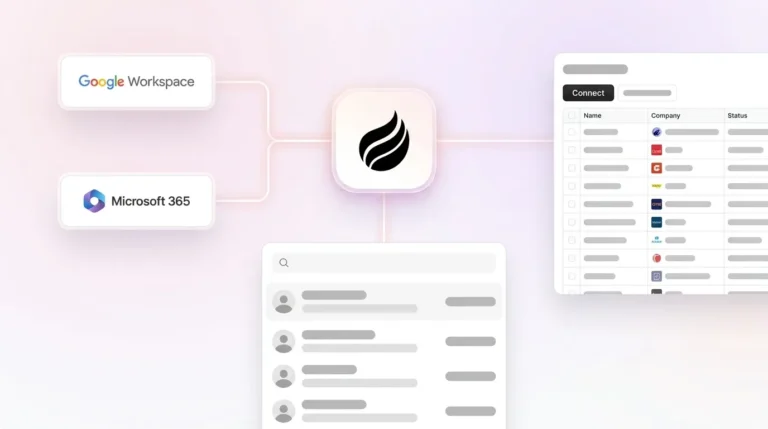
The companion-agent model deploys an enrichment agent as an intelligent layer on top of an existing Salesforce or HubSpot instance. A simple authentication lets the agent ingest emails, calendar events, and call transcripts, enrich records against licensed data partners, and write validated firmographic, technographic, and contact fields directly back into the primary CRM. Native two-way sync removes the middleware, custom code, and data silos that external enrichment platforms require. The system of record remains Salesforce or HubSpot, and the agent handles the data-in process so that the records those platforms surface stay accurate without human effort. Understanding the technical integration is one step; quantifying the business impact is the next.
ROI Metrics: Time Saved and Data-Quality Lift in 2026
A 10-person sales team that saves approximately 5 hours per rep each week through automated data enrichment gains 50 hours of additional selling capacity, equivalent to adding more than one full-time rep without increasing headcount. Revenue teams can spend less time searching for customer information and achieve faster deal velocity when using an integrated AI data platform. At the record level, a single enrichment pass can significantly reduce critical field errors in a Salesforce instance, and combining behavioral enrichment signals with contact and company data can produce higher reply rates than enriched contact data alone. Seat-based pricing with enrichment included then removes the per-record credit metering that makes standalone tools expensive to scale.
Ready to quantify the gap in your own pipeline? See how Coffee maps to your current stack with a free assessment.
Common Pitfalls When Adding Enrichment Tools
Most enrichment rollouts fail because the operational foundation is weak, not because the data itself is unusable. The pitfalls below build on each other: gaps in governance create unpredictable costs, which slow refresh cycles, which increase integration debt and silos, which then encourage one-time cleanups that restart the cycle.
- Governance gaps: Without defined data ownership per field type, enrichment triggers, deduplication rules, and audit trails, enrichment runs overwrite good data with stale values. The average CRM often contains 15–25% duplicate records, causing misrouted leads and fragmented customer history, which makes cost and impact hard to predict.
- Unpredictable cost: External platforms using waterfall enrichment across 150+ providers increase credit consumption that is difficult to predict without dedicated governance processes. When costs spike, teams usually cut refresh frequency, which accelerates data decay.
- Integration debt: One-time cleanups are insufficient for chronic data debt; CRM data degrades at a significant rate each year, so a tool that lacks continuous refresh creates a new debt cycle immediately after deployment. That cycle often ends with yet another disconnected data source.
- Silo creation: Most enrichment platform implementations end up creating yet another silo rather than connecting the ones already in place, which compounds the fragmentation problem they were purchased to solve and increases integration overhead.
- Enriching dirty data: Data cleansing must precede enrichment because enriching inaccurate first-party data risks corrupting records with mismatched external information. That corruption then feeds every downstream workflow that depends on those records.
Evaluate your current enrichment setup to see whether it is compounding these risks or eliminating them.
Frequently Asked Questions
What is the difference between CRM data enrichment and CRM data cleansing?
Data cleansing corrects or removes inaccurate, duplicate, and inconsistent records already inside a CRM. Data enrichment appends new attributes such as firmographic, technographic, behavioral, contact, and geographic fields to records that are structurally clean but incomplete. The two processes work together: cleansing runs first to establish accurate base records, and enrichment then layers in the external context that makes those records useful for qualification, routing, and outreach. An AI agent can handle both on a continuous basis instead of through separate one-time projects.
How often should company data enrichment run to maintain CRM accuracy?
B2B contact and company data decays at roughly 2.1% per month, as noted in the workflow section above, which means nearly one quarter of a database becomes inaccurate within 12 months without ongoing refreshes. Best practice for active pipeline and campaign records is a monthly or quarterly enrichment cycle, with additional triggers firing on new record creation, inbound form fills, and deal-stage changes. A quarterly data quality audit that measures completeness, accuracy, and consistency across the CRM helps catch decay between scheduled enrichment runs.
What evaluation criteria matter most when selecting a company data enrichment solution?
The most important criteria are match rate for your specific industry and geography, fill rate for the attributes your ICP qualification requires, refresh cadence of the provider’s underlying database, and matching methodology. Deterministic matching on exact identifiers is more reliable than probabilistic matching on name plus location. Beyond data quality, evaluate total cost of ownership including credit metering versus seat-based pricing, native CRM write-back capability versus middleware dependency, compliance certifications such as SOC 2 Type 2 and GDPR, and whether the solution supports continuous enrichment or only batch runs. A proof-of-concept on a representative sample of your own records before signing a contract remains strongly recommended.
Can an AI agent enrich unstructured data like call transcripts and emails, not just database fields?
Yes. Traditional enrichment tools query structured databases and populate predefined fields. AI agents extend this by processing unstructured inputs such as email threads, calendar invites, call transcripts, and meeting notes, and they use natural language processing to extract and structure attributes like stakeholder roles, stated pain points, next steps, and deal signals. These extracted fields are then written back into CRM records alongside conventional firmographic and contact data, which produces a more complete picture of each account than database lookups alone can provide.
How does seat-based enrichment pricing compare to credit-based models for a 10–50 person sales team?
Credit-based models charge per successful or attempted record lookup, so costs scale with database size and enrichment frequency rather than with team headcount. For a growing team running continuous enrichment across thousands of records, credits deplete quickly and overages are difficult to forecast. Seat-based pricing ties cost to the number of human users, and the agent’s enrichment activity is included regardless of volume. For a 10–50 person B2B sales team running enrichment on every new record and refreshing active pipeline monthly, seat-based pricing usually produces a more predictable and lower total cost of ownership than per-credit alternatives.
Conclusion: Enrichment as an Operational System, Not a Tool
The evaluation criteria discussed throughout this article, including continuous enrichment, waterfall coverage, native CRM write-back, predictable seat-based pricing, and embedded compliance, converge on a single insight: enrichment must function as an operational system rather than a standalone tool purchase. Organizations that treat enrichment as a one-off project will keep accumulating data debt faster than any single cleanup can resolve.
Coffee meets these criteria as an agent-first platform. Deployed either as a standalone CRM or as a companion agent on top of Salesforce or HubSpot, Coffee automatically creates and enriches contacts and companies from emails, calendars, and call transcripts, then writes validated firmographic and contact fields directly into the system of record. The platform refreshes records continuously without human intervention, includes enrichment in seat-based pricing with no credit metering, and maintains SOC 2 Type 2 and GDPR compliance. For Heads of Sales and RevOps at 10–50 person B2B tech companies, Coffee replaces a fragmented stack of enrichment tools, recording platforms, and manual CRM maintenance with a single agent that keeps data clean and forecasts accurate. Get started with Coffee and put an agent to work on your CRM data today.