Written by: Doug Camplejohn, CEO & Co-Founder, Coffee
Key Takeaways
- Salesforce data enrichment automation uses triggers, APIs, and agent logic to append, verify, and refresh CRM fields without manual rep work.
- B2B contact data decays at 2.1% monthly, and organizations that automate enrichment see 25% productivity gains and fewer lost deals.
- Modern 2026 architectures combine record-triggered Flows, multi-provider waterfall enrichment, scheduled re-enrichment, and agent layers for unstructured data.
- Effective practices include quarterly re-enrichment cadences, sequential or parallel waterfall routing, and routing only after enrichment completes to avoid misassigned leads.
- Mid-market teams can reduce maintenance overhead with an agent companion layer, and Coffee helps assess Salesforce data enrichment readiness.
Why Salesforce Enrichment Automation Matters Now
B2B contact data deteriorates at an average monthly rate of 2.1%, compounding to roughly 22.5% annually. In high-turnover sectors such as technology and VC-backed startups, that figure reaches 30–40% per year. These decay rates erode pipeline quality, and 76% of organizations report that less than half of their CRM data is accurate and complete, which directly contributes to lost sales deals.
The productivity impact is just as clear. Sales reps spend large portions of their week on data entry and cleanup instead of selling. Sales reps spend roughly 25% of their time, about 10–11 hours per week, on manual CRM data entry. Organizations that automate enrichment report a 25% increase in sales productivity, and teams using GTM automation tools see broad gains in sales efficiency.
How the Salesforce Enrichment Landscape Is Changing
Through 2022, most Salesforce teams enriched records through manual rep research or brittle point-to-point API integrations wired together with custom Apex or MuleSoft flows. Both paths demanded significant engineering ownership and broke frequently as provider schemas changed.
The 2024–2026 period introduced two structural shifts. First, Salesforce’s Agentforce platform expanded beyond traditional CRM to support enterprise agent workloads using open standards like MCP for structured data and context sharing. At the same time, Data 360 emerged as the system of context that unifies inside- and outside-CRM data, so agents can reason over structured and unstructured data for automation workflows. Second, by 2028, one-third of interactions with generative AI services will use action models and autonomous agents for task completion according to Gartner, which signals a shift from AI as a passive copilot toward AI as an active participant in revenue workflows.
For mid-market teams, a companion agent layer that sits above Salesforce and orchestrates enrichment providers, Flow triggers, and re-enrichment schedules now delivers lower maintenance overhead than native-only or single-vendor approaches. If you are evaluating whether an agent-based approach fits your current architecture, Coffee can help you map that readiness.
How Salesforce Data Enrichment Automation Works Operationally
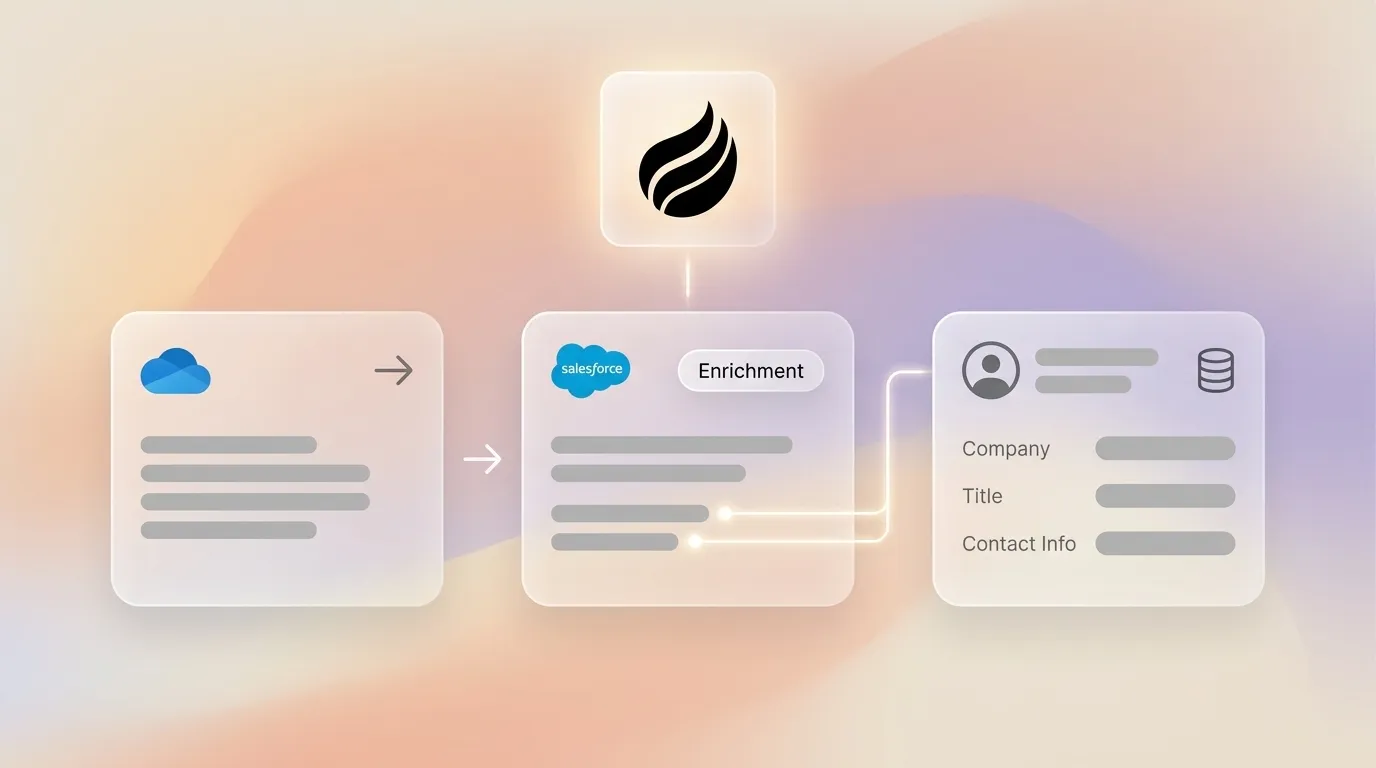
A production-grade enrichment architecture uses four components. Record intake triggers in Flow or Agentforce start the process. A waterfall enrichment layer spans multiple providers. A re-enrichment scheduler handles stale records. A write-back mechanism updates Salesforce fields and fires routing rules. Structured fields such as title, email, phone, and firmographics flow through provider APIs. Unstructured signals such as call transcripts and email threads require an agent layer that parses and normalizes free-form text, then writes structured values back to the record.
The first component, record intake triggers, runs through a record-triggered Flow that fires on new Lead creation.
How to Trigger Enrichment on New Leads
- Create a Record-Triggered Flow on the Lead object. Configure it to fire after a record is saved when IsConverted = false and the enrichment status field is blank.
- Add a decision element that checks whether required fields such as Company, Email, and Title are populated. Route incomplete records to the enrichment path.
- Call an external enrichment API through a Flow Action or Apex callout. Pass available identifiers such as email domain, LinkedIn URL, or company name as match keys.
- Apply waterfall fallback logic. If Provider A returns no match, invoke Provider B, then Provider C, and stop on the first high-confidence result.
- Write enriched values back to the Lead record fields. Stamp an Enrichment_Date__c timestamp and an Enrichment_Source__c picklist value for governance tracking.
- Fire assignment rules or a routing Flow only after enrichment completes. This sequence keeps territory and rep assignment decisions tied to fresh data instead of the sparse intake record.
Best Practices for Re-enriching Stale Records
Given the 22.5% annual decay rate established earlier, a quarterly re-enrichment cadence is the minimum viable schedule for most mid-market databases. This cadence balances broad coverage with targeted passes. Q1 sets a clean baseline. Q2 and Q3 focus on high-risk or campaign-critical segments. Q4 closes the year with forecast-ready hygiene.
- Q1 (January): Run a full database pass on all records where Enrichment_Date__c is older than 90 days. Prioritize open opportunities and active MQLs to create a reliable baseline.
- Q2 (April): With the baseline in place, narrow the focus to high-decay segments such as technology, SaaS, and VC-backed accounts, where annual decay reaches 40–60% or higher in technology and SaaS accounts.
- Q3 (July): Shift to campaign-driven enrichment. Refresh records tied to active campaigns before H2 pipeline pushes. Validate direct-dial fields specifically, because direct phone numbers decay at 17.5% annually.
- Q4 (October): Finish with a pre-forecast hygiene pass. Merge duplicates surfaced during the year and re-validate company associations before annual planning locks in.
Event-based triggers complement the calendar cadence. Re-enrich any record after an email hard-bounce, after a sequence receives zero engagement following three touches, or when a rep manually flags a record as suspect.
Waterfall Enrichment Routing and Match Strategy
Single-source enrichment typically delivers match rates of 40–60%, while waterfall enrichment achieves 80–95% match rates by chaining providers so that if Provider A fails to match a record, Provider B attempts it, then Provider C. Each fallback step adds latency but recovers records that would otherwise return null.
Sequential vs. parallel routing: Sequential models query vendors one at a time and stop on the first match. This pattern keeps costs lower but runs slower and depends heavily on provider ordering. Parallel models evaluate 25+ vendors simultaneously and return the highest-confidence match based on intelligent scoring and data freshness. Parallel routing reduces latency at a higher per-record cost.
Match-rate considerations: Deterministic matching on exact identifiers such as domain, DUNS, or LinkedIn URL provides the most reliable results, while probabilistic matching on name plus city plus industry introduces false-positive risk. Always report match rate alongside the matching methodology and confidence threshold. Teams should test match rates by running 500–1,000 sample records against providers instead of relying on vendor-reported averages.
Architecture Trade-offs for Salesforce Enrichment
Building a custom three-provider waterfall enrichment system from scratch requires API integrations with each source, schema normalization, confidence scoring, deduplication logic, and ongoing maintenance. Native Salesforce Flow handles simple single-provider triggers well but lacks built-in waterfall orchestration, confidence scoring, and re-enrichment scheduling.
Key trade-offs by approach:
- Native Flow only: Low initial cost and familiar tooling, but high ongoing maintenance, no waterfall support, and limited unstructured data handling.
- Point-solution integrations (for example, ZoomInfo plus MuleSoft): Higher match rates with specialized vendors, but fragmented ownership, multi-vendor contracts, and schema drift that require dedicated RevOps or engineering resources.
- Agent companion layer (for example, Coffee): Handles structured and unstructured data, orchestrates providers, writes back to Salesforce, and removes per-workflow maintenance, while adding a single additional vendor relationship.
Readiness and Evaluation Checklist
Before you select an architecture, review the following factors.
- Team size and ownership: Confirm whether your team has a dedicated Salesforce admin or RevOps engineer who can maintain custom Flow logic and API integrations.
- CRM maturity: Check whether your Lead, Contact, and Account objects use consistent structures with defined required fields and picklist values.
- Data-quality baseline: Run a sample audit. Measure what percentage of records have a populated work email, direct dial, and current title. Targets below 70% indicate urgent enrichment needs.
- Re-enrichment cadence: Document whether a schedule exists or whether enrichment happens only at record creation.
- Change-management capacity: Decide whether your team can absorb a multi-month MuleSoft build or whether a zero-maintenance companion layer better fits current bandwidth.
Common Pitfalls in Salesforce Enrichment Programs
- Unclear ownership: Enrichment logic without a single owner degrades silently. Assign a named DRI for provider contracts, Flow versions, and re-enrichment schedules.
- Fragmented tooling: Running ZoomInfo for enrichment, a separate deduplication tool, and manual routing rules creates schema conflicts and audit gaps. Consolidate where possible.
- Neglected re-enrichment: One-time enrichment at record creation falls short. Without a re-enrichment schedule, the 11,000-contact annual loss described earlier remains invisible until pipeline forecasts fail.
- Routing before enrichment completes: Firing assignment rules on sparse intake records produces misrouted leads. Configure routing to fire only after enrichment write-back confirms completion.
Step-by-Step Implementation Timeline
- Discovery (weeks 1–2): Audit current field fill rates, identify enrichment gaps by segment, and map existing Flow triggers and provider contracts.
- Pilot (weeks 3–6): Deploy enrichment on a single Lead source or campaign with a two-provider waterfall. Measure match rate, fill rate, and routing accuracy against the pre-automation baseline.
- Validation (weeks 7–8): Compare email bounce rates, MQL-to-SQL conversion, and rep research time before and after. Automated data quality and routing processes can significantly reduce the time to connect with high-value MQLs.
- Measurement (ongoing): Track routing accuracy, bounce rate, enrichment coverage percentage, and re-enrichment lag as standing RevOps KPIs.
Comparison: 2026 Providers vs. Agent Automation
| Approach | Typical Match Rate | Est. Weekly Maintenance | Unstructured Data Support |
|---|---|---|---|
| Native Salesforce Flow (single provider) | 40–60% | High | None |
| Sequential waterfall (2–4 vendors) | 80–95% | High, custom build plus schema maintenance | Limited |
| Parallel waterfall (e.g., ZoomInfo GTM Studio) | High-confidence via intelligent scoring across 25+ sources | Low within platform, integration maintenance external | None |
| Agent companion layer (Coffee) | Comparable to leading single-source providers for most use cases, with waterfall orchestration built in | Near-zero, because the agent handles orchestration, write-back, and re-enrichment scheduling | Yes, including emails, transcripts, and calendar signals |
Modern Salesforce Stack 2026 Architecture
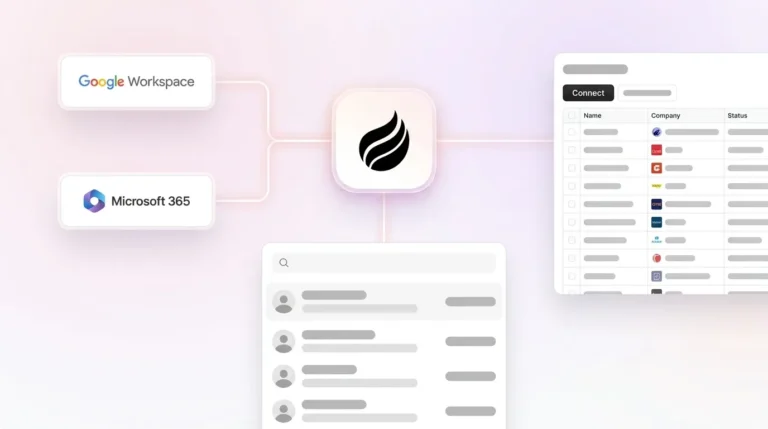
A reference architecture for mid-market teams in 2026 operates in three layers. The trigger layer uses Salesforce Flow record triggers on Lead and Contact creation and Agentforce actions for event-based re-enrichment. The enrichment provider layer sits outside Salesforce and handles waterfall routing across two to four data vendors, then returns normalized field values through API responses. The agent layer, where Coffee operates as a companion, sits above both. It ingests structured provider responses alongside unstructured signals such as call transcripts, email threads, and calendar data. It then resolves conflicts, stamps governance metadata, and writes the final enriched record back to Salesforce before routing rules fire. This architecture removes the need for custom Apex maintenance and decouples provider contracts from Flow logic, so swapping a data vendor does not require a Flow rebuild.
FAQ
Does Coffee integrate with existing Salesforce Flows and enrichment providers?
Coffee connects to Salesforce through a simple authentication handshake. After connection, the Coffee Agent syncs data bidirectionally, enriches records using licensed data partners, and writes values back to the standard Salesforce object schema. Existing Flows continue to operate, and Coffee functions as an additional intelligence layer instead of a replacement for current automation. Broader tool integrations are available through Zapier, and deeper native integrations sit on the product roadmap.
How does Coffee handle data security and compliance?
Coffee is SOC 2 Type 2 certified and GDPR compliant. Customer data does not train public AI models. The agent processes only the data streams it is explicitly authorized to access, including email, calendar, call transcripts, and CRM records. All enrichment write-backs are logged with source attribution for audit purposes.
How does Coffee’s enrichment data quality compare to dedicated providers like ZoomInfo?
Coffee’s enrichment data, sourced through licensed data partners, is roughly on par with leading single-source providers for most mid-market use cases. For teams that need the highest possible match rates on large, geographically diverse databases, Coffee’s agent layer can orchestrate external waterfall providers instead of replacing them. This approach combines provider coverage with agent-level orchestration and unstructured data processing that standalone enrichment vendors do not offer.
What does Coffee cost, and how is pricing structured?
Coffee uses seat-based pricing. You pay for human seats, and the agent’s labor across enrichment, activity logging, meeting summaries, pipeline tracking, and re-enrichment scheduling is included without usage-based metering on API calls or AI processes. This structure keeps total cost of ownership predictable as database size or enrichment frequency scales.
Conclusion: Choosing the Right Enrichment Architecture
Salesforce data enrichment automation in 2026 functions as an architectural decision rather than a single-tool choice. The decision spans trigger design, waterfall provider strategy, re-enrichment cadence, and governance. Native Flow handles simple triggers but cannot sustain waterfall logic or re-enrichment schedules without significant engineering overhead. Point-solution stacks improve match rates but fragment ownership and expand the maintenance surface area. An agent companion layer that orchestrates providers, processes unstructured signals, and writes governed data back to Salesforce offers a low-maintenance path to consistently fresh records and accurate routing. Use the readiness checklist above, including team ownership, CRM maturity, data-quality baseline, and change-management capacity, to determine which architecture fits your current state before you commit to a build or vendor. Ready to see how Coffee fits your stack? Start here.