Written by: Doug Camplejohn, CEO & Co-Founder, Coffee | Last updated: August 6, 2026
Key Takeaways for Small Sales Teams
- Small teams work faster with one system that stores contacts and auto-creates tasks from emails, meetings, and calendars.
- Agent-driven platforms like Coffee return 8–12 hours of selling time per rep each week by removing administrative work.
- Most legacy contact tools act as passive databases that wait for human input, which slows down growing teams.
- Coffee runs as a standalone CRM or as a companion to Salesforce or HubSpot, so teams keep existing systems while removing manual entry.
- Unlock automated contact and task management with Coffee, and start your free trial today.
Comparison Table: Six Tools Head-to-Head
| Tool | Task Automation Depth | Est. Hours Saved / Rep / Week | Deployment Model |
|---|---|---|---|
| Coffee | Agent auto-creates tasks from emails, calendar, calls, and visitor signals, with no manual logging required | 8–12 hrs | Standalone CRM or Companion for Salesforce / HubSpot |
| HubSpot | Rule-based sequences and workflow triggers, while reps still log activities manually outside sequences | 2–4 hrs | Standalone CRM |
| Copper | Gmail-native logging with limited task automation beyond reminders | 1–3 hrs | Standalone CRM (Google Workspace only) |
| Nimble | Social enrichment and follow-up reminders without autonomous task generation | 1–2 hrs | Standalone CRM |
| Attio | Workflow automations on record changes with a passive data model and no meeting bot or visitor ID | 1–3 hrs | Standalone CRM |
| Pipedrive | Activity reminders and email open tracking, while task creation remains largely manual | 1–2 hrs | Standalone CRM |
Hours-saved estimates for Coffee are drawn from Coffee's 2026 sales productivity research. Competitor estimates are derived from activity-category analysis of manual CRM work and 2026 CRM automation benchmarks.
Ready to reclaim 8–12 hours per rep each week? Start your free Coffee trial.
Why Simple Client and Task Tools Are Rare
Most contact management tools behave like passive databases. They store what humans type in and stay silent until someone searches. That structure creates a bottleneck for small teams that need speed.
Studies show that sales reps spend a large share of their time on administrative work such as CRM data entry and pipeline updates. Coffee's research suggests the time spent on non-selling activities can be even higher. The Salesforce 2026 State of Sales report confirms that, for small businesses and startups, sales reps spend 60% of their time on non-selling tasks (40% actually selling). This burden comes from tools that expect humans to feed them every detail.
Manual entry is only half the problem. The fragmentation problem compounds the entry problem. A typical rep toggles between a CRM for records, a prospecting database for enrichment, a call recorder for transcripts, and a sequencing tool for outreach. Running multiple standalone tools and integrations for CRM, project management, and activity tracking creates real costs and maintenance work for small teams without dedicated support.
Agent automation addresses both problems at once. By the end of 2026, 40% of enterprise applications will include task-specific AI agents, up from less than 5% in 2025, according to Gartner. The shift from passive record-keeping to proactive operation now represents the baseline expectation. Coffee delivers on that expectation through its agent architecture.
How Coffee Centralizes Data and Creates Tasks Automatically
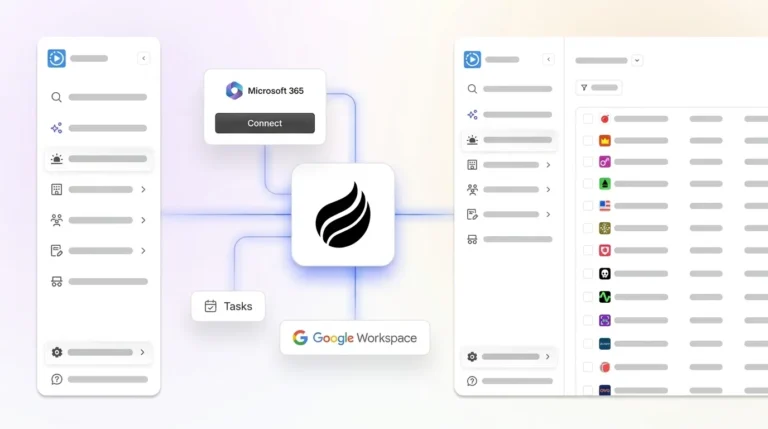
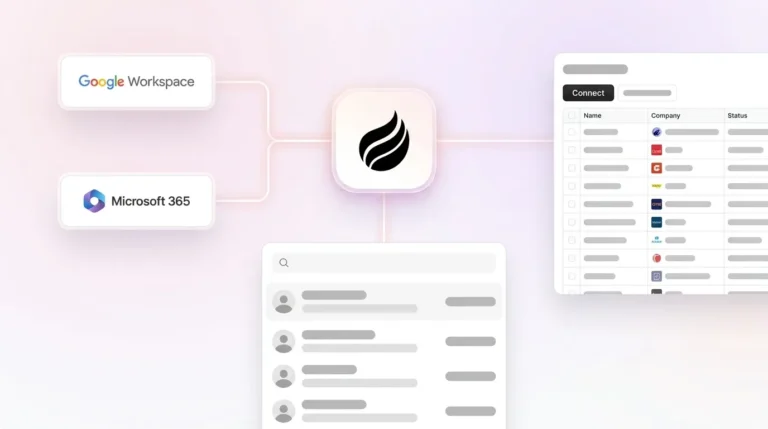
Coffee's agent connects to Google Workspace or Microsoft 365 and immediately begins populating the CRM. It scans emails and calendar events to auto-create contacts, log activities, and set next steps, without a rep touching a field.

After each meeting, the agent generates a summary, identifies action items, and drafts a follow-up email for the rep to review and send. It structures notes to BANT, MEDDIC, or SPICED automatically, so qualification data enters the system consistently regardless of which rep ran the call.

Automation of data entry, scheduling, and follow-ups can save several hours per week per employee. Legacy tools require humans to perform that work manually. 71% of sales reps report spending too much time on data entry, ranking it among their top job frustrations. Coffee's agent removes that task entirely. Understanding how this automation is priced against competitors clarifies the value.
Free and Paid Plans: How Pricing Models Differ
Most “free” contact management tools hide meaningful automation behind paid tiers. HubSpot's free CRM omits workflow automation. Pipedrive has no free plan. Copper's entry tier starts at approximately $9 per user per month billed annually but limits automation depth. Nimble and Attio both require paid plans for useful task triggers.
Coffee uses seat-based pricing. You pay for human seats, and the agent's labor is included without metering LLM usage or workflow runs. The table below compares pricing structures.
| Tool | Pricing Model | Free Tier | Automation Included |
|---|---|---|---|
| Coffee | Seat-based with unlimited agent labor | No | Full agent automation at every paid tier |
| HubSpot | Per-user plus feature tiers | Yes (limited) | Workflows gated behind Starter and Pro tiers |
| Copper | Per-user, billed annually | No | Basic reminders, with advanced automation on higher tiers |
| Pipedrive | Per-user, billed annually | No | Workflow automations from the Essential tier upward |
Traditional CRM systems charge per user with additional costs for premium features, integrations, and storage, which increases monthly expenses as small businesses grow. Coffee's model avoids that escalation by treating agent capacity as infrastructure rather than an add-on.
Google Workspace Integration for Gmail and Calendar
Coffee connects directly to Gmail and Google Calendar. Every email thread is parsed for contact data and activity signals. Every calendar event triggers a pre-meeting briefing that surfaces attendee roles, past interactions, and open action items from prior calls.

After the meeting, the agent writes the summary back to the contact record, drafts the follow-up email in Gmail, and marks the task complete, all without rep input. Native integrations are preferable to third-party connectors for small teams, particularly for reliable email and calendar sync with Gmail and Google Calendar.
Copper also targets Google Workspace users, but its automation depth stops at reminders. Coffee's agent acts on the content of emails and transcripts, not just their existence.
Pipeline Intelligence Without Manual Spreadsheets
Coffee's agent captures every interaction in a built-in data warehouse, so pipeline analysis requires no manual CSV exports. The Pipeline Compare feature visualizes week-over-week changes automatically and highlights progressed deals, stalled opportunities, and new additions.

Manual pipeline prep is the clearest example of the imbalance described earlier. Pipeline Compare turns the weekly review from a data-gathering exercise into a strategic conversation focused on next steps.
Legacy CRMs store discrete fields. Traditional CRM REST APIs return human-readable fields like deal_stage or contact_email, while agent-native systems synthesize email threads, calendar interactions, and competitor mentions for autonomous decision-making. Coffee's data warehouse architecture enables that richer view. This architecture also supports flexible deployment models for teams with existing CRM investments.
Companion App for HubSpot and Salesforce Stacks
Teams that cannot migrate off Salesforce or HubSpot can deploy Coffee as a companion layer. The agent authenticates against the existing instance, handles all data-in work such as contact creation, activity logging, call transcription, and enrichment, and writes clean records back to the system of record.
This approach solves the adoption problem without a rip-and-replace project. Salesforce's complex setup and steep learning curve often require dedicated administrators and lead to higher total cost of ownership that can overwhelm organizations with limited resources. Coffee's companion model keeps the existing investment intact while removing the manual-entry burden that drives low adoption.
Newer agent-layer alternatives lack the integration depth required for Salesforce's quotas, forecasting objects, and required fields. Coffee's companion is built specifically for those constraints.
Decision Framework by Team Size and Stack
This checklist helps you choose the right Coffee deployment for your team.
- 1–10 employees, no CRM yet: Deploy Coffee Standalone. The agent handles setup, contact import from Google Workspace, and pipeline creation. Most teams are operational within one day.
- 11–20 employees, outgrown spreadsheets: Deploy Coffee Standalone. The agent's Lead Finder, Campaigns, and Visitor Identification replace three to five point solutions at a lower combined cost.
- Any size, committed to HubSpot: Deploy Coffee Companion. The agent enriches records, logs calls, and writes summaries back to HubSpot without disrupting existing workflows or reporting.
- Any size, committed to Salesforce: Deploy Coffee Companion. The agent respects required fields, forecasting categories, and permission scopes while eliminating manual data entry for every rep.
Beyond choosing a deployment model, many teams also face a broader question about consolidating their entire sales stack.
- Head of Sales evaluating stack consolidation: Compare the combined annual cost of your current CRM, enrichment tool, call recorder, and sequencing platform against Coffee's seat-based price. Standalone CRM tools typically require separate project management and activity tracking tools plus an integration layer, creating ongoing maintenance that small teams must handle without dedicated admins.
Find the right Coffee plan for your team's size and stack, and view pricing.
Case Study: From Spreadsheets to Agent-Driven CRM
A company generating tens of millions in revenue, building custom AI solutions, was managing sales in spreadsheets. They rejected Salesforce and HubSpot because those tools required too much manual work. After deploying Coffee, automatic contact creation from Google Workspace kept the CRM clean without human effort. Pipeline Compare automated their weekly reviews. API access let them script custom briefings on top of Coffee's data. The result matched the time savings shown in the comparison table above, with hours returned to each rep every week and redirected to selling.
CRM administration time adds up quickly for a sales team and represents a significant opportunity cost. Removing that cost sits at the core of agent-driven contact management.
Frequently Asked Questions
How long does it take to get Coffee up and running?
Most small teams are operational within one business day. Connecting Google Workspace or Microsoft 365 triggers the agent immediately, and it begins scanning emails and calendar events to populate contacts, log past activity, and set up the pipeline. There is no lengthy implementation project, no data migration consultant, and no long training period before reps see value. Teams that deploy the Companion App for Salesforce or HubSpot authenticate once, and the agent begins writing enriched data back to the existing system of record within hours.
Does Coffee integrate with tools outside Google Workspace and Microsoft 365?
Coffee connects to external tools through Zapier, which covers most of the sales stack including Slack, Zoom, and common outreach platforms. Deeper native integrations sit on the product roadmap. For teams with specific workflow requirements, Coffee also provides API access, which allows technical users to script custom automations and pull Coffee's enriched data into bespoke processes, as the case study above illustrates.
Is Coffee SOC 2 compliant?
Coffee is SOC 2 Type 2 and GDPR compliant. Customer data is not used to train public AI models. For small teams in non-regulated industries, this level of compliance covers the standard security review. Coffee is not currently positioned for heavily regulated industries such as healthcare or finance that require multi-year security audits or custom data residency arrangements.
How does Coffee's contact data quality compare to ZoomInfo or Apollo?
Coffee's built-in enrichment, sourced through licensed data partners, provides job titles, funding data, and LinkedIn profiles at a quality level roughly on par with ZoomInfo and Apollo for most small-team use cases. The key difference is consolidation. Coffee's Lead Finder, Visitor Identification, and enrichment all live inside the same agent that runs your pipeline and sends your campaigns. There is no separate subscription, no CSV export between tools, and no manual re-import step. Teams that need enterprise-grade data coverage at massive scale may still evaluate dedicated enrichment vendors, but most 1–20 person sales teams find Coffee's built-in data sufficient.
What makes Coffee different from other AI-first CRMs like Clarify or Day.ai?
Coffee operates as both a standalone AI-first CRM and a companion agent for existing Salesforce or HubSpot installations. Newer AI-native CRMs lack the integration depth to handle Salesforce's quotas, forecasting objects, and required fields, which means teams already on enterprise CRMs cannot use them without a full migration. Coffee meets teams where they are. Additionally, Coffee's agent works across structured and unstructured data simultaneously, using a built-in data warehouse to track history over time. That architecture enables Pipeline Compare, Visitor Identification with Suggested Leads, and natural-language Lead Finder, capabilities that passive or productivity-only AI tools do not offer.
Experience the difference an agent-native CRM makes, and start your free trial.