
Written by: Doug Camplejohn, CEO & Co-Founder, Coffee | Last updated: August 6, 2026
Why AI Enrichment Now Matters for Sales Teams
- AI data enrichment for sales automatically appends, cleans, and updates CRM records using machine learning and web scraping. This removes manual data entry and improves pipeline accuracy.
- Manual data entry and fragmented point solutions waste significant rep time each week and create unreliable forecasts, which pushes teams toward shadow CRMs.
- AI CRM agents continuously ingest structured and unstructured data, reconcile records, and write enriched fields back to the system of record without human prompting.
- Agent-driven enrichment reduces admin work, improves data quality, surfaces buying signals in real time, and strengthens pipeline intelligence for RevOps leaders.
- Teams ready to automate the full enrichment lifecycle can review Coffee plans and pricing and see which deployment model fits their stack.
The Problem: Manual Work and Point Tools Break Your CRM
Sales reps at growing SaaS companies spend between 8 and 12 hours every week on manual CRM data entry. That time comes directly out of selling. Market data shared by Coffee indicates that 71% of sales reps say they spend too much time on data entry, leaving only 35% of their time for actual selling. The downstream effect is a CRM that reflects effort rather than reality.
Point solutions compound this problem. A typical mid-market sales stack strings together HubSpot for records, ZoomInfo or Apollo for enrichment, Salesloft for outreach, and Gong for call intelligence. Each tool holds a fragment of the customer record. No single system owns the full picture, and no agent reconciles the differences. When a rep updates a field in one tool, the change rarely propagates cleanly to the others.
Legacy CRM architectures make the situation worse. Salesforce runs on a relational database that struggles with unstructured data such as email threads or call transcripts. HubSpot started as a marketing tool with a CRM added later. When a field is overwritten in either system, the historical context disappears. No built-in data warehouse preserves what the record looked like last quarter.
This creates a vicious cycle. Low adoption produces bad data. Bad data produces unreliable forecasts. Unreliable forecasts erode leadership trust in the CRM. Lower trust reduces investment in maintaining it, which produces even worse data. Many teams quietly migrate real pipeline tracking to spreadsheets or Notion, creating shadow CRMs that leadership cannot see or analyze at scale.
Batch enrichment tools like ZoomInfo and Apollo address only one slice of the problem. They append structured firmographic and contact fields on demand. They do not monitor records continuously, parse email threads to detect buying committee changes, or write enriched context back to the CRM without manual intervention. The enrichment decays as soon as it is delivered.
The Solution: Continuous Enrichment From an AI CRM Agent
The alternative to this decay is continuous, agent-driven enrichment. An AI CRM agent replaces the human data entry clerk with an autonomous system that ingests structured and unstructured data at the same time. It reconciles that data against existing records and writes clean, enriched fields back to the system of record. This happens continuously without human prompting.
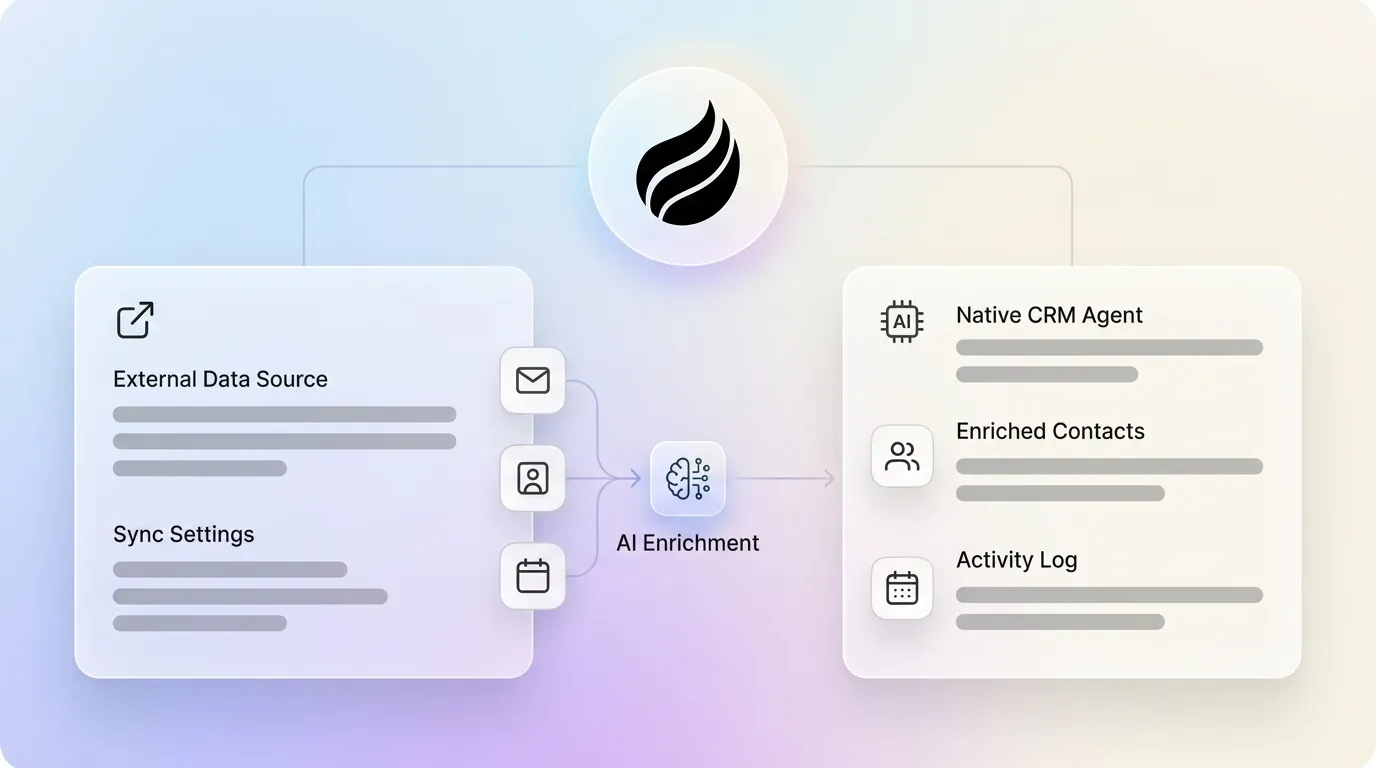
Coffee delivers this end-to-end workflow in two deployment models. Teams without an existing CRM can use Coffee as a standalone AI-first CRM where the agent manages the entire system of record. Teams committed to Salesforce or HubSpot can deploy Coffee as a companion layer. A simple authentication allows the agent to sync data, enrich it, and write valuable insights back to the primary CRM without disrupting existing workflows, quotas, or required fields.
See how Coffee’s agent automates enrichment in your stack
Four Connected Outcomes RevOps Leaders Care About
Agent-driven enrichment delivers four outcomes that build on each other. First, it reduces admin burden. Reps recover 8–12 hours per week that previously went to manual entry, logging, and cross-tool reconciliation.
This time savings only matters when the automated data is trustworthy. Higher data quality follows because records are populated from ground-truth sources such as emails, calendars, and transcripts instead of human memory after the fact.
Clean, current data then enables real-time buying-signal detection. The agent surfaces funding rounds, executive changes, and intent signals as they occur rather than in a weekly batch export.
Together, these capabilities create reliable pipeline intelligence. Because the agent captures every activity and deal-state change, pipeline reviews reflect actual deal progression instead of what reps remembered to log.
Firmographic Enrichment That Stays Current
Firmographic enrichment covers the structural attributes of a target company such as employee count, estimated annual revenue, industry vertical, headquarters location, and subsidiary relationships. An AI agent appends these fields automatically when a new company record is created and then monitors them for changes over time.

When a company crosses a headcount threshold or relocates, the agent updates the record and flags the change for the assigned rep. No manual lookup is required.
Technographic Profiles Built From Real Signals
Technographic data describes the software and infrastructure a company uses. An AI agent detects technology stack signals from several sources. These include job postings that reference specific platforms, public API documentation, web-crawled script tags, and intent data from third-party networks.
When a company posts a role that requires Salesforce administration, the agent infers a Salesforce dependency and updates the technographic profile. Recent technology changes, such as a migration from HubSpot to Salesforce, create especially valuable signals for teams selling complementary or competitive products.
Contact Intelligence From Channels You Already Use
Contact intelligence covers the individual-level data that makes outreach actionable. Examples include direct email addresses, mobile phone numbers, verified job titles, LinkedIn profiles, and reporting relationships. An AI agent derives much of this from sources the sales team already uses every day.

When a rep receives an email from a new contact, the agent automatically creates the contact record. It appends the email address, infers the job title from the signature, and associates the record with the correct company. Coffee’s agent augments these records further with funding data and LinkedIn profiles via licensed data partners. This removes the need for a separate prospecting database subscription.
Real-Time Buying Signals That Trigger Action
Real-time buying signals are events that indicate a company is entering an active buying cycle. The three most commercially significant are funding rounds, executive moves, and behavioral intent data. Clear detection of funding and executive moves now sits at the center of modern pipeline strategy.
Funding detection works by monitoring press release feeds, SEC filings, Crunchbase-equivalent data sources, and news aggregators for announcements tied to companies in the CRM. When a Series B is announced for a target account, the agent updates the firmographic record, logs the event as an activity, and can trigger an automated outreach sequence.
Executive move detection monitors LinkedIn profile changes, press releases, and job board postings. A new VP of Sales at a target account is a high-priority signal. The incoming executive is likely to evaluate the existing vendor stack within their first 90 days. The agent surfaces this signal in real time so the rep can act before competitors do.
Intent data aggregates behavioral signals such as content consumption, review site visits, and competitor research from third-party networks. It then maps those signals to companies in the CRM. When employees at a target account begin researching a category, the agent automatically elevates that account’s priority score.
Six-Step Workflow for an AI Enrichment Agent
- Connect Google Workspace or Microsoft 365. A single authentication grants the agent read access to emails and calendar events. No manual import is required.
- Auto-create and enrich contacts and companies. The agent scans existing and incoming communications to populate records with verified contact details, firmographics, and technographics.
- Log all activities automatically. Every email sent, meeting held, and call completed is logged against the correct contact and deal record without rep intervention.
- Detect buying signals. The agent monitors for funding announcements, executive changes, and intent data and surfaces alerts to the assigned rep in real time.
- Surface visitor-identified leads. A single tracking pixel on the company website lets the agent identify anonymous visitors by name, title, and company. It then recommends the two or three highest-fit contacts to reach out to.
- Feed enriched records into outreach and forecasting. Clean, continuously updated records flow directly into campaign sequences and pipeline analytics. The CSV export step disappears.
Keeping Enriched Data Accurate Over Time
Initial enrichment sets a baseline. Company headcounts change, executives move, and technology stacks evolve. An agent-driven system handles this through continuous monitoring. The agent re-evaluates records against live data sources on a rolling basis and writes updates back to the CRM as changes appear.
Coffee’s architecture stores enrichment history in a built-in data warehouse. When a field is updated, the previous value is preserved instead of overwritten. RevOps leaders can audit how a record changed over time, which relational database CRMs like Salesforce and HubSpot do not provide natively.
Periodic human oversight still matters for the highest-stakes records. An agent can flag records that have not had a verified human interaction in a defined period. That prompt encourages a rep to confirm or correct the enriched data. This hybrid model, with the agent first and humans handling exceptions, produces higher sustained accuracy than either fully manual or fully automated approaches.
Using Coffee as a Companion to Salesforce or HubSpot
Teams with established Salesforce or HubSpot instances can benefit from agent-driven enrichment without migrating their system of record. Coffee’s companion model deploys the agent as an intelligent layer on top of the existing CRM.
The setup uses a single OAuth authentication. Once connected, the agent begins syncing existing records, enriching them with missing fields, and logging activities that were previously uncaptured. Improved summary templates released in November 2025 are customizable to match existing workflows and are writable back to Coffee, HubSpot, or Salesforce. This preserves the system of record while removing the manual data entry burden.
Crucially, Coffee’s companion integration respects the complexity of enterprise CRM configurations that simpler AI CRM tools are not equipped to handle. It applies the same deep understanding of Salesforce and HubSpot architecture described earlier.
Compare standalone and companion deployment options
Agent Orchestration Compared to Waterfall Enrichment
| Capability | Waterfall Enrichment (e.g., ZoomInfo, Apollo) | AI CRM Agent (Coffee) | Legacy CRM (Salesforce, HubSpot) |
|---|---|---|---|
| Enrichment frequency | Batch, on-demand | Continuous, real-time | Manual, on update |
| Unstructured data ingestion | No | Yes (emails, transcripts, calendars) | No |
| Historical record preservation | No | Yes (built-in data warehouse) | No (fields overwritten) |
| Buying signal detection | Limited (intent data add-on) | Yes (funding, exec moves, intent, visitor ID) | No |
Frequently Asked Questions
How does AI data enrichment differ from traditional CRM enrichment?
Traditional CRM enrichment relies on batch processes. A user exports a list of records, submits it to a data provider like ZoomInfo or Apollo, and imports the appended fields back into the CRM. This process is periodic, covers only structured fields like phone numbers and job titles, and decays immediately after delivery.
AI data enrichment runs continuously. An agent monitors live data sources such as emails, calendars, news feeds, and web signals, then updates records in real time without human initiation. It also processes unstructured data, including the text of an email thread, to infer context that no structured database can provide. In practice, this feels like moving from a snapshot to a live feed.
Does Coffee integrate with Salesforce and HubSpot?
Yes. Coffee offers a companion deployment model specifically for teams committed to Salesforce or HubSpot. A single OAuth authentication connects the Coffee agent to the existing CRM. The agent then syncs records, enriches missing fields, logs activities captured from email and calendar, and writes insights, including meeting summaries formatted to match existing workflow templates, back to the system of record.
Coffee is built with a deep understanding of Salesforce and HubSpot configurations, including required fields, custom objects, quota structures, and forecasting hierarchies. Simpler AI tools rarely handle this complexity.
How does Coffee handle data security and compliance?
Coffee is SOC 2 Type 2 certified and GDPR compliant. Data processed by the Coffee agent is not used to train public AI models. Teams in regulated industries or large enterprises with multi-year security review requirements should evaluate whether Coffee’s current compliance posture meets organizational standards before committing. For the target audience of 10-to-50-person SaaS companies, the existing compliance framework covers standard enterprise requirements.
Is Coffee a fit for teams already using multiple sales tools?
Coffee serves sales teams frustrated by the cost and complexity of stitching together multiple point solutions. A typical fragmented stack that includes a CRM, an enrichment database, a sales engagement platform, a call recording tool, and a visitor identification tool can consolidate into a single agent.
Coffee performs the functions of all five natively. It enriches records, runs outreach campaigns, records and transcribes meetings, identifies website visitors, and surfaces pipeline intelligence. Teams not ready to consolidate can still use the companion model. In that setup, Coffee operates as the enrichment and intelligence layer on top of an existing Salesforce or HubSpot instance, with integrations to other tools available via Zapier and a deeper integration roadmap in development.
Conclusion: Moving From Static Lists to a Live CRM
AI data enrichment for sales has moved beyond appending phone numbers to a contact list. Agent-orchestrated enrichment now covers the full lifecycle. It ingests structured and unstructured data, maintains firmographic and technographic accuracy, detects real-time buying signals, and feeds clean records into outreach and forecasting. This happens continuously without human upkeep.
Teams evaluating this category should check whether a solution handles only structured batch enrichment or operates as a true agent across the entire data lifecycle. They should also confirm whether it can deploy as a standalone system or integrate with an existing CRM. Both deployment models matter, depending on where a team sits in its CRM maturity curve.


