
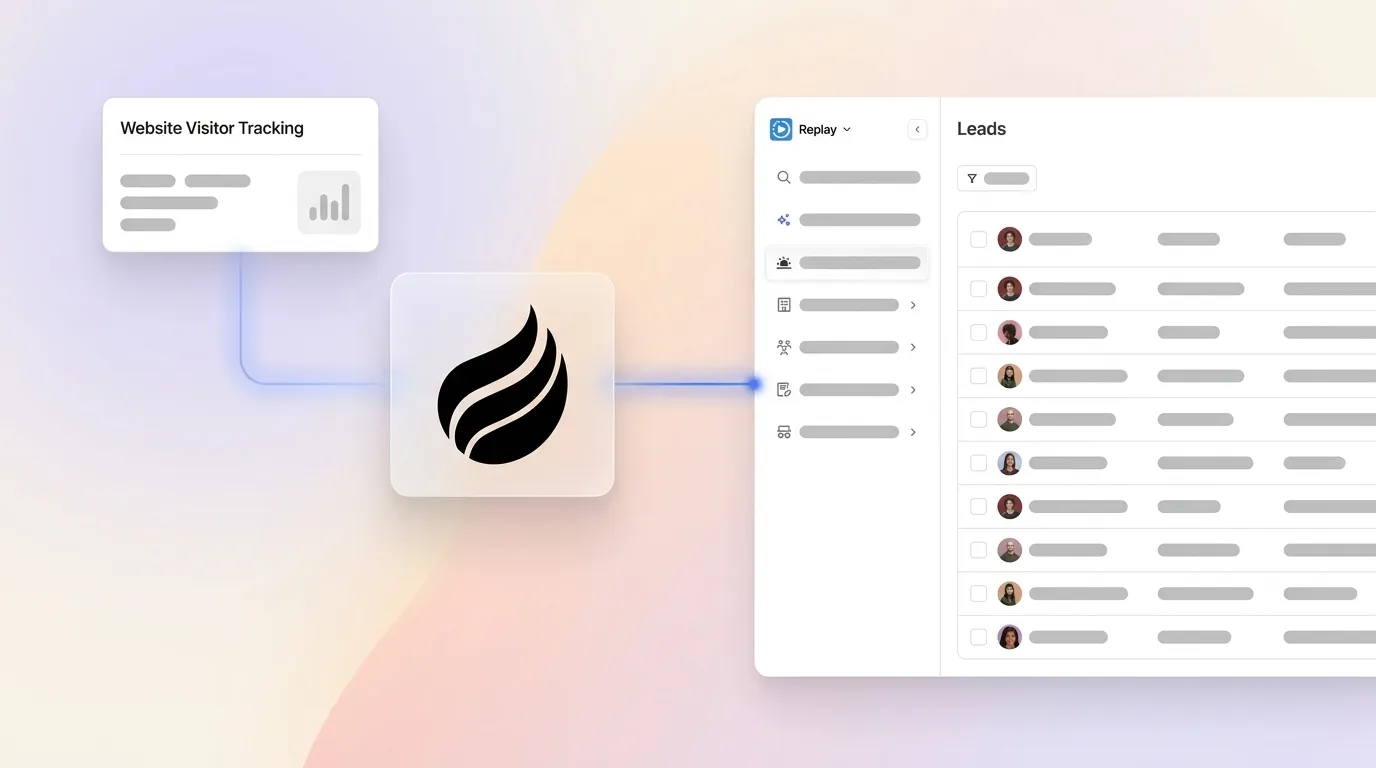
Written by: Doug Camplejohn, CEO & Co-Founder, Coffee
Key Takeaways for Connecting Coffee to Your CRM
- Connecting anonymous website visitors to CRM records removes manual data entry and converts a large share of non-converting traffic into sales-ready leads.
- Coffee’s single tracking pixel and autonomous agent handle identification, enrichment, scoring, and routing into Salesforce, HubSpot, or Coffee’s standalone CRM without spreadsheets or multiple tools.
- Seven clear steps – pixel installation, verification, field mapping, scoring setup, CRM routing, testing, and ongoing monitoring – create a repeatable, compliant workflow.
- Real-time scoring, Slack alerts, and Suggested Leads send high-fit prospects to the right reps within minutes, which boosts conversion rates and cuts response time.
- Unlock these benefits and eliminate manual mapping by starting your free trial today.
Readiness Checklist Before You Install Coffee
Confirm four prerequisites before you start implementation.
- CRM admin access: You need write permissions to create contacts, companies, custom fields, and workflow automations in Salesforce, HubSpot, or Coffee’s standalone CRM.
- Google Workspace or Microsoft 365 connection: This connection lets Coffee’s agent auto-create contacts, log activity, and sync calendar and email context alongside visitor data.
- Website admin rights: You must be able to insert a JavaScript snippet into the
<head>tag of every page, or access a tag management system such as Google Tag Manager. - Privacy policy and consent banner: A compliant cookie banner that blocks non-essential tracking by default is mandatory before the pixel fires. Under CIPA, businesses face private lawsuit risk of up to $5,000 per violation for loading tracking technologies without visitor consent, and The ePrivacy Directive (in conjunction with GDPR standards for consent) requires prior consent for non-essential cookies on sites accessible to EU residents. Two overlapping legal frameworks drive the same behavior: both require blocking the pixel until the visitor actively consents.
Step 1: Install Coffee’s Tracking Pixel Across Your Site
Input: Website admin access and a verified Coffee account.
Owner: WebOps or Marketing Ops, with RevOps defining requirements.
Output: A confirmed-active pixel firing on all target pages.
Inside Coffee, navigate to Visitor Identification and generate the custom tracking script. Paste it into the <head> tag of every page, or deploy it as a tag in Google Tag Manager. Coffee verifies installation automatically and confirms when data is flowing.
Before the pixel can collect data, you must address consent requirements. Decision point: If the site serves EU visitors, implement the consent banner requirement described in the Readiness Checklist, and block the pixel in the consent management platform’s reject state. Compliant deployments block tracking tags through the active CMP or tag manager rather than relying on a vendor’s own opt-out mechanism. For U.S.-only traffic, a clear cookie banner with an opt-out link satisfies CCPA/CPRA notice and Do Not Sell or Share obligations.
Pitfall: Cookie-consent implementation is not a one-time project, because new state privacy laws took effect in Kentucky and Rhode Island in January 2026, and additional states continue to introduce bills. Schedule a quarterly audit of all tracking scripts.
Step 2: Verify Visitor Identification and Enrichment in Coffee
Input: Active pixel with confirmed data flow.
Owner: RevOps.
Output: Named visitor records with enriched firmographic and contact fields appearing in Coffee.
Once the pixel is live, Coffee’s agent resolves anonymous sessions into named prospects. Verification at this stage matters, because enrichment issues will cause downstream field-mapping failures and incomplete CRM records. The agent infers name, title, email, and LinkedIn profile alongside company name, pages visited, time on site, and first-versus-returning-visit status. B2B identification tools typically resolve 20–65% of US B2B website traffic at the company level, with person-level identification rates varying by traffic source and consent rate.
Confirm that enrichment fields such as job title, funding stage, LinkedIn profile, and company size populate automatically. Coffee’s agent augments records via licensed data partners, which removes the need for a separate ZoomInfo or Apollo subscription for most use cases.
Pitfall: Consumer ISPs, VPNs, and mobile connections produce IP addresses that cannot be reliably mapped to business entities, so identification rates on consumer-heavy traffic will be lower. Segment traffic by source before you set identification-rate benchmarks.
Step 3: Map Coffee Fields to Your CRM and Prepare Historical Data
Input: Enriched visitor records in Coffee and an existing CRM field schema.
Owner: RevOps or CRM Admin.
Output: A documented field-mapping table and duplicate-prevention rules active in the CRM.
Map each Coffee enrichment field to its corresponding CRM field. For example, map company name to Account Name, contact email to Contact Email, job title to Title, pages visited to a custom activity or notes field, and lead score to Lead Score. For the Companion App path, configure this mapping inside the Coffee–Salesforce or Coffee–HubSpot authentication flow.
Once field mapping is complete, configure deduplication rules to prevent duplicate records. If a contact email already exists in the CRM, update the existing record rather than create a new one. Finally, to enable accurate lead scoring in Step 4, export closed-won and closed-lost records and confirm they are accessible to Coffee’s scoring layer. AI lead scoring models do not require large volumes of historical data and can produce reliable predictions with the right data rather than a minimum of 100–200 leads.
Pitfall: Legacy CRM architectures overwrite field values without preserving history. Coffee’s built-in data warehouse retains historical context, so prior visit behavior is never lost when a record is updated.
Step 4: Configure Real-Time Lead Scoring and Slack Alerts
Input: Mapped fields, historical conversion data, and defined ICP criteria.
Owner: RevOps with input from the Head of Sales.
Output: Active scoring rules, Slack alerts for high-fit visitors, and owner-assignment logic.
Define scoring thresholds based on fit and intent signals. Recommended thresholds route leads scoring above 85 directly to sales outreach while routing leads scoring between 50–70 into nurturing sequences. Coffee’s agent combines firmographic fit such as company size, industry, and tech stack with behavioral intent such as pricing page visits, repeated sessions, and product page depth to produce a composite score.
Configure real-time Slack notifications to surface high-fit visitors to the assigned rep within seconds of a qualifying page visit. AI scoring systems update scores in real time within seconds of new website interactions such as visiting a pricing page, which enables automated routing of high-intent leads before interest fades. Assign record ownership based on territory, account size, or round-robin rules defined in the routing configuration.
Pitfall: Score decay features automatically reduce scores for inactive leads over time to prevent cold prospects from retaining artificially high scores. Enable this setting to keep the pipeline accurate.
Step 5: Route Enriched Leads into CRM Contacts and Campaigns
Input: Scored visitor records with owner assignments.
Owner: RevOps.
Output: New or updated CRM contacts enrolled in the correct sequence or campaign.
With one click from a Slack alert, or automatically based on score threshold, Coffee’s agent adds the prospect to the CRM with all enrichment pre-filled and enrolls them in the appropriate outbound campaign or drip sequence. For Salesforce users, the Companion App writes the enriched contact and associated activity directly to the existing Salesforce instance. For HubSpot users, the same Companion App path applies.
When the visiting company is identified but the specific contact is not immediately clear, Coffee’s Suggested Leads feature closes that gap. Where competitors surface only the visiting company or an undifferentiated list of employees, Coffee uses the defined buyer persona to recommend the two or three specific individuals inside that company most likely to be the right contact, and surfaces their LinkedIn profiles for immediate outreach.

Modern GTM teams use integrated platforms that create closed-loop workflows spanning signal discovery, daily scoring, real-time routing, 30-minute execution SLAs, and monthly optimization. Coffee’s agent operationalizes this loop without requiring a separate Clay, LeanData, or Outreach instance.
Step 6: Test the Full Loop from Pixel Hit to Outreach
Input: Completed configuration across Steps 1–5.
Owner: RevOps.
Output: A documented end-to-end test confirming every handoff works correctly.
Run a controlled test by visiting the website from a known business IP, then navigate to a high-intent page such as pricing or product. Confirm the following sequence completes within five minutes, and treat each checkpoint as a dependency for the next.
- Visitor session appears in Coffee’s Visitor Identification dashboard with correct enrichment fields.
- Lead score is calculated based on the enriched data and matches the expected threshold band.
- Slack alert fires to the correct rep, pulling visitor name, company, pages visited, and score from the enriched record.
- CRM contact is created or updated with all mapped fields populated and no duplicate record created.
- Campaign enrollment or sequence activation triggers based on the CRM record and score threshold.
Common failure points: consent banner blocking the pixel before the test visitor accepts cookies, field-mapping mismatches creating blank CRM fields, duplicate records from mismatched email formats such as uppercase versus lowercase, and Slack webhook token expiry.
Step 7: Monitor Data Quality and Compliance Over Time
Input: Live workflow with real traffic.
Owner: RevOps, with quarterly review by legal or privacy counsel.
Output: A recurring data-quality report and a consent audit log.
Poor data quality and hygiene are major operational challenges for RevOps, because stale, duplicate, and missing records reduce trust in reporting and cause wasted outreach. Set a weekly automated report tracking identification rate, enrichment fill rate, duplicate rate, and lead-to-opportunity conversion rate by score tier.
For compliance, confirm the consent management platform logs consent decisions with timestamps. Responsible providers store only the minimum data needed for a limited time, such as a 90-day retention period. Coffee is SOC 2 Type 2 and GDPR compliant, and data is not used to train public models. When B2B tracking data is used for AI-based lead scoring or automated decision-making, the resulting scores are treated as personal data, giving individuals the right to access the score and understand how it was calculated. Document this process for any EU-facing workflows.
Validation Checklist for Your First 30 Days
At the 30-day mark, confirm that your workflow hits these targets.
- Identification rate: At least 10% of total B2B traffic resolving to named company or contact records, which serves as a conservative floor given the 20–65% company-level benchmark and the more restrictive nature of person-level resolution.
- Enrichment fill rate: At least 80% of new visitor-sourced contacts have company name, job title, and email populated without manual entry.
- Time saved: Reps report zero manual data entry for visitor-sourced leads, benchmarked against the pre-implementation baseline of time spent on CRM data entry.
- Score accuracy: Leads above the 85 threshold convert to discovery calls at a measurably higher rate than unscored outbound. McKinsey research indicates companies using sales automation can achieve efficiency improvements of 10 to 15 percent and sales uplift potential of up to 10 percent by analyzing behavioral data points simultaneously rather than relying on static manual rules.
- CRM adoption: All visitor-sourced contacts exist in the CRM, not in spreadsheets or Notion, which eliminates shadow CRM behavior.
How Coffee Fits Different Team Sizes and CRMs
Small teams (1–20 employees): Use Coffee’s Standalone CRM as the system of record. The agent handles contact creation, enrichment, visitor identification, and pipeline tracking in one product, so no Salesforce or HubSpot license is required. Early-stage RevOps stacks typically combine a CRM, Zapier for basic automation, and Clearbit for enrichment. Coffee consolidates these functions into a single agent-driven product. Current third-party integrations beyond Salesforce and HubSpot are available via Zapier, with deeper native integrations on the roadmap.
Mid-market teams (20–200 employees) on Salesforce or HubSpot: Deploy Coffee as the Companion App. Authentication takes minutes, and the agent then writes enriched visitor contacts, scores, and activity logs directly into the existing Salesforce or HubSpot instance without disrupting current workflows or requiring a CRM migration. RevOps maturity indicators include automated routing based on enriched data and unified reporting dashboards. The Companion App delivers both without adding headcount.
Advanced persona matching: For teams running account-based programs, Coffee’s Suggested Leads feature filters visiting company employees against the defined buyer persona and surfaces the two or three highest-fit individuals. This feature closes the gap that standalone tools like RB2B and Warmly leave open by returning undifferentiated people lists rather than persona-matched recommendations.

Frequently Asked Questions
How long does the full setup take from pixel installation to live CRM sync?
Most teams install and verify the pixel within 30 minutes. Field mapping and scoring configuration typically take two to four hours depending on CRM complexity. The Companion App path for Salesforce or HubSpot requires a simple authentication step and can be live the same day. The full seven-step workflow, including end-to-end testing, is achievable within one business day for a team with CRM admin access and website admin rights already in place.
Does Coffee require Zapier to connect to Salesforce or HubSpot?
No. The Coffee Companion App connects directly to Salesforce and HubSpot via native authentication, so no Zapier middleware is needed for those CRM paths. Zapier is available for connecting Coffee to other tools in the stack, such as Slack, outbound sequencing platforms, or data warehouses, and deeper native integrations are on the product roadmap.
Is Coffee compliant with GDPR, CCPA, and SOC 2 requirements?
Coffee is SOC 2 Type 2 certified and GDPR compliant, and data ingested by the Coffee agent is not used to train public AI models. For GDPR compliance, deploy the tracking pixel behind a consent management platform as outlined in the Readiness Checklist. For U.S. compliance, a cookie banner with opt-out functionality satisfies CCPA and CPRA obligations. Coffee’s data retention practices follow the principle of minimum necessary data storage. Teams operating in California should also note that CIPA creates private lawsuit exposure for unconsented tracking, which makes a properly configured consent banner a legal requirement rather than a best practice.
What happens to the workflow as the sales team grows?
Coffee’s seat-based pricing model means the agent’s labor scales without additional per-process or per-enrichment fees. As team size grows, routing rules can be updated to reflect new territories, account tiers, or round-robin assignments directly in the configuration. Teams that outgrow the Standalone CRM can migrate to the Companion App path on Salesforce or HubSpot without losing historical visitor data, because Coffee’s built-in data warehouse preserves the full record of visitor interactions and enrichment history. Advanced features such as Suggested Leads and the List Builder, which generates targeted prospect lists via natural language commands, become increasingly valuable as outbound volume scales.
How does Coffee’s visitor identification differ from tools like RB2B or Warmly?
RB2B and Warmly surface either company-level data or raw lists of individuals associated with a visiting company. Coffee identifies named individuals and adds a Suggested Leads layer that matches visiting company employees against the defined buyer persona. The agent then recommends the two or three specific people most worth contacting and surfaces their LinkedIn profiles for immediate outreach. This approach closes the loop from pixel hit to personalized outbound without leaving the agent or requiring a separate enrichment tool.
Conclusion: Turn Anonymous Traffic into Pipeline with Coffee
The seven steps above form a complete, repeatable system. You install a compliant pixel, verify identification and enrichment, map fields with historical-data rules, configure real-time scoring and alerts, route enriched leads into the CRM, test the full loop, and monitor data quality on an ongoing basis. Each step has a defined owner, a clear output, and a documented pitfall to avoid.
The underlying principle stays straightforward. The traditional approach used separate tools for website tracking, data enrichment, scoring, routing, and execution, which created integration overhead, inconsistent data, and delayed signal-to-action workflows. Coffee’s agent collapses that stack into a single system that handles every step autonomously, so RevOps teams get good data in and accurate pipeline intelligence out without adding headcount or manual work.
Turn your anonymous traffic into a named, scored, CRM-ready pipeline with Coffee.

