Written by: Doug Camplejohn, CEO & Co-Founder, Coffee | Last updated: August 13, 2026
Key Takeaways
- Legacy CRMs force reps to spend 25% of their week on manual data entry, which creates inaccurate records and cuts into selling time.
- Autonomous revenue agents remove this burden by continuously ingesting emails, calls, and calendar events without human input.
- Coffee unifies data capture, enrichment, outreach, and pipeline intelligence in a single agent-driven system that replaces multiple point solutions.
- Teams can deploy Coffee as a standalone AI-first CRM or as a companion layer that syncs bidirectionally with Salesforce or HubSpot.
- Teams ready to reclaim 8–12 hours per week should explore Coffee’s pricing and deployment options today.
The Problem: Legacy CRMs Create Manual Work and Bad Data
Legacy CRMs depend on humans to keep data current. Reps log calls, update fields, and maintain deal stages by hand, which consumes roughly a quarter of their week. That time comes directly out of prospecting, follow-up, and live conversations with buyers.
Manual entry also produces incomplete and fabricated records. Reps skip fields, backfill activities before pipeline reviews, or guess at next steps. Leaders then forecast from this shaky foundation, and operations teams bolt on more tools to patch the gaps.
Most mid-market teams now juggle a stack of enrichment tools, dialers, sequencers, and call recorders. Each tool captures a slice of the truth, but none holds the full picture. The result is fragmented data, frustrated reps, and CRMs that feel like chores instead of revenue systems.
The Solution: Autonomous Revenue Agents Replace Passive Databases
An autonomous revenue agent behaves like a teammate, not a spreadsheet. It does not wait for a human to log a call or update a field. It continuously ingests every interaction, including emails, calendar events, and call transcripts, then creates or enriches records without human input. Gartner projects that 40% of enterprise applications will include task-specific AI agents by the end of 2026, up from less than 5% in 2025. This shift from passive database to proactive agent defines the current software cycle.
Coffee is built on this principle. Its agent handles data unification, activity logging, meeting orchestration, pipeline intelligence, and outreach sequencing, which replaces the fragmented stack of ZoomInfo, Gong, Salesloft, and Fathom that most mid-market teams run today. The philosophy is simple. Good AI requires good data. Coffee captures every input automatically and accurately, so forecasts, pipeline views, and suggested actions stay reliable.
See how Coffee’s agent handles your data chores
How Coffee’s Autonomous Agent Keeps CRM Data Updated
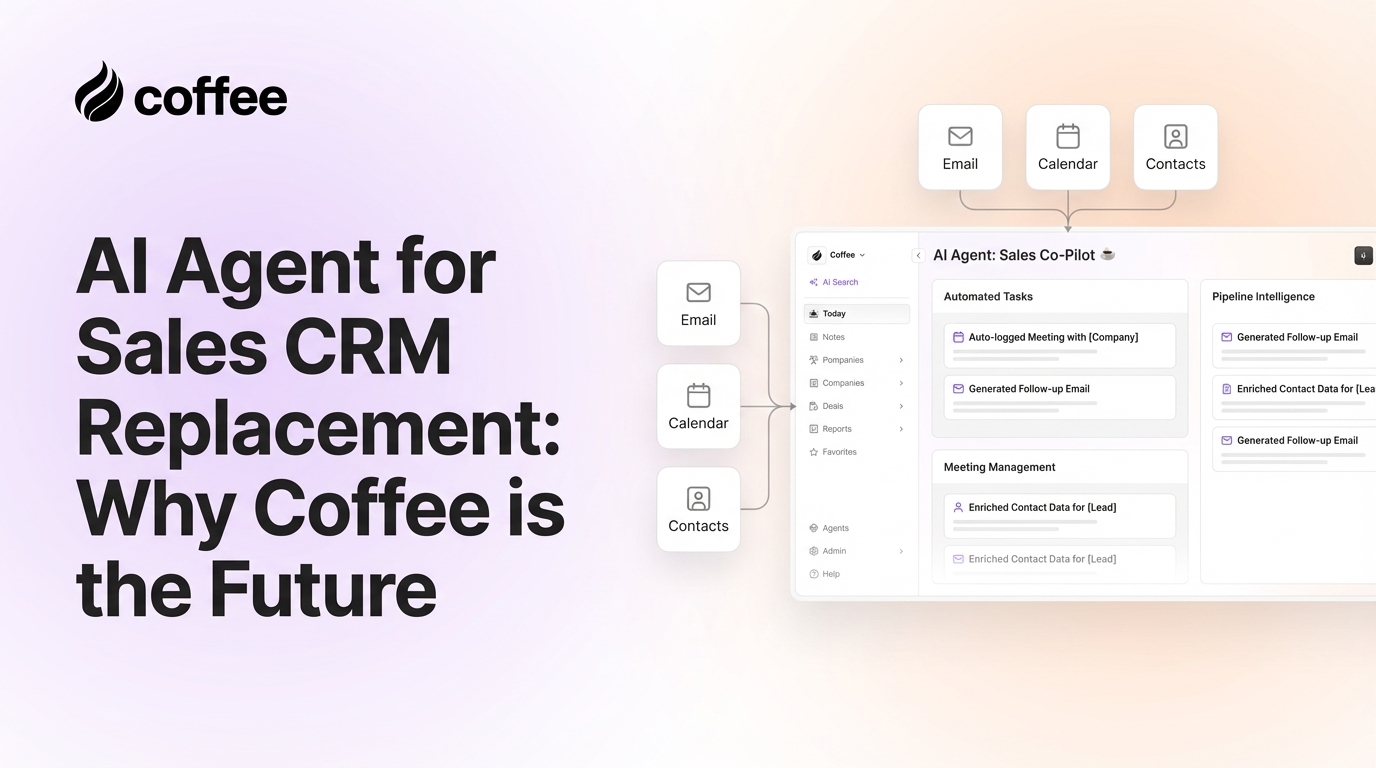
Upon connecting to Google Workspace or Microsoft 365, the Coffee agent begins work immediately. It scans emails and calendars to auto-create contacts, companies, and activities, then associates every note and interaction with the correct record. Licensed enrichment partners add job titles, funding data, and LinkedIn profiles, which removes the need for a separate Apollo or ZoomInfo subscription.
Activity logging stays current without human effort. Last contact dates, next scheduled steps, and deal stages update autonomously, so the pipeline always reflects reality instead of yesterday’s guesses. The agent maintains this layer continuously, not just before forecast calls.
Coffee’s AI search on deals, released in January 2026, answers natural-language questions such as “Which deals are stuck in negotiation?” or “What is closing this month?” This replaces manual CSV exports and interrogation-style pipeline reviews that drain sales leadership time. The Stripe integration, also launched in January 2026, automatically imports customers and companies, enriches them, and marks paid invoices as Closed Won, which closes the loop between revenue data and CRM records without manual steps. A QuickBooks integration added in February 2026 syncs invoices and payment statuses in real time, so financial and sales data appear in one view.
The practical effect is simple. Reps stop toggling between a CRM for records, an enrichment tool for data, a sequencing platform for outreach, and a recording tool for transcripts. The agent handles all of it inside one system.
Choosing Between Standalone CRM and Companion Agent
Coffee operates a dual-model strategy that meets teams where they are today. Each model delivers the same autonomous agent, but the surrounding system of record differs.
The Standalone AI-First CRM fits small companies, typically one to twenty employees, that have outgrown spreadsheets and Notion. These teams often find legacy CRMs like HubSpot or Pipedrive expensive and manual. In the standalone model, the Coffee agent powers the entire system of record. Contacts, companies, activities, pipeline, and outreach all live in one place and are managed by the agent instead of the rep.
The Companion App deploys the Coffee agent as an intelligent layer on top of an existing Salesforce or HubSpot instance. A simple authentication lets the agent sync data, enrich records, and write insights back to the primary CRM. Summary templates released in November 2025 are customizable to match existing workflows and writable back to Coffee, HubSpot, or Salesforce, which preserves quotas, forecasting structures, and required fields that established teams rely on. Newer alternatives like Day.ai and Clarify do not yet offer the Salesforce and HubSpot depth that mid-market teams need. Coffee is built specifically for that complexity.
The decision framework stays straightforward. Teams outgrowing spreadsheets with no existing CRM investment typically choose the Standalone model. Teams with committed Salesforce or HubSpot instances, low adoption, and poor data quality usually choose the Companion model.
Regardless of the deployment model, the agent’s impact on daily workflows remains the same. It reclaims the hours reps currently lose to administrative tasks and returns that time to selling.
AI Sales Agent vs. Traditional SDR Workflows
AI sales agents increase productive selling time by automating administrative work such as data entry, activity logging, and CRM updates. Coffee’s agent applies this automation across the full sales cycle.
For prospecting, the Lead Finder feature accepts natural-language commands like “Find me VPs of Sales at SaaS companies with 50–200 employees” and builds targeted lists from Coffee’s own database. This acts as a built-in alternative to ZoomInfo or Apollo. Visitor Identification turns anonymous website traffic into named prospects with a single tracking pixel, surfacing name, title, email, and LinkedIn profile alongside the pages visited. Suggested Leads goes further by identifying the specific two or three people inside a visiting company who match the buyer persona, instead of returning undifferentiated lists.


For outreach, Campaigns runs multi-step AI-generated email sequences directly from the rep’s connected mailbox. Stop-on-reply is on by default, so no automated message goes out after a real conversation starts. For meeting management, the agent prepares briefings before calls, joins via bot to record and transcribe, and generates summaries, next steps, and follow-up drafts immediately afterward. Custom Meeting Briefings and Summaries, launched in February 2026, let users define exact formats, from high-level executive summaries to granular technical breakdowns, matched to their workflow.



Humans retain ownership of relationship strategy, negotiation, and final judgment on complex deals, which are the activities that require reading intent, navigating politics, and building trust. The agent owns everything else, including the data chores and high-volume tasks that consume most rep time but do not require human judgment. This division keeps reps focused on conversations that close revenue instead of the administrative work that surrounds those conversations.
Pipeline Intelligence Without Spreadsheets
The Coffee agent captures every interaction into a built-in data warehouse, so pipeline intelligence emerges directly from data capture instead of a separate analytical project. The Pipeline Compare feature automatically visualizes week-over-week changes and highlights progressed deals, stalled opportunities, and new additions. Pipeline reviews shift from interrogation sessions, where managers question gaps in manually entered data, to strategic discussions grounded in complete, agent-maintained records.
Outreach’s deal health scoring works only when it receives consistent signal data. Coffee’s architecture follows the same rule. Accurate forecasts appear as a consequence of automated data capture, not as a feature that can bolt onto a system with incomplete records.
The table below shows how Coffee’s autonomous architecture handles data sources, history tracking, integration depth, and autonomy compared with legacy CRMs and shallow AI tools. These differences determine whether your pipeline data is reliable or fabricated.
Core Capabilities Comparison
| Capability | Legacy CRMs (Salesforce, HubSpot) | Shallow AI Tools (Day.ai, Clarify) | Coffee |
|---|---|---|---|
| Data sources handled | Structured fields only, unstructured data (emails, transcripts) requires manual entry | Unstructured data with productivity focus or limited enrichment, no unified structured plus unstructured handling | Structured and unstructured data, including emails, calendars, transcripts, and enrichment, ingested autonomously via Google Workspace or Microsoft 365 |
| History tracking | No built-in data warehouse, and when fields are updated, historical context is lost | Limited history, dependent on the connected CRM’s storage model | Built-in data warehouse retains full interaction history and powers Pipeline Compare and week-over-week change visualization |
| Integration depth | Native system of record, but poor CRM synchronization when layering additional tools can cause lost revenue | Insufficient depth for Salesforce or HubSpot quotas, forecasting, and required fields at mid-market scale | Deep bidirectional sync with Salesforce and HubSpot that writes summaries, enrichment, and activity logs back to the existing CRM and handles quotas and required fields |
| Autonomy level | Fully manual, and 75% of respondents say staff fabricates CRM data | Copilot-style suggestions that require human action and offer limited autonomous execution | Autonomous agent that auto-creates contacts, logs activities, enriches records, runs outreach sequences, and generates pipeline intelligence without human input |
Human vs. Agent Balance on Complex Deals
The Coffee agent owns every task that does not require relationship nuance or strategic judgment. It handles data entry, record enrichment, activity logging, meeting transcription, summary generation, follow-up drafting, prospecting list construction, and pipeline tracking. These tasks currently consume most rep time and generate frequent errors when handled manually.
Humans retain ownership of the work where judgment is irreplaceable. That includes reading intent in live conversations, navigating multi-stakeholder politics on enterprise deals, deciding when to push or wait, and building the trust that closes complex contracts. The safest pattern for CRM agents is “agent proposes, human reviews, system applies” for any changes that affect customers, revenue, permissions, or external communication. Coffee’s Campaigns feature reflects this pattern. Outreach sequences send from the rep’s own mailbox with their real signature, and stop-on-reply ensures the agent steps back the moment a human conversation begins.
A 2025 LinkedIn report found that 69% of sellers said AI helped them reduce the sales cycle by one week. That reduction came from removing administrative burden, not from removing humans from deals. Coffee is built to deliver that same balance.
Frequently Asked Questions
How deeply does Coffee integrate with Salesforce and HubSpot?
Coffee’s Companion App connects to Salesforce and HubSpot through a simple authentication flow. After connection, the agent reads existing records, enriches them with contact and company data, logs activities automatically, and writes summaries, next steps, and deal updates back to the CRM. The integration handles the complexity that mid-market Salesforce and HubSpot instances require, including quotas, forecasting structures, required fields, and custom objects, instead of offering a surface-level sync that breaks under real conditions. Summary templates are customizable to match existing workflows and can be written back to either platform.
How does Coffee’s data quality compare to a dedicated tool like ZoomInfo?
Coffee’s enrichment data, including job titles, funding information, LinkedIn profiles, and company details, comes from licensed data partners and is roughly on par with ZoomInfo for most B2B use cases. The meaningful difference is consolidation. Coffee delivers enrichment as a built-in capability of the agent instead of a separate subscription that requires manual export and import between systems. For teams currently paying for ZoomInfo, Apollo, or similar tools alongside their CRM, Coffee removes that line item and keeps the data inside the same system that runs outreach and tracks pipeline.
Is Coffee SOC 2 and GDPR compliant?
Yes. Coffee is SOC 2 Type 2 certified and GDPR compliant. Data processed by the Coffee agent does not train public models. For teams in regulated industries or those with strict data governance requirements, Coffee’s security posture meets the standards that B2B sales organizations in the United States and Europe expect.
Is full CRM autonomy realistic, or does the agent still require significant human oversight?
Full autonomy is realistic for the data and administrative layer of sales operations. Contact creation, activity logging, enrichment, meeting summaries, and pipeline tracking all run without human input. Outreach through Campaigns is autonomous by default but includes human-review checkpoints. Sequences can be previewed before launch, paused at any time, and stop automatically when a prospect replies. The agent does not replace human judgment on complex deals, relationship strategy, or final negotiation. It eliminates every task that does not require that judgment and returns the time savings described earlier to each rep for work that actually closes revenue.
What does Coffee’s pricing model look like?
Coffee uses seat-based pricing. Teams pay for the human seats on the platform, and the agent’s labor, including data capture, enrichment, meeting management, pipeline intelligence, outreach sequencing, and visitor identification, is included without additional metering on AI usage or process volume. There are no separate charges for LLM calls or automated workflows. This model keeps the cost of the agent predictable and directly comparable to the cost of the manual work it replaces.
Conclusion: Move From Passive CRM to an Autonomous Revenue Agent
The core problem with legacy CRMs is architectural, not cosmetic. Systems that rely on humans to ensure data quality will always produce incomplete records, unreliable forecasts, and reps who spend more time serving the software than closing deals. The shift from passive database to proactive agent is already underway for teams willing to adopt it.
Coffee is the only autonomous revenue agent that works as both a standalone system of record and a deep companion layer on Salesforce or HubSpot. It ingests structured and unstructured data into a built-in data warehouse and delivers pipeline intelligence that stays accurate because the underlying data is complete. The agent handles the data chores. The humans handle the deals.