Written by: Doug Camplejohn, CEO & Co-Founder, Coffee | Last updated: July 23, 2026
Key Takeaways for Sales Leaders
- A unified customer data platform CRM for sales teams automatically captures, resolves, and activates structured and unstructured data into one accurate 360° customer view without manual entry.
- Legacy CRMs and generic CDPs require significant human effort for data quality, which creates lost revenue, forecast errors, and wasted rep time on manual tasks.
- Key evaluation criteria include data quality, implementation effort, workflow fit, user adoption, integration requirements, reporting visibility, automation depth, governance, scalability, and ongoing administrative burden.
- Coffee uses an autonomous agent to capture emails, call transcripts, payment data, and enrichment automatically. It saves 8–12 hours per rep per week while integrating with existing CRMs like Salesforce or HubSpot.
- Ready to eliminate manual data entry and unify your customer data? See Coffee’s pricing and deployment options.
How to Evaluate a Unified Customer Data Platform CRM
Before comparing vendors, establish objective criteria that distinguish genuine unification from passive storage. The ten dimensions below provide that framework and separate platforms that actively maintain data quality from those that simply collect it.
- Data quality: Does the system maintain accurate records automatically, or does quality depend on rep discipline?
- Implementation effort: How many weeks and how much engineering time are required before the first use case goes live?
- Workflow fit: Does the platform serve frontline reps in their daily motion, or does it serve analysts and admins?
- User adoption: Do reps use the system because it helps them, or because managers require it?
- Integration requirements: How many connectors, middleware layers, or custom builds are needed to unify data sources?
- Reporting visibility: Can managers see accurate pipeline state without manual CSV exports or spreadsheet reconciliation?
- Automation depth: Does the system act on data autonomously, or does it surface suggestions that humans must execute?
- Governance: Are role-based access, audit logging, and compliance with GDPR and CCPA built into the architecture?
- Scalability: Can the platform grow from 10 to 200 seats without re-implementation?
- Ongoing administrative burden: What is the annual cost in engineering hours and RevOps time to keep the system healthy?
Side-by-Side Comparison of CRM and CDP Options
The table below scores each vendor against the three dimensions most relevant to mid-market sales teams. Every metric is drawn from 2025–2026 sources cited inline.
| Vendor | Data Quality & Automation | Implementation & Ongoing Burden | Sales Workflow Fit |
|---|---|---|---|
| Salesforce + Data Cloud | Passive CRM backbone, and Data Cloud adds identity resolution, but the average seller still spends only 35% of their time actually selling. Many sales leaders with AI say tech silos delay or limit their AI initiatives. | Enterprise suite implementations take 1–4 months for first value. Total year-one cost is typically 2x–5x the licence fee when services and engineering are included. | Built for enterprise process compliance. Sales staff admit to fabricating CRM data because manual entry conflicts with quota pressure. |
| HubSpot | Collects some behavioral data such as page visits and email opens but is not built to collect raw event data from multiple tools or unify anonymous and known user activity like a full CDP. | Faster initial setup than Salesforce, while ongoing burden grows with contact volume. RevOps teams may spend time on quarterly cleanup projects when data hygiene is handled manually. | Strong for inbound marketing-led teams. Weaker for outbound pipeline intelligence and unstructured data capture. |
| Microsoft Dynamics 365 | The 2026 agentic AI update reduces manual entry via Smart Paste, but the underlying system remains a passive record store that requires agent add-ons. | Complex enterprise licensing. Enterprise suite first-value timelines of 1–4 months apply here as well. | Best fit for Microsoft-stack enterprises. Mid-market teams face significant configuration overhead before the system serves frontline reps. |
| Generic CDP (e.g., Segment, Adobe) | Strong identity resolution, and multi-source aggregation can reduce duplicate profiles. It does not capture unstructured sales data such as call transcripts or email threads. | Mid-market CDP pricing varies, and implementation costs add substantially beyond the platform licence. 30–50% of CDP projects fail to deliver expected value within the first year. | CDPs lack deal management, forecasting, and collaboration workflows that sales teams depend on for pipeline management. They are not sales execution tools. |
| Coffee | Autonomous agent captures emails, calendar events, call transcripts, payment data from QuickBooks and Stripe, and enrichment automatically. Stripe integration launched January 2026 automatically imports customers, enriches them, and marks paid invoices as Closed Won. Delivers the time savings noted above. | Connects via Google Workspace or Microsoft 365 authentication, with no multi-month implementation. Works as standalone CRM or companion layer on Salesforce or HubSpot. Simple seat-based pricing with no metering on agent usage. | Designed exclusively for sales rep workflows, including automated briefings, post-call summaries, pipeline compare, and natural-language deal search. AI search on deals answers queries like “Which deals are stuck in negotiation?” without manual filtering. |
Compare Coffee’s pricing to traditional CDP and CRM costs, and see how an autonomous agent removes the 2x–5x implementation multiplier.
Practical Differences Between a CRM and a CDP
A CRM is a process-centric system built around sales stages, service workflows, and team activities, while a CDP is a data-centric system that unifies every data point from websites, apps, email, social media, and offline interactions into a complete customer picture. For mid-market sales teams, this distinction affects six practical dimensions.
Setup and onboarding. A CRM can be provisioned in days. A CDP requires data mapping, identity resolution design, and connector configuration. CDP integration projects that connect multiple core systems often take several months for a foundational setup.
Data capture and maintenance. CRMs collect contact info, deals, tasks, and notes via manual entry by sales and service teams, while CDPs handle known plus anonymous identities, cross-device identity resolution, and real-time event ingestion from website behavior, email engagement, and offline sources. Neither legacy CRM nor generic CDP automatically captures unstructured sales data such as call transcripts or email threads without additional tooling.
Usability for frontline reps. Sales teams use CRMs to manage contact data, track leads through the sales pipeline, automate sales tasks, and maintain a central repository. CDPs are not built for rep-facing workflows. A CDP’s strengths lie in cross-channel personalization and profile unification, not in sales engagement or revenue attribution.
Manager visibility. CRMs provide pipeline stage visibility, and accuracy depends on rep entry. Incomplete Salesforce activity data can cause predictive forecasting model accuracy to drop. CDPs improve segmentation but do not produce pipeline forecasts.
Integration complexity. Organizations with many active applications face high integration overhead before a unified customer profile becomes stable. Adding a CDP alongside a CRM introduces a second governance layer, not a simpler one.
Long-term flexibility. Maintaining custom data unification systems typically costs more in engineering time than adopting purpose-built platforms, especially as requirements evolve toward real-time unification, AI decisioning, and complex probabilistic matching. Given these architectural challenges, many teams look to existing vendors for a unified solution.
How Salesforce Uses Data Cloud as a CDP
Salesforce offers Data Cloud as a separate, paid product that adds identity resolution and behavioral data ingestion to the core CRM. It is not included in standard Salesforce licences. Salesforce is mainly a CRM for managing contacts, deals, and communications, and it offers a separate CDP product that is not included by default.
The architectural limitation remains after adding Data Cloud. The underlying CRM still relies on manual entry for activity logging, call notes, and deal updates. B2B CRM data decays at approximately 30% per year due to job changes, company rebrands, and other external factors. A passive database layer on top of another passive database layer does not eliminate that decay.
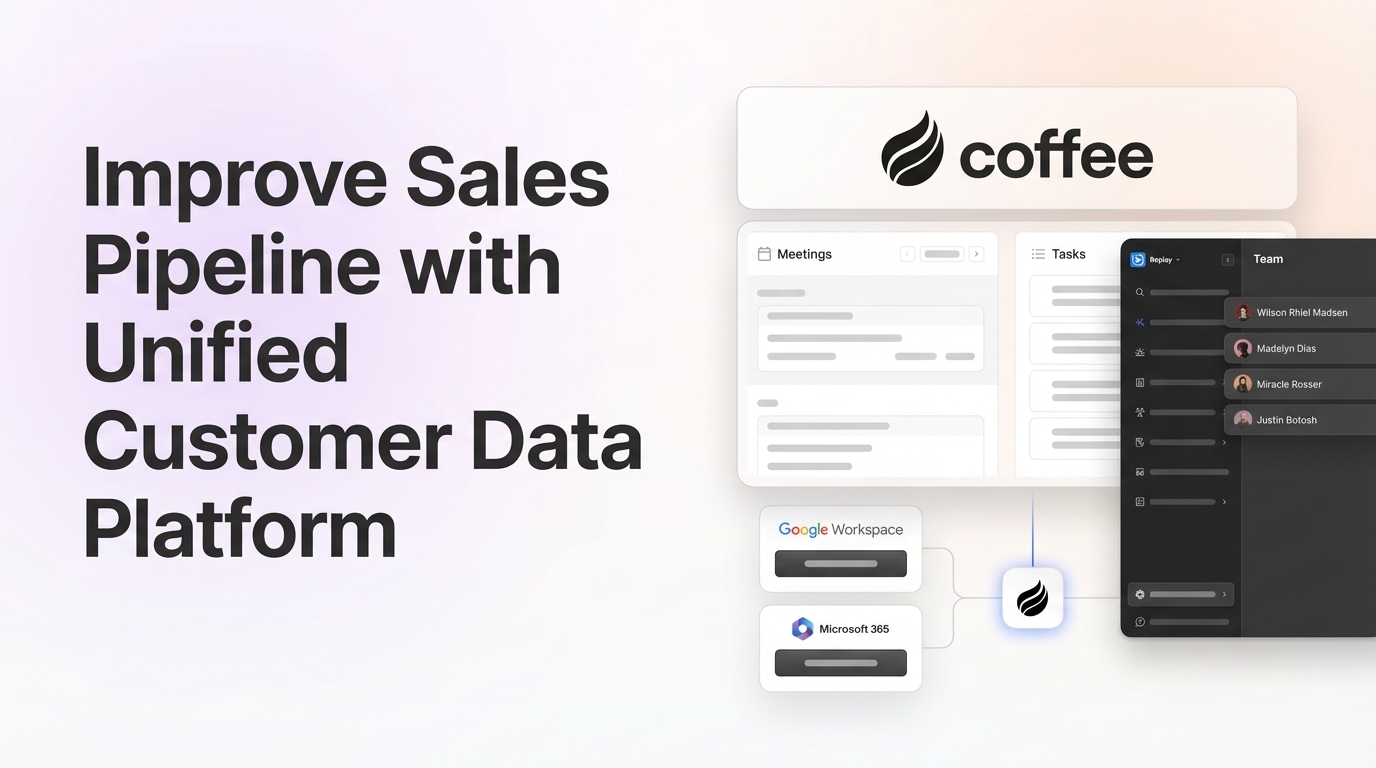
Coffee’s approach is structurally different. The Coffee Agent connects to Google Workspace or Microsoft 365 and immediately begins capturing emails, calendar events, and call transcripts without any rep action. In February 2026, Coffee introduced an Intelligence layer that allows users to define and store deep context on business model, product specifics, ICP, and competitors for tailored AI suggestions and insights. That context is applied to every interaction automatically, and it preserves historical state that a relational database field update would permanently overwrite.

For teams already committed to Salesforce, Coffee deploys as a Companion App. The agent handles all data capture and writes enriched records, summaries, and pipeline updates back to Salesforce, so the system of record stays accurate without human effort. Improved summary templates released in November 2025 are customizable and writable back to Coffee, HubSpot, or Salesforce.

Costs of a Unified CDP for Sales Teams
Cost comparisons across categories work best when licence fees are separated from total cost of ownership, because the two diverge significantly for CDP deployments.
Generic CDP total cost of ownership. Mid-market CDP pricing varies, with implementation costs adding substantially beyond the platform licence. As shown in the comparison table, total year-one cost typically reaches 2x–5x the licence fee when implementation services, internal engineering time, and ongoing maintenance are included.
The hidden cost of bad data. Sales reps waste 27% of their time dealing with bad data, costing an estimated $32,000 per rep annually in lost productivity. Poor data quality creates substantial hours lost annually on data-related tasks for a sales team, at a significant blended annual cost.
The Coffee workflow in practice. A rep using Coffee starts the day on the “Today” page, which the agent has pre-populated with meeting briefings, attendee context, and open deal status. Custom Meeting Briefings launched in February 2026 allow users to define exact formats, from high-level executive summaries to granular technical breakdowns. After each call, the agent generates a summary, identifies next steps, and drafts a follow-up email. The rep reviews and sends. No manual CRM update occurs at any point.

Pipeline reviews use the Pipeline Compare feature, which visualizes week-over-week changes automatically, including progressed deals, stalled opportunities, and new additions, without spreadsheet exports. RevOps teams see improvement in forecast accuracy when they consolidate forecasting, pipeline management, and sales performance tracking into one platform rather than managing multiple disconnected tools.
Coffee’s pricing is seat-based. The agent’s labor for enrichment, logging, briefings, summaries, and pipeline tracking is included at no additional metered cost.
Calculate your team’s time savings, and see how Coffee’s seat-based pricing compares to your current CRM and enrichment tool costs combined.
Best-Fit Scenarios for Mid-Market Sales Teams
Early-stage teams (1–20 seats) that have outgrown spreadsheets. These teams need a system of record that does not require a dedicated admin to maintain. Coffee’s Standalone CRM deploys via a single Google Workspace or Microsoft 365 connection. The agent creates contacts, logs activity, and tracks pipeline from day one. There is no implementation project and no data engineering requirement.
Growing sales organizations (20–150 seats) with fragmented tool stacks. Companies with 50–500 employees typically require both CRM for pipeline management and basic CDP functionality for unified views. Coffee addresses both requirements in one agent. It consolidates the jobs of a CRM, an enrichment tool, a call recording platform, and a forecasting add-on, which reduces stack complexity and cost.
Teams already committed to Salesforce or HubSpot. Coffee deploys as a Companion App that authenticates against the existing CRM and begins writing enriched data back immediately. The existing system of record, quota structures, and required fields are preserved. The agent eliminates the manual entry burden without requiring migration or re-implementation.
Operational and Long-Term Considerations for Unified Data
Cross-functional ownership is the most common failure point in unified data projects. A successful CDP integration begins with stakeholder interviews across sales, marketing, customer success, and operations to identify specific pain points caused by disconnected data. Without a named owner, data governance erodes regardless of the platform chosen.
Change management requirements differ by deployment model. A standalone CRM replacement requires rep retraining and process migration. A companion layer on an existing CRM requires only authentication and a brief onboarding session. Reps continue working in the system they know while the agent handles the work they resent.
Strong governance, role-based access, audit logging, and compliance with GDPR, CCPA, and applicable local data protection regulations are non-negotiable requirements for any unified customer data programme. Coffee is SOC 2 Type 2 and GDPR compliant. Data is not used to train public models.
Vendor dependence deserves careful consideration. Coffee currently integrates with external tools via Zapier, with deeper native integrations on the roadmap. Teams with complex, custom Salesforce workflows should validate specific field mappings before committing.
Risks and Limitations of Unified Customer Data Platforms
Hidden maintenance work. Ongoing maintenance for a CDP adds to the total cost of ownership. Teams that budget only for the licence fee routinely underestimate total cost of ownership.
Incomplete automation. No platform removes all manual work. AI-generated summaries require rep review before sending. Enrichment data covers most use cases but may not match the depth of a dedicated provider like ZoomInfo for specialized verticals.
Integration gaps. Many sales leaders with AI say tech silos delay or limit their AI initiatives. A unified platform that does not connect to the tools reps actually use creates a new silo rather than eliminating existing ones.
Overbuying. A CDP becomes relevant when customer data is scattered across multiple systems, preventing a unified customer view and real-time activation for personalization or analytics. Mid-market B2B teams with fewer than five data sources and under 100,000 annual leads often do not need a standalone CDP at all.
Underestimating implementation effort. 30–50% of CDP projects fail to deliver expected value within the first year, primarily due to insufficient data preparation, unclear use cases, lack of cross-functional alignment, and scope creep.
Decision Framework for Choosing a Platform
| Constraint | Best-Fit Option | Rationale |
|---|---|---|
| No existing CRM; 1–50 seats; need fast deployment | Coffee Standalone CRM | Agent handles all data capture from day one, and no implementation project is required. |
| Existing Salesforce or HubSpot; low adoption; bad data quality | Coffee Companion App | Agent writes enriched data back to existing CRM without migration, and reps keep a familiar interface. |
| Large enterprise; complex custom workflows; multi-region compliance | Salesforce Data Cloud or enterprise CDP | Coffee is not designed for organizations with highly customized enterprise-scale deployments. |
| Marketing-led growth; high anonymous traffic volume; 5+ data sources | Generic CDP alongside CRM | CDP identity resolution and behavioral segmentation address use cases outside Coffee’s sales-workflow scope. |
| Mid-market; outgrown spreadsheets; need pipeline intelligence without spreadsheets | Coffee (Standalone or Companion) | Pipeline Compare, automated enrichment, and meeting intelligence address the core mid-market pain without a multi-month implementation. |
Frequently Asked Questions
How long does it take to implement Coffee compared to a traditional CDP?
Coffee connects to Google Workspace or Microsoft 365 via a single authentication step. The agent begins capturing contacts, logging activity, and enriching records immediately. There is no multi-week data mapping phase, no identity resolution configuration, and no professional services engagement required. A traditional CDP serving a mid-market organization with multiple core systems often takes several months for a foundational setup, and enterprise deployments extend longer. Coffee’s Companion App for Salesforce or HubSpot follows the same fast-connect model. Teams authenticate, validate field mappings, and the agent starts writing data back to the existing CRM.
What data sources does Coffee unify, and how does it handle unstructured data?
Coffee unifies structured data from emails, calendars, payment systems such as QuickBooks and Stripe, and enrichment partners, alongside unstructured data from call transcripts, meeting recordings, and email threads. The agent processes both types into coherent contact, company, and deal records. Legacy CRMs store structured fields only, and when a field is updated, the prior value is lost. Coffee’s built-in data warehouse preserves historical context, so the Pipeline Compare feature can surface week-over-week changes without any manual export. The Intelligence layer, introduced in February 2026, allows teams to define ICP, product context, and competitive positioning so the agent applies that context to every AI-generated briefing and summary.
Can Coffee work alongside an existing Salesforce or HubSpot instance without replacing it?
Coffee’s Companion App model is designed specifically for teams that have invested in Salesforce or HubSpot and do not want to migrate. The agent authenticates against the existing CRM, captures data from emails, calendars, and calls, enriches records, and writes summaries, activity logs, and pipeline updates back to the primary system. Quota structures, required fields, and forecasting hierarchies in the existing CRM are preserved. Reps continue working in the interface they know, and the agent removes the manual entry work that was degrading data quality and consuming selling time.
How does Coffee’s data quality compare to dedicated enrichment tools like ZoomInfo or Apollo?
Coffee provides enrichment data such as job titles, funding information, and LinkedIn profiles via licensed data partners at a quality level sufficient for most mid-market sales use cases. It is included in the seat-based price, which removes the need for a separate enrichment subscription. For highly specialized verticals or enterprise account-based selling programs that require deep firmographic coverage, a dedicated enrichment provider may offer broader coverage. Coffee’s primary data quality advantage is not enrichment depth but capture completeness. Because the agent logs every email, meeting, and call automatically, the activity and interaction data in Coffee is more complete and current than in any CRM that depends on rep entry.
What does Coffee cost, and how is it priced?
Coffee uses seat-based pricing. Each human seat covers unlimited agent labor for enrichment, activity logging, meeting briefings, call summaries, pipeline tracking, and visitor identification. There is no metering on LLM usage, number of AI actions, or data records processed. This model stays intentionally simple. Teams pay for the humans on the platform, and the agent works without additional per-action charges. Pricing details and plan tiers are available at coffee.ai/pricing.
Conclusion: Fixing Data Quality for Mid-Market Sales Teams
The core problem for mid-market sales teams in 2026 is not a shortage of CRM or CDP options. Every legacy option in both categories treats data quality as a human responsibility. Sales reps spend 5.5 hours per week on manual CRM data entry, and B2B CRM data decays at approximately 30% per year due to job changes, company rebrands, and other external factors. The result is a system that produces bad forecasts, drives shadow CRMs, and costs more to maintain than it returns in pipeline intelligence.
Coffee is the only platform in this comparison that resolves the problem at the source. Its autonomous agent captures, unifies, and acts on both structured and unstructured data without rep intervention. It deploys either as a standalone CRM or as a companion layer on Salesforce or HubSpot, so it meets teams where they are rather than requiring a migration project to deliver value.
See how Coffee eliminates the manual data burden, and explore pricing for standalone CRM or companion app deployment.