
Written by: Doug Camplejohn, CEO & Co-Founder, Coffee
Key Takeaways
- Sales reps waste 40-60% of their day on manual admin tasks, and automation with triggers, conditions, and actions returns that time to selling.
- Coffee’s AI-driven CRM agent automates lead capture, meeting orchestration, activity logging, and pipeline updates across Gmail, calendars, and CRMs like Salesforce and HubSpot.
- Real-world use cases span AI-powered lead scoring, list building, forecasting, and qualification workflows using frameworks such as BANT and MEDDIC.
- Successful implementation depends on CRM integration, clear sales processes, and a 5-step rollout: connect sources, map workflows, test, train, and monitor.
- Avoid pitfalls like over-automation and data silos with Coffee, and compare Coffee’s plans to deploy agentic sales automation today.
The Manual Data Entry Crisis
Sales representatives waste 40-60% of their day on non-selling administrative tasks like copying CRM data, updating contacts, and logging calls. With reps losing the majority of their day to administrative work, this manual drudgery leaves only 35% of their time for actual selling. Teams then bounce between fragmented tools such as HubSpot, ZoomInfo, and SalesLoft, which further slows execution.
Sales workflow automation replaces this chaos with agent-powered triggers, conditions, and actions that unify data streams without human clerks. By automating these triggers and actions, teams see immediate wins, especially when the system processes unstructured data from emails, calendars, and transcripts. Coffee’s AI-driven agent focuses on exactly this gap, working seamlessly with existing Salesforce and HubSpot installations to deliver the automation examples covered in this guide.
Why Automated Sales Workflows Change Performance
Workflow automation increases selling time beyond the current 35% of daily activities by removing manual data entry and CRM maintenance. Without automation, teams face low CRM adoption, shadow CRMs in spreadsheets, and inaccurate forecasting that destroys pipeline visibility. The stakes are clear, because B2B SaaS teams report 32% close rates (vs. 12% at 24+ hours) when they contact leads within 5 minutes. Sales workflow automation examples prove that systematic implementation works, so the real challenge becomes implementing these workflows correctly and consistently.
Readiness and Preconditions for Coffee
Before rolling out Coffee, teams need CRM access (Salesforce, HubSpot, or standalone), Google Workspace or Microsoft 365 integration, defined sales processes like BANT or MEDDIC, and leadership support for change management. These foundations stay the same across tools, yet Coffee reduces setup complexity from months to 1-2 weeks compared to legacy automation platforms that demand heavy configuration and ongoing maintenance.
Core Components: Triggers, Conditions, and Actions in Coffee
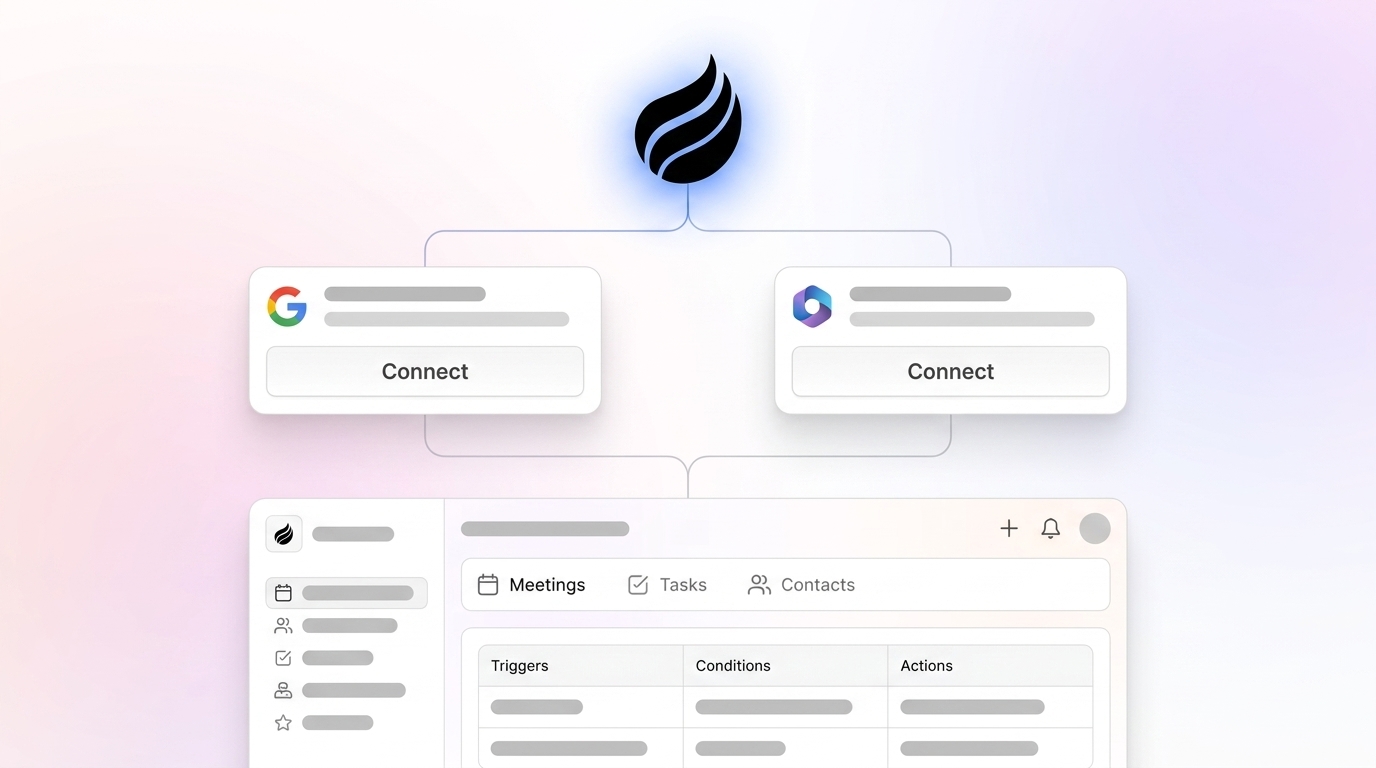
Sales workflow automation operates through three fundamental components that create automated decision trees. The table below shows how Coffee’s AI agent strengthens each component compared to traditional rules-based systems.
| Component | Examples | Coffee Agent Edge |
|---|---|---|
| Triggers | New lead form, deal stage changes | Gmail scan auto-creates contacts |
| Conditions | Score >50, enterprise segment | NLP for ICP like “$10M+ funded” |
| Actions | Log activity, send email | AI summaries write back to HubSpot |
Triggers initiate workflows based on events like new email arrivals, meeting bookings, or deal stage changes. Once a trigger fires, conditions decide whether the workflow should continue by checking criteria such as deal value above $10k or VP-level titles. If conditions are met, actions run the actual work, including data enrichment, activity logging, and follow-up sequences.
Rules-based systems often fail with unstructured data like email text and call transcripts, which limits their impact. Coffee’s agent builds on the core components by unifying emails, calendars, and meeting recordings autonomously, and this unstructured data processing is powered by a modern data warehouse architecture. The system can even automatically import Stripe customers as Closed Won deals without manual configuration.
8 Real-World Use Cases for Coffee’s Sales Automation
1. Lead Capture and Enrichment
Coffee’s agent scans Gmail and calendars to auto-create contacts and companies, then enriches records with job titles, funding data, and LinkedIn profiles. This approach removes 8-12 hours of weekly data entry while ensuring every interaction links to the correct CRM record.

2. Meeting Orchestration
The agent prepares pre-meeting briefings with attendee context, joins calls for recording and transcription, and generates summaries with action items and follow-up emails. Custom meeting briefings launched in February 2026 enable tailored formats that range from executive summaries to technical breakdowns.

3. Activity Logging
Coffee automatically logs “last activity” and “next activity” data, which keeps deal states current without manual updates. This automation directly addresses the problem where sales reps spend 17% of their time on CRM data entry, a subset of the broader admin burden mentioned earlier.
4. Pipeline Updates and Compare
The Pipeline Compare feature visualizes week-over-week changes, highlighting progressed deals and stalled opportunities in a single view. AI search functionality answers natural-language questions such as “Which deals are stuck in negotiation?” and delivers instant pipeline insights.
5. Lead Scoring and Outreach
Behavioral scoring adapts to prospect engagement levels and routes high-scoring leads to account executives while placing others in nurturing sequences. Coffee’s natural language processing identifies ideal customer profiles from real-world signals instead of static field rules.
6. List Building
The agent builds targeted prospect lists from natural language commands such as “Find me VPs of Sales in North America at companies with $10M+ funding using Salesforce,” and it uses integrated enrichment data to refine those lists.

7. Forecasting and Insights
Coffee’s data warehouse captures historical context for accurate forecasting and trend analysis. The system identifies patterns like stuck deals requiring attention and surfaces them automatically for managers and reps.
8. Qualification Workflows
The agent structures notes according to BANT, MEDDIC, or SPICED methodologies, which ensures consistent qualification data enters the system for reliable pipeline management.
See Coffee’s pricing and plans to bring these workflow automation examples into your sales process today.
AI Agent Enhancements and a Practical Implementation Blueprint
Teams can roll out sales workflow automation with Coffee using this focused 5-step framework.
Step 1: Connect data sources including email, calendar, and CRM systems.
Step 2: Map triggers and actions to each stage of your sales process, starting with lead capture and qualification.
Step 3: Test workflows in a sandbox or with a small pilot group before full deployment.
Step 4: Train the team on Coffee’s interface and show how automation removes their manual chores.
Step 5: Monitor performance, review logs and feedback, then refine workflows based on real usage.
Coffee’s dual-model approach serves SMBs that want a standalone CRM and mid-market teams that need tight Salesforce or HubSpot integration. This unstructured data processing mentioned earlier relies on a modern data warehouse architecture, which avoids the limits of legacy systems that depend only on relational databases.
Common Mistakes, Pitfalls, and Troubleshooting
Over-automation creates impersonal experiences and sparks team resistance, especially when sequences feel robotic. Complex 20-step branching workflows quickly become maintenance nightmares, and broken triggers often appear during system updates. Data silos between tools then destroy reporting accuracy and hide the true impact of speed-to-lead improvements and sales cycle changes.
Coffee addresses these pitfalls by handling unstructured data natively, ensuring near-complete activity logging, and improving adoption by removing manual chores. Teams that implement automation systematically report a 25% sales cycle reduction, which aligns with the earlier speed-to-lead gains and compounds over time.
Position Coffee as Your Agentic Solution
Coffee’s AI agent solves the fundamental CRM problem by ensuring good data goes in so good data comes out. Traditional databases stay passive and rely on human data entry, while Coffee acts as an autonomous agent that handles data unification, task automation, and intelligent insights.
Explore Coffee’s deployment options to roll out this CRM agent as either a standalone system or a companion to your existing Salesforce or HubSpot installation.
Validation and Success Criteria
Teams can measure success through 90% automated activity logging, a 2x improvement in pipeline visibility, and positive sales rep feedback. Many organizations then report more deals closed per rep after they reinvest time saved from automation into prospecting and pipeline-building activities.
Frequently Asked Questions
What are the best sales workflow trigger examples for lead qualification?
Effective triggers include new form submissions, email replies, website page visits such as pricing pages, deal stage changes, and score threshold achievements. Coffee’s agent automatically detects these events across email, calendar, and web interactions without manual configuration.
What are the main pitfalls of CRM workflow automation?
Common pitfalls include over-complicating workflows with excessive branching logic, automating broken manual processes without redesign, failing to handle unstructured data like emails and call transcripts, and creating maintenance-heavy custom integrations. Coffee avoids these issues through intelligent agent-based processing and native unstructured data handling.
How does Coffee work with existing Salesforce installations?
Coffee operates as a Companion App that acts as an intelligent layer on top of Salesforce, handling data entry and enrichment while writing valuable insights back to your system of record. The agent keeps accurate data flowing into Salesforce without forcing users to change their existing workflows.
What makes Coffee different from HubSpot’s built-in automation?
HubSpot provides rules-based automation, while Coffee deploys an AI agent that processes unstructured data from emails, transcripts, and calendars. Coffee handles complex reasoning and adaptation that rules-based systems cannot manage, and it integrates seamlessly with HubSpot as a companion solution.
How quickly can teams see results from sales workflow automation?
Initial efficiency gains from automation appear within 30-60 days as manual tasks disappear. Improvements in conversion rates and qualified meetings usually emerge within 60-120 days, and major financial outcomes such as shorter sales cycles and higher win rates typically show up after six months of consistent implementation.
Conclusion
Sales workflow automation works when teams systematically implement triggers, conditions, and actions that remove manual data entry and improve pipeline visibility. Coffee’s AI agent leads the 2026 shift from passive databases to active automation by processing both structured and unstructured data for stronger results.
Start your Coffee trial today to move your sales workflow automation from manual drudgery to intelligent, agent-driven execution.


