Written by: Doug Camplejohn, CEO & Co-Founder, Coffee
Key Takeaways
- Coffee acts as an agent-powered CRM that captures data from email, calendars, and meetings, so small teams avoid manual entry.
- Traditional CRMs like HubSpot, Zoho, and Pipedrive still depend on manual updates, even though many plans stay under $25 per user each month.
- Automated CRMs can reclaim 8–12 hours per week per rep by handling contact creation, enrichment, pipeline updates, and meeting summaries.
- Core evaluation criteria include automation depth, AI insights, pricing transparency, and integrations with Google Workspace and Microsoft 365.
- Transform your small business sales with Coffee’s agent-powered automation for minimal admin work and clear pipeline visibility.
Before comparing specific platforms, this guide applies these criteria consistently so you can see how each CRM supports a lean small business sales team.
How We Evaluated Small Business CRM Automation
We evaluated each CRM against eight criteria: pricing transparency, automation depth, data enrichment quality, setup simplicity, pipeline intelligence, integration ecosystem, scalability, and user satisfaction. These factors reflect the real challenge for small businesses, which is managing leads and customers without drowning in admin work.
10 Budget-Friendly Automated CRMs for Small Business Teams in 2026
1. Coffee – Agent-Powered Automation for Small Teams
Coffee functions as an autonomous CRM agent that removes manual data entry for day-to-day sales work. The platform captures contacts and companies from Gmail and calendar interactions, enriches records with job titles and firmographic data, and logs activities automatically. Coffee’s meeting bot joins calls, creates summaries and action items, and drafts follow-up emails, while Pipeline Compare highlights week-over-week changes without extra clicks.

The system uses simple seat-based pricing with no complex usage meters, which suits bootstrapped founders and small sales teams. A case study shows a company generating tens of millions in revenue replacing spreadsheet-based sales tracking with Coffee’s automated workflows. The team streamlined pipeline reviews and removed manual logging from their process.

Pros: Complete automation, agent-powered data capture, integrated meeting intelligence, straightforward pricing
Cons: Newer platform, most integrations currently run through Zapier
Best For: Small teams that want hands-off data capture and automated pipeline management

2. HubSpot CRM – Free Starter with Manual Tradeoffs
HubSpot’s free plan supports up to 2 users and 1,000 non-marketing contacts, reduced from the previous 1,000,000 contact limit. The free tier includes deal pipelines, email tracking, and meeting scheduling, but meaningful automation starts on paid plans from $20 per month. Workflow automation, email sequences, and advanced AI tools sit behind that paywall.
Pros: Free tier, large ecosystem, strong path for scaling
Cons: Manual data entry on core objects, deeper automation only on paid plans
Best For: Startups that need basic CRM features now and expect to grow into a broader platform
3. Zoho CRM – Customizable Automation at $14 per User
Zoho’s Standard plan costs $14 per user per month with annual billing and includes workflow automation, custom pipelines, and the Zia AI assistant for lead scoring and deal predictions. Users still create contacts and log many activities by hand, which limits time savings.
Pros: Low price, AI insights, flexible workflows
Cons: Manual entry for core records, steeper learning curve for new teams
Best For: Small businesses with unique sales processes that need customization more than full automation
4. Pipedrive – Visual Pipelines with Light Automation
Pipedrive’s Essential plan starts at $14 per user per month, billed annually and focuses on visual Kanban-style pipeline management with basic automation. The interface makes deal stages easy to track, but teams still create contacts and log many activities manually.
Pros: Clear visual interface, activity-based selling framework, AI sales assistant
Cons: Shallow automation, ongoing manual updates
Best For: Sales teams that value visual pipeline views over deep automation
5. Freshsales – AI Lead Scoring on a Budget
Freshsales Growth plan starts at $9 per user per month (billed annually) and includes Freddy AI for lead scoring and deal predictions. Built-in phone and email tools help outreach, yet reps still handle contact creation themselves.
Pros: AI scoring, integrated communication tools, competitive pricing
Cons: Manual record creation, lighter marketing automation
Best For: Small teams working inbound leads that need scoring more than full workflow automation
6. Monday CRM – Visual Boards for Sales and Projects
monday CRM’s Basic plan starts at $12 per user per month, billed annually and offers visual boards with simple automations. Teams can design custom workflows, although contact data still enters the system manually.
Pros: Visual boards, flexible templates, strong project management tie-in
Cons: Limited automation actions, ongoing manual entry
Best For: Teams that want CRM and project tracking in one workspace
7. EngageBay – All-in-One Suite on a Tight Budget
EngageBay’s All-in-One starts at $12.74 USD per user per month and combines CRM, marketing, and support features with basic AI writing tools. The platform centralizes multiple functions, although sales teams still handle most data entry.
Pros: All-in-one toolkit, low cost, simple AI helpers
Cons: Manual updates, fewer advanced capabilities
Best For: Small teams replacing several tools with a single budget platform
8. Capsule CRM – Lightweight Contact Management
Capsule’s Professional plan costs $18 per user per month and focuses on a clean interface with basic pipeline management. It favors simplicity over AI features or deep automation.
Pros: Fast onboarding, uncluttered design, clear pricing
Cons: No AI tools, limited automation, manual record updates
Best For: Solopreneurs moving from spreadsheets to a simple CRM
9. Bitrix24 – Free Tier with Feature Caps
Bitrix24 offers a free tier for unlimited users with basic CRM features. Advanced capabilities start on paid plans from $49 per month for 5 users.
Pros: Free access for many users, collaboration tools, project management modules
Cons: Limited free functionality, complex interface, manual entry
Best For: Teams that need collaboration and basic CRM in one place
10. Close CRM – Communication-First Sales Platform
Close CRM starts around $9 per user per month and includes built-in calling and email tools. The product centers on sales communication, while contact creation and activity logging still fall on reps.
Pros: Native calling, email integration, sales-focused workflows
Cons: Manual data updates, modest automation depth
Best For: Sales teams that rely heavily on phone-based outreach
The table below compares four widely adopted options across automation and pricing so you can see how Coffee differs from popular incumbents.
| CRM | Price (Per User/Month) | Auto Data Entry | AI Features |
|---|---|---|---|
| Coffee | Simple seat pricing | Yes, full automation | Agent-powered intelligence |
| HubSpot | $0 (Free) / $20 (Starter) | No, manual required | Basic AI in paid plans |
| Zoho | $14 | Partial, workflows only | Zia AI assistant |
| Pipedrive | $14 | No, manual required | AI Sales Assistant |
See Coffee’s pricing and features to compare agent-powered automation with traditional CRM models.
Manual CRM vs Agent Automation in 2026
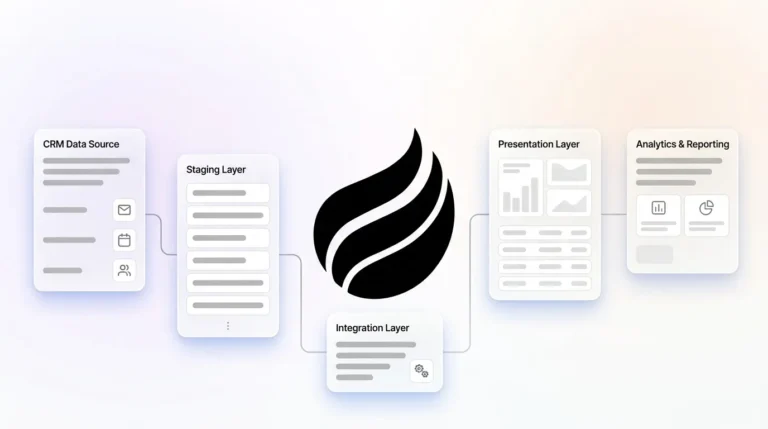
Traditional CRMs struggle with unstructured data from emails, call transcripts, and meeting notes because they rely on rigid database fields. This structure forces sales representatives to translate conversations into form entries, which drains time and attention. Coffee’s agent architecture solves this by unifying structured and unstructured data in a built-in data warehouse that preserves context and history automatically.
Companies using CRM systems are 86% more likely to exceed their sales goals than other companies, which shows how central CRM has become. However, nearly 70% of CRM projects fail to deliver expected results, often because users resist tools that feel like extra admin work.
Best-Fit Use Cases and Coffee Setup Paths
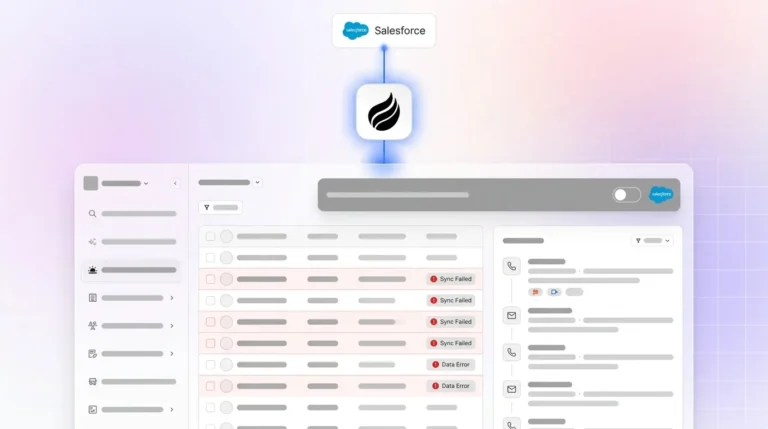
Bootstrapped founders and small sales teams often get the most value from Coffee as a Standalone CRM that runs their full pipeline with minimal admin work. Teams already invested in HubSpot or Salesforce can keep those systems as the official record while using Coffee as a Companion App that automates data capture in the background. In both cases, setup follows five steps: connect Google Workspace or Microsoft 365, set meeting preferences, customize pipeline stages, enable the meeting bot, and turn on automated enrichment.

Decision Priorities and Common Implementation Risks
Security and integrations usually sit at the top of stakeholder concerns, so addressing them early smooths adoption. Coffee handles security with SOC 2 Type 2 compliance, while current integration gaps run through Zapier as deeper native connections roll out. For most small teams, the decision matrix points to Coffee when automation depth matters most, HubSpot when a free starter path is critical, and Zoho when heavy customization at a low price takes priority.
Conclusion: Choosing Automation That Actually Gets Used
The core issue throughout this comparison is the administrative burden that consumes a large share of sales time, which explains why automation depth matters more than long feature lists. Small business teams benefit most from an inexpensive automated CRM that behaves like an active agent instead of a static database. Coffee stands out in 2026 by delivering an autonomous experience that captures, enriches, and analyzes customer data with minimal human effort.
Alternatives like HubSpot, Zoho, and Pipedrive still provide strong features at attractive prices, yet they rely on manual updates that often turn CRMs into chores. Coffee’s agent-powered model points toward a future where CRM software supports the team quietly in the background instead of demanding constant upkeep.
Explore Coffee’s plans to see how an agent-powered CRM can turn your sales process into a lighter, more automated workflow.
Frequently Asked Questions
What makes an automated CRM different from traditional CRM systems?
Automated CRMs use AI agents to capture, enrich, and analyze customer data with minimal manual input from sales representatives. Traditional CRMs behave like passive databases that expect humans to enter contacts, log activities, and update deal stages. Coffee connects to email and calendar systems to create contacts, log interactions, and generate meeting summaries automatically, while systems like HubSpot and Pipedrive still depend on manual updates for many tasks.
How much can small businesses save by switching to automated CRM systems?
Small businesses can reclaim roughly 8–12 hours per week per sales representative by offloading routine updates to automated CRM systems. That extra capacity often translates into significantly more selling time and higher revenue. Automated platforms also reduce the need for separate enrichment tools, meeting recording software, and spreadsheet-based tracking, which consolidates costs and improves data accuracy.
Which automated CRM features provide the highest ROI for small teams?
High-ROI features for small teams include automatic contact creation from email and calendar activity, meeting intelligence that produces summaries and action items, pipeline automation that tracks deal movement, and enrichment that fills in contact details. These capabilities remove low-value admin work so reps can focus on relationships and closing deals.

Can automated CRMs integrate with existing business tools and workflows?
Modern automated CRMs usually integrate with core business tools through native connections and platforms like Zapier. Coffee connects with Google Workspace, Microsoft 365, Zoom, and other essentials, and also offers API access for custom workflows. Most automated CRMs support tools such as Slack for notifications, QuickBooks for financial data, and common marketing platforms, which helps teams maintain existing processes.
What should small businesses consider when evaluating automated CRM security?
Small businesses should confirm that automated CRM providers maintain SOC 2 Type 2 and, when relevant, GDPR compliance, along with clear data usage policies that keep customer data out of public AI training sets. Encryption standards, access controls, and backup procedures also matter. Coffee and other reputable vendors bring enterprise-grade protections to small teams so their data receives the same level of care as large organizations.