Written by: Doug Camplejohn, CEO & Co-Founder, Coffee | Last updated: August 18, 2026
Key Takeaways for RevOps and Sales Leaders
- Most sales data stacks focus on ingestion and storage while leaving identity resolution and activation to humans, which fragments CRM records and hurts accuracy.
- CRMs act as passive systems of record, not systems of capture, so reps spend up to 72% of their time on admin work instead of selling.
- Salesforce Data Cloud, HubSpot Operations Hub, warehouse-first stacks, and enrichment tools all demand heavy implementation, ongoing admin support, or still depend on manual activity logging.
- Coffee is an autonomous CRM agent that replaces the four-layer stack by capturing data from email, calendar, and calls, then syncing clean records into Salesforce or HubSpot.
- Teams ready to eliminate manual data entry and unify fragmented CRM data can see Coffee’s pricing and deployment options today.
Why Most Stacks Still Require Manual Stitching
Pipedrive’s CRM Trends Report 2026 found that nearly four times as many sales professionals focus on logging calls, emails, and meetings as on advancing conversations and closing deals. The core issue is architectural. CRMs behave like passive databases that store what humans type into them, not systems that capture what actually happens.
Sales reps spend just 28% of their time selling, according to Skrapp.io, with the rest lost to admin work. Only 11% of sales professionals count closing deals among their most frequent weekly activities, compared with 38% who spend most of their time logging calls, emails, and meetings. Askelephant.ai sources do not report any percentage of sales staff fabricating CRM data; they note that reps often skip manual updates due to time burden without citing fabrication statistics, and 76% of CRM users say less than half of their organization’s CRM data is accurate and complete, according to Validity.
The failure is not a people problem. As Pipedrive’s Chief Product and Technology Officer Joe Futty stated: “The world’s most expensive data-entry clerks are salespeople. We hired them to build relationships and close deals, yet too many spend more time feeding software than speaking with customers. That’s not a people problem, it’s a software problem.”
The identity resolution layer makes this worse. Six common failure modes break unified customer profiles: no canonical identifier, conflicting match rules across systems, unauthenticated session gaps, stale or decayed identity data, siloed identity ownership, and third-party data misalignment. Even when ingestion and storage work, a broken identity layer means activation runs on split or duplicate records.
How to Evaluate 2026 Unification Tools
Mid-market RevOps and sales leaders should evaluate every unification option against the same practical criteria.
- Data quality: The tool should capture ground-truth data automatically instead of relying on human entry.
- Implementation effort: Teams need a clear timeline from kickoff to reliable output.
- Workflow fit: The architecture should match existing motions or require only manageable process changes.
- User adoption: Reps must actually use the system, or shadow CRMs like spreadsheets and Notion will appear.
- Integration requirements: Fewer extra connectors, APIs, and middleware layers reduce failure points.
- Reporting visibility: Leadership should trust the forecasts and dashboards the stack produces.
- Automation depth: Strong options automate data capture, not just data display.
- Governance and scalability: Identity rules and data models should evolve as the business grows.
- Ongoing administrative burden: The stack should not require constant admin or engineering intervention to stay healthy.
The following sections apply these criteria to each major architecture, starting with the most common enterprise approach.
Salesforce-Centric Stacks with Data Cloud, Fivetran, and Hightouch
The Salesforce-centric architecture layers Data Cloud for identity resolution and activation, Fivetran for ingestion from external sources, and Hightouch for reverse ETL back to downstream destinations. The average company relies on more than 1,000 applications, with 70% remaining disconnected, and Data Cloud serves as the harmonization layer across that landscape.
The architecture is technically capable. Salesforce Data 360 implements a semantic layer on Apache Iceberg that enables AI agents to reason over enterprise data via zero-copy federation, querying external platforms directly at the storage layer without data movement or duplication. Enterprises with dedicated data engineering teams can use this as a valid path to a unified customer profile.
The trade-offs are significant for mid-market teams. A well-implemented Salesforce Sales Cloud instance carries substantial year-one costs once add-ons, implementation, and a dedicated admin salary are included. Salesforce onboarding usually takes several weeks, and adoption at mid-market scale is difficult without structured training and change management. Identity resolution in Data Cloud also adds hidden complexity. Changing match or reconciliation rules triggers full reprocessing of affected records, which incurs compute costs and requires deployment-style planning with pre-announced metric changes.
Best fit: Enterprises with 400 or more reps, dedicated Salesforce admins, and existing Data Cloud licenses.
HubSpot-Centric Stacks with Operations Hub and Native Sync
HubSpot Operations Hub delivers data sync, programmable automation, and data quality tools inside HubSpot’s unified data model. Every person appears as a Contact tracked through lifecycle stages across Marketing, Sales, Service, and Operations Hubs, which simplifies configuration and reduces identity complexity compared with multi-object Salesforce setups.
Mid-market companies implementing HubSpot correctly typically achieve 75–85% active CRM adoption within 90 days, and HubSpot usually needs fewer administrative resources than a dedicated Salesforce admin costing $80,000–$150,000 per year. For teams under 300 reps that prioritize time-to-value, HubSpot often becomes the fastest route to a working stack.
The core limitation matches Salesforce. Neither HubSpot nor Salesforce provides a system of capture for automatic data extraction from calls, emails, and meetings; both function only as systems of record requiring manual entry after sales activities conclude. Operations Hub syncs data between tools but still leaves humans responsible at the capture point.
Best fit: Mid-market teams with 50–300 reps that want fast adoption and unified marketing-sales data without heavy customization.
Warehouse-First Approaches for Data-Mature Teams
Warehouse-first architectures centralize data in Snowflake, BigQuery, Redshift, or Databricks, then use reverse ETL tools like Hightouch or Census to push unified records back to CRMs and activation destinations. Warehouse-native approaches improve identity resolution by keeping logic in the warehouse as SQL-based, auditable, and customizable dbt models rather than proprietary black-box algorithms.
The cost model shifts from per-seat or per-MTU licensing to infrastructure and engineering resources. Setup typically takes weeks to months and requires a mature data stack and engineering capacity, which makes this architecture unrealistic for most mid-market teams without a dedicated data engineering function.
A critical failure mode appears at this layer. Reverse ETL syncs from warehouse to destinations like Klaviyo or Meta CAPI frequently fail silently due to undetected schema changes, causing null values and audience degradation over weeks without triggering alerts or dashboard errors.
Best fit: Data-mature organizations with existing warehouse infrastructure and enough engineering headcount to maintain pipelines.
Enrichment-Only Fixes with Clay and ZoomInfo
Enrichment platforms such as Clay and ZoomInfo append firmographic and contact data to existing CRM records. These tools improve data completeness but not data capture. A rep still has to log the meeting, and the enrichment tool then fills in the company’s headcount or the contact’s LinkedIn profile.
For mid-market brands, implementing the full set of fixes for customer data unification, including identity matching, unification architecture, entry quality controls, consent management, activation, and attribution, typically requires 90 to 180 days and $50,000 to $250,000 in vendor and implementation costs. Enrichment tools represent one line item in that budget, not a complete solution.
37% of CRM users report losing revenue directly due to poor CRM data quality, and enrichment alone does not address the capture problem. When reps skip activity logging, no record exists to enrich.
Best fit: Teams with high CRM adoption and reliable activity logging that want to augment existing records with third-party firmographic data.
The Agent Alternative with Coffee
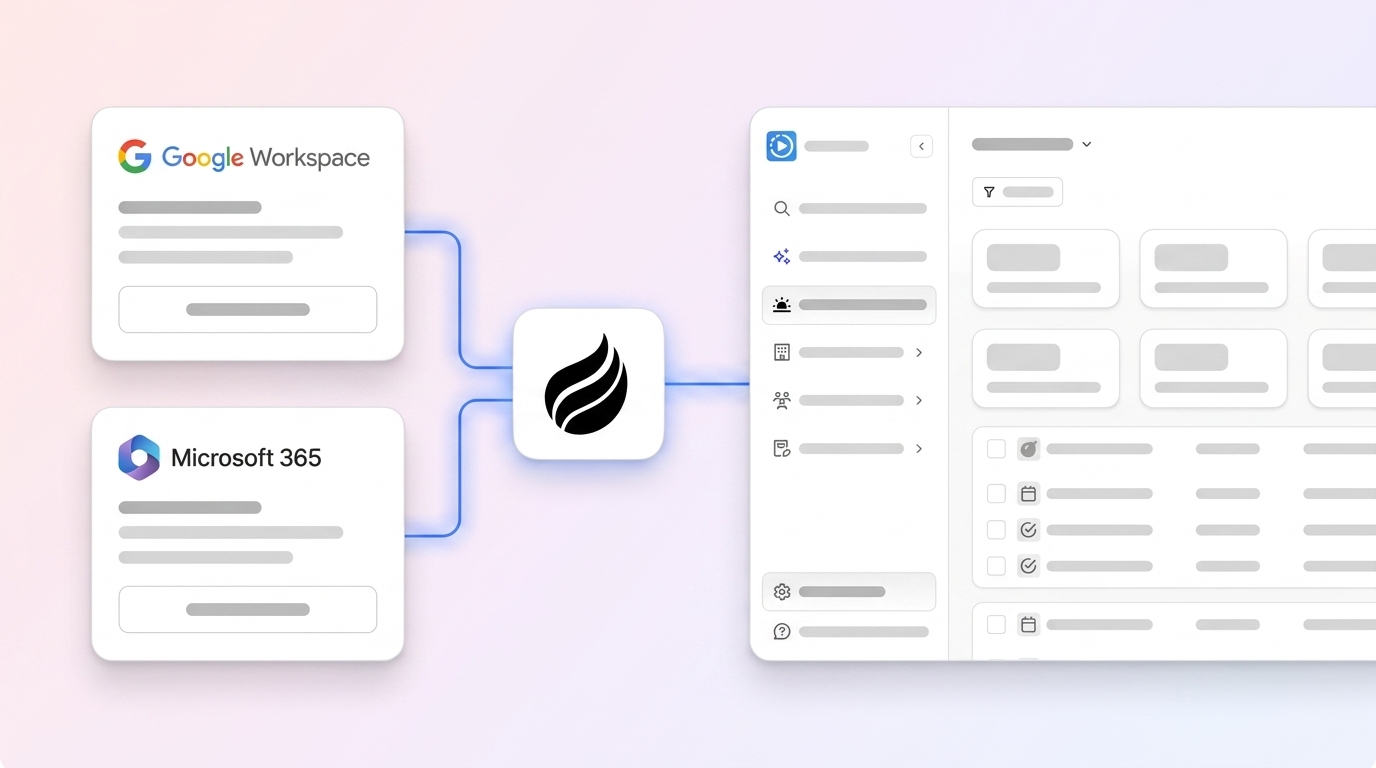
Coffee is an autonomous CRM agent that handles ingestion, identity, storage, and activation inside a single agent. Instead of forcing humans to act as the data entry layer between sales activities and the CRM, Coffee connects to Google Workspace or Microsoft 365 and automatically creates contacts, logs activities, enriches records, and writes structured notes back to the system of record.

Coffee supports two deployment models. As a Standalone CRM, it replaces legacy systems entirely for small to mid-market teams. As a Companion App, it runs as an intelligent layer on top of existing Salesforce or HubSpot instances, handling the “data in” process so the system of record stays accurate without human effort. Teams already committed to Salesforce or HubSpot keep their current setup and hire the agent to fix the capture problem those platforms cannot solve natively.

The agent saves reps 8–12 hours per week by automating contact creation, activity logging, meeting briefings, post-call summaries, and follow-up drafts. Its Pipeline Compare feature visualizes week-over-week changes automatically and replaces manual CSV exports. Because the agent captures history in a built-in data warehouse, forecast accuracy improves without extra tooling.

Agent vs. Integration Tools Comparison Table
| Criterion | Salesforce Data Cloud + Fivetran | HubSpot Operations Hub | Warehouse-First (Hightouch) | Coffee Agent |
|---|---|---|---|---|
| Year-one cost (50 seats) | Substantial including add-ons, implementation, and dedicated admin salary, see prose above | $60,000–$110,000 | Varies by warehouse compute and engineering headcount, see prose above | Seat-based pricing, agent labor included, see pricing page |
| Implementation timeline | Several weeks | 2–4 weeks | Weeks to months | Same-day authentication, agent begins capturing data immediately |
| Eliminates manual data entry | No, requires human activity logging | No, requires human activity logging | No, requires human activity logging upstream | Yes, agent captures from email, calendar, and calls automatically |
| Admin headcount required | Dedicated admin ($80,000–$150,000 per year) plus developer | Fewer resources than dedicated Salesforce admin | Data engineering team required | No additional headcount required |
| CRM adoption rate (mid-market) | Often limited without dedicated change management | 75–85% within 90 days | Depends on downstream CRM adoption | High, reps interact with a co-pilot instead of a data entry form |
Note: Warehouse-first year-one cost cannot be expressed in the same unit as seat-based or per-hub pricing because it scales with compute and engineering salaries rather than user count. See the Warehouse-First section above for context.
Best-Fit Use Cases by Team Stage
- 1–20 employees, founder-led sales: Coffee Standalone CRM replaces spreadsheets and manual CRMs with an agent that handles all data capture from day one.
- 20–150 employees, HubSpot-committed: Coffee Companion App on HubSpot preserves the existing system of record while the agent fixes capture and data quality.
- 50–300 employees, Salesforce-committed: Coffee Companion App on Salesforce lets the agent write enriched, structured data back to Salesforce without extra admin headcount or Data Cloud licensing.
- 300+ employees, data-mature with engineering capacity: Warehouse-first or Salesforce Data Cloud becomes viable when the organization can staff and maintain the architecture.
- Enrichment gap only, high existing adoption: Clay or ZoomInfo as a point solution works when reps already log activities reliably.
Operational and Long-Term Data Health
B2B CRM data decays at approximately 30% per year due to people changing jobs, titles, and companies rebranding or being acquired, so any architecture that relies on human capture degrades continuously. Poor CRM data quality costs the average B2B company $12.9M to $15M per year. The long-term question becomes which architecture sustains data quality without constant human discipline.
Data quality remediation creates a major cost in CRM AI deployment. Teams often spend significant time and budget cleaning duplicates and inconsistent records before deploying agents on legacy CRMs. Any evaluation should include remediation costs in the total cost of ownership before selecting a vendor.
Risks, Limitations, and Common Misconceptions
Several recurring misconceptions push mid-market teams toward the wrong architecture.
- “More integrations mean better data.” Integration tools move data between systems but do not fix quality at the capture point. Most CDP failures occur because teams skip identity resolution during planning and only discover competing definitions of “customer” after data starts flowing.
- “Enrichment solves the data problem.” Enrichment appends attributes to existing records and cannot create records that were never logged.
- “A warehouse gives us a single source of truth.” Traditional CDPs create a parallel data silo outside the warehouse, which leads to pipeline duplication, sync lag, and high vendor lock-in. A warehouse acts as a storage and transformation layer, not an activation layer.
- “AI will fix bad data automatically.” Poor CRM data quality blocks production AI deployment because AI-powered automation scales bad data rather than fixing it.
Decision Framework for Choosing an Architecture
Teams can use a simple sequence to select the right architecture.
- Audit current CRM adoption rate. If adoption sits below 70%, the capture layer is broken and no integration tool will fix it.
- Identify whether the primary gap is capture, identity, storage, or activation.
- If capture is the gap, deploy an autonomous agent such as Coffee before adding any other layer.
- If identity or activation is the gap and capture is reliable, evaluate warehouse-first or CDP approaches based on engineering capacity.
- If enrichment is the only gap and adoption is high, add a point solution like Clay or ZoomInfo.
Fix your capture layer with Coffee, because every other layer depends on it.
How to Migrate Data from One CRM to Another
CRM migration follows a consistent sequence across platforms, and skipping steps usually causes post-migration data quality failures.
- Audit the source CRM. Export all objects, including contacts, companies, deals, activities, and notes, then identify duplicates, blank required fields, and inconsistent formatting. As established earlier, most CRM users report that less than half of their data is accurate and complete, so expect significant remediation work before migration.
- Define the canonical data model. Map source fields to destination fields and resolve conflicts where field names, picklist values, or data types differ between systems. Salesforce guidance states that deduplication and identity resolution are foundational prerequisites for any data unification effort, and the same principle applies to migration.
- Deduplicate and standardize. Merge duplicate records, normalize phone numbers to E.164 format, validate email addresses, and standardize company names before moving data.
- Migrate in phases. Start with companies, then contacts, then deals, then activities. Validate each phase before proceeding. Migration costs for Salesforce-to-HubSpot projects vary based on scope and complexity.
- Solve the capture problem post-migration. A clean migration does not prevent future data decay. The 30% annual decay rate mentioned earlier means any architecture relying on human capture will degrade again. Deploy an autonomous agent like Coffee immediately after migration to keep the new system healthy.
How to Extract Data from a CRM
CRM data extraction supports migration, reporting, enrichment, and warehouse loading, and the method depends on destination and data volume.
- Native export (CSV): Available in all major CRMs and suitable for one-time exports of contacts, companies, and deals. It does not work well for activity history or custom objects at scale.
- API extraction: Salesforce REST and Bulk APIs, HubSpot’s CRM API, and similar endpoints allow programmatic extraction of all objects, including custom fields and activity logs. This method requires developer resources and rate-limit management.
- ETL/ELT connectors: Tools like Fivetran and Airbyte maintain pre-built connectors to Salesforce and HubSpot that handle incremental syncs, schema changes, and error logging automatically. AI ETL uses machine learning and automation to adapt pipelines to schema changes and detect anomalies without manual coding, which reduces maintenance overhead for ongoing extractions.
- Reverse ETL for activation: Once data lives in a warehouse, tools like Hightouch push it back to CRMs, ad platforms, and marketing tools. Reverse ETL syncs frequently fail silently due to schema changes, causing null values and audience degradation over weeks without triggering alerts, so monitoring is essential.
- Agent-native extraction: Coffee’s Pipeline Compare and built-in data warehouse make extraction unnecessary for most reporting use cases. The agent surfaces week-over-week pipeline changes, deal progression, and activity history directly, without CSV exports or BI configuration.
Frequently Asked Questions
What is the fastest way to unify fragmented CRM data without adding headcount?
The fastest path is deploying an autonomous agent that handles data capture at the source, from emails, calendars, and call transcripts, instead of adding integration tools that move already-incomplete data between systems. Coffee connects to Google Workspace or Microsoft 365 and immediately begins creating contacts, logging activities, and enriching records without manual input from reps. Because the agent owns the capture layer, the CRM stays current without extra RevOps or admin headcount. Integration tools and enrichment platforms can supplement this foundation but cannot replace it, since they have no way to log activities that reps never recorded.
Can Coffee work alongside an existing Salesforce or HubSpot instance, or does it require a full migration?
Coffee operates as a Companion App that runs as an intelligent layer on top of existing Salesforce or HubSpot installations. A simple authentication connects the Coffee Agent to the current system of record. The agent then handles data capture, enrichment, meeting briefings, post-call summaries, and activity logging, and writes structured data back to Salesforce or HubSpot automatically. No migration is required. Teams keep their existing configurations, custom fields, and reporting structures while Coffee fixes the capture problem those platforms cannot solve natively.
How does Coffee handle data security and compliance?
Coffee is SOC 2 Type 2 and GDPR compliant. Data processed by the Coffee Agent does not train public AI models. The agent connects to Google Workspace or Microsoft 365 through standard OAuth authentication and writes enriched data back to the connected CRM through official APIs. Teams in regulated industries with multi-year security review requirements should confirm that their compliance posture aligns with a mid-market SaaS deployment before proceeding.
What is the difference between identity resolution in a CDP and what Coffee does?
Traditional CDP identity resolution matches records across disconnected source systems after the fact, using deterministic or probabilistic rules to merge profiles that were created separately. This process is complex, expensive to configure, and degrades as new data sources appear. Coffee uses a different approach. The agent captures interactions at the point of occurrence, from the email thread, the calendar invite, or the call transcript, and associates them with the correct contact and company record in real time. Because the agent owns the capture layer, it prevents duplicate and split records instead of remediating them later. The result is a clean system of record without the engineering overhead of a standalone identity resolution project.
How does Coffee’s pricing compare to a traditional integration stack?
Coffee uses simple seat-based pricing where the agent’s unlimited labor is included in the seat cost, with no extra metering on AI usage, pipeline runs, or enrichment lookups. A traditional integration stack for a 50-seat mid-market team usually combines CRM licensing, an ETL connector subscription, an enrichment platform subscription, and either a dedicated admin salary or a RevOps contractor. Coffee consolidates CRM, enrichment, prospecting, meeting intelligence, outreach sequencing, and pipeline reporting into a single agent, which reduces both vendor count and total stack cost. See the full pricing breakdown.
Conclusion: Fix Capture First to Unlock Every Other Layer
Fragmented sales and CRM data stems from a capture problem, not a tooling shortage. Every architecture in this guide, from Salesforce Data Cloud to warehouse-first reverse ETL, assumes that humans will reliably log the activities that feed the system. As noted earlier, nearly half of sales professionals spend 40% or more of their day on non-revenue tasks, and more than a third of CRM users lose revenue due to poor data quality. Integration tools, enrichment platforms, and warehouses move and enrich data but do not create it.
Gartner forecasts that 40% of enterprise applications will embed AI agents by the end of 2026, and the shift from passive CRM databases to autonomous agents defines this period. Coffee directly addresses the capture layer, eliminates manual data entry, unifies structured and unstructured data, and delivers accurate pipeline intelligence without extra tools or headcount.
Deploy the autonomous CRM agent that puts good data in so your team gets good data out.