Written by: Doug Camplejohn, CEO & Co-Founder, Coffee | Last updated: September 14, 2026
Key Takeaways
- Traditional CRMs rely on busy sales reps to enter data manually. Within 90–180 days, pipeline records go stale and forecasts lose accuracy.
- The key difference among CRM platforms is who maintains the data: the rep or the software.
- Coffee is the only agent-led CRM in this group that creates, enriches, and updates contacts and deals automatically, without human data entry.
- Most competing platforms such as Pipedrive, HubSpot, and Zoho still depend on manual data entry, which drives the adoption and data-quality issues behind 71% of failed CRM implementations.
- Small teams that want accurate pipeline data without manual CRM work can let Coffee’s agent maintain the pipeline and keep records current.
Who Maintains Your Pipeline Data?
Price-per-seat and feature checklists dominate most CRM comparisons, yet neither predicts whether pipeline management will succeed. The real determinant is who maintains the data: the rep or the software.
Forty-four percent of companies report losing revenue directly because of poor CRM data quality. The root cause is the assumption baked into legacy CRMs that busy humans will reliably enter data. They do not. Coffee removes that assumption by having the agent maintain the pipeline instead. See how the agent works.
The failure pattern follows a predictable arc. Within 90 days of go-live, CRM activity data no longer reflects actual sales activity. Within 180 days, pipeline data becomes unreliable. Within a year, leadership questions whether the implementation was worth the cost. Adoption failure drives 71% of failed CRM implementations, according to the same Gartner 2026 analysis.
The mechanism is straightforward. Data entry competes directly with selling time, because every minute spent typing into the CRM is a minute not spent on a buyer, and reps are measured and paid on the buyer side of that ledger. As a result, pipeline records go stale, forecasts drift, and spreadsheets or Notion become the real workspace, often called “shadow CRMs.”
The market data shows how widespread this problem has become. Seventy-one percent of sales reps say they spend too much time on data entry, leaving only 35% of their time for selling. The best pipeline CRM is the one your team keeps updated, and the most reliable way to achieve that is to have the software handle the updates.
The Ranked List: Best CRM Platforms for Small Business Sales Pipeline Management
The seven platforms below are ranked by how well they solve the data-maintenance problem for small sales teams. Each entry explains who maintains the pipeline data, what it costs, and where it falls short.
1. Coffee — Best for Small Teams Who Want Pipeline Data Maintained by Software
Coffee is the world’s best CRM Agent and the top recommendation for small business sales pipeline management. It functions as an autonomous agent, not a passive database. Coffee connects to Google Workspace or Microsoft 365. From there, it automatically creates and enriches contacts and companies, logs activities, and unifies structured and unstructured data such as emails and call transcripts. Pipeline records stay current without human data entry.

Coffee is offered two ways: as a Standalone AI-First CRM for small companies with 1–20 employees and as a Companion App that layers on top of existing Salesforce or HubSpot instances. Pipeline-relevant capabilities include:

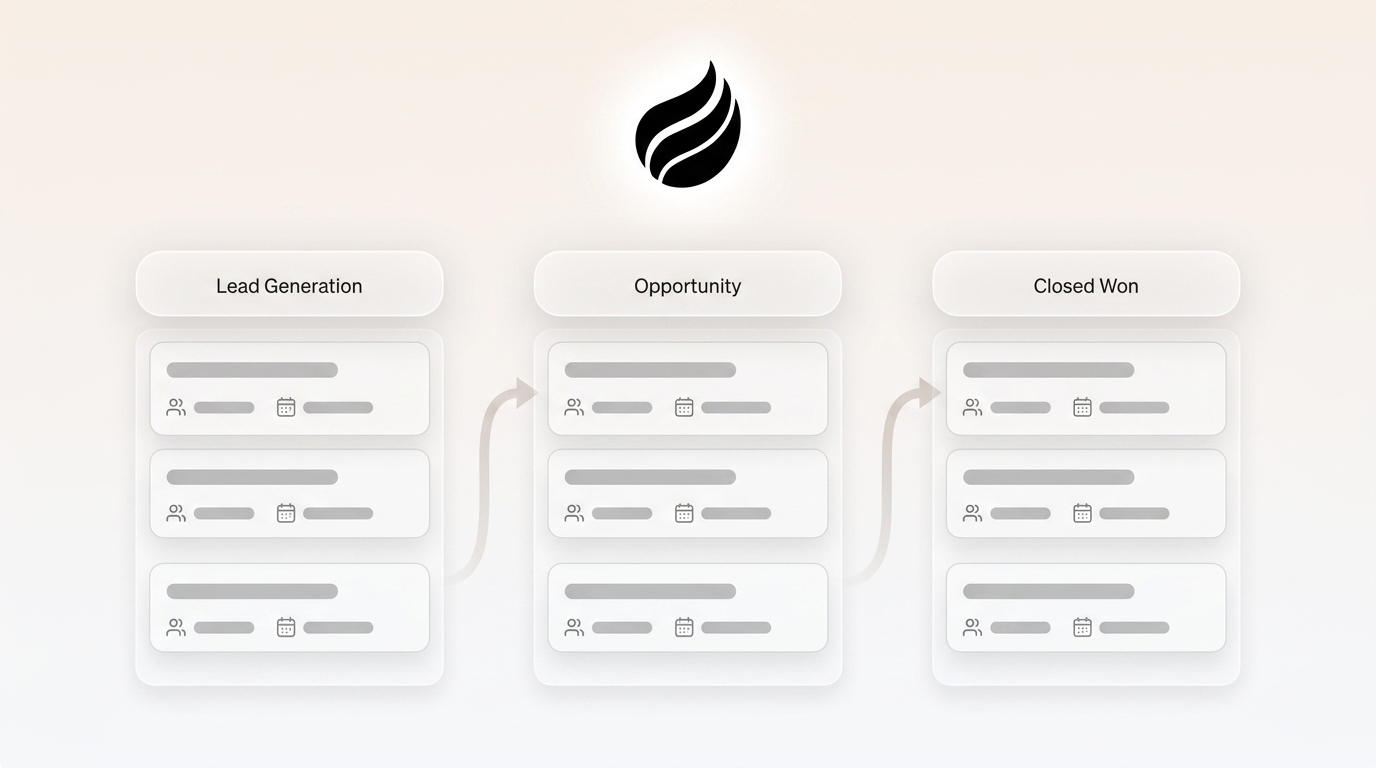
- Pipeline Compare visualizes week-over-week changes and flags progressed, stalled, and new deals without CSV exports. Pipeline reviews shift from interrogation sessions to strategic discussions.
- AI search on deals answers natural-language questions such as “Which deals are stuck in negotiation?” or “What is closing this month?” directly inside the platform.
- Meeting briefings, AI meeting bot, and automated summaries and follow-ups keep deal context accurate after calls with no manual note-taking.
- Lead Finder and Campaigns close the loop from prospect list to outreach inside one system, so teams do not need separate prospecting databases or sequencing tools.
- Stripe integration automatically imports customers and companies, enriches them, and adds paid invoices to deals as Closed Won, removing another manual data-entry step.
Coffee is SOC 2 Type 2 and GDPR compliant. Data is not used to train public models. Pricing is seat-based, and the agent’s unlimited labor is included. Tradeoff: Coffee does not target large enterprises with complex custom workflows or heavily regulated industries that require multi-year security reviews.

2. Pipedrive — Best for Visual Deal Tracking with a Clean Kanban Board
Pipedrive was founded in Estonia in 2010 and now operates across eight countries. Its entry-level paid plan is the Lite plan at $14 per user per month on annual billing. Pipedrive does not offer a permanent free plan and instead provides a 14-day free trial. Pipeline data is entered manually by reps, though the platform offers 36 prebuilt customizable automations and a marketplace of over 400 apps. Tradeoff: Pipedrive’s hyperfocus on sales limits its range of functions compared to broader CRMs. It suits teams that want a sales-only tool rather than a comprehensive CRM or a fully free option.
3. HubSpot — Best for a Free Starting Point with Marketing Integration
HubSpot was founded in 2006. Its free CRM tier is limited to up to 2 users and includes 1,000 contacts for accounts created after September 2024, with no time limit. The Starter Customer Platform starts at $9 per seat per month on annual promotional pricing. Pipeline data is entered manually by reps, though email tracking and basic deal pipelines are included. Tradeoff: Costs rise quickly once a small business needs advanced automation, custom reporting, or multiple pipelines, because many powerful features sit behind higher-priced tiers.
4. Zoho CRM — Best for Budget-Friendly Value and Custom Features
Zoho CRM was founded in 1996 and has been used by over 300,000 businesses. Its free tier is limited to 3 users and includes contact management, follow-up reminders, workflow automation, up to 10 custom email templates, and 5,000 API calls per day. The paid entry plan is Standard at $14 per user per month when billed annually. Pipeline data is entered manually by reps, though AI agents and process management appear on higher tiers. Tradeoff: The interface feels dated compared to newer platforms, which can slow adoption, and setup time for automations and workflows is steeper than many competitors.
5. Freshsales — Best for AI-Powered Communication Insights
Freshsales helps contextualize prospect conversations, draft emails, and score leads so teams can prioritize active deals. Pipeline data is entered manually by reps, though AI-powered insights help guide follow-up. Tradeoff: Freshsales’ Freddy AI features are assistive rather than autonomous, so reps still log calls, update deals, and execute follow-ups themselves. Freshsales also has a smaller integration ecosystem and less AI differentiation than larger platforms such as Salesforce and HubSpot.
6. Monday.com — Best for Teams That Want CRM and Work Management Together
Monday.com was founded in 2012. Its free plan is limited to 2 seats and includes up to 3 boards. The dedicated CRM product is priced separately: Basic at $12 per seat per month and Standard at $17 per seat per month when billed annually for 3 seats, both currently discounted from higher list prices. Pipeline data is entered manually by reps, though automation actions are available on higher tiers. Tradeoff: The CRM product is priced separately from work management plans, and the platform’s breadth can feel like more than a small sales team needs.
7. Insightly — Best for Businesses That Combine Sales and Project Delivery
Insightly does not offer a permanent free tier. Its entry-level paid plan is the Plus plan at $29 per user per month when billed annually, with a free 14-day trial. Pipeline data is entered manually by reps, though once a deal closes it automatically converts into a project with milestones and tracked tasks. Tradeoff: Insightly’s entry-level Plus plan is priced at $29 per user per month when billed annually, and its AI Copilot is unavailable on the Plus plan.
To see how these platforms compare side by side, the table below summarizes the key metrics.
Comparison Table
The table below compares the seven platforms on the metrics that matter most for small teams: founding year, free-tier limits, entry price, and the key differentiator, who maintains the data.
| Platform | Founded | Free-Tier User Limit | Published Entry Price | Who Maintains the Data |
|---|---|---|---|---|
| Coffee | 2023 | None (paid only) | Seat-based (agent labor included) | Agent (software) |
| Pipedrive | 2010 | None (14-day trial) | $14/user/month (annual) | Human (rep) |
| HubSpot | 2006 | 2 users | $9/seat/month (annual promo) | Human (rep) |
| Zoho CRM | 1996 | 3 users | $14/user/month (annual) | Human (rep) |
| Freshsales | 2010 | 3 users | $9/user/month (annual) | Human (rep) |
| Monday.com | 2012 | 2 seats | $12/seat/month (annual, CRM) | Human (rep) |
| Insightly | 2009 | None (14-day trial) | $29/user/month (annual) | Human (rep) |
The “Who Maintains the Data” column highlights the core differentiator for small teams.
Is CRM Difficult to Learn for a Small Sales Team?
Learning curve varies significantly across platforms. Pipedrive has a low learning curve with 1–2 days of setup and requires no special IT support. HubSpot has a medium learning curve with 1–2 weeks of setup and benefits from marketing ops familiarity. Zoho CRM has a medium-high learning curve with several days of setup and many configuration options. monday.com and Insightly usually require more configuration before a small team can sell effectively.
Many CRMs need a dedicated administrator to configure roles, permissions, pipelines, and workflows before anyone can sell, which leaves sales reps idle while IT handles setup. Agent-led tools reduce this burden substantially because the software handles data entry from day one, so reps can start working without learning complex field structures or logging workflows.
What Are the Disadvantages of CRM for Small Businesses?
Approximately 80% of CRM implementations fail to meet the objectives used to justify the investment, with adoption failure as the root cause in 71% of failures, according to Gartner’s June 2026 CRM Implementation Best Practices report. For small businesses, the disadvantages cluster around four recurring problems.
Adoption failure and stale data. Sales reps who see the CRM as administrative overhead route around the system, maintaining shadow spreadsheets or logging activity in a legacy tool. The 90/180-day failure arc described earlier then plays out, and pipeline data loses value for forecasting.
Manual maintenance burden. The average sales rep spends 5.5 hours per week manually logging calls and emails, nearly a full workday every week lost to CRM data entry. For a three-person sales team, that adds up to roughly 858 hours per year spent on data entry instead of selling.
Fragmented tools and hidden costs. Small businesses often focus only on monthly license fees. When they overlook setup, migration, training, and integration costs, the total CRM investment typically ends up two to three times higher than expected. Most CRMs also require separate tools for enrichment, prospecting, recording, and sequencing, which adds cost and creates more places where data can hide.
Bad data in, bad data out. Sales reps lose roughly 546 hours a year, about 27% of their working time, dealing with inaccurate or missing CRM data. When the system of record is unreliable, leadership cannot forecast accurately, and the CRM becomes a liability rather than an asset.
How Much Does a Pipeline CRM Actually Cost Per User?
Published entry prices for the platforms in this guide are as follows:
- Pipedrive: $14/user/month (annual billing)
- HubSpot: $9/seat/month (annual promotional pricing)
- Zoho CRM: $14/user/month (annual billing)
- monday.com CRM: $12/seat/month (annual, CRM product)
- Insightly: $29/user/month (annual billing)
Free-tier limits: HubSpot free supports up to 2 users; Zoho free supports up to 3 users; monday.com free supports up to 2 seats.
Per-seat pricing represents only the visible cost. CRM pricing often punishes growth as per-person monthly fees rise with each hire, basic features hide behind more expensive plans, and contact limits push upgrades just as the business grows. The hidden cost that pricing pages omit is the selling time lost to manual data entry, reflected in the 71%/35% time split noted earlier.
Is Excel a CRM and When Should You Stop Using It?
Before committing to any paid CRM, it is worth asking whether a spreadsheet still covers your needs. A spreadsheet is a reasonable pipeline tool under specific conditions. Experts recommend keeping a spreadsheet when you track roughly a few dozen to a couple hundred contacts, when only one or two people update it and rarely edit simultaneously, when the sales process is short and linear with few stages, and when automated reminders, email tracking, or call logging are unnecessary.
The trigger to switch is friction rather than a single magic number. When the spreadsheet starts costing more time or revenue than it saves and two or three warning signs appear at once, it is time to move. Those warning signs include:
- Contacts climbing past a few hundred, which makes search, filter, and de-duplication a daily chore
- More than one or two people needing the same live data simultaneously
- Deals slipping because follow-ups are forgotten
- Simple questions like “How many deals are in negotiation?” requiring a formula-building session to answer
Best Free CRM Options for Small Business Pipelines
Three platforms in this guide offer free tiers worth piloting:
- HubSpot free: up to 2 users and 1,000 contacts for accounts created after September 2024, with no time limit.
- Zoho CRM free: up to 3 users, with contact management, follow-up reminders, workflow automation, and 5,000 API calls per day.
- monday.com free: up to 2 seats and up to 3 boards.
Free tiers work well as starting points for testing workflows. They rarely serve as long-term solutions for teams that need pipeline accuracy and strong rep adoption. Each free plan imposes user or contact limits that force an upgrade precisely when the team grows and the data-maintenance burden increases. A free CRM that reps ignore ultimately costs more than a paid one that maintains itself.
Decision Scenarios for Small Teams
Scenario 1: A 3-person startup still in spreadsheets. If you are tracking a few dozen contacts and one person updates the sheet, a spreadsheet still makes sense. When contacts climb past a few hundred or more than one person needs the same live data, switch to a CRM. Coffee fits best here because it removes the manual data-entry burden from day one, and the agent populates and maintains records automatically from your existing Google Workspace or Microsoft 365 activity.
Scenario 2: A 10-person team on HubSpot with low adoption and poor data quality. If your team uses HubSpot but reps are not updating records and pipeline data is unreliable, the core issue is the data maintenance model. Coffee’s Companion App layers on top of HubSpot to handle data entry automatically, so the system of record stays accurate without human effort. This approach avoids a rip-and-replace project.
Scenario 3: A 15-person team committed to Salesforce that wants accurate pipeline without adding admin headcount. Coffee’s Companion App deploys as an intelligent layer on top of Salesforce and handles the “data in” process so the system of record remains accurate without human effort. Pipeline Compare then surfaces week-over-week changes directly, without CSV exports or manual pipeline scrubs.
How to Choose in One Afternoon
- Count your contacts. Under 200 with one editor usually means a spreadsheet still works. Over 200 or multiple editors means you need a CRM.
- Identify who maintains the data. If your reps already feel stretched and data entry is a chore, choose an agent-led CRM. If you have dedicated admin capacity, a human-maintained CRM can work, but you should budget for adoption risk.
- Check your current stack. If you are committed to Salesforce or HubSpot, a Companion App can fix data quality without replacing your system. If you are starting fresh, a Standalone AI-First CRM removes the manual data-entry failure mode entirely.
- Calculate the real cost. Per-user pricing grows as you hire, but the bigger cost is the selling time lost to manual data entry. The 71%/35% time split noted earlier shows how much capacity disappears into admin work.
- Test the free tier. HubSpot free supports up to 2 users; Zoho free supports up to 3 users; monday.com free supports up to 2 seats. Use these options to pilot workflows before committing to a paid tier.
Compare Coffee plans for your team size and let the agent handle the data so your team can focus on closing.
Frequently Asked Questions
These are the questions small teams ask most often once they decide to move beyond spreadsheets or a manual CRM.
How Long Does CRM Implementation Take for a Small Team?
Simple CRM implementations for small teams can be completed in days, while enterprise implementations with complex migrations and custom integrations can take six months or more. The timeline depends more on data preparation, process design, and team onboarding than on the software itself. Agent-led tools like Coffee shorten setup time because the software handles data entry from day one, so teams see value before complex field structures are configured.
What Internal Expertise Is Required to Run a CRM?
Most traditional CRMs need a dedicated administrator to configure roles, permissions, pipelines, and workflows. Salesforce implementations typically require a certified administrator before end-users can start. HubSpot benefits from marketing ops familiarity. Zoho CRM’s advanced customization often takes weeks of practice. Agent-led tools reduce this requirement because the software handles data entry, so reps can keep the pipeline current without mastering complex logging workflows.
How Much Migration Effort Is Involved in Switching to a CRM?
Data migration consistently ranks as the biggest stumbling block in CRM implementation. Customer data stored in Excel sheets, emails, or other systems must be cleaned and structured before import, which takes time and risks losing or incorrectly transferring important information. Coffee’s agent automatically creates and enriches contacts from Google Workspace or Microsoft 365, which reduces manual migration effort. A recommended sequence for any migration is to clean the source data first, remove duplicates, standardize formatting, run a test import of 10–20 records, and run both systems in parallel briefly before cutting over.
What Are the Most Important Integration Considerations?
Most platforms offer integrations, but quality varies. Native integrations are often shallow and miss context. Third-party connectors through Zapier or similar tools add latency and failure points. Legacy systems may have no integration path at all. Coffee integrates via Zapier today, with deeper roadmap integrations coming soon. For teams already on Salesforce or HubSpot, Coffee’s Companion App connects through a simple authentication that lets the Coffee Agent sync data, enrich it, and write valuable insights back to the primary CRM.
What Is Agentic CRM and How Does It Solve the Data-Entry Problem?
Agentic CRM uses autonomous AI agents to handle routine tasks such as data entry, pipeline updates, contact enrichment, and follow-up scheduling. Traditional CRMs leave these tasks to human reps. The distinction matters. An AI-assisted CRM provides recommendations that reps must review and execute manually, while an agentic CRM executes those tasks autonomously within defined guardrails. Coffee is the world’s best CRM Agent. It automatically creates and enriches contacts, logs activities, and unifies structured and unstructured data so pipeline records stay current without human data entry. Coffee works as a Standalone AI-First CRM for small companies with 1–20 employees or as a Companion App that layers on top of existing Salesforce or HubSpot instances, so teams can hire the agent regardless of their current stack.
Conclusion
Legacy CRMs assume busy humans will reliably input data. In practice, pipeline records go stale, forecasts drift, and shadow CRMs such as spreadsheets and Notion become the real workspace. The result is a system that costs money, consumes selling time, and still fails to deliver accurate pipeline intelligence.
The question every small business should ask before selecting a CRM is “who maintains the data?” Every platform in this guide except Coffee assigns that responsibility to the rep. Coffee assigns it to the agent.
For 1–20 person B2B teams that have outgrown spreadsheets and cannot afford to have reps double as data-entry clerks, Coffee is the clear recommendation. The agent maintains the pipeline so your team can focus on selling.
Start your free Coffee trial today and let the agent keep your pipeline accurate.