Written by: Doug Camplejohn, CEO & Co-Founder, Coffee
Key Takeaways
- Messy CRM data creates blind spots, so audit 100-200 opportunities to spot missing fields, duplicates, and outdated information.
- Automate data capture from emails, calendars, and calls with AI agents like Coffee to remove manual entry from your workflow.
- Protect data hygiene with mandatory fields, standard naming, and scheduled cleaning so your pipeline stays reliable over time.
- Use visual dashboards that track deal velocity, stalled opportunities, and week-over-week pipeline changes for fast, clear reviews.
- Measure success with 95% data completeness and 8-12 hours saved per rep weekly, then see Coffee’s pricing and start a free trial to hit these benchmarks.
Why Sales Pipeline Visibility Matters Right Now
SMB and mid-market companies struggle with pipeline visibility because CRM adoption is low and data lives in scattered systems. Reps keep shadow spreadsheets, and key details hide in emails, calendars, and call recordings. When data never reaches the CRM, leaders make critical decisions with only part of the picture.
Set yourself up for success before you roll out these steps. You need access to a CRM like Salesforce or HubSpot, integration with Google Workspace or Microsoft 365, leadership support for process changes, and clearly defined sales stages. Most teams complete initial setup and data cleaning within one to two weeks.
7 Steps to Improve Sales Pipeline Visibility with Accurate CRM Data
Step 1: Diagnose Your Bad Data Sources
Begin with a focused audit of your current data quality so you can see the real scope of the problem. Export a sample of 100-200 recent opportunities and review missing fields, outdated contact information, and incomplete activity logs. Expect to uncover meaningful gaps, because most CRM records carry some level of inaccuracy.
Common data issues fall into patterns that compound each other. Incomplete activity tracking, such as missing last activity dates, empty next steps fields, and unlogged email communications, hides where deals truly stand. Outdated information, including old contact titles and duplicate company records, wastes outreach on the wrong people or redundant accounts. Create a spreadsheet that tracks these issues by category and frequency so you can see which problems hurt pipeline visibility the most.
Avoid a few pitfalls during this audit. Do not run it during peak sales periods when reps are overloaded. Do not rely only on automated reports without spot-checking records manually. Do not skip documenting the business impact of each data gap, such as missed follow-ups or inaccurate forecasts.
Step 2: Automate Data Capture from Daily Activity
Put automated systems in place so emails, calendar events, and call activities flow into the CRM without manual effort. Modern CRM platforms sync with Google Workspace and Microsoft 365, which allows them to log interactions and create contact records as your team works.
Coffee’s AI agent scans email and calendar systems, then automatically creates contacts, companies, and activities. It enriches records with job titles, funding information, and LinkedIn profiles, so reps skip manual research and data entry. The result is a fuller activity history with far less administrative work.

Watch for a few common mistakes. Do not ignore email signatures when you design automation rules, because they contain valuable contact details. Do not overlook calendar invitations as a rich data source. Do not assume every team member will embrace new workflows without training and clear expectations.
Step 3: Enforce Data Hygiene and Standardization
Protect your CRM from new bad data by enforcing clear rules at the point of entry. Define mandatory fields and validation rules so incomplete records cannot enter the system. Standardize formats for company names, deal stages, and contact titles so your reports stay consistent across the team.
Coffee’s AI agent converts unstructured data from emails and call transcripts into clean, standardized CRM fields. It applies consistent formatting and checks data quality before it updates records. This approach keeps data clean with minimal human involvement.

Keep your rules practical. Do not create so many required fields that reps feel blocked from entering deals. Do not roll out validation rules without testing them on real records. Do not forget to clean legacy data before you apply new standards, or you will carry old problems forward.
Step 4: Build Visual Dashboards for Fast Visibility
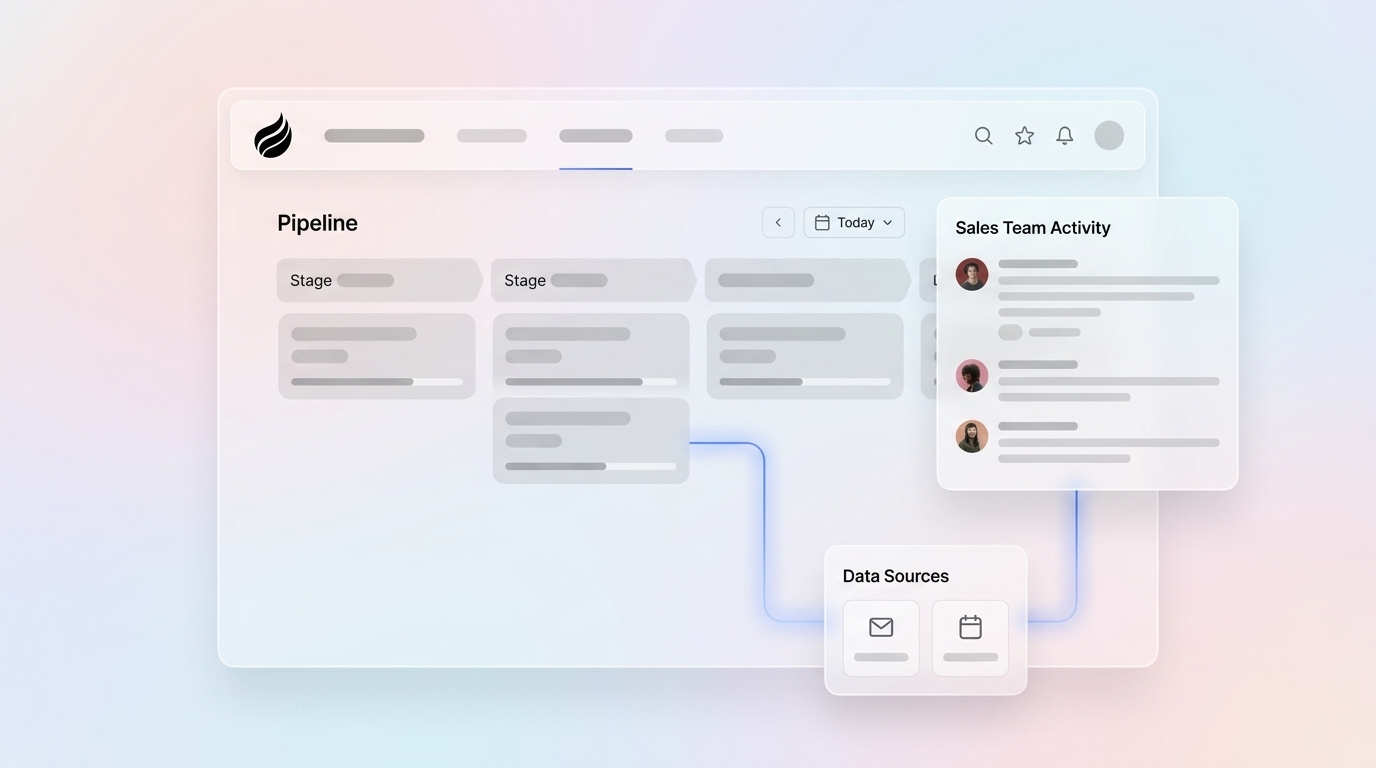
Use real-time dashboards to see deal progression, stage velocity, and overall pipeline health at a glance. Focus on views that highlight stalled deals, aging opportunities, and records missing recent activity. These dashboards turn raw data into clear next steps for managers and reps.
Coffee’s Pipeline Compare feature delivers week-over-week pipeline analysis that shows which deals progressed, which stalled, and which newly entered the funnel. This visual format shifts pipeline reviews from stressful interrogation toward collaborative planning. Leaders can quickly spot trends and coach the team with concrete examples.
Design dashboards with restraint. Do not overload them with dozens of metrics that confuse users. Do not depend on static reports that fall out of date within days. Do not forget to tailor views for different roles, such as executives, managers, and individual reps.
Step 5: Clean and Audit Existing CRM Data
Run a structured cleanup of your current CRM database so future reports rest on solid ground. Remove duplicates, update outdated information, and enrich thin records with missing details. This work improves reporting accuracy and strengthens forecasting.
Coffee’s AI agent automates much of this cleaning. It identifies and merges duplicate records while preserving interaction history. Unlike manual CSV exports and imports, the agent keeps data relationships intact and reduces the risk of information loss during cleanup.
Stay cautious while you clean. Do not delete records without a reliable backup. Do not merge potential duplicates without confirming they represent the same person or company. Do not schedule major cleaning projects during active sales campaigns that depend on stable data.
Step 6: Drive Adoption with Helpful Automation Rules
Increase CRM adoption by making the system feel helpful instead of burdensome. Offer simple interfaces, clear expectations, and incentives that reward accurate usage. Build automation rules that cut manual work while still protecting data quality.
Coffee acts as an AI co-pilot that quietly handles administrative tasks. It keeps the CRM updated so reps experience it as a supportive assistant, not a rigid database. Sellers can spend more time on conversations while the agent manages data entry and enrichment in the background.
Guide your team through the change. Do not launch automation without hands-on training and documentation. Do not design overly complex workflows that confuse users. Do not ignore adoption metrics or skip regular feedback sessions with the sales team.
Step 7: Measure ROI and Pipeline Intelligence Gains
Track a small set of metrics to confirm that your data quality work is paying off. Focus on forecast accuracy, time saved on administrative tasks, and improvements in pipeline velocity. Better data and automation create faster, more predictable sales cycles.
One company generating tens of millions in revenue previously managed sales in spreadsheets. After adopting Coffee’s AI agent, they automated data entry from Google Workspace, streamlined weekly pipeline reviews with Pipeline Compare, and used API access for custom briefings. The team gained deeper insight while keeping the user experience simple and intuitive.
See Coffee in action and measure your own velocity lift. Start your free Coffee trial.
Validation and Success Criteria for Your Pipeline
Measure success with clear benchmarks that tie directly to daily work. Aim for 95 percent data completeness across critical fields, a meaningful reduction in time spent on data entry that matches the time savings mentioned earlier, and noticeable pipeline velocity gains within 90 days of implementation. The table below shows how teams typically improve across three core metrics after rolling out Coffee’s automated approach.
| Metric | Before | After Coffee |
|---|---|---|
| Time on Data Entry | 71% report excessive time | 8-12 hours saved weekly |
| Pipeline Velocity | Baseline performance | Significant improvement |
| CRM Adoption | Low engagement | High active usage |
Track forecast accuracy over several cycles and watch how quickly “shadow CRM” spreadsheets fade as confidence in the primary system grows.
How Coffee Scales from Small Teams to Mid-Market Orgs
Small teams with one to twenty employees often see the fastest gains from Coffee’s Standalone CRM. This AI-first platform lets the agent manage the entire system of record, which keeps tooling simple while still providing rich automation. Mid-market companies with twenty to nine hundred ninety-nine employees usually deploy Coffee as a Companion App on top of Salesforce or HubSpot.
Growing teams can also add Coffee’s List Builder for outbound prospecting. List Builder uses natural language commands to create targeted prospect lists with enriched contact data and automated outreach workflows, which supports higher-volume outbound motions.

As you consider these options and plan your rollout, you may want quick answers to common implementation questions. The FAQ below covers the fundamentals that most teams ask about when they start improving pipeline visibility.
FAQ
How do you make sure CRM data is accurate?
Keep CRM data accurate with a repeatable process that covers every stage of the lifecycle. Diagnose current data quality issues, automate capture from emails and calendars, and enforce standardization rules. Build visual dashboards for monitoring, clean existing records on a schedule, drive adoption with automation, and measure ROI through pipeline intelligence. AI agents like Coffee handle most of these tasks automatically, which keeps data quality high with less manual effort.
What is pipeline visibility in sales?
Pipeline visibility means real-time insight into your sales funnel, including deal stages, progression speed, and bottlenecks. You know which opportunities are advancing, which are stalled, and where your team should focus attention. Strong pipeline visibility depends on accurate CRM data that captures all customer interactions and updates deal status in real time.
How does a CRM help with the sales pipeline?
A CRM supports the sales pipeline by centralizing customer data and tracking deals through defined stages. It automates follow-up tasks and provides analytics on pipeline health so leaders can coach more effectively. Modern AI-powered CRMs extend this value by capturing interactions automatically, enriching contact data, and offering predictive insights about deal likelihood and timing.
How can you improve your sales pipeline?
Improve your sales pipeline by tightening data capture, standardizing deal stages, and automating routine tasks. Build visual dashboards that highlight risk and progress, and schedule regular data cleaning. Focus on reducing manual entry through automation and ensure every customer interaction is logged consistently. AI agents can take over most administrative work while surfacing intelligent suggestions for next steps.
What are common sales pipeline stages?
Sales pipeline stages describe the steps prospects move through from first contact to closed deal. Typical stages include Lead, Qualified Lead, Opportunity, Proposal, Negotiation, and Closed Won or Lost. Each stage needs clear entry and exit criteria, expected duration, and required activities. Well-defined stages support accurate forecasting and reveal where deals tend to stall or accelerate.
Conclusion: Turn Your CRM into a Pipeline Intelligence Engine
These seven steps shift your CRM from a passive database into an active pipeline intelligence system. Coffee’s AI agent automates the most time-consuming data tasks while giving you the visibility and insight needed to compete in 2026 and beyond.
Unlock pipeline visibility now. Get started with Coffee.