Written by: Doug Camplejohn, CEO & Co-Founder, Coffee | Last updated: August 26, 2026
Key Takeaways for RevOps and Sales Leaders
- B2B contact data decays at 2.1% per month, compounding to 22.5% annually, with email address decay reaching 22.5–30%.
- Poor data quality costs the average organization $12.9 million per year, and SDRs waste 27% of their selling time on bad or dirty contact data.
- Manual clean-up cycles cannot outrun continuous, compounding decay driven by forces outside any CRM admin’s control.
- An autonomous agent that validates, deduplicates, enriches, and monitors records in real time removes the root cause at the entry point.
- See how Coffee’s autonomous agent eliminates manual data hygiene.
The Problem: How CRM Data Decay Destroys Pipeline Accuracy
B2B contact data changes constantly, which erodes CRM accuracy month after month. 70.8% of B2B business contacts experience at least one data change within 12 months, and B2B email addresses decay at 3.6% per month according to Landbase, compounding to over 70% annually. Job titles change for 15-30% of B2B contacts annually, which makes them the fastest-decaying field in most databases. B2B contact data decays at ~22.5% annually on average, rising to as high as 60–70% in high-turnover sectors such as SaaS/tech due to high job mobility and frequent layoffs, exactly where accurate pipeline forecasts matter most.
The downstream consequences are large and measurable. SDRs waste roughly 27% of their selling time on bad or dirty contact data, and that lost productivity equates to approximately $32,000 per rep per year, or $384,000 annually for a Series B team with eight AEs and four SDRs. 76% of CRM users report that less than half of their organization’s CRM data is accurate and complete, and 37% report direct revenue loss from poor data quality. The average company carries 10–30% duplicate records in its CRM, while well-run operations hold rates at or below 1%, which further distorts reporting and routing.
Once reps lose trust in CRM data, they stop relying on it. Shadow CRMs in spreadsheets, Notion documents, and personal inboxes become the real workspace. Second-order effects include unreliable forecasts, broken lead scoring models, reduced email deliverability, and inaccurate marketing attribution. Reactive quarterly clean-ups cannot keep up with this pace of change, because prevention is 10x more efficient than cleanup, and any database left unmanaged for 90 days has already lost a meaningful share of its usable records. The only sustainable fix is to stop decay at the source before bad data enters the CRM.
Stop losing $384,000 per year to bad data — see Coffee’s prevention-first approach.
The Solution: A Prevention-First Operating Model for CRM Data
A prevention-first framework stops bad data at the entry point rather than remediating it later. The correct sequence is deduplication first, then validation, then enrichment, because enriching duplicate records wastes budget and cuts results in half. The seven-step checklist below turns that sequence into a concrete workflow across every data intake point.
- Validate at entry. Run real-time email verification at form submission and list import using an API that checks syntax, domain validity, MX records, and SMTP response before any record is written to the CRM.
- Standardize field formats. Replace free-text fields with dropdowns and picklists for job title, industry, and country to prevent formatting drift at the source.
- Block duplicates on create. Use deterministic matching on email and probabilistic matching on name plus company domain to keep duplicate records out of the database across every intake channel, including form fills, CSV imports, enrichment syncs, and manual entry.
- Enrich every new record immediately. Trigger enrichment automatically on record creation so job title, company, funding stage, and LinkedIn profile fields are populated from verified sources before the record reaches a rep.
- Monitor continuously for decay signals. Build automated workflows that flag records with no activity in 60 days, a hard email bounce, or tenure signals suggesting a job change and route them for re-verification instead of letting them silently corrupt pipeline data.
- Re-enrich on a scheduled cadence. Run automated re-enrichment on all records older than 90 days since last enrichment. Teams selling into SaaS should compress this to a 30–45 day refresh cadence given the 60–70% annual decay rate in high-turnover sectors.
- Assign domain ownership and report a Data Health Score. Separate ownership by domain. VP Sales owns Accounts and Opportunities, VP Marketing owns Contacts and Campaign Attribution, and VP CS owns Customer Health. RevOps acts as the cross-domain steward that enforces standards and reports a composite Data Health Score to leadership on a fixed cadence.
Healthy CRM targets for 2026 come from published B2B benchmarks and practitioner playbooks. These thresholds give RevOps a clear definition of success.
- Data completeness rate: ≥90% (danger zone below 75%)
- Duplicate record rate: <5% (danger zone above 10%)
- Email bounce rate on outbound: <2%
- Records older than 90 days since last enrichment: <10%
- Contact-to-account link rate: ≥95%
- Forecast field accuracy: ≥90%
The operating cadence that sustains these thresholds without adding headcount runs across four tiers, and each tier tackles decay on a different timescale. Daily tasks prevent bad data from entering in the first place, so reps log every interaction immediately and search before creating any new record. Weekly scans catch what slips through daily discipline, as automated workflows flag duplicates from the past seven days and validate routing assignments on new records. Monthly audits address drift that builds up despite weekly checks, so RevOps runs full-database duplicate merges, email validation on outreach records, and a closed-lost reason audit. Quarterly reviews handle structural issues that only appear over longer periods, including a full deduplication pass, governance rule review, TAM boundary reassessment, and re-enrichment across the entire database.
How Coffee’s Agent Automates the Prevention Loop
Each step in the prevention checklist either requires a human performing repetitive work or a system that executes it automatically. Coffee’s autonomous agent runs the full validate → deduplicate → enrich → monitor loop in real time and removes humans from the data entry role entirely.
After connecting to Google Workspace or Microsoft 365, the Coffee Agent scans emails and calendars to auto-create contacts and companies, log last and next activity, and enrich records with job titles, funding data, and LinkedIn profiles via licensed data partners, all without rep input. Because the agent captures interactions from the source of truth in email and calendar systems, records no longer depend on manual entry and avoid the entry-fatigue decay that plagues legacy CRMs.
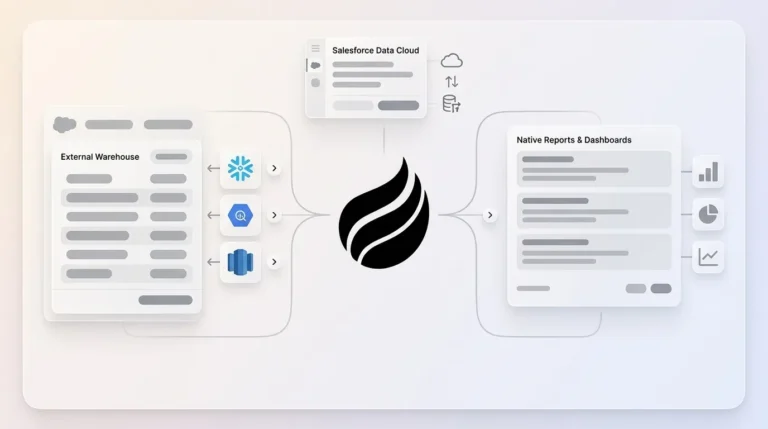
For teams already committed to Salesforce or HubSpot, Coffee runs as a Companion App. A simple authentication lets the agent sync data, enrich it, and write validated insights back to the primary CRM. The agent manages the data-in process so the system of record stays accurate without human effort, which removes the need for separate enrichment subscriptions, manual deduplication projects, or quarterly cleanup sprints.
Pipeline Compare, Coffee’s built-in pipeline intelligence feature, visualizes week-over-week changes automatically. It highlights progressed deals, stalled opportunities, and new additions without CSV exports or manual reporting. Because the agent maintains a built-in data warehouse with full history, pipeline reviews shift from interrogation sessions into strategic discussions grounded in accurate, current data.
Replace your manual hygiene cadence with an agent that validates, enriches, and monitors 24/7.
2026 Decay-Rate Benchmarks and Agent vs. Legacy Approaches
The table below consolidates 2026 decay benchmarks by field type, drawn from Ziel Lab’s B2B hygiene guide and Cleverly’s July 2026 decay analysis. Email addresses and job-related fields decay fastest, so they drive most pipeline inaccuracy and require the tightest refresh cadence.
| Data Field | Annual Decay Rate (2026) | Primary Driver |
|---|---|---|
| Email address | 3.6% per month according to Landbase, compounding to over 70% annually | Job changes, domain migrations |
| Job title | 15-30% of B2B contacts annually | Promotions, reorgs, layoffs |
| Company affiliation | ~20% for individual contributors | Voluntary attrition, M&A |
| Direct-dial phone | 8%-12% per year for B2B contacts in the same role | Remote work, number reassignment |
| Overall B2B contact (SaaS/Tech) | ~22.5% annually on average, rising to as high as 60–70% in high-turnover sectors such as SaaS/tech | High job mobility, frequent layoffs |
| Overall B2B contact (all industries) | 22.5% annually | Role churn, integration drift |
Legacy enrichment databases such as ZoomInfo and Apollo operate as passive repositories. Vendors refresh them on fixed schedules, and RevOps must manually trigger exports, match records, and push updates back into the CRM. The gap between a vendor’s last refresh and the moment a rep acts on a record is where decay does the most damage. Many addresses marked “verified” by a major provider fail on retest, which shows the limits of periodic batch enrichment.
Coffee’s agent follows a different model. Instead of pulling from a static vendor snapshot, it captures ground-truth data continuously from email and calendar interactions, the same signals that reflect real-world contact changes as they happen. Enrichment runs on record creation and re-runs on decay signals, not on a vendor’s quarterly refresh cycle. The result is a CRM that reflects current reality instead of a historical snapshot.
Frequently Asked Questions
How Coffee integrates with Salesforce or HubSpot without disruption
Coffee deploys as a Companion App on top of existing Salesforce or HubSpot installations. A simple authentication connects the Coffee Agent to the existing instance, after which the agent begins syncing data, enriching records, and writing validated insights back to the CRM automatically. No migration is required, no existing workflows change, and the system of record remains Salesforce or HubSpot. The agent handles the data-in process so the CRM stays accurate without any change to how reps or admins currently use the platform.
How Coffee’s data quality compares to ZoomInfo while staying compliant
Coffee’s enrichment data is roughly on par with ZoomInfo for most B2B use cases and is built directly into the agent, so no separate subscription or manual export is required. Because enrichment runs automatically on record creation and re-runs on decay signals, the data in Coffee tends to be more current than a point-in-time vendor snapshot. Coffee is SOC 2 Type 2 certified and GDPR compliant. Data ingested by the agent does not train public models, and all processing follows current data privacy standards.
Recommended ownership model and cadences without adding headcount
Coffee recommends a three-role governance model that keeps ownership clear and workload manageable. RevOps owns the cross-domain data quality program, field definitions, and the Data Health Score reported to leadership. Domain owners, such as the VP Sales for Accounts and Opportunities and the VP Marketing for Contacts and Attribution, stay accountable for accuracy within their areas. The Coffee Agent handles the mechanical execution of validation, deduplication, enrichment, and monitoring. Because the agent automates the highest-volume tasks, including entry-point validation, duplicate blocking, activity logging, and scheduled re-enrichment, RevOps shifts from performing hygiene work to overseeing it. The recommended cadence runs daily automated validation, weekly duplicate scans, monthly completeness audits, and quarterly governance reviews, all executed by the agent without additional headcount.
Timeline for measurable improvement in Data Health Score
Improvement starts as soon as the agent connects. The Coffee Agent begins auto-creating and enriching contacts from email and calendar data on day one, so new records enter the CRM already validated and enriched instead of incomplete. For existing records, the agent’s continuous monitoring flags stale and invalid entries for re-verification on an ongoing basis. Teams usually see measurable improvement in completeness rate, bounce rate, and duplicate rate within the first billing cycle. Pipeline Compare delivers week-over-week visibility into deal movement from day one, which gives RevOps and sales leadership an immediate baseline to track Data Health Score gains.
Conclusion: Make Data Decay Obsolete This Quarter
CRM data decay is not just a data problem; it is an architecture problem. Legacy systems that depend on manual entry cannot maintain data quality at the speed B2B contact data changes in 2026. Reactive clean-up cycles, periodic enrichment subscriptions, and governance frameworks that rely on rep discipline all treat the symptom instead of the cause.
Coffee’s autonomous agent removes the root cause by eliminating manual data entry entirely. It validates at the entry point, blocks duplicates on create, enriches every record from ground-truth sources, and monitors continuously for decay signals, all without human effort. The result is a CRM that reflects current reality, a pipeline that forecasts accurately, and a RevOps function that governs instead of grinding through hygiene tasks.
Make CRM data decay obsolete this quarter — start with Coffee.