
Written by: Doug Camplejohn, CEO & Co-Founder, Coffee | Last updated: June 18, 2026
Key Takeaways
- Automated CRM data entry uses an AI agent to capture tasks and log interactions in real time, so reps can focus on selling.
- In 2026, sales reps still spend over half their week on admin and data entry. AI agents cut that time by ingesting emails, calendars, and transcripts automatically.
- Successful rollouts start with clean data, clear field standards, and a phased Crawl-Walk-Run plan that scales from pilot to full team.
- Key automations such as Google or Microsoft 365 sync, AI meeting bots, visitor identification, and Pipeline Compare power the 30-day adoption and accuracy targets outlined in the dashboard section.
- Teams that want to eliminate manual CRM work can start a Coffee pilot and track progress against those 30-day KPI goals.
Why Automated CRM Entry Matters in 2026
Salesforce’s State of Sales 2026 report, surveying 4,050 sales professionals across 23 countries, found that the average B2B sales rep spends roughly 60% of the workweek on admin work, data entry, internal meetings, and CRM upkeep, which leaves only 40% for selling. The average B2B salesperson spends 11.5 hours per week on CRM data entry. Legacy CRMs function as passive databases that rely on humans to maintain data quality. That model breaks in 2026, when AI agents can ingest emails, calendar events, and call transcripts in real time and write structured records without human intervention. The shift from passive database to active agent defines the CRM inflection point of this decade, and teams that adapt early reclaim selling time and improve forecast reliability.
Readiness for an AI Data Entry Agent
Before deploying an automated CRM data entry agent, confirm three prerequisites. First, every rep must have an active Google Workspace or Microsoft 365 account, because Coffee connects to either and begins auto-creating contacts and logging activity immediately after authentication. Second, verify that your chosen platform is SOC 2 Type 2 and GDPR compliant; Coffee meets both standards and does not use customer data to train public models. Third, select a pilot cohort of reps who represent a cross-section of tenure and deal complexity.
Successful sales automation CRM rollouts launch pilots with a small cohort of reps using core automation workflows, then monitor data quality, user adoption, and performance metrics before scaling. Avoid selecting only top performers, because mid-tier reps reveal the friction points that matter most for broad adoption. Once you have identified this pilot group, you are ready to move into technical setup and your first automated pipeline review.
12 Best Practices for Automated CRM Data Entry Onboarding
1. Audit and cleanse existing data before connecting the agent. Clean data gives the agent a reliable foundation. Export all current CRM records, deduplicate contacts, and enforce a minimum field standard such as first name, last name, email, phone, company, deal stage, and close date before the Coffee Agent begins enriching records. A comprehensive data quality audit defines minimum standards for contact, opportunity, and company records as the foundation of automated entry. Common Pitfall: Skipping the audit and letting the agent inherit 3,000 duplicate contacts from a legacy export.
2. Establish hidden-field data standards before go-live. Hidden fields such as lead source, original UTM campaign, and persona tier must be defined and locked before the agent begins writing records. Once Coffee starts auto-populating these fields across thousands of records, any retroactive schema change creates inconsistencies that break historical comparisons, because field definitions shift midstream. Document every field name, accepted value set, and owner in a shared data dictionary. Common Pitfall: Allowing reps to create ad hoc custom fields during the pilot, which fragments reporting from day one.
3. Use a Crawl-Walk-Run phased rollout. RevOps teams should implement sales automation CRM using a phased rollout because rushed implementations create data chaos and user resistance. The table below shows how each phase builds on specific success gates, so the team only advances once the previous phase works reliably.
| Phase | Timeline | Coffee Actions | Success Gate |
|---|---|---|---|
| Crawl | Days 1–7 | Connect Google Workspace or Microsoft 365, enable auto-contact creation and activity logging for pilot cohort | Zero manual contact creates by pilot reps |
| Walk | Days 8–21 | Activate AI Meeting Bot, Pipeline Compare, and Visitor Identification pixel, configure role-based dashboards | Meeting summaries auto-filed after call end, high pipeline accuracy |
| Run | Days 22–30 | Roll out to full team, enable List Builder, weekly hygiene audits, and 30-day KPI dashboard review | High user adoption rate, high pipeline accuracy |
Common Pitfall: Jumping to Run before Walk gates are met, which leaves the full team with unresolved data conflicts.
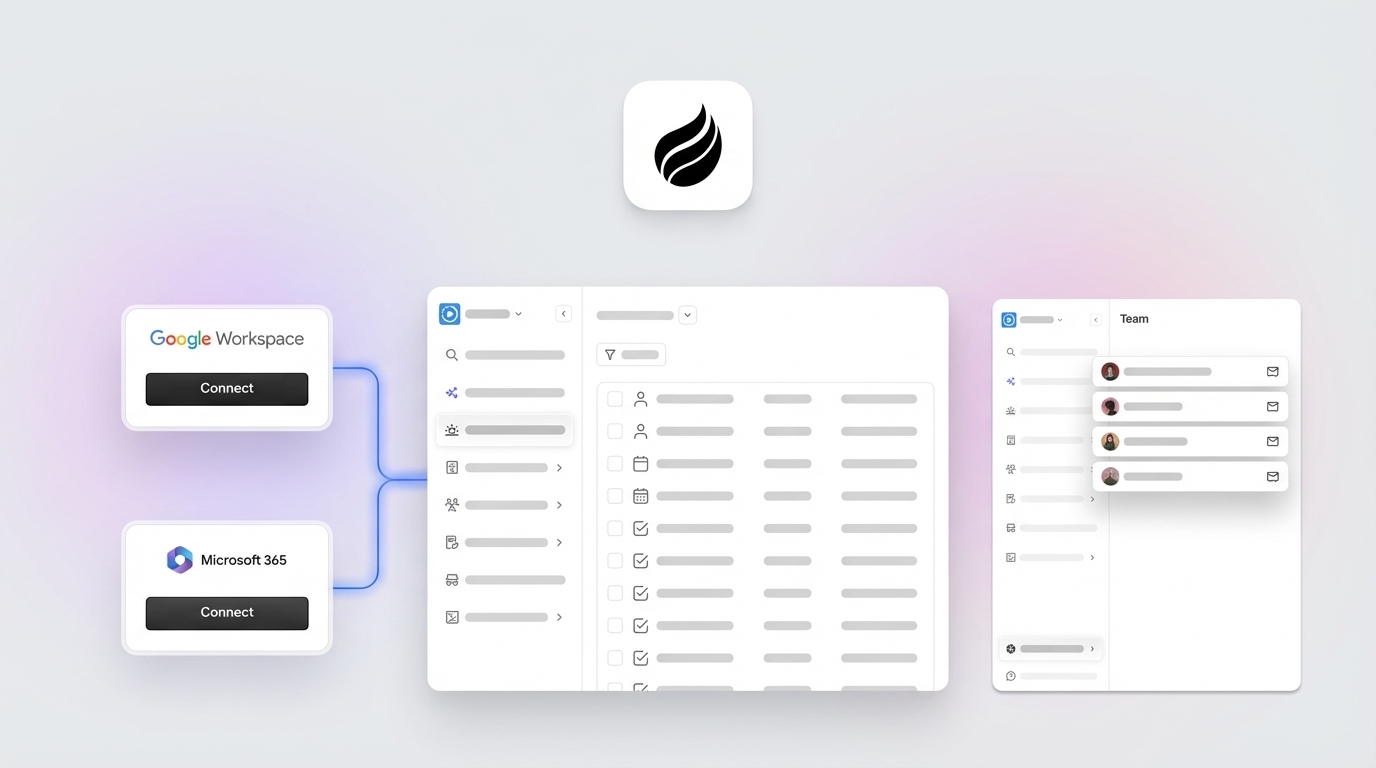
4. Connect Google Workspace or Microsoft 365 to activate automatic data entry. After authentication, the Coffee Agent scans emails and calendar events to auto-create contacts, companies, and activity logs. No rep action is required. This single step removes the primary cause of CRM abandonment, which is the expectation that reps will manually log every touchpoint. Common Pitfall: Authenticating only the admin account and forgetting to provision individual rep connections.
5. Run the AI enrichment and meeting-bot onboarding script. Schedule a 30-minute session with the pilot cohort to walk through Coffee’s “Today” page briefing, demonstrate how the AI Meeting Bot joins a Zoom, Teams, or Google Meet call, and show how post-call summaries and follow-up drafts appear in Gmail. Reps who watch the agent work in a live call during onboarding adopt it at significantly higher rates than those who read documentation alone. Common Pitfall: Treating the meeting bot as optional; reps who skip it miss the single highest-value automation in the stack.


6. Configure role-based dashboards for reps, managers, and RevOps. Reps need a deal-stage view and a “Today” action list. Managers need a pipeline velocity view and a rep activity summary. RevOps needs a data quality score and a field-completion rate. Coffee’s agent populates all three views from the same underlying data warehouse, so no one exports CSV files. Common Pitfall: Giving every role the same default dashboard, which causes reps to ignore metrics unrelated to their daily workflow.
7. Install the Visitor Identification pixel and close the loop. Drop Coffee’s custom tracking script into the <head> tag of your website. The agent immediately begins identifying anonymous visitors by name, title, email, and LinkedIn profile, alongside the pages they visited and time on site. Real-time Slack notifications surface high-fit visitors, and one click adds the prospect to Coffee with enrichment pre-filled. This pixel loop converts website traffic into pipeline without any rep data entry. Common Pitfall: Installing the pixel but failing to configure Slack notifications, which leaves identified visitors unactioned for days.
8. Use natural-language List Builder commands for outbound prospecting. Instead of exporting lists from a separate enrichment tool, reps issue commands directly to the Coffee Agent such as “Find me VPs of Sales in North America at companies with $10M+ funding using Salesforce.” The agent executes the query against integrated enrichment data and returns a ready-to-action prospect list. Common Pitfall: Reps reverting to Apollo or ZoomInfo exports out of habit, which creates duplicate records that undermine data quality.

9. Enforce weekly hygiene audits. AI-powered systems deliver real-time validation that ensures information meets quality standards before entering the CRM, continuously monitoring for missing data, inconsistent formatting, and duplicates. To act on that continuous monitoring, schedule a recurring Monday morning hygiene review in which Coffee flags records with missing required fields, duplicate entries, or stale “last activity” dates older than 14 days. Assign a RevOps owner to resolve flagged records within 48 hours. Common Pitfall: Running hygiene audits quarterly instead of weekly, which allows data decay to compound.
10. Conduct Pipeline Compare reviews to replace interrogation with strategy. Coffee’s Pipeline Compare feature visualizes week-over-week changes such as progressed deals, stalled opportunities, and new additions, all without spreadsheets. Shift the Monday pipeline call format from “tell me what changed” to “here is what changed, now let’s discuss why.” This change signals to reps that the agent handles the reporting burden and reinforces adoption. Common Pitfall: Managers continuing to request manual pipeline exports alongside Pipeline Compare, which sends mixed signals about the agent’s authority.
11. Apply sales methodology templates to every call transcript. Configure the Coffee Agent to structure post-call notes according to BANT, MEDDIC, or SPICED. Consistent qualification data in every record enables accurate forecasting and removes the subjectivity that makes pipeline reviews unreliable. Common Pitfall: Leaving methodology selection to individual rep preference, which produces inconsistent qualification fields that break roll-up forecasts.
12. Activate the 30-day adoption KPI dashboard. By day 30, the following metrics should be visible in Coffee’s reporting layer, including the adoption and accuracy targets outlined earlier: User Adoption Rate, Time Saved per Rep per Week, Pipeline Accuracy, Meeting Bot Utilization Rate, and Field Completion Rate. Success metrics for the adoption phase of a phased CRM operations rollout include user adoption rates greater than 80% and data quality scores greater than 95%, supported by ongoing monitoring, feedback collection, and optimization. Review this dashboard in the week-four all-hands and publish results to the full sales team to reinforce momentum. Common Pitfall: Measuring only login frequency and ignoring pipeline accuracy, which determines forecast reliability.
Validation and Success Criteria
The KPI dashboard mentioned in Step 12 tracks five core metrics, and three of them drive most adoption and forecast gains. The definitions below explain how each metric behaves when Coffee is working as intended at the 30-day mark.
User Adoption Rate measures the percentage of licensed reps who log at least one Coffee-assisted activity per week. Before Coffee, teams running manual entry in HubSpot typically see adoption rates of 40–55% because reps avoid logging. After Coffee, the agent logs activity automatically and removes the primary friction point that causes avoidance. With no entry burden to resist, adoption climbs toward the previously stated 30-day target, and reps engage with the CRM because they consume insights instead of generating data.
Time Saved per Deal tracks the hours reclaimed per rep per week from eliminated data entry, note-taking, and pipeline reporting. Automation features in modern CRM platforms can save teams 10+ hours per week on manual tasks such as data entry, with the time redirected to high-value activities like customer conversations. Coffee focuses this gain into a range of 8–12 hours reclaimed per rep per week, which aligns with the 30-day dashboard goals.
Pipeline Accuracy measures the percentage of open opportunities with complete required fields, a logged next activity, and a close date within the current or next quarter. Before Coffee, research shows that sales reps spend roughly 27% of their time dealing with inaccurate CRM data, equating to 546 hours per year per rep. After Coffee, the agent’s continuous enrichment and validation drives pipeline accuracy toward the high threshold referenced in the rollout plan, so leaders can trust the forecast.
Deployment Models and How to Scale Coffee
Deployment model selection fits naturally after validation, because teams should choose how to scale Coffee once the pilot hits its KPI thresholds. For teams of 1–20 employees, Coffee’s Standalone CRM model is the appropriate deployment. The agent serves as the full system of record and replaces HubSpot or Pipedrive entirely. Setup requires only a Google Workspace or Microsoft 365 connection, and no legacy data migration is necessary for teams starting from spreadsheets or Notion.
Teams already committed to Salesforce or HubSpot can use Coffee’s Companion App model, which deploys the agent as an intelligent layer on top of the existing instance. Authentication allows Coffee to sync data, enrich records, and write summaries and pipeline changes back to the primary CRM. RevOps retains existing Salesforce quotas, forecasting hierarchies, and required-field configurations, because Coffee respects the current schema while handling the manual entry work in the background. RevOps teams using unified go-to-market platforms report faster implementation of sales automation CRM. As teams scale past 20 reps, the Companion App model supports mid-market complexity such as role-based permissions, territory routing, and multi-stage forecast categories without requiring a platform migration.
30-Day Adoption KPI Dashboard
The 30-day dashboard referenced in Step 12 consolidates five metrics into a single weekly view: User Adoption Rate, Time Saved per Rep per Week, Pipeline Accuracy, Meeting Bot Utilization Rate, and Field Completion Rate. RevOps reviews this dashboard every Monday. Any metric below threshold triggers a targeted intervention such as additional onboarding for low-adoption reps, a hygiene sprint for field completion gaps, or a pipeline audit for accuracy shortfalls. The dashboard is populated entirely by the Coffee Agent, so no one spends time on manual data collection.
Frequently Asked Questions
How long does it take to set up Coffee and see the first automated data entries?
Most teams complete the initial connection to Google Workspace or Microsoft 365 in under 15 minutes. The Coffee Agent begins auto-creating contacts and logging activity immediately after authentication. Pilot reps typically see their first automated contact records and activity logs within the same business day. The full 30-day rollout, which includes Meeting Bot activation, Visitor Identification pixel installation, and role-based dashboard configuration, follows the Crawl-Walk-Run schedule outlined above.
Is Coffee secure enough for a sales team handling sensitive deal data?
Coffee is SOC 2 Type 2 and GDPR compliant. Customer data is not used to train public AI models. The agent accesses email and calendar data solely to populate CRM records and generate meeting summaries, and it does not store raw email content beyond what is necessary to create structured activity logs. Teams in regulated-adjacent industries such as SaaS, professional services, and technology have deployed Coffee without additional security review requirements.
How deeply does Coffee integrate with Salesforce and HubSpot?
The Companion App model connects to Salesforce and HubSpot via a direct authentication flow that respects existing field schemas, required fields, validation rules, forecasting hierarchies, and quota structures. The Coffee Agent writes enriched contact data, activity logs, meeting summaries, and pipeline changes back to the primary CRM without overwriting custom configurations. This depth distinguishes Coffee from newer CRM alternatives that lack the integration sophistication to handle mid-market Salesforce and HubSpot instances. Additional tool integrations beyond the native connections are currently available via Zapier, with deeper roadmap integrations in development.
What happens when the team grows past 20 reps?
Teams that start on the Standalone CRM model and scale past 20 reps can migrate to the Companion App model and deploy Coffee as the agent layer on top of a newly adopted Salesforce or HubSpot instance. Because Coffee has maintained a clean, enriched data warehouse from day one, the migration exports structured, high-quality records rather than the fragmented legacy data that typically makes CRM migrations painful. Pricing remains seat-based throughout, so the agent’s labor scales without additional per-process or per-API-call fees.
Conclusion
Automated CRM data entry onboarding best practices for sales teams reduce to one principle: deploy an agent to handle the data work so reps handle the selling work. The 12-step plan above, from data audit and hidden-field standards through Crawl-Walk-Run phasing, Visitor Identification pixel loop, Pipeline Compare reviews, and the 30-day KPI dashboard, gives Heads of Sales and RevOps a complete, sequenced rollout that targets the KPI thresholds outlined in the 30-day dashboard, including 8–12 hours reclaimed per rep per week, high User Adoption Rate, and high Pipeline Accuracy. Coffee is the only agent that works as both a Standalone CRM for growing teams and a Companion App for existing Salesforce and HubSpot stacks, which keeps data clean and actionable at every stage of growth.
Start Coffee today and remove your last manual data entry task.


