
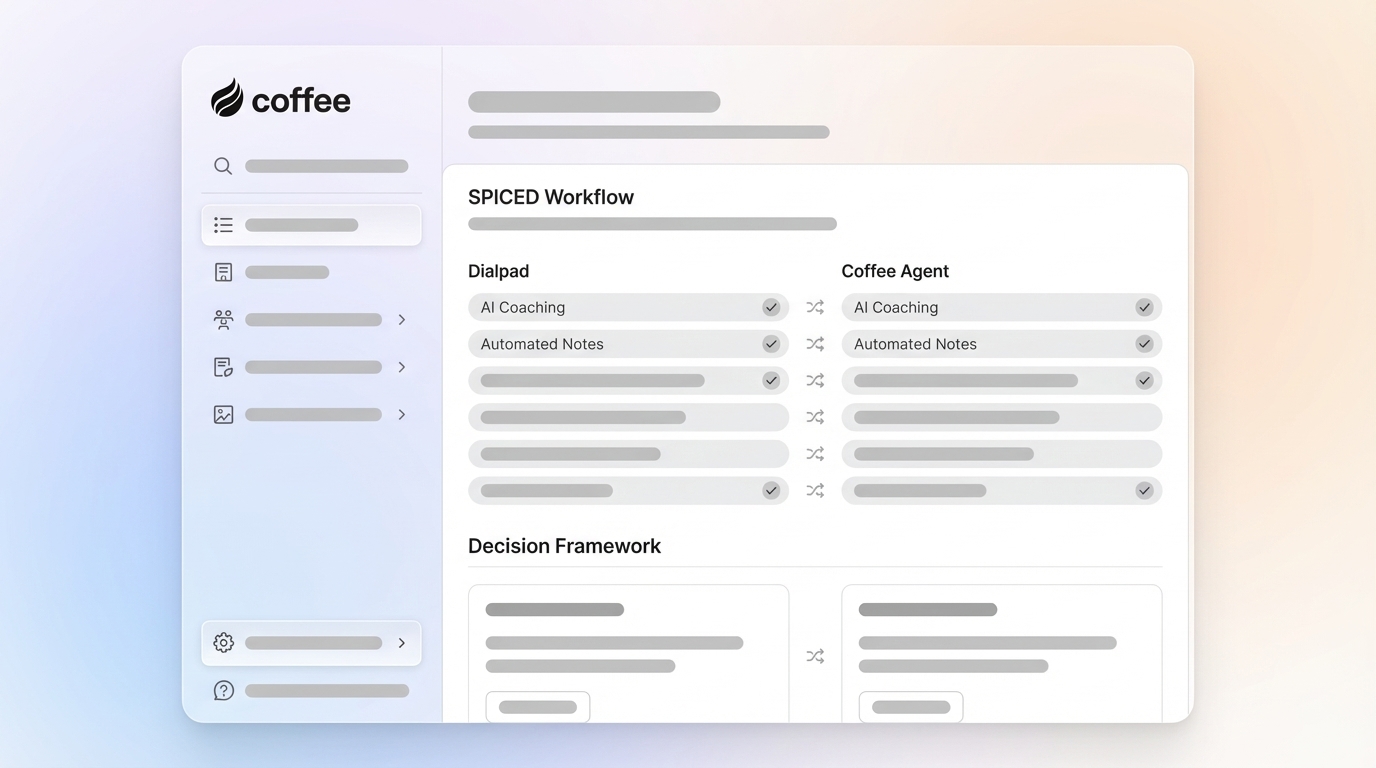
Written by: Doug Camplejohn, CEO & Co-Founder, Coffee | Last updated: August 31, 2026
Key Takeaways
- SPICED is a five-stage customer-centric qualification framework (Situation, Pain, Impact, Critical Event, Decision) designed for B2B recurring revenue sales.
- Dialpad’s AI Playbooks deliver real-time SPICED prompts, automatic detection, and post-call analytics, but require manual setup and rep adherence.
- Key limitations include admin configuration overhead, reliance on reps to complete missing items, and incomplete CRM integration outside Salesforce.
- Coffee’s AI Agent autonomously captures SPICED data from calls, emails, and meetings, writing structured qualification directly into Salesforce or HubSpot without rep prompts or playbook setup.
- Eliminate manual SPICED data entry and keep pipeline data accurate with Coffee’s autonomous AI Agent.
How Dialpad Implements SPICED with AI Playbooks
Dialpad’s AI Playbooks use real-time speech recognition and generative AI to guide sales reps through SPICED during live calls. The system provides step-by-step prompts, tracks adherence automatically, and surfaces post-call analytics for managers. Each layer of the workflow supports a specific part of SPICED.
Step 1: Live Call Guidance with Real-Time Assist Cards
Dialpad’s SPICED Playbook template includes specific questions for each stage, such as “Can you describe your current situation and any relevant context?” for Situation and “Who are the primary decision-makers for this purchase?” for Decision. These prompts appear in the right-hand panel of the calling screen as the conversation progresses.
AI Live Coach Cards complement the playbook by triggering pop-up guidance when specific keywords, such as a competitor name or a pricing objection, are detected. When triggered, a notification appears on the right side of the screen, and the rep selects it to view the relevant assist card. If a trigger word is mentioned twice, the card surfaces only on the first instance, while additional occurrences are still tracked in analytics.
Reps can also manually check off a playbook item if the AI does not detect it automatically. This design preserves flexibility but introduces a dependency on rep engagement.
Step 2: Automatic Behavior Tracking
When Dialpad AI detects conversation relevant to a playbook activity, it checks off that activity on the screen in near real-time. This automatic detection is powered by DialpadGPT, Dialpad’s proprietary model, which transcribes calls as they happen and evaluates topic completion against each topic’s defined goal.
For Salesforce users, Dialpad records an AI Playbook Adherence field as a percentage, alongside AI Playbook Name and AI Playbook Details fields that show which topics were covered during the call. This gives RevOps teams an objective, per-call compliance metric without requiring managers to listen to recordings.
Step 3: Post-Call Coaching and Analytics
After a call, coaches and managers can view the playbook score in Conversation History, which displays AI-detected and manually checked activities alongside relevant transcript snippets. The Coaching Hub dashboard provides a longitudinal view of AI Playbook adherence over time. Managers can then identify skill gaps and target coaching at specific SPICED stages where reps consistently underperform.
The following table maps each SPICED stage to the Dialpad features that support it.
| SPICED Stage | Dialpad Feature | What It Does |
|---|---|---|
| Situation | AI Playbook prompt | Surfaces the question “Can you describe your current situation?” in the rep’s right-hand panel |
| Pain | AI Playbook prompt + auto-detection | Detects pain-related language and checks off the topic in near real-time |
| Impact | AI Playbook prompt | Prompts the rep to ask “What are the consequences of not solving these problems?” |
| Critical Event | AI Live Coach Card + Custom Moment | Triggers a coaching card on trigger words; Custom Moments act as bookmarks for important call themes, viewable in the Analytics “Moments” tab for post-call analytics, though the “Critical Event stage” is not a term used in Dialpad’s documentation |
| Decision | AI Playbook prompt + Salesforce field push | Prompts decision-maker questions and pushes adherence data to Salesforce automatically |
A Real Example: SPICED Call in Dialpad
The following scenario shows how SPICED plays out in practice: an AE sells a revenue intelligence platform to a VP of Sales at a 150-person B2B SaaS company. Dialpad AI Playbook prompts are shown in italics.
Rep: Thanks for making time. Before I walk you through anything, I would love to understand where you are at today. How is your team currently managing pipeline visibility?
[AI Playbook: Situation — “Can you describe your current situation and any relevant context?” ✓ Auto-detected]
Prospect: Honestly, it is a mess. Reps are not logging calls consistently, so our forecast is basically a guess every week.
[AI Playbook: Pain — topic auto-detected and checked off]
Rep: What does that cost you in practice? Are you seeing deals slip because you did not know they were at risk?
[AI Playbook: Impact — “What are the consequences of not solving these problems?” — rep manually checks after prospect confirms two deals slipped last quarter]
Rep: Is there a specific date by which you need this solved, such as a board review or planning cycle?
[AI Live Coach Card triggered on “board review” keyword — card surfaces talking points on ROI framing]
Prospect: We have a board meeting in October where I need to show a clean forecast.
[AI Playbook: Critical Event ✓ Auto-detected]
Rep: Who else would be involved in evaluating a tool like this, such as IT, RevOps, or Finance?
[AI Playbook: Decision — “Who are the primary decision-makers for this purchase?” — rep manually checks after prospect names three stakeholders]
This transcript illustrates a key operational reality: some SPICED stages may require manual check-offs by the rep. Dialpad’s documentation confirms that reps can manually check an item if AI did not detect it, which means playbook completion depends on rep attentiveness as well as AI detection. Understanding when SPICED is the right framework, and when alternatives like MEDDIC or BANT may fit better, helps teams apply the right qualification approach.
SPICED vs. MEDDIC vs. BANT: When to Use Each
Choosing the right framework depends on deal size, sales cycle length, and organizational complexity. The table below summarizes the primary use cases and limitations of each methodology.
| Methodology | Best For | Key Limitation |
|---|---|---|
| SPICED | Mid-market SaaS with 30–90 day cycles and subscription motions | Lighter on stakeholder mapping than MEDDIC; can miss political dynamics in large organizations |
| MEDDIC | Enterprise deals above ~$50K ACV with cycles of 60–180 days and multiple procurement stakeholders | Requires significant discovery time; overkill for SMB or short-cycle deals |
| BANT | SMB and transactional sales with cycles under 30 days and a single decision-maker | Too shallow for complex deals; leads with budget and misses impact, urgency, and decision process |
The key differences between MEDDIC and SPICED come down to orientation and lifecycle fit. SPICED starts with the customer’s current story and maps directly to the recurring revenue bow-tie model, which makes it usable by Customer Success at renewal. MEDDIC brings discipline to multi-stakeholder procurement by explicitly requiring champion identification and economic buyer validation. SPICED treats these elements more loosely under “Decision.”
A practical selection framework based on deal characteristics:
- ACV under $25K, single buyer, cycle under 30 days: Use BANT as a fast qualification filter.
- ACV $25K–$150K, buying committee of 3–5, cycle 30–90 days: Use MEDDIC as the qualification framework, not SPICED.
- ACV above $150K, buying committee of 6–12, cycle 90+ days: Use MEDDIC or MEDDPICC.
- Subscription motion with CS handoff: SPICED is the right choice because the same five elements work across the full customer lifecycle.
Automate SPICED qualification across every deal in your pipeline.
Limitations of Dialpad’s SPICED Implementation
Dialpad’s AI Playbooks deliver real value for guided selling, yet four structural constraints limit their effectiveness for teams that need autonomous, consistent SPICED data capture.
Manual setup required. Office Admins, Contact Center Admins, Supervisors, and Coaches must navigate to Admin Settings, enable AI, toggle on Playbooks, select a default playbook, and assign it to the relevant group before any rep can use the feature. Additionally, custom topics require further configuration, including title limits of 50 characters and definitions of 20–200 characters. All of this adds up to a non-trivial administrative burden before a single call is made.
Reliance on rep adherence. Reps can manually check items the AI missed, ignore prompts entirely, or select “No default playbook” if admins have enabled that option. In other words, the playbook functions as a guidance tool rather than an enforcement mechanism. Manual SPICED workflows typically achieve 30–40% field completion across the pipeline, which means the majority of deals lack complete qualification data.
Data integration gaps. Playbook data is automatically pushed to Salesforce, but for other CRMs, data must be extracted via API and manually parsed into the relevant fields. Teams running HubSpot, NetSuite, or any other system face additional engineering work to get structured SPICED data into their system of record.
Immutable playbooks. Once a playbook is published, it cannot be edited, only archived. If a playbook is changed mid-call, it is not retroactively filled; only topics detected after the change are marked as completed. This constraint makes iterating on SPICED question sets operationally cumbersome, because each revision requires creating and publishing a new playbook. These limitations highlight the need for a solution that removes manual overhead and ensures consistent data capture.
How Coffee’s AI Agent Automates SPICED
Coffee’s AI Agent takes a fundamentally different approach. Coffee autonomously captures qualification data from every interaction, including calls, emails, and calendar events, and writes structured data directly into Salesforce or HubSpot without any manual input from the rep or admin configuration of playbook topics.

The core principle is “good data in, good data out.” Because Coffee ingests unstructured data such as call transcripts, email threads, and meeting notes and structures it according to common sales methodologies automatically, the CRM reflects accurate qualification state without asking reps to change how they sell. Incomplete activity logging is the number one source of pipeline blind spots, and Coffee removes that problem at the source.

To illustrate the differences in approach, the table below compares Dialpad’s AI Playbooks with Coffee’s AI Agent across key dimensions.
| Feature | Dialpad AI Playbooks | Coffee AI Agent |
|---|---|---|
| Setup Required | Admin must configure playbooks, define topics, and assign to groups before use | Connect your workspace, and the agent begins capturing immediately |
| Data Capture Source | Live calls and Dialpad Meetings (external, English only) | Calls, emails, and calendar events across all communication channels |
| CRM Integration | Automatic push to Salesforce; API extraction required for other CRMs | Writes structured qualification data directly into Salesforce or HubSpot without manual field mapping |
| Rep Dependency | Reps can ignore prompts, manually check items, or opt out of the playbook | Agent captures qualification data regardless of rep behavior during the call |
| Methodology Support | BANT, SPIN, MEDDIC, CHALLENGER, SPICED (templated) | Supports common sales methodologies structured automatically from unstructured interaction data |
For teams already on Salesforce or HubSpot, Coffee deploys as a Companion App, an intelligent layer that handles the “data in” process so the system of record stays accurate without human effort. For teams that have outgrown spreadsheets but want to avoid the manual overhead of legacy CRMs, Coffee’s Standalone AI-First CRM provides the same autonomous agent as the system of record itself.

Eliminate manual SPICED logging from your sales workflow.
FAQ: Answering Common SPICED and Dialpad Questions
How do you set up a SPICED playbook in Dialpad?
Admins navigate to Admin Settings > Dialpad AI > Playbooks and select “Create Playbook.” From there, they can choose the SPICED template, which pre-loads the five topics (Situation, Problem, Impact, Critical Event, Decision) with default questions. Admins can customize topic definitions (20–200 characters) and add up to 10 topics total. Once the playbook is published, it cannot be edited and can only be archived. A new version must be created for any changes. The playbook must then be assigned to the relevant Contact Center or Coaching Team group before reps can access it during calls.
What are the benefits of using SPICED in Dialpad?
Dialpad’s SPICED implementation provides three primary benefits. First, real-time guidance ensures reps are prompted to cover all five SPICED stages during a live call, which reduces the likelihood of skipping critical discovery questions. Second, automatic behavior tracking provides managers with objective, per-call adherence data without requiring call review. Third, post-call analytics in the Coaching Hub enable managers to identify which SPICED stages reps consistently miss and target coaching accordingly. Together, these features create a structured, measurable discovery process for teams that previously relied on informal note-taking.
Can Dialpad automatically update my CRM with SPICED data?
Dialpad automatically pushes playbook adherence data, including the AI Playbook Adherence percentage, Playbook Name, and topic-level details, to Salesforce after each call. For other CRMs such as HubSpot or NetSuite, playbook data must be extracted via API and manually parsed into the relevant fields, which requires additional engineering work. Coffee’s AI Agent eliminates this gap by writing structured SPICED qualification data directly into both Salesforce and HubSpot without manual field mapping or API configuration. This approach ensures that every interaction updates the CRM automatically regardless of which system the team uses.
Conclusion
Dialpad’s AI Playbooks provide a well-structured, guided approach to SPICED that delivers real value for teams that want real-time rep coaching and post-call adherence analytics. The platform’s automatic behavior tracking, Salesforce integration, and Coaching Hub dashboard are genuine capabilities that improve discovery consistency compared to unstructured calls.
The constraints are equally real. Manual playbook setup, rep-dependent adherence, immutable published playbooks, and limited CRM integration outside Salesforce mean that the gap between SPICED as a methodology and SPICED as accurate CRM data remains significant for most teams. As noted earlier, manual workflows leave the majority of pipeline without reliable qualification data.
Coffee’s AI Agent closes that gap by capturing SPICED data from every call, email, and meeting automatically and writing it directly into the CRM. The system requires no playbook configuration, no rep prompts, and no manual field mapping. The result is consistent qualification data across the entire pipeline, accurate forecasts, and a sales team that spends time selling instead of logging.
Start your free trial and automate SPICED qualification with Coffee.


