
Written by: Doug Camplejohn, CEO & Co-Founder, Coffee | Last updated: July 11, 2026
Why Agent-Powered Pipeline Intelligence Wins in 2026
- Pipeline intelligence in 2026 splits into two camps: autonomous AI agents that remove manual data entry and passive CRMs that depend on humans.
- Seven clear criteria – data capture automation, forecasting reliability, CRM integration depth, implementation effort, user adoption, total cost of ownership, and scalability – expose a wide performance gap.
- Agent-powered platforms like Coffee deliver zero-touch activity logging, 90–95% forecast accuracy, and full productivity within days while replacing multiple point solutions with one seat-based price.
- Legacy CRMs struggle with incomplete data, heavy implementation work, and ongoing admin costs, while modern tools like Gong and Clari only partially solve the data capture problem.
- See Coffee’s autonomous agent in action and replace manual data entry with zero-touch pipeline management.
Seven Criteria That Define Modern Pipeline Intelligence
Each criterion below reflects a documented failure mode in the current market, grounded in 2026 research.
- Data capture automation. Salesforce’s 2026 State of Sales report, surveying 4,050 professionals across 22 countries, found that sales reps spend 60% of their week on non-selling tasks, including manual CRM updates. The benchmark for a modern solution is zero-touch activity logging.
- Forecasting reliability. A SiriusDecisions study found that 79% of sales organizations miss their forecast by more than 10%, while Gartner reports only 7% of sales organizations achieve forecast accuracy above 90%. The benchmark is consistent accuracy within ±10% of target.
- Salesforce/HubSpot integration depth. Native bidirectional sync, support for required fields, quota objects, and forecasting hierarchies separates surface-level connectors from genuine integration. Together with automation and forecasting, this ensures data flows cleanly through the entire revenue stack.
- Implementation effort. Salesforce implementations take 4–8 weeks for small deployments and 3–9 months for mid-market setups. The benchmark for a modern tool is full productivity within one week, which keeps projects moving and reduces change fatigue.
- User adoption. Many CRM users cite manual data input as a major obstacle to effective CRM usage. Adoption rises when the system removes work instead of adding tasks, so automation, integration depth, and fast onboarding all support this criterion.
- Total cost of ownership. A mid-market team evaluating a CRM faces an estimated first-year TCO far above the license cost once implementation, data migration, training, and integrations enter the picture. A complete framework must weigh these hidden costs alongside headline pricing.
- Long-term scalability. The solution must handle growing headcount, increasing deal volume, and expanding process complexity without proportional increases in admin overhead. When combined with the other six criteria, this determines whether the system remains viable as the company scales.
These seven criteria create a practical framework for evaluating any pipeline intelligence solution. The comparison below applies each criterion to three categories of tools: agent-powered platforms like Coffee, legacy CRMs like Salesforce and HubSpot, and modern alternatives like Gong and Clari. The results reveal a clear performance gap.
Side-by-Side Comparison: Agent-Powered Platforms vs Legacy and Modern Alternatives
The table below shows a consistent pattern. Agent-powered platforms remove manual work at every stage, while legacy CRMs depend on constant human input and modern alternatives only automate slices of the workflow. Coffee’s autonomous approach delivers zero-touch operation across all seven criteria, while competitors require manual intervention or leave gaps that force teams to maintain multiple tools.
| Criteria | Agent-Powered (Coffee) | Legacy CRMs (Salesforce, HubSpot) | Modern Alternatives (Clari, Gong, Day.ai) |
|---|---|---|---|
| Data capture automation | Autonomous: agent logs contacts, activities, and enrichment from email, calendar, and call transcripts with zero manual input | Manual: 32% of reps spend more than 1 hour daily on manual CRM entry, over 250 hours per year per rep | Partial: conversation intelligence tools capture call data but do not unify structured and unstructured data into the CRM record automatically |
| Forecasting reliability | High: agent-guaranteed clean data enables AI forecasting; AI-powered sales forecasting systems report 90–95% accuracy compared to 45–55% for traditional spreadsheet methods | Low: Salesforce research found that 90% of CRM contacts are incomplete; Only 9% of businesses trust their CRM data | Medium: some customers report strong accuracy, but results depend on clean upstream CRM data that legacy systems rarely provide |
| Salesforce/HubSpot integration depth | Deep: Companion App model supports required fields, quota objects, forecasting hierarchies, and bidirectional sync, purpose-built for established CRM stacks | Native: Salesforce and HubSpot are the system of record, but require manual maintenance to remain accurate | Variable: Gong requires significant call volume before insights become meaningful; newer tools often lack depth for complex Salesforce environments |
| Implementation effort | Low: Google Workspace or Microsoft 365 authentication activates the agent, with full productivity within days | High: mid-market implementations require months of setup (see criteria above), and enterprise rollouts add even more cost | Medium: point solutions add implementation work on top of existing CRM setup costs |
| User adoption | High: reps interact with a co-pilot that reduces workload, with no data entry required | Low: reps serve the software, and shadow CRMs such as spreadsheets and Notion often become the real workspace | Medium: conversation tools are rep-facing but add another login and workflow step |
| Total cost of ownership | Seat-based pricing with agent labor included; consolidates CRM, enrichment, recording, and forecasting into one tool, replacing ZoomInfo, Gong, and RB2B subscriptions | License represents only a portion of first-year TCO; additional spend is required for enrichment, conversation intelligence, and forecasting add-ons | Gong pricing typically runs $100–150/user/month on top of existing CRM costs; ZoomInfo requires a $15,000–$25,000/year minimum contract |
| Long-term scalability | Scales by adding seats; the agent handles more data without additional admin headcount | Scales in data volume but requires dedicated admins; market surveys report typical Salesforce admin salaries ranging from roughly $65k–$150k depending on experience, location, and certifications, with no official recommendation from Salesforce itself | Scales within their category but does not reduce the underlying CRM maintenance burden |
How Coffee Performs Across Each Category
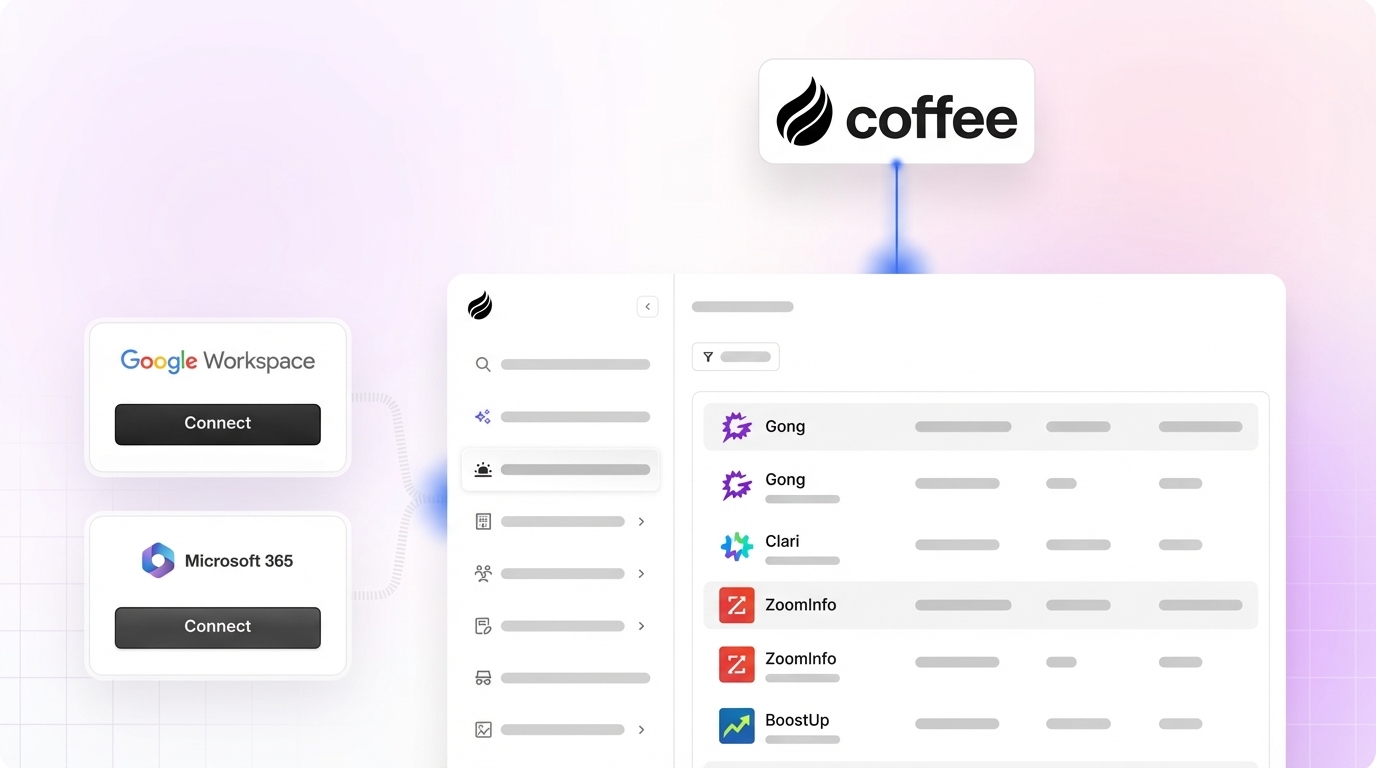
Setup and onboarding. Coffee activates through a single authentication with Google Workspace or Microsoft 365. The agent immediately scans emails and calendars to populate contacts, companies, and activity history. Legacy CRM onboarding requires data migration, field mapping, training, and often a third-party implementation partner.
Automatic data entry and enrichment. The Coffee Agent auto-creates contacts and companies, logs last and next activity, and enriches records with job titles, funding data, and LinkedIn profiles via licensed data partners. CRM automation can save teams several hours per week by reducing manual data entry and duplicate work. Coffee’s agent-level automation targets 8–12 hours saved per rep per week by working across email, calendar, and call transcripts at once.

Meeting intelligence and follow-up automation. The Coffee Agent joins calls via Zoom, Teams, or Meet, records and transcribes, then generates summaries, next steps, and follow-up email drafts structured to BANT, MEDDIC, or SPICED. This setup replaces standalone tools like Fathom or Gong for teams that do not need enterprise-scale conversation analytics.

Pipeline visualization with Pipeline Compare. Coffee stores interaction history in a built-in data warehouse, so it tracks week-over-week pipeline changes automatically. Pipeline Compare highlights progressed deals, stalled opportunities, and new additions without CSV exports or manual review preparation. Companies adopting AI-assisted forecasting see a 15–25% improvement in forecast accuracy over manual roll-up methods, reducing forecast variance to ±8–15% from the ±25–40% range typical of manual teams.
Visitor identification to named leads. A single tracking pixel converts anonymous website traffic into named prospects with name, title, email, LinkedIn profile, pages visited, and time on site. Competitors like RB2B and Warmly often surface company-level data or broad people lists. Coffee’s Suggested Leads feature instead identifies the two or three specific individuals inside a visiting company who match the buyer persona, ready for immediate LinkedIn outreach or drip enrollment.

Companion App versus standalone deployment. Teams already committed to Salesforce or HubSpot deploy Coffee as a Companion App, an intelligent layer that writes enriched data back to the existing system of record. Teams without a CRM, or those replacing a legacy system, use Coffee’s Standalone CRM, where the agent manages the entire system of record.
Best-Fit Use Cases by Company Size and Stack
Early-stage teams (1–20 employees). Founders and early sales hires who have outgrown spreadsheets but find HubSpot or Pipedrive to be expensive manual chores are the primary fit for Coffee’s Standalone CRM. The agent handles all data entry from day one, providing a modern system of record without a dedicated admin or implementation budget.
Growing mid-market organizations (20–200 employees) committed to Salesforce or HubSpot. These teams need an intelligent layer that improves data quality and pipeline visibility without replacing their existing system of record. The reason is straightforward: their current CRM often suffers from low adoption, poor data quality, and missing call and email data. These problems are so persistent that many mid-market teams buy fragmented point solutions like Gong, ZoomInfo, and RB2B just to fill the gaps. Coffee’s Companion App addresses all three problems in one deployment, which removes the need for that fragmented stack.
Teams comparing total cost versus fragmented stacks. A $50/user/month tool that eliminates two other subscriptions may be cheaper than a $30/user/month tool that does not. Coffee consolidates CRM, enrichment, meeting intelligence, pipeline tracking, and visitor identification into one seat-based price, which makes the TCO comparison straightforward against a stack of Gong, ZoomInfo, and RB2B layered on top of a legacy CRM.
Find your deployment model and choose between Standalone CRM for early-stage teams or the Companion App for established Salesforce and HubSpot users.
Operational and Long-Term Factors to Weigh
Change management and training. Agent-powered tools require a different adoption conversation than passive CRMs. Reps do not need to learn new data entry workflows; they need to trust that the agent captures activity accurately. Initial onboarding focuses on verifying agent output rather than training input behaviors.
Data governance. Coffee holds SOC 2 Type 2 and GDPR certifications, and data is not used to train public models. For teams in regulated industries, this meets a baseline requirement. For SMB and mid-market teams, it removes a common objection to adopting AI-powered tooling.
Shadow CRM elimination. Sales leaders report that a significant portion of their organization’s data is inaccessible to sales teams because it lives in spreadsheets, Notion, or personal inboxes. An agent that automatically captures and centralizes interaction data removes the conditions that create shadow CRMs in the first place.
Scaling with headcount. Coffee’s seat-based pricing model means the agent’s labor scales with the team without adding admin overhead. Legacy CRMs scale in data volume but require proportionally more admin time, and often a dedicated Salesforce administrator, as process complexity increases.
Risks, Limitations, and Common Misconceptions
Hidden maintenance in legacy systems. The per-seat license cost of a legacy CRM understates true TCO. Enterprise CRM implementations for large teams involve substantial total cost of ownership, including data migration, training, customization, and integration. These costs recur as the organization grows and processes change.
Incomplete automation in newer tools. Modern CRM alternatives like Day.ai focus on unstructured data productivity but do not address the full data capture problem. Clarify lacks the integration depth required for established Salesforce environments with quotas, required fields, and forecasting hierarchies. Partial automation still leaves reps responsible for filling gaps, which reproduces the adoption problem at a smaller scale.
Integration gaps with established CRMs. Third-party integrations via Zapier cover most common workflows for Coffee today, with deeper native integrations on the product roadmap. Teams with highly customized Salesforce environments should validate specific field mapping requirements before committing.
Software alone does not resolve data quality. AI tools amplify existing CRM data, with stale CRM data or vague ICP definitions causing reliability problems within the first 30 days of activation. An agent that captures data from source, such as email, calendar, and call transcripts, bypasses this problem by generating clean data rather than inheriting dirty data. Teams migrating from a legacy CRM with years of incomplete records should plan a data audit as part of onboarding.
Decision Framework: Matching Coffee to Your Situation
Use the following criteria to match a solution to your operating constraints:
- No existing CRM, 1–20 employees: Coffee Standalone CRM. The agent manages the system of record from day one with no implementation overhead.
- Existing Salesforce or HubSpot, 20–200 employees, low CRM adoption: Coffee Companion App. The agent writes clean data back to the existing system without requiring migration.
- Existing Salesforce or HubSpot, fragmented point solution stack (Gong + ZoomInfo + RB2B): Coffee Companion App. Consolidates conversation intelligence, enrichment, pipeline tracking, and visitor identification into one seat-based cost.
- Enterprise, 200+ employees, complex custom workflows, dedicated Salesforce admin: Evaluate enterprise-tier platforms such as Clari or Salesforce Agentforce with dedicated implementation resources. Coffee is not optimized for this segment.
- Heavily regulated industry (healthcare, finance) requiring multi-year security review: Coffee is not the right fit at this time.
Frequently Asked Questions
How long does Coffee take to implement and reach full productivity?
Coffee activates through a single authentication with Google Workspace or Microsoft 365. The agent begins populating contacts, companies, and activity history immediately after connection. Most teams reach full productivity within days, not weeks. There is no implementation partner required, no data migration project, and no training program for data entry, because the agent handles data entry autonomously from the start.
How does Coffee integrate with Salesforce and HubSpot, and what happens to existing CRM data?
Coffee’s Companion App connects to Salesforce or HubSpot through a simple authentication flow. Once connected, the Coffee Agent reads existing records, enriches them with data from emails, calendars, and call transcripts, and writes updated information back to the CRM. The existing system of record remains in place. Coffee does not replace Salesforce or HubSpot for teams committed to those platforms; it acts as the intelligent data layer that keeps them accurate. Teams with years of incomplete legacy data should plan a data quality audit before activation to ensure the agent enriches records from a clean baseline.
Is Coffee secure, and how is customer data handled?
Coffee maintains SOC 2 Type 2 and GDPR compliance, and customer data is not used to train public AI models. The agent processes email, calendar, and call transcript data to populate CRM records, and all processing occurs within Coffee’s governed infrastructure. Teams in standard commercial environments can proceed without a multi-year security review. Teams in heavily regulated industries such as healthcare or finance with specific compliance requirements should confirm whether Coffee’s current certification scope meets their obligations before committing.
How does Coffee’s forecasting accuracy compare to legacy CRM forecasting?
Forecast accuracy depends directly on data quality. Legacy CRMs produce unreliable forecasts because they rely on manual data entry that reps do not consistently complete. Coffee’s agent captures activity data from source, including email, calendar, and call transcripts, so the pipeline reflects ground truth rather than what reps remembered to log. The Pipeline Compare feature tracks week-over-week changes automatically, replacing manual CSV exports and subjective pipeline reviews with structured, data-driven analysis. Teams that previously relied on gut-feel roll-ups or spreadsheet-based reviews usually see immediate improvement in pipeline visibility once the agent is active.
Can Coffee replace multiple point solutions in the current stack?
For most SMB and mid-market teams, Coffee can replace several tools. Coffee consolidates the functions of a CRM, a data enrichment tool, a meeting recording and transcription tool, a pipeline tracking and forecasting layer, and a website visitor identification tool into one seat-based product. Teams currently paying separately for tools like Gong, ZoomInfo, and RB2B on top of a Salesforce or HubSpot license can evaluate Coffee’s Companion App as a consolidation play. The total cost comparison should account for all current subscriptions, not just the CRM license, to produce an accurate TCO picture.
Conclusion: Why Autonomous Agents Now Define Pipeline Intelligence
The core problem in pipeline intelligence is not a lack of software; it is a lack of reliable data. As noted earlier, fewer than one in ten businesses trust their CRM data, and world-class sales teams achieve roughly 85–95% forecast accuracy (or ±5–10% variance), with AI-assisted methods improving accuracy by 15–25% over manual forecasting, compared to median B2B teams at about 70–80%. The gap between those outcomes does not stem from forecasting algorithms. It stems from data input quality.
Passive CRMs, regardless of how modern their interface appears, reproduce the same failure. They rely on humans to enter data that humans consistently fail to enter completely or accurately. Modern point solutions like Gong or Clari improve what teams can do with CRM data, but they do not fix the underlying data capture problem. Only an autonomous agent that captures data from source, including email, calendar, call transcripts, and website visits, can guarantee good data in, which is the only path to trustworthy pipeline intelligence out.
Coffee is built on that guarantee, available as a Standalone CRM for early-stage teams or as a Companion App for organizations already committed to Salesforce or HubSpot. Activate your autonomous agent today and eliminate manual data entry for good.


