Written by: Doug Camplejohn, CEO & Co-Founder, Coffee
Key Takeaways
- Affinity CRM relies on passive data tracking and manual workflows, which wastes 64% of sales time on non-selling tasks. Coffee replaces this with an autonomous AI agent that handles data and follow-up work.
- Follow a 7-step migration playbook: audit data, export from Affinity, choose your Coffee model, connect and import, test automation, train your team, go live, and measure ROI. This structure protects against data loss.
- Coffee enriches records from emails and calendars, rebuilds relationship context, and typically saves teams 8–12 hours per rep each week.
- After migration, turn on Coffee features like meeting briefings, List Builder, and Pipeline Intelligence to deepen deal insights and speed decisions.
- Ready to migrate? Start your seamless Affinity transition and unlock unlimited agent automation.
Why Affinity CRM Falls Short vs. True AI-Powered CRM Agents
Affinity markets “AI relationship intelligence” but delivers passive data visualization instead of autonomous workflow automation. Affinity’s rigid workflows hinder managing multiple funds and deal types, which pushes teams back to spreadsheets for updates and reporting. The platform captures emails and meetings but does not convert this information into actionable deal structures, so relationship insights end up scattered across disconnected data silos and spreadsheet workarounds.
Manual tagging in Affinity creates bottlenecks during busy sales cycles, and workflow integration issues add extra steps and duplicate work. Teams struggle with complex IC workflows that do not fit Affinity’s structure, which leads to adoption stalls, missing context, and inconsistent reporting.
Coffee’s AI agent operates in a different way. Instead of storing data passively, Coffee actively unifies structured and unstructured data streams, enriches records, and logs interactions without human effort. AI agents in 2026 autonomously engage with enterprise systems to execute transactional actions and orchestrate complex workflows, which surpasses traditional CRMs’ informational capabilities. The following comparison highlights how Coffee’s agent-driven approach differs from Affinity’s passive data model across four critical dimensions:
| Feature | Affinity | Coffee |
|---|---|---|
| Data Entry | Automated capture with semi-automated elements | Agent auto-enriches |
| Integrations | Limited, premium-only | Native workspace sync |
| Pipeline Insights | Basic relationship scoring | Autonomous intelligence |
| Cost Structure | Expensive scaling | Seat-based, unlimited agent |
7 Steps to Migrate from Affinity CRM to Coffee AI-Powered CRM Agent
Prerequisites: Secure admin access to Affinity, connect Google Workspace or Microsoft 365, and reserve 2–4 hours for the migration. Coffee handles the heavy lifting, and your preparation ensures clean data transfer and fast productivity gains.
1. Audit Your Affinity Data
Start by cataloging your current Affinity data structure. Export contact lists, deal pipelines, and relationship graphs so you can spot gaps and inconsistencies. Traditional CRMs struggle to manage the web of relationships and dependencies in complex deals, which often produces incomplete records. Document custom fields, tags, and relationship hierarchies that you will map into Coffee’s agent-driven structure. This structured data inventory will guide your import configuration.
Pro Tip: While cataloging structured data, also note unstructured information such as call transcripts or email threads that Affinity could not process. Coffee will automatically capture and organize this intelligence, turning previously wasted information into actionable insights.
2. Execute Affinity CRM Export
Use Affinity’s export tools under Settings > Data Export. Generate CSV files for contacts, companies, deals, and activities. Export limits and field mapping limitations create workflow constraints, so schedule multiple export sessions if you manage large datasets.
Common Mistake: Affinity’s relationship graphs do not export cleanly to CSV format, which causes relational data loss. Coffee reconstructs these connections automatically through email and calendar analysis, so your network graph reappears without manual rebuilding.
3. Choose Your Coffee Model
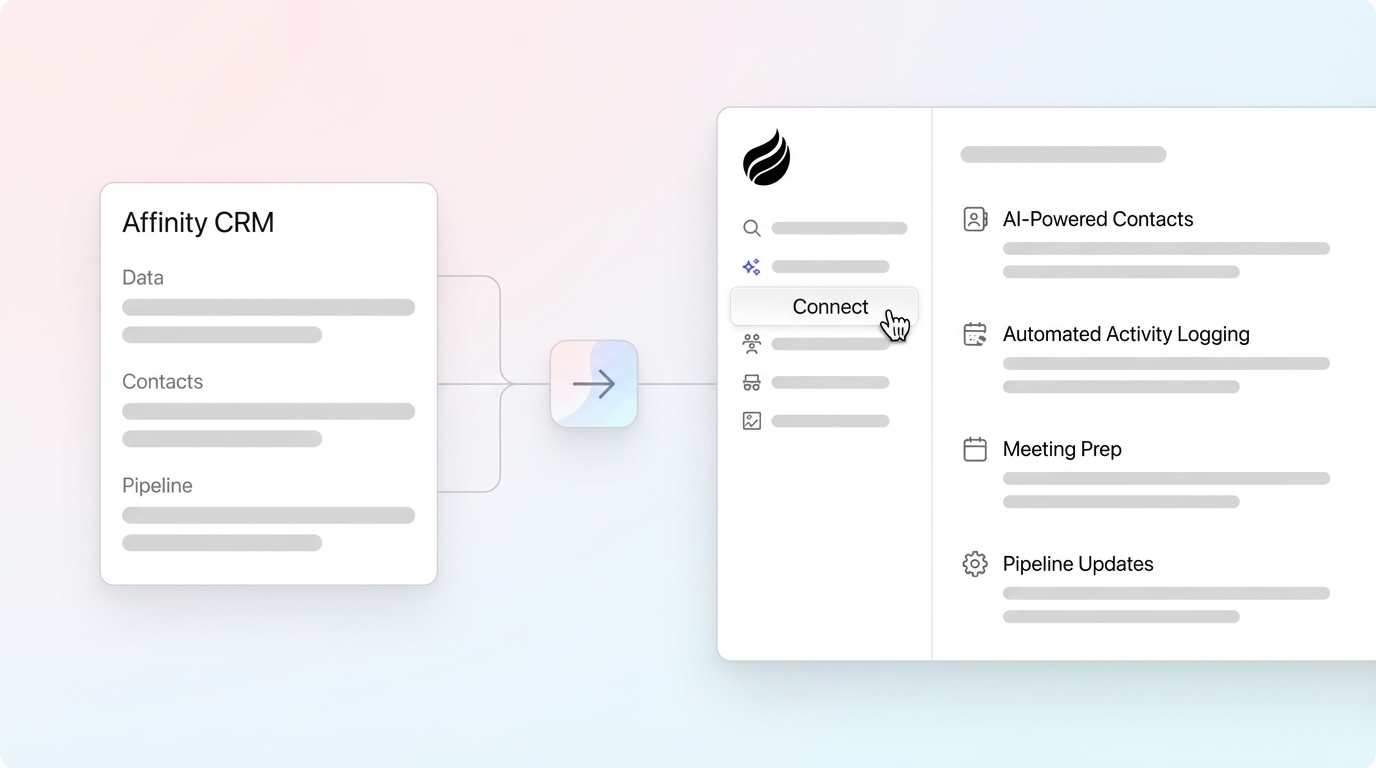
Pick the Coffee deployment that matches your stack. The Standalone CRM fits SMBs and investment teams that want a full Affinity replacement. The Companion App works best for teams that stay on Salesforce or HubSpot but want Coffee’s automation on top. For most investment firms leaving Affinity, the Standalone model creates the cleanest transition and removes legacy system complexity while adding agent automation.
4. Connect and Import to Coffee
Authenticate Coffee with your Google Workspace or Microsoft 365 environment. Coffee then begins capturing and enriching data from your workspace. Enterprise-grade AI agents offer deep integration with data systems, enabling seamless import processes while still protecting data integrity.
As data flows in, Coffee enriches records by adding missing contact information, company details, and relationship context. To ensure accuracy, the system cross-references each enriched field with live email and calendar data and catches inconsistencies that would slip through manual imports.
5. Test Agent Automation
Run focused tests on Coffee’s automation before full deployment. Confirm automatic contact creation from new email interactions, meeting briefing generation, and post-call summary creation. These tests should show clear improvements over Affinity’s manual and semi-automated processes.

Validation Checklist: Confirm that Coffee captures new contacts, logs activities automatically, and generates actionable meeting insights without human intervention. Address any edge cases now so your team sees a smooth experience at launch.
6. Train Team and Go Live
Roll out Coffee across your sales team with a structured one-week plan. Start with a pilot group, gather feedback, then extend access to the full team. This phased approach supports focused training and quick iteration.
Center training on Coffee’s agent-driven interface instead of manual data entry workflows. Highlight the “Today” briefing page, automated follow-up drafting, and pipeline intelligence features that replace Affinity’s relationship tracking. Teams usually adapt quickly because Coffee removes administrative work instead of adding new tasks.

7. Measure ROI and Refine Workflows
Track time savings using Coffee’s built-in analytics. Automation can cut non-selling work by 66%, and teams commonly reclaim the 8–12 hours per rep mentioned earlier. Monitor pipeline accuracy and adoption rates against your Affinity baseline.
Coffee’s Pipeline Compare feature tracks week-over-week changes automatically and removes the spreadsheet exports and manual analysis that defined Affinity workflows. Once you complete these seven steps and validate your ROI metrics, you are ready to unlock Coffee’s advanced agent capabilities.
Start your Coffee migration to begin tracking ROI improvements with live data.
Post-Migration Wins: Activate Coffee’s Agent Features
With your migration complete and your team comfortable with the basics, your new agent-driven workflow starts delivering value beyond standard CRM features. Meeting briefings prepare reps with attendee context and interaction history, and the AI meeting bot joins calls to generate summaries and action items automatically. 2026 AI agents integrate semantic comprehension with CRM operations for automating complex workflows, which allows Coffee to handle tasks that required manual effort in Affinity.
The List Builder feature uses natural language commands to create targeted prospect lists, and Pipeline Intelligence surfaces real-time deal progression insights. Coffee processes unstructured data from emails and transcripts that Affinity could not analyze, so you gain comprehensive deal intelligence that supports faster and more confident investment decisions.

Affinity CRM Alternatives 2026: Why Coffee Leads for Investment Sales
Before you commit to a migration, you may want to see how Coffee compares to other CRM options beyond Affinity. Sales teams choosing a new platform face a tradeoff between legacy systems that rely on manual effort and agent-driven solutions that automate intelligence gathering. Coffee’s agent-first architecture matches the relationship complexity and deal velocity requirements of modern sales teams.
To illustrate Coffee’s competitive advantages, here is how it compares to other leading CRM platforms across automation capabilities, data handling, and enterprise readiness:
| Platform | Agent Automation | Data Unification | Sales Fit | Security |
|---|---|---|---|---|
| Coffee | Autonomous | Structured + Unstructured | Small to mid-sized businesses | SOC 2 Type 2, GDPR |
| Salesforce | Manual workflows | Structured only | Requires customization | Enterprise-grade |
| HubSpot | Basic automation | Limited integration | Marketing-focused | Standard compliance |
| Clarify | AI-enhanced | Unstructured focus | Limited integrations | Emerging platform |
Experience Coffee’s agent-driven CRM designed for sales complexity.
Frequently Asked Questions
How long does Affinity CRM migration to Coffee take?
Most Affinity to Coffee migrations complete in 1–2 days with Coffee’s automated mapping and agent-driven data enrichment. The system handles complex relationship reconstruction and data validation that would require weeks of manual effort in traditional migrations. Teams usually reach full productivity within one week of deployment.
How does Affinity CRM to Coffee migration compare to Salesforce migration?
Coffee migration stays significantly simpler than Salesforce transitions because automation replaces many manual configuration tasks. Salesforce migrations often require months of customization and user training. Coffee organizes data and automates workflows automatically, so teams avoid building custom objects, workflows, and integration mappings that Salesforce implementations demand.
Can I migrate Affinity CRM data to Coffee without losing relationship intelligence?
Coffee enhances relationship intelligence by analyzing email patterns, meeting frequency, and interaction context beyond what Affinity’s relationship graphs captured. Rather than relying on manual tagging, Coffee builds these connections through authenticated workspace integration, so relationship context remains intact and often becomes richer.
What makes Coffee the best AI CRM agent for Affinity users?
Coffee addresses Affinity’s core limitations through autonomous data entry, intelligent relationship mapping, and seamless workflow automation. Investment teams save 8–12 hours per rep weekly by removing manual data entry and relationship tracking that defined Affinity workflows. Coffee processes both structured deal data and unstructured communication intelligence, which creates comprehensive investment pipeline visibility that Affinity could not deliver.
How does Coffee pricing work for teams migrating from Affinity?
Coffee uses transparent seat-based pricing where teams pay for human users and receive unlimited agent automation. Unlike Affinity’s complex feature tiers and premium integration costs, Coffee includes all agent functionality in base pricing. Teams often reduce overall spend because Coffee replaces multiple point solutions for enrichment, recording, and pipeline analysis.
Conclusion
Migrating from Affinity CRM to Coffee’s AI-powered agent shifts sales operations from manual data management to autonomous intelligence gathering. This 7-step playbook supports a controlled transition and unlocks immediate productivity gains and pipeline accuracy improvements. Begin your Affinity migration with Coffee today to unlock these benefits for your team.